
1. Introduction
Thank you for choosing the HOMCOM Mini Freezer Countertop. This compact upright freezer is designed for convenient storage of frozen foods in various settings such as homes, dorms, apartments, and offices. Please read this manual thoroughly before operation to ensure proper use, maintenance, and safety.
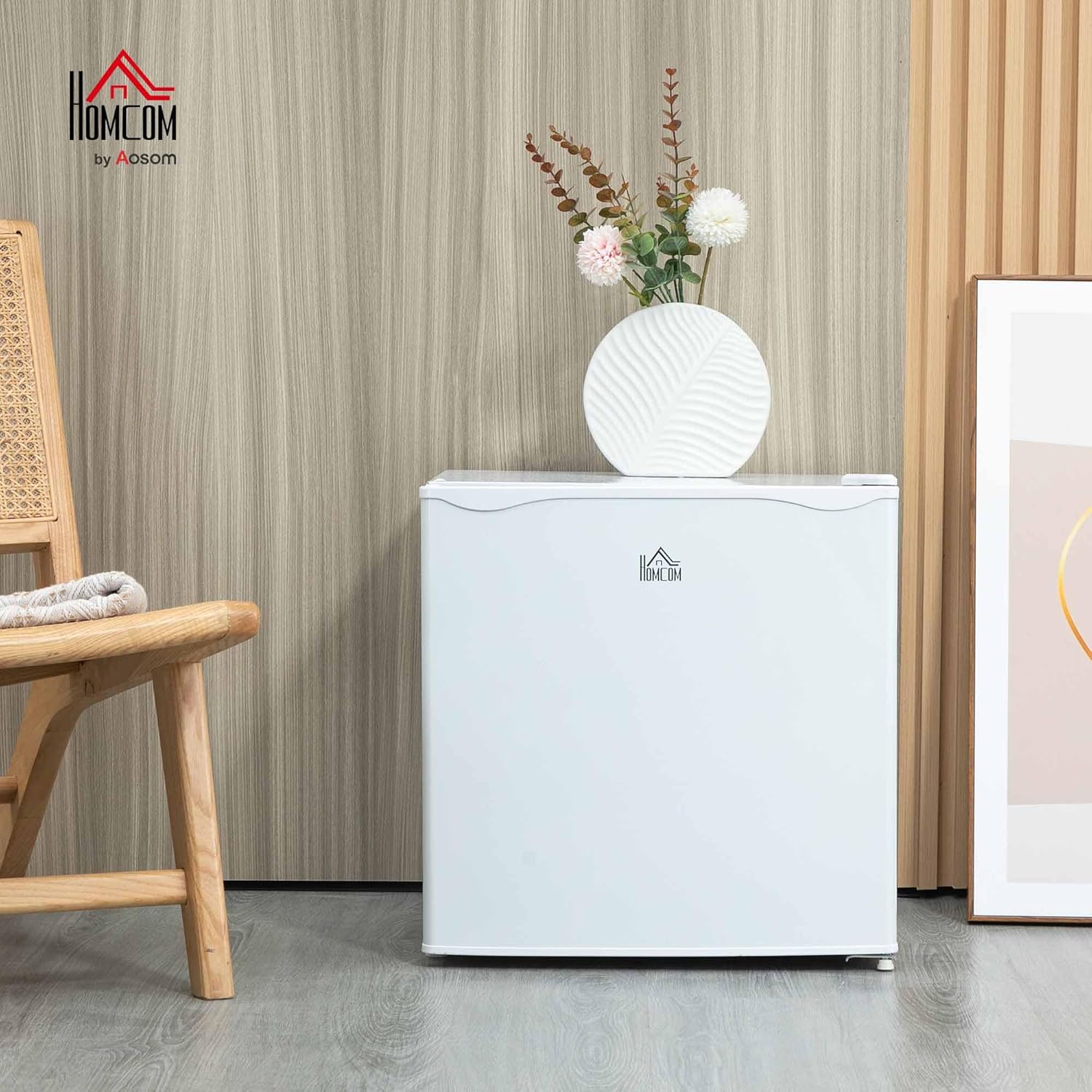
Image 1.1: The HOMCOM Mini Freezer Countertop, 1.1 Cu.Ft, positioned in a room, showcasing its compact design.
2. Safety Information
To reduce the risk of fire, electric shock, or injury when using your appliance, follow these basic precautions:
- Read all instructions before using the appliance.
- Do not store explosive substances such as aerosol cans with a flammable propellant in this appliance.
- This appliance is intended to be used in household and similar applications.
- Keep ventilation openings, in the appliance enclosure or in the built-in structure, clear of obstruction.
- Do not use mechanical devices or other means to accelerate the defrosting process, other than those recommended by the manufacturer.
- Do not damage the refrigerant circuit.
- Do not use electrical appliances inside the food storage compartments of the appliance, unless they are of the type recommended by the manufacturer.
- Ensure the appliance is placed on a stable, level surface.
- Allow adequate space around the unit for proper ventilation.
3. Setup and Installation
3.1 Unpacking and Placement
- Remove all packaging materials, including foam and adhesive tape.
- Clean the interior and exterior of the freezer with a damp cloth.
- Place the freezer on a firm, level floor that is strong enough to support the unit when fully loaded.
- Ensure the freezer is not exposed to direct sunlight or heat sources.
- Allow at least 4 inches (10 cm) of space on the sides and back of the freezer for proper air circulation.
3.2 Adjustable Feet
The freezer is equipped with adjustable feet to ensure stability on uneven surfaces. Rotate the feet clockwise or counter-clockwise to level the unit.
3.3 Reversible Door
The door of the freezer is reversible, allowing it to open from either the left or right side. This feature provides flexibility for placement in various locations. Refer to the detailed diagram for instructions on reversing the door hinge if needed.

Image 3.1: Key features of the freezer, including the adjustable foot for leveling and the reversible door mechanism.
4. Operating Instructions
4.1 Initial Operation
- After placing the freezer, allow it to stand upright for at least 2-4 hours before plugging it in. This allows the refrigerant to settle.
- Plug the freezer into a dedicated electrical outlet.
- The freezer will begin to cool. Allow it to operate for several hours before placing food inside.
4.2 Temperature Adjustment
The temperature of the freezer can be adjusted using the thermostat dial located inside the unit. The dial has 5 levels, allowing you to set the temperature from 6.8℉ to -11.2℉ (or -14℃ to -24℃).
- Setting 0: Off
- Setting 1: Least cold (approximately 6.8℉ / -14℃)
- Setting 5: Coldest (approximately -11.2℉ / -24℃)
Adjust the dial to your desired temperature. A middle setting (e.g., 3) is often sufficient for general use.

Image 4.1: The internal thermostat dial for adjusting the freezer's temperature.
4.3 Storage Capacity and Removable Shelf
The 1.1 Cu.Ft capacity is suitable for storing various frozen items such as seafood, meats, and other frozen foods. The internal shelf is removable, providing flexibility to accommodate items of different sizes.
Video 4.1: This video demonstrates the interior capacity of the HOMCOM Mini Freezer, showing how items like ice trays and various foods can be stored, and highlights the adjustable temperature control.
4.4 Energy Efficiency and Noise Level
The freezer features a low-energy consumption compressor, designed to cool quickly and quietly. It operates at approximately 41 decibels, ensuring minimal disturbance in quiet environments.

Image 4.2: Illustration of the freezer's low noise operation, rated at 41 decibels.

Image 4.3: The freezer highlighting its energy-saving features, with an estimated daily cost of $0.07.
5. Maintenance
5.1 Cleaning
- Always unplug the freezer before cleaning.
- Clean the interior with a solution of mild detergent and warm water. Avoid abrasive cleaners or harsh chemicals.
- Wipe down the exterior with a soft, damp cloth.
- Ensure all surfaces are dry before plugging the freezer back in.
5.2 Defrosting
This freezer is not frost-free and will accumulate frost over time. Regular defrosting is necessary to maintain efficiency and prevent excessive ice buildup.
- Unplug the freezer from the power outlet.
- Remove all food items and store them in another freezer or cooler.
- Leave the freezer door open to allow the frost to melt naturally. You can place towels inside to absorb melting water.
- Do not use sharp objects or heating devices to remove frost, as this can damage the cooling system.
- Once all frost has melted, clean and dry the interior thoroughly before plugging the freezer back in and returning food items.
6. Troubleshooting
If you experience issues with your freezer, consult the following common troubleshooting steps:
| Problem | Possible Cause | Solution |
|---|---|---|
| Freezer does not operate | No power; Power cord unplugged; Circuit breaker tripped. | Check power supply; Ensure cord is securely plugged in; Reset circuit breaker. |
| Freezer is not cold enough | Temperature setting too high; Door not closed properly; Excessive frost buildup; Ambient temperature too high. | Adjust thermostat to a colder setting; Ensure door seals tightly; Defrost the unit; Move freezer to a cooler location. |
| Excessive noise | Freezer not level; Items inside rattling; Compressor noise (normal). | Adjust leveling feet; Rearrange items; Compressor noise is normal during operation. |
| Water on floor | Defrosting water not contained; Drain pan overflowing. | Ensure proper defrosting procedure is followed; Check and empty drain pan if applicable. |
7. Specifications
Detailed specifications for the HOMCOM Mini Freezer Countertop, Model 800-127V80WT:
| Feature | Detail |
|---|---|
| Model Number | 800-127V80WT |
| Capacity | 1.1 Cu.Ft |
| Product Dimensions (W x D x H) | 18.5" x 17.5" x 19.25" (47 cm x 44.5 cm x 49 cm) |
| Item Weight | 28.6 pounds (13 kg) |
| Color | White |
| Material | Steel |
| Power Source | Corded Electric |
| Voltage | 115 Volts |
| Wattage | 150 watts |
| Sound Level | 41 Decibels |
| Special Features | Adjustable Shelves, Compact, Energy Efficient, Low Noise, Portable, Reversible Door |
| Included Components | Ice Shovel, Ice Cube Tray |
| Certification | UL |

Image 7.1: Product dimensions of the HOMCOM Mini Freezer.

Image 7.2: Examples of the freezer's compact design fitting into small spaces.
8. Warranty and Support
The HOMCOM Mini Freezer Countertop, Model 800-127V80WT, comes with a 1 Year Manufacturer Warranty.
For warranty claims, technical support, or any inquiries regarding your product, please contact HOMCOM customer service through the retailer where the product was purchased. Ensure you have your proof of purchase and model number available.