Introduction
Thank you for choosing the ZQDDBA Drone with 6K HD Camera. This RC Quadcopter is designed for both beginners and adults, featuring GPS auto return, headless mode, brushless motors, 5GHz FPV, and Follow Me capabilities. This manual provides essential information for safe operation, setup, and maintenance of your drone. Please read it thoroughly before first use.
Safety Information
- Always operate the drone in open areas, away from people, buildings, and obstacles.
- Maintain a safe distance from the drone during flight.
- Do not fly in strong winds, rain, or other adverse weather conditions.
- Ensure batteries are fully charged before each flight.
- Follow all local regulations and laws regarding drone operation.
- Keep fingers and loose clothing away from rotating propellers.
- Do not modify the drone or its components.
Package Contents

Image: The ZQDDBA drone, its remote controller, and three flight batteries are shown. The drone is grey with four propellers, and the remote controller has a mount for a smartphone.
Verify that all items are present in your package:
- ZQDDBA Drone (x1)
- Remote Controller (x1)
- Flight Batteries (x3)
- USB Charging Cable (x1)
- Spare Propellers (x4)
- Screwdriver (x1)
- User Manual (this document)
- Storage Bag (x1)
Setup
1. Battery Installation and Charging
The drone comes with three 7.4V 2500mAh batteries. Ensure all batteries are fully charged before first use.
- Connect the battery to the USB charging cable.
- Plug the USB cable into a 5V/2A USB adapter (not included).
- Charging time is approximately 240 minutes per battery. The indicator light will change when charging is complete.
- Insert the charged battery into the drone's battery compartment until it clicks into place.
2. Remote Controller Setup
Install 3 AA batteries (not included) into the remote controller. Extend the phone holder to mount your smartphone.
3. App Installation
Download the official ZQDDBA drone application from your smartphone's app store (iOS/Android). Search for "ZQDDBA Drone" or scan the QR code provided in the quick start guide (if applicable).
4. Drone and Remote Pairing
- Place the drone on a flat, level surface.
- Power on the drone by pressing and holding the power button. The drone lights will flash.
- Power on the remote controller.
- Push the left joystick up and then down to pair the remote with the drone. The drone lights will become solid when paired.
5. GPS Calibration
For optimal GPS performance, calibrate the drone before each flight in an open outdoor area.
- After pairing, the drone's GPS indicator will flash.
- Perform horizontal calibration by rotating the drone horizontally until the lights change.
- Perform vertical calibration by holding the drone vertically and rotating it until the lights become solid.
- Wait for the drone to acquire enough GPS satellites (indicated by solid GPS light on the drone and app).
Operating Instructions
1. Basic Flight Controls
Familiarize yourself with the remote controller's joysticks and buttons. Refer to the remote controller diagram in the quick start guide for specific button functions.
- Left Joystick: Controls altitude (up/down) and yaw (rotate left/right).
- Right Joystick: Controls forward/backward and left/right movement.
- One-Key Takeoff/Landing: Press the designated button for automatic takeoff or landing.
- Headless Mode: Activates headless mode, where the drone's orientation is relative to the pilot, regardless of its front direction.
2. GPS Intelligent Functions

Image: Illustrates the drone flying in a desert landscape with icons representing GPS satellite positioning, low power return, return over distance, one-key return, and runaway protection.
- One-Key GPS Return to Take-off Point: The drone will automatically return to its recorded take-off location. This function is also triggered by low power or loss of signal.
- GPS Intelligent Follow: The drone will automatically follow the GPS signal of the remote controller or the image recognized by the camera.
- Route Multi-Point Planning Flight: Plan a custom flight path on the app map. The drone will fly autonomously along the set route, allowing the user to focus on shooting.
- Fixed Point Surround: Select a center point on the app, then use the joystick to set the desired surround radius. The drone will orbit the chosen point.
- Aircraft Retrieval Function: If the drone is lost, click the GPS signal icon 3 times continuously in the app to open a map interface displaying the drone's last known distance, latitude, and longitude.
3. Camera Operation

Image: Details of the drone's 6K anti-shake camera, showing its self-stabilization gimbal, 110° wide-angle lens, 30° adjustment angle, and the 1080p bottom camera for head-up and overhead shots.
- 6K HD Anti-shake Camera: The main camera features a high-definition anti-shake gimbal, adjustable by 90°, with a 110° wide-angle lens for improved aerial photography.
- 1080P Bottom Camera: The drone also includes a 1080P lens at the bottom, allowing for switching viewing angles and a wider shooting range.
- Gesture Shooting Recognition: Within 1-3 meters from the aircraft, make a photo gesture or camera gesture facing the camera to trigger photo or video recording.
- Picture and Video Sharing: You can select single or multiple photos to share. Videos can only be shared individually at a time through the app.
4. Electronic Fence Technology

Image: A drone flying over a snowy mountain landscape, with a red grid overlay illustrating the electronic virtual fence that limits the drone's flight distance and height.
The drone is equipped with electronic virtual fence technology. This feature automatically limits the drone from flying beyond a set distance or height, enhancing safety and ease of use, especially for new pilots.
5. Long-Range Flight and FPV
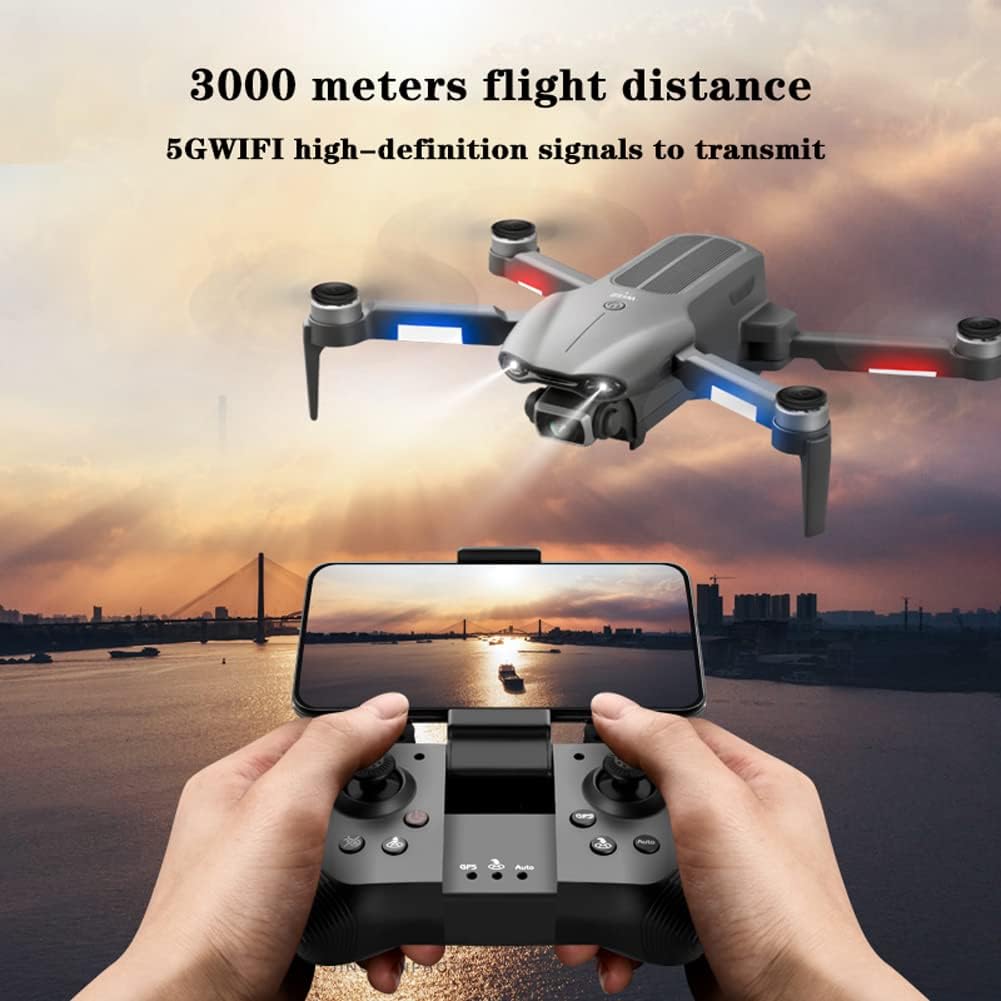
Image: A drone flying over a city skyline at sunset, with a remote controller in the foreground displaying a live FPV feed on a smartphone, highlighting the 3000-meter flight distance and 5GWIFI high-definition signal transmission.
The ZQDDBA drone utilizes high-frequency 5GWIFI high-definition signals for real-time image transmission, allowing you to view live aerial footage. It boasts a maximum flight distance of 3000 meters, enabling exploration of distant landscapes.
Maintenance
- Cleaning: Use a soft, dry cloth to clean the drone and remote controller after each use. Avoid using liquids or solvents.
- Propeller Inspection: Regularly check propellers for damage (cracks, bends). Replace damaged propellers immediately using the provided spare parts.
- Battery Care: Store batteries in a cool, dry place. Do not overcharge or over-discharge batteries. If storing for extended periods, charge batteries to approximately 50% capacity.
- Storage: Store the drone and its accessories in the provided storage bag to protect them from dust and physical damage.
Troubleshooting
| Problem | Possible Cause | Solution |
|---|---|---|
| Drone does not power on. | Battery not charged or not properly installed. | Ensure battery is fully charged and correctly inserted. |
| Remote controller does not connect. | Remote batteries low or pairing failed. | Replace remote batteries. Re-attempt pairing process. |
| Drone drifts during flight. | Improper calibration or strong wind. | Perform GPS calibration. Avoid flying in strong winds. |
| No FPV image on app. | Wi-Fi not connected or app issue. | Ensure phone is connected to drone's Wi-Fi. Restart app and drone. |
| Drone returns unexpectedly. | Low battery or signal loss. | This is a safety feature. Ensure sufficient battery and maintain signal range. |
Specifications

Image: A close-up view of the drone's brushless motor, highlighting its internal components and design for efficient power delivery.
- Product Name: Four-axis GPS brushless folding aircraft
- Model: 050711MFF9
- Unfolded Size: 26 x 6 x 31 cm
- Folded Size: 14 x 9 x 6 cm
- Body Battery Capacity: 7.4V 2500mAh (50g)
- Flight Time: Approximately 30 minutes
- Battery Charging Time: Approximately 240 minutes
- Aircraft Range (Image Transmission): 2000 meters (5GHz FPV)
- Maximum Flight Distance: 3000 meters
- Camera: 6K HD Anti-shake Gimbal Camera (90° adjustable, 110° wide-angle)
- Bottom Camera: 1080P
- Motors: Brushless Motors (Wind resistance up to Level 7)
- Control Type: Remote Control
- Media Type: SD (for recording)
Warranty and Support
For warranty information or technical support, please contact ZQDDBA customer service through the contact details provided on the product packaging or the official ZQDDBA website. Please have your model number (050711MFF9) and purchase date ready when contacting support.