
MOFII szjp12
MOFII Wired Number Pad Numeric Keypad Instruction Manual
Brand: MOFII | Model: szjp12
1. Introduction
Thank you for choosing the MOFII Wired Number Pad. This compact and portable numeric keypad is designed to enhance your productivity, especially for tasks involving extensive numerical input. Its silent keys and ergonomic design provide a comfortable and efficient user experience, making it ideal for financial accounting, data entry, and general daily use.
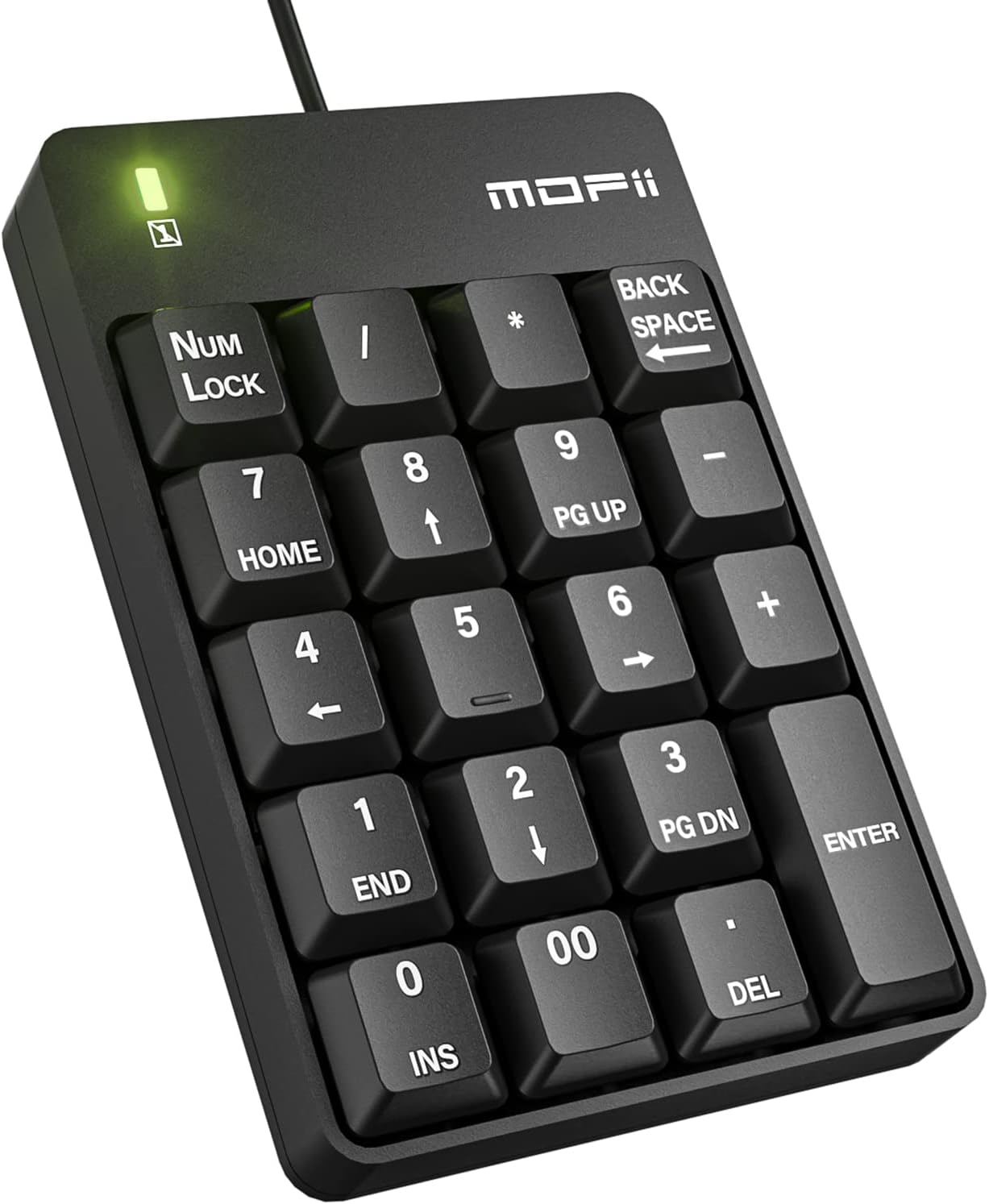
Image: Front view of the MOFII Wired Number Pad, showcasing its compact design and 19 keys.
2. Setup Guide
The MOFII Wired Number Pad offers a simple plug-and-play setup, requiring no additional drivers or batteries. Follow these steps to get started:
- Locate an available USB port on your laptop, computer, PC, notebook, or Surface Pro.
- Insert the USB cable of the numeric keypad into the USB port.
- The keypad will be automatically recognized by your operating system (compatible with Vista, Windows 7/8/10/2000/95/98/Me, Android, MAC, XP, or Chrome OS).
- For Mac and Chrome computers without a standard USB port, a suitable adapter (not included) will be required.

Image: The MOFII Number Pad connected to a laptop, illustrating the simple USB plug-in process.

Image: Visual representation of the plug-and-play functionality, emphasizing no driver requirement.
Setup Demonstration Video
Video: A demonstration of connecting the MOFII numeric keypad to a laptop, highlighting its ease of use.
3. Operating Instructions
The MOFII Numeric Keypad features 19 keys designed for efficient data entry. Here are some key aspects of its operation:
- Num Lock: Press the "Num Lock" key to activate or deactivate the numeric keypad. A green indicator light will illuminate when Num Lock is active.
- Quiet Click: The keys are designed for minimal noise, providing a quiet and soft touch, which is beneficial in shared work environments.
- Backspace: Use the "BACK SPACE" key for quick corrections during data entry.
- Ergonomic Design: The keypad is designed with a comfortable tilt angle (approximately 15 degrees) to reduce wrist pressure during prolonged use.

Image: Detailed view of the keypad highlighting the Num Lock, Backspace, and quiet key features.
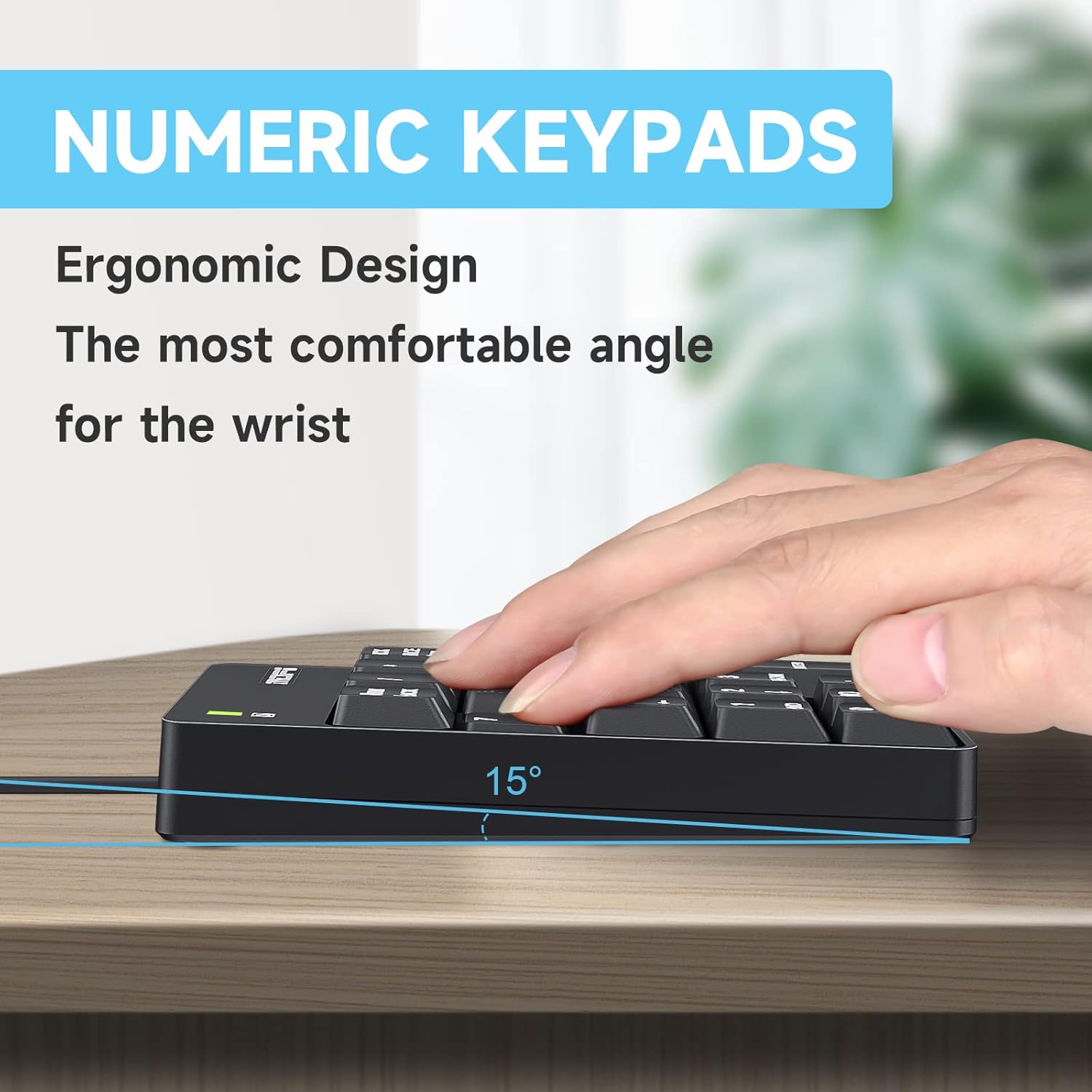
Image: Side profile of the keypad demonstrating its ergonomic 15-degree tilt for comfortable typing.
Ideal Applications
This numeric keypad is particularly well-suited for:
- Financial accounting tasks
- Handling electronic tables (spreadsheets)
- Data entry in various applications
- General numerical input for laptops and PCs without integrated number pads

Image: An infographic illustrating diverse applications for the numeric keypad, including accounting, banking, and business use.
4. Maintenance
To ensure the longevity and optimal performance of your MOFII Wired Number Pad, follow these simple maintenance guidelines:
- Cleaning: Use a soft, dry cloth to wipe the surface of the keypad. For stubborn dirt, a slightly damp cloth can be used, but ensure no moisture enters the key mechanisms.
- Avoid Liquids: Do not expose the keypad to excessive moisture or immerse it in any liquid.
- Storage: When not in use, store the keypad in a clean, dry environment away from extreme temperatures.
- Durability: The keypad is constructed from durable materials designed for long-term use.
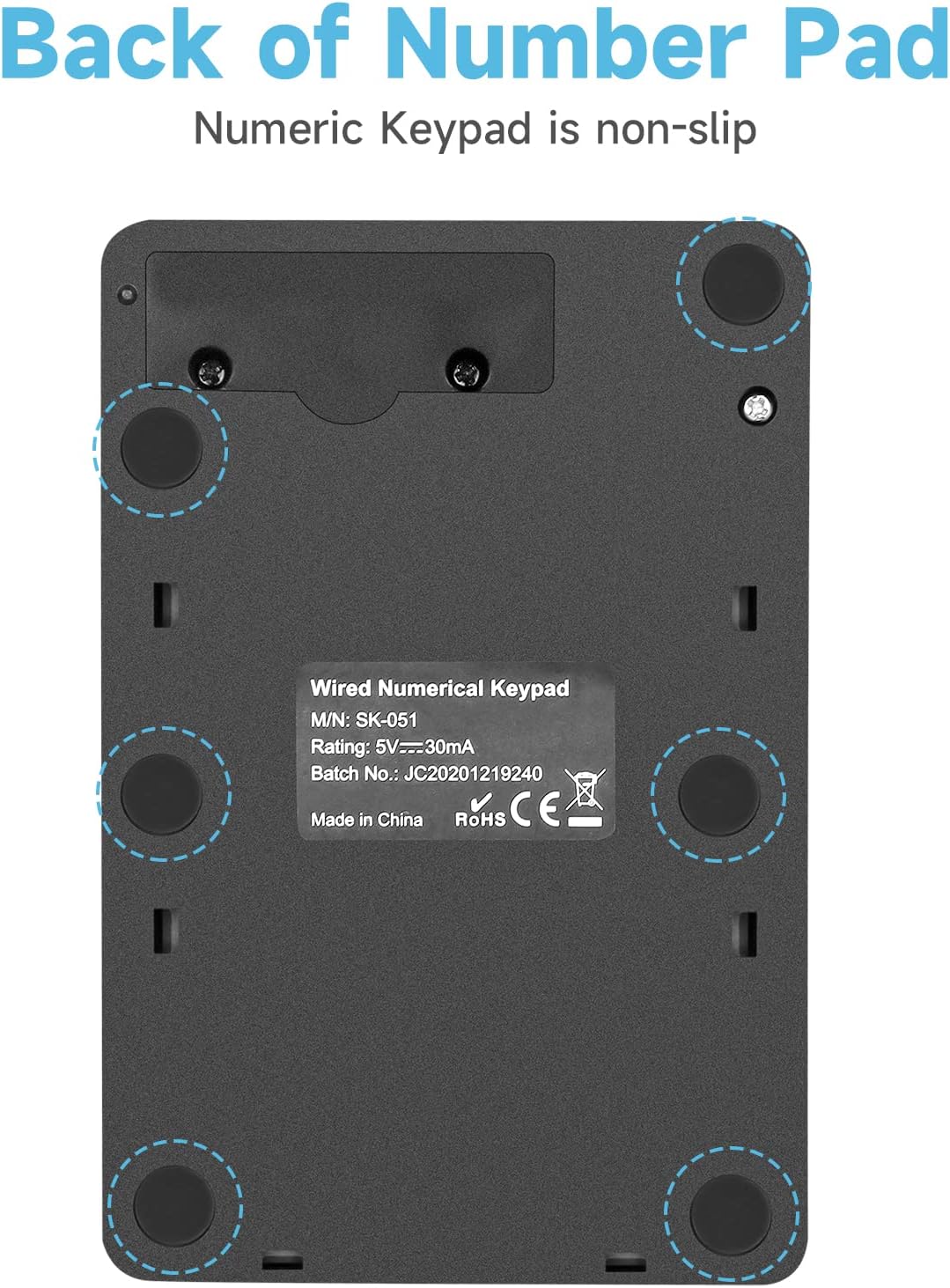
Image: The underside of the numeric keypad, showing its non-slip pads for stable placement.
5. Troubleshooting
If you encounter any issues with your MOFII Wired Number Pad, please refer to the following common solutions:
- Keypad Not Responding:
- Ensure the USB cable is securely plugged into a functioning USB port on your computer.
- Try plugging the keypad into a different USB port.
- Restart your computer.
- Verify that "Num Lock" is activated (green indicator light on).
- Incorrect Character Input:
- Ensure "Num Lock" is activated.
- Check your operating system's keyboard settings to ensure proper layout.
- Compatibility Issues:
- The keypad is compatible with Vista, Windows 7/8/10/2000/95/98/Me, Android, MAC, XP, and Chrome OS.
- If using a Mac or Chrome computer without a standard USB port, ensure you are using a compatible adapter.
6. Specifications
| Feature | Detail |
|---|---|
| Brand | MOFII |
| Model Number | szjp12 |
| Connectivity Technology | USB cable (Wired) |
| Number of Keys | 19 |
| Product Dimensions | 5.31 x 3.34 x 1.57 inches (13.49 x 8.48 x 3.99 cm) |
| Item Weight | 3.88 ounces (approx. 110g) |
| Color | Black |
| Special Features | Ergonomic, Portable, Silent Keys |
| Compatible Devices | Laptop, PC (Windows, Android, MAC, Chrome OS) |
| What's in the Box | USB Cable |

Image: Visual representation of the product dimensions (length, width, height).
7. Warranty and Support
MOFII is committed to product quality and customer satisfaction. For any after-sales service or quality assurance concerns, including defective products or issues beyond Amazon's return time, please contact us directly through Amazon email.
We aim to respond within 12 hours and provide satisfactory solutions to any product-related problems you may encounter.
For further assistance, please visit the official MOFII Store on Amazon: MOFII Store
Ask a question about this manual
Ask about setup, troubleshooting, compatibility, parts, safety, or missing instructions. Manuals+ will review the question and use this page’s manual context to help answer it.