
Introduction
The LBW Tri-Head LED Grow Light is designed to provide optimal lighting conditions for indoor plants at all growth stages. Featuring a flexible tri-head design and an adjustable tripod stand, this light offers versatile illumination for various plant sizes and setups. Its full spectrum output mimics natural sunlight, promoting healthy and vigorous plant growth.

Figure 1: LBW Tri-Head LED Grow Light in an indoor plant setting.
Key Features:
- Upgraded Tri-Head Design: Flexible tri-head with a tall, stable tripod stand (15 to 63 inches) for larger illumination areas.
- Full Spectrum Light: 150 high-efficiency LEDs (18 Red + 90 Warm White + 42 Cold White) emitting 380nm-800nm spectrum, similar to noon sunlight.
- Auto On/Off Timer: 3 cycle timing settings (3/6/12H) for automatic daily operation.
- 3 Lighting Modes & 6 Dimmable Levels: Individual light control and adjustable brightness to meet specific plant needs.
- Easy to Use: Simple assembly and user-friendly controls.
Package Contents
Please verify that all components listed below are included in your package:
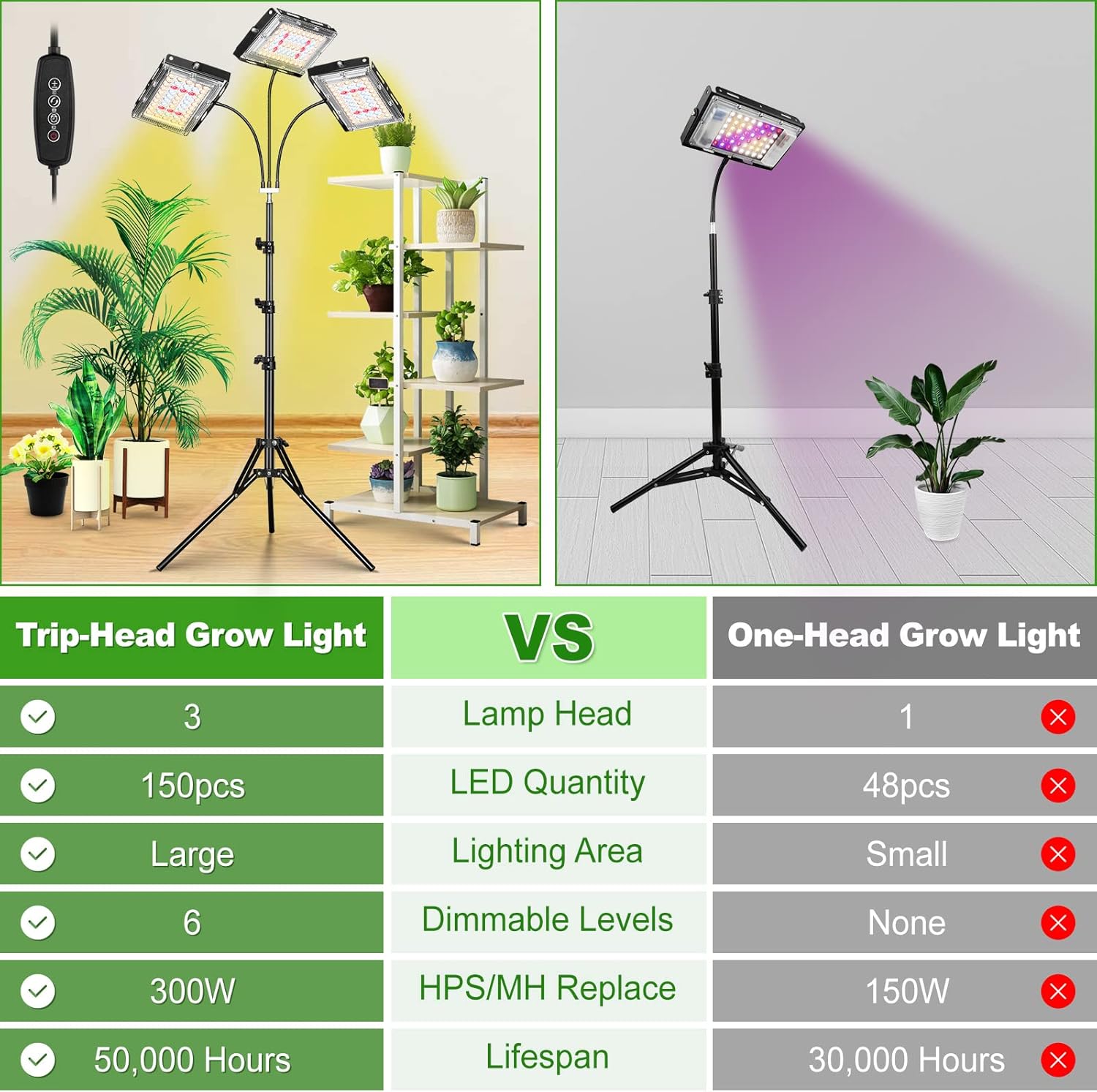
Figure 2: All components included in the LBW Grow Light package.
- Tri-Head Grow Light (1 unit)
- Adaptor (1 unit)
- Wrench (1 unit)
- Nuts (3 units)
- Connector (1 unit)
- Goosenecks (3 units)
- Tripod (1 unit)
Setup Instructions
Follow these steps for quick and easy assembly:
- Assemble the Tripod: Open the tripod outwards and adjust the legs to your desired height. Secure the height by tightening the clamps on the tripod pole.
- Install the Connector and Goosenecks: Screw the connector onto the top of the tripod pole. Then, attach the three goosenecks to the connector.
- Attach the Light Panels: Fix each of the three light panels to the end of a gooseneck using the provided nuts and wrench.
- Connect to Power: Plug the adaptor into the grow light's control cable, and then plug the adaptor into a power outlet.
- Adjust Height and Angle: Adjust the height of the tripod and the angle of each gooseneck to provide optimal illumination for your plants.
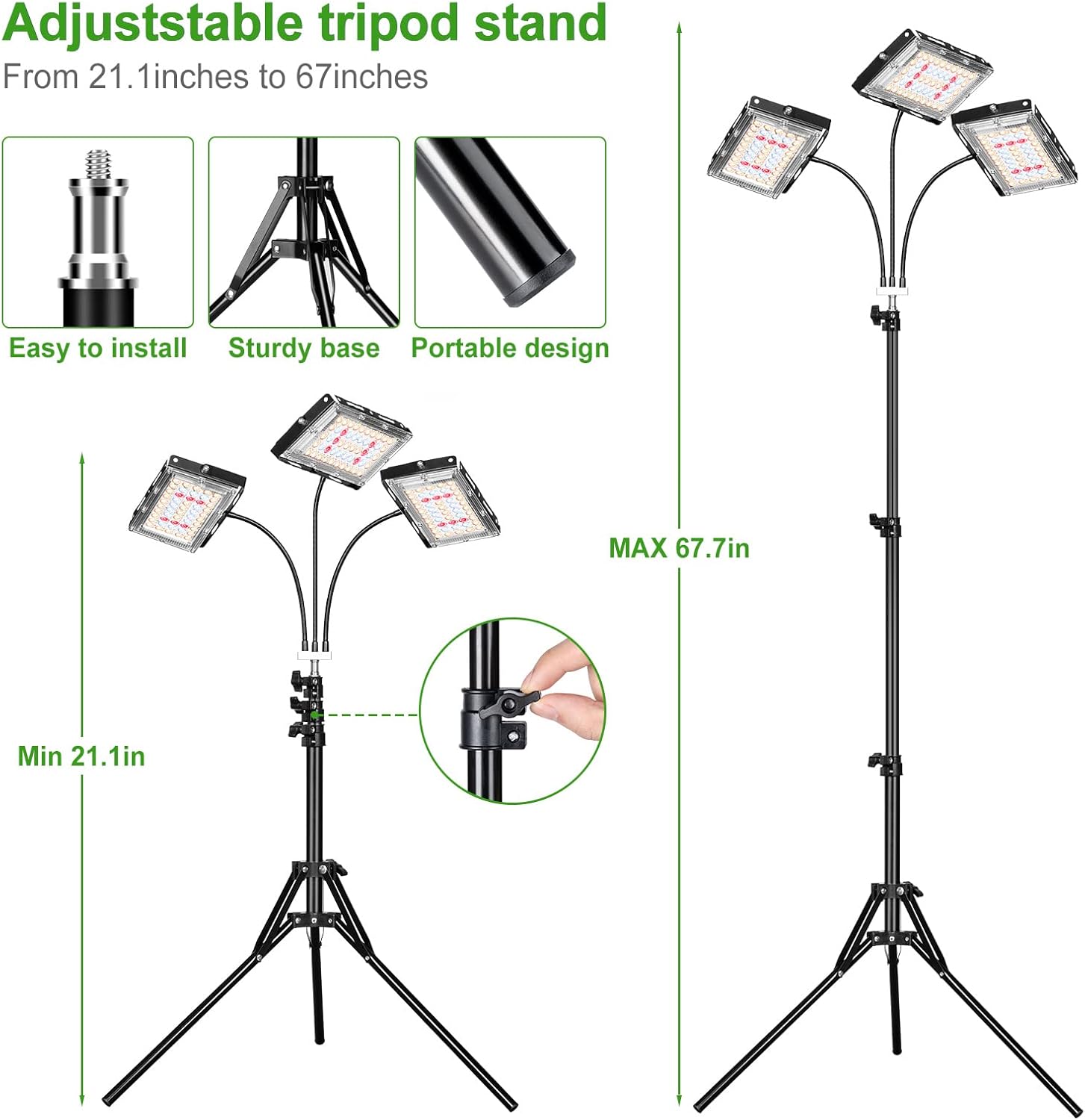
Figure 3: Adjustable tripod stand for flexible height adjustment.

Figure 4: Step-by-step visual assembly guide.
Operating Instructions
The LBW Grow Light features an intelligent controller for easy operation. The controller is integrated into the power cable.

Figure 5: Intelligent Controller and its functions.
Controller Functions:
- On/Off Switch: Press to turn the light on or off.
- Dimming Levels: Use the '+' and '-' buttons to cycle through 6 brightness settings (20%, 40%, 60%, 80%, 100%).
- Lighting Modes: The mode button allows you to select between 3 lighting modes: one light on, two lights on, or all three lights on. Each light can be controlled individually.
- Timer Settings: Press the timer button to set the auto on/off cycle for 3, 6, or 12 hours. Once set, the light will automatically turn on and off at the same time daily.
Video 1: Demonstration of the LBW Grow Light in various indoor settings, showcasing its aesthetic appeal and functionality with different plants. This video highlights the light's ability to beautify plants and home environments.
Specifications
| Feature | Specification |
|---|---|
| Brand | LBW |
| Model Name | grow light (ca220501) |
| Light Source Type | LED |
| Number of Light Sources | 150 (18 Red + 90 Warm White + 42 Cold White) |
| Spectrum | Full Spectrum (380nm-800nm) |
| Wattage | 30 watts |
| Brightness | 4500 Lumen |
| Voltage | 12 Volts |
| Tripod Adjustable Height | 15 inches to 63 inches |
| Product Dimensions | 15.35"D x 15.35"W x 21.1"H |
| Item Weight | 3.9 Pounds |
| Material | Aluminum, Metal |
| Control Method | Remote (integrated into cable) |
| Indoor/Outdoor Usage | Indoor |

Figure 6: Full Spectrum LED composition and benefits.
Maintenance
To ensure the longevity and optimal performance of your LBW Grow Light, follow these simple maintenance guidelines:
- Cleaning: Gently wipe the light panels and stand with a soft, dry cloth to remove dust. Do not use liquid cleaners directly on the LED panels.
- Placement: Ensure the light is placed in a stable position to prevent tipping, especially when extended to maximum height.
- Cable Care: Avoid bending or twisting the power cable excessively. Ensure it is not pinched or placed under heavy objects.
- Storage: If storing the grow light, disassemble it carefully and keep all components in their original packaging or a protective container to prevent damage.
Troubleshooting
If you encounter any issues with your LBW Grow Light, please refer to the following common troubleshooting steps:
- Light Not Turning On:
- Check if the power adaptor is securely plugged into both the grow light cable and the wall outlet.
- Ensure the wall outlet is functional by testing it with another device.
- Verify that the on/off switch on the controller is pressed.
- Lights Flickering or Malfunctioning:
- This could indicate an issue with the power supply. Try using a different compatible 12V adaptor if available.
- Ensure all connections are secure and free from damage.
- Timer Not Working Correctly:
- Ensure the timer was set correctly by pressing the timer button to select 3, 6, or 12 hours.
- The timer activates from the moment it is set. If you want it to turn on at a specific time, plug it in and set the timer at that desired start time.
- Light Stand Instability:
- Ensure the tripod legs are fully extended and the clamps are tightened securely.
- For optimal stability, especially with taller plants, ensure the light panels are centered over the tripod base.
Warranty and Support
The LBW Grow Light comes with a 12-month servicing warranty and a 30-day satisfaction or return policy, guaranteeing 100% money back. If you experience any issues or have questions, please contact LBW customer support directly for assistance.
For further support or inquiries, please visit the LBW Store on Amazon.