
1. Product Overview
The PTHTECHUS Kids Smart Watch is designed for children aged 4-12, offering a range of features including dual HD cameras, 24 educational puzzle games, an MP3 music player, video recording, a pedometer, alarm clock, and more. It features an HD touchscreen for easy navigation.

Image: Front view of the PTHTECHUS Kids Smart Watch, highlighting its vibrant display and dual camera design.
2. Package Contents
- 1 x PTHTECHUS Kids Smart Watch
- 1 x Charging Cable
- 1 x User Manual
3. Initial Setup
3.1 Charging the Watch
Before first use, fully charge the smart watch. Connect the provided charging cable to the watch's USB charging port and plug the other end into a compatible USB power adapter (not included) or a computer's USB port. The charging indicator will appear on the screen.

Image: Detailed view of the watch's components, including the USB charging port located on the side.
3.2 Powering On/Off
To power on the watch, press and hold the power button located on the side until the screen illuminates. To power off, press and hold the power button until the power-off option appears on the screen, then confirm.
3.3 Setting Time and Date
From the main screen, swipe to access the settings menu. Navigate to 'Time and Date' to adjust the current time, date, and time format (12-hour or 24-hour). Use the touchscreen to select and confirm your settings.
4. Operating Your Smart Watch
4.1 Navigating the Interface
The watch features an intuitive touchscreen interface. Swipe left or right on the home screen to browse through different watch faces. Swipe up or down to access the main application menu. Tap on an icon to open an application.

Image: The watch's home screen, showing the time and date, and illustrating the clear display.
4.2 Using the Dual Cameras
The watch is equipped with two HD cameras: one on the top for general photos and videos, and a selfie camera with fun stickers. To access the camera, tap the 'Camera' icon from the main menu. You can switch between cameras and apply various fun stickers before capturing moments.

Image: Highlighting the dual camera setup on the smart watch.

Image: Demonstrating the camera's ability to record happy moments and apply fun stickers.
4.3 Playing Games
The watch includes 24 built-in educational puzzle games designed to train logic and reaction skills. Tap the 'Games' icon to view the list of available games. Select a game to start playing.

Image: A child engaged in playing one of the built-in games on the smart watch.
4.4 Music Playback
The smart watch functions as an MP3 music player. Music files (MP3 format) must be copied to the 'My Music' folder on the watch's memory card. Tap the 'Music' icon to access the player. You can play, pause, skip tracks, and adjust volume.
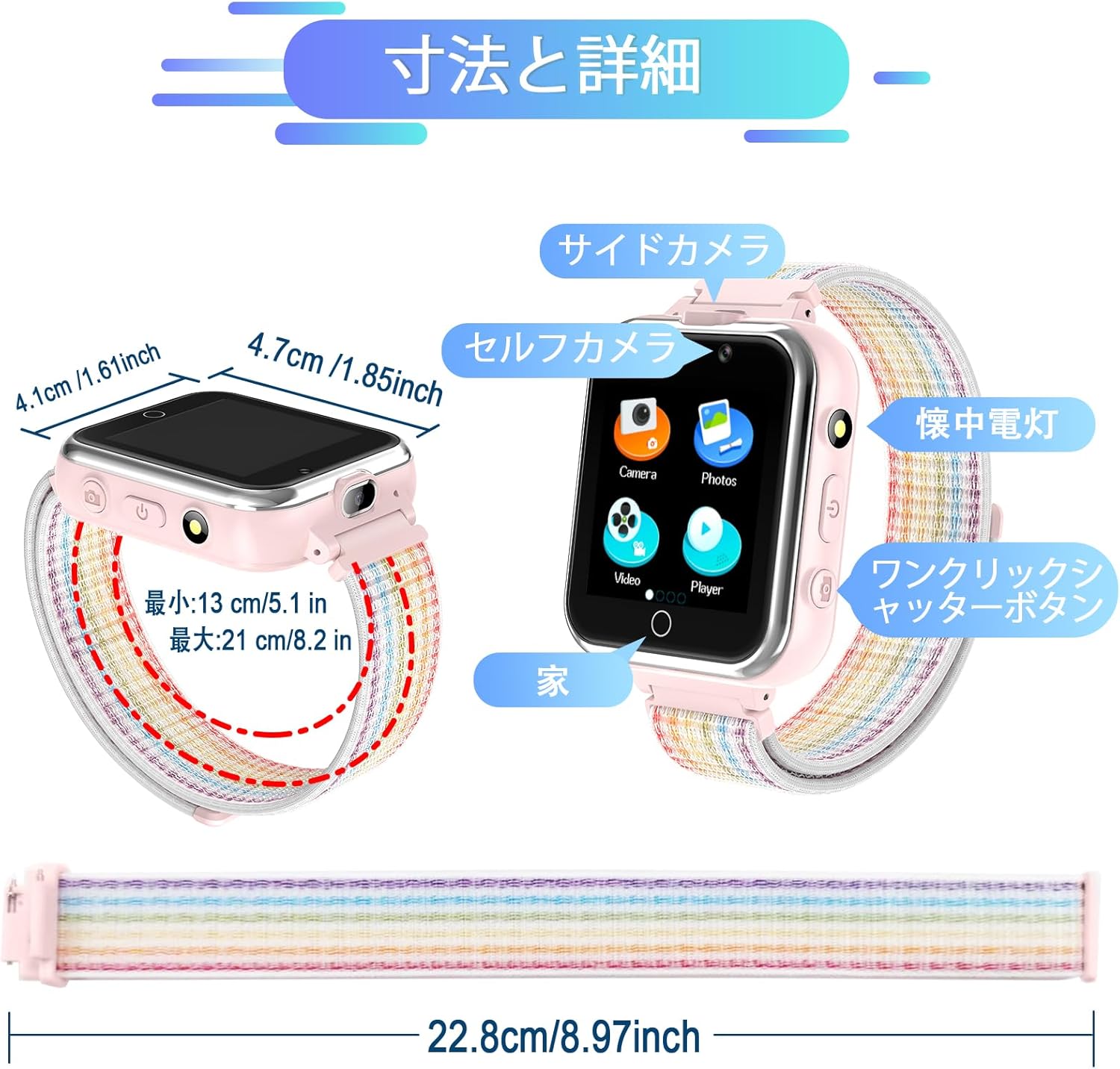
Image: The music player interface on the watch, showing playback controls.

Image: A child enjoying music playback through the smart watch.
4.5 Pedometer Function
The built-in pedometer tracks steps in real-time. Access the 'Pedometer' application to view your child's activity, including steps taken and calories burned.
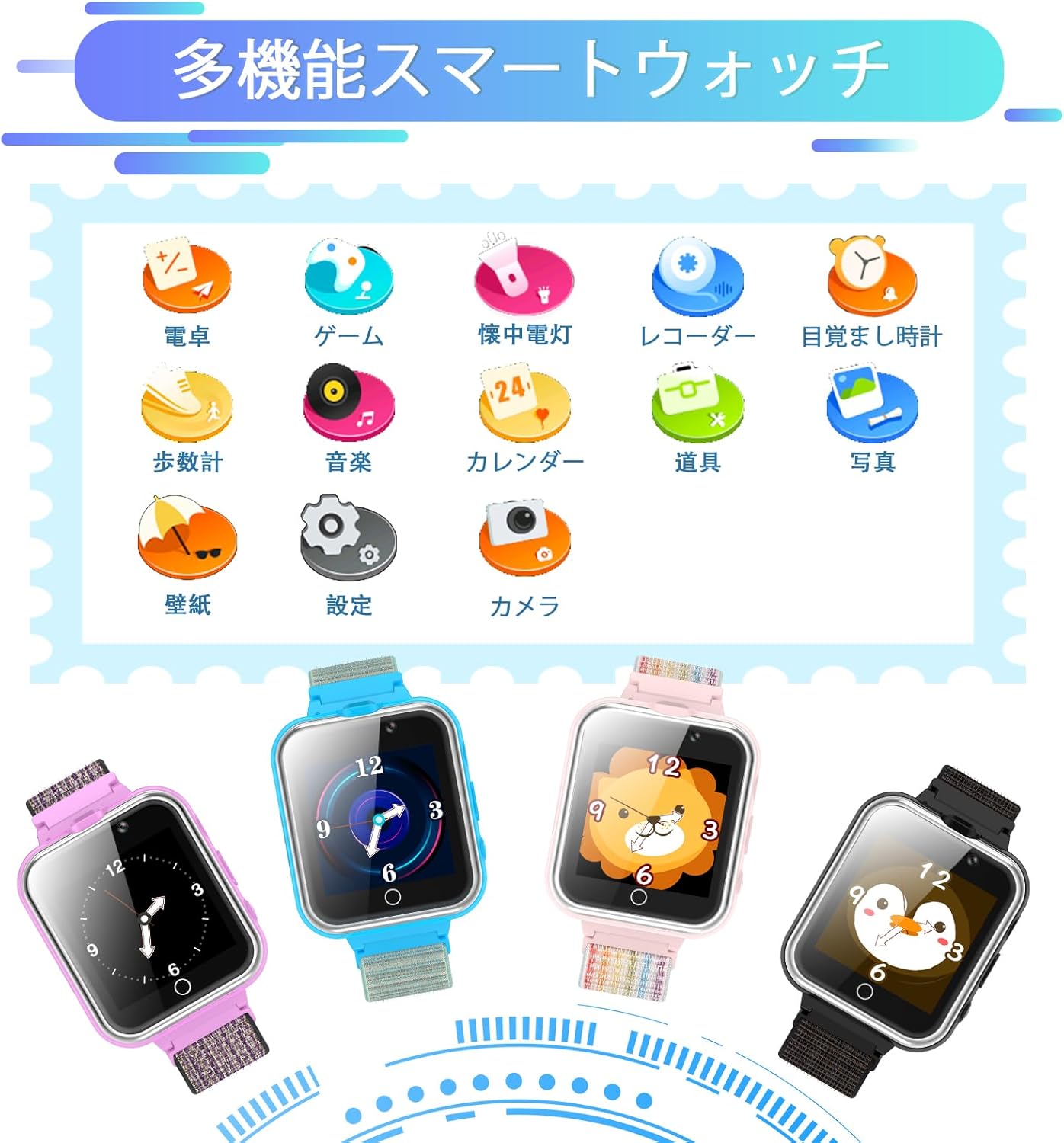
Image: The pedometer screen on the watch, showing activity metrics.

Image: A child utilizing the pedometer function during outdoor activity.
4.6 Alarm Clock and Other Tools
The watch includes several useful tools:
- Alarm Clock: Set up to 3 alarms for reminders.
- Calculator: Perform basic arithmetic operations.
- Flashlight: Activate a small light for convenience.
- Calendar: View the current date and month.
- Voice Recorder: Record short audio notes.
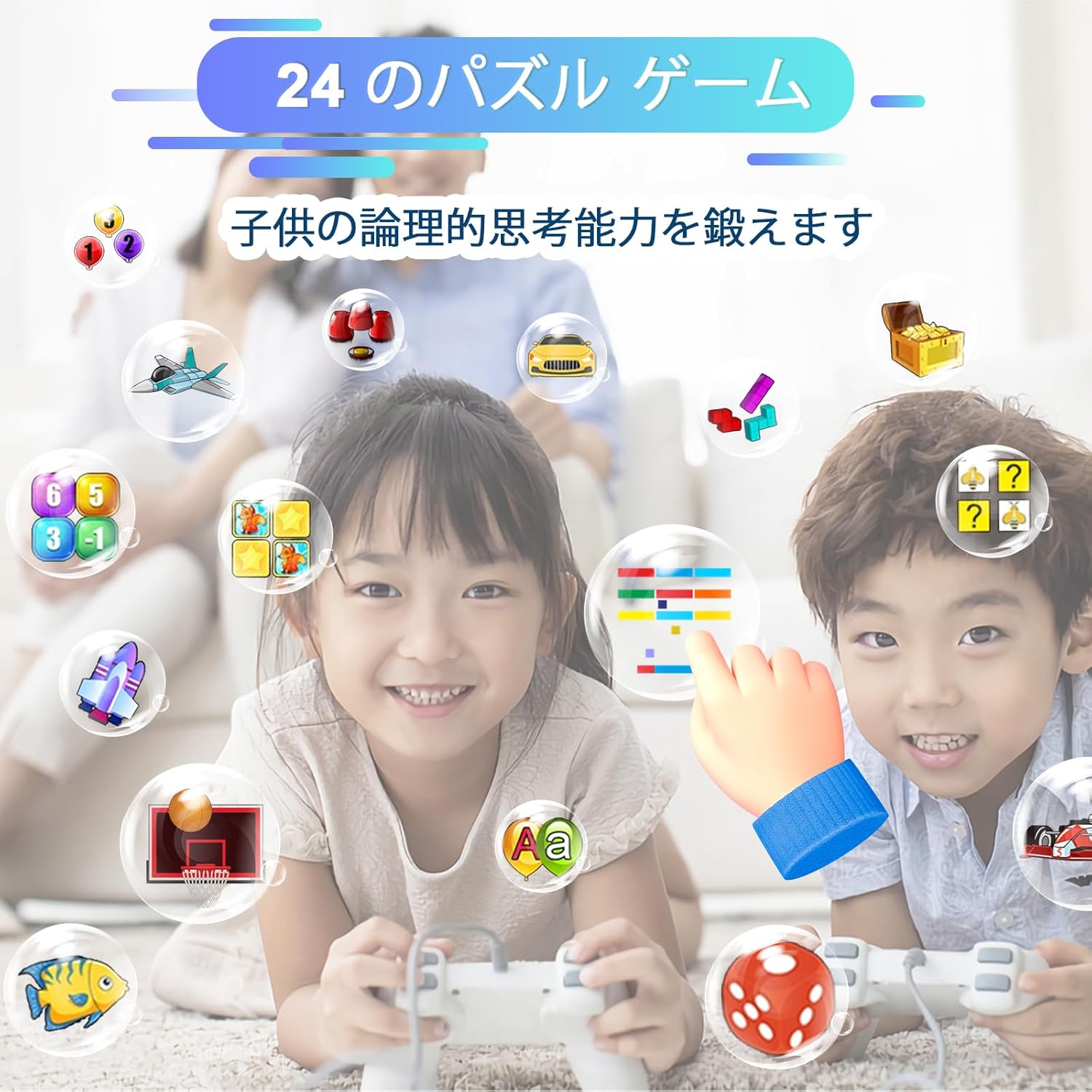
Image: A collection of utility icons on the watch screen, including calculator, alarm, and calendar.

Image: Illustrating the calculator and alarm clock features of the watch.
4.7 School Mode and Silent Profile
The watch includes a 'School Mode' and 'Silent Profile' to manage notifications and sounds during specific times. These can be configured in the settings menu to ensure the watch does not distract during school hours or quiet times.
4.8 Watch Operation Demonstration Video
Video: A comprehensive demonstration of the PTHTECHUS X32 Kids Smart Watch's various functions and operations, including navigation, camera, music, and tools.
5. Care and Maintenance
- Cleaning: Wipe the watch with a soft, dry cloth. Avoid using harsh chemicals or abrasive cleaners.
- Water Resistance: The watch is not waterproof. Avoid exposing it to water, moisture, or extreme humidity.
- Storage: Store the watch in a cool, dry place when not in use.
- Battery: To prolong battery life, avoid fully discharging the battery frequently. Charge it regularly.
6. Troubleshooting Common Issues
| Problem | Solution |
|---|---|
| Watch does not power on. | Ensure the watch is fully charged. Press and hold the power button for several seconds. |
| Screen is unresponsive. | Restart the watch by holding the power button. If unresponsive, allow the battery to fully drain and then recharge. |
| Music files not playing. | Ensure music files are in MP3 format and copied to the 'My Music' folder on the memory card. |
| Camera not saving photos/videos. | Check if the memory card has sufficient storage space. |
7. Product Specifications
| Feature | Detail |
|---|---|
| Product Dimensions | 8.66 x 1.18 x 0.39 inches |
| Item Weight | 1.76 ounces (50 Grams) |
| Item Model Number | x32GMW |
| Batteries | 1 Lithium Polymer battery (included) |
| Screen Display Size | 1.54 Inches |
| Memory Storage Capacity | 500 MB |
| Special Feature | Camera |
| Connectivity Technology | USB |
| Wireless Communication Standard | Bluetooth |
| GPS | No GPS |
| Manufacturer | PTHTECHUS |
| Country of Origin | China |
8. Warranty Information
This product comes with a standard manufacturer's warranty. Please refer to the product packaging or contact the seller for specific warranty terms and conditions.
9. Customer Support
For any questions, technical assistance, or support regarding your PTHTECHUS Kids Smart Watch, please contact the seller directly through the platform where the purchase was made. Provide your order details for faster service.


