
1. Product Overview
The SOVMIKU camera kit utilizes advanced technology, integrating ultra-high-definition image processing with intelligent analysis to deliver precise surveillance and comprehensive security. With real-time data transfer and an automated alert system, you receive critical information promptly. Whether for home or business, SOVMIKU serves as a dependable intelligent security assistant.

Image: Complete Sovmiku 10-inch Monitor Integrated NVR Wireless Security Camera System with 4 cameras and 1TB HDD.
2. Key Features
- 10.1-inch LCD Display & 5MP HD Support:
Equipped with a 10.1-inch display, this system offers superior color accuracy compared to conventional cameras. It allows for flexible installation based on size requirements. You can view clear and vibrant images directly on the monitor, enabling precise identification of faces and enhancing family safety. The PTZ camera features 5-megapixel ultra-high resolution with IR-CUT functionality. Night vision extends up to 20 meters, ensuring accurate color reproduction of the scene at all times. With a 110° wide-angle lens and a movable range of 355° horizontally and 90° vertically, it provides nearly 360° coverage.

Image: Visual comparison showing the clarity of 5MP resolution versus 3MP resolution.

Image: PTZ camera demonstrating its 360-degree horizontal and 90-degree vertical rotation capabilities.
- Motion Detection & Real-time Alert:
The system accurately detects motion, tracks movement trajectories, and intelligently analyzes surveillance content to provide precise alerts. In case of abnormal activity, the system automatically sends an alert to your mobile phone, ensuring immediate response.

Image: Smartphone displaying a motion detection alert from the security camera system.
- Wireless & Wired Connection:
The NVR unit and cameras can connect even without an internet network. Additionally, the NVR unit supports Wi-Fi connectivity, eliminating the need for complex wiring and offering more convenient and flexible installation. Once connected to Wi-Fi, you can remotely view real-time images or play back recorded content anytime, anywhere via the smartphone app or PC software. The camera and NVR unit can also be connected via a hub and LAN cable for a wired connection.

Image: Diagram illustrating the simple power connection and wireless setup of the system.
- Night Vision Modes:
Equipped with a high-sensitivity image sensor, the camera captures clear images even in extremely low light, eliminating blind spots in night surveillance. Built-in high-output infrared LEDs provide infrared illumination for clear recording in complete darkness. The long infrared illumination range ensures clear night vision images at distances of 10 meters, 20 meters, or more, adapting to various environments.

Image: Visual representation of the three available night vision modes: Color, Infrared, and Smart Mode.
- Two-Way Audio:
The NVR unit and smartphone app support two-way audio communication, allowing you to converse with visitors or deter intruders directly through the camera.

Image: A person interacting with a delivery person via the two-way audio feature of the security camera system.
3. Package Contents
Your SOVMIKU security camera system package includes:
- 1 x 10-inch Monitor Integrated NVR (with 1TB HDD built-in)
- 4 x 5-megapixel Wireless PTZ Cameras
- Power Adapters for NVR and Cameras
- Mounting Screws and Accessories
- User Manual (this document)
The system is expandable up to 10 cameras.
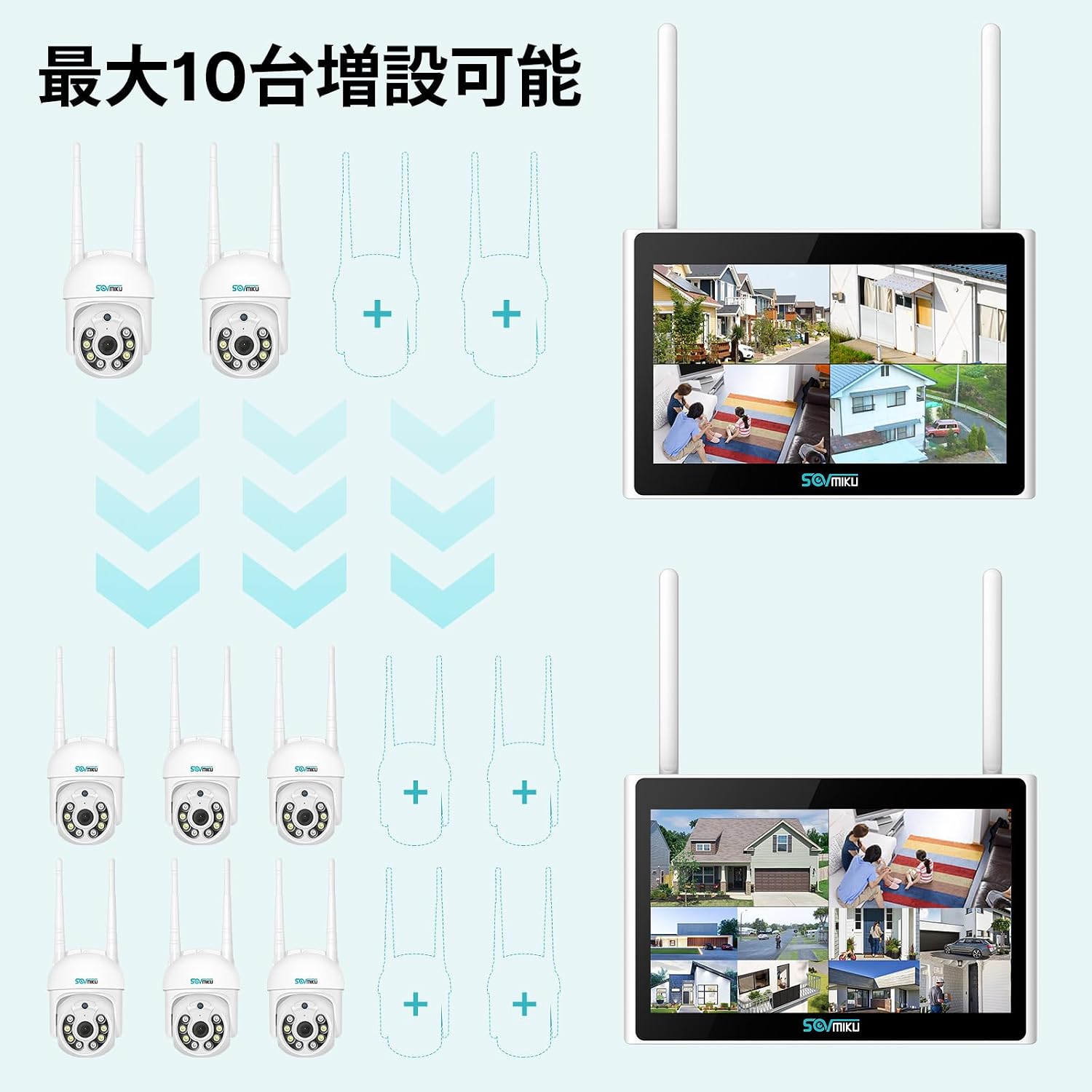
Image: Diagram showing the system's expandability to support up to 10 cameras.
4. Setup Guide
Follow these steps to set up your SOVMIKU security camera system:
- Power Connection: Connect the power adapters to the NVR and each camera, then plug them into power outlets. The cameras and NVR are pre-paired for convenience.
- Camera Placement: Install cameras in desired locations, ensuring they are within wireless range of the NVR. The waterproof design (IP66) allows for outdoor installation.

Image: A security camera installed outdoors, demonstrating its waterproof design.
- Network Connection (Optional for Remote Viewing): For remote viewing via smartphone or PC, connect the NVR to your router using an Ethernet cable or via Wi-Fi.
- App Installation: Download the "Eseecloud" app from the App Store (iOS) or Google Play (Android) on your smartphone or install the PC software.

Image: Screenshot of the Eseecloud app interface on mobile and desktop, showing compatibility with iOS, Android, and Windows.
- Device Pairing in App: Follow the in-app instructions to add your NVR system. This typically involves scanning a QR code on the NVR.
Setup Process Overview Video
Video: A comprehensive product introduction video demonstrating the setup and key features of the SOVMIKU security camera system.
5. Operating Instructions
5.1. Remote Viewing and Playback
Once connected to the network, you can access live feeds and recorded footage from anywhere using the Eseecloud app or PC software.

Image: Map showing remote access points for viewing real-time and recorded footage from various devices.
5.2. PTZ Control (Pan/Tilt/Zoom)
Utilize the PTZ controls within the app to remotely adjust the camera's viewing angle. The cameras offer 355° horizontal pan and 90° vertical tilt for comprehensive coverage.

Image: A person controlling the PTZ camera via a smartphone, demonstrating its 360-degree rotation capability.
5.3. Two-Way Audio
Engage in real-time conversations through the camera using the microphone and speaker functions in the app. This is useful for communicating with visitors or deterring unwanted guests.

Image: A woman communicating through the security camera system, illustrating the two-way audio feature.
5.4. Motion Detection and Alerts
Configure motion detection zones and sensitivity settings in the app to receive instant alerts on your smartphone when activity is detected. The AI motion detection accurately tracks human movement.

Image: Interface showing customizable detection areas and sensitivity levels for motion detection.

Image: Visual representation of the AI motion tracking feature, highlighting how the camera follows detected movement.
5.5. Night Vision Settings
Switch between different night vision modes (Infrared, Full Color, Smart Mode) based on your surveillance needs. Smart Mode intelligently adjusts based on ambient light.

Image: Comparison of night vision clarity at 10 meters and 20 meters distance.
6. Maintenance
- Cleaning: Regularly wipe the camera lens and housing with a soft, damp cloth to remove dust and dirt. Do not use harsh chemicals.
- Firmware Updates: Check the Eseecloud app periodically for firmware updates to ensure optimal performance and security.
- Storage Management: The 1TB HDD provides ample storage. You can configure recording settings (e.g., continuous, motion-triggered) to manage storage space. The system supports 24-hour recording.

Image: Illustration of the camera's continuous 24-hour recording feature.
7. Troubleshooting
| Problem | Possible Cause | Solution |
|---|---|---|
| No image on NVR monitor. | Power issue, camera not connected, NVR fault. | Check power connections for NVR and cameras. Ensure cameras are paired. Contact support if issue persists. |
| Cannot view remotely via app. | NVR not connected to internet, incorrect app settings, network firewall. | Ensure NVR is connected to your router. Verify app settings and device ID. Check router firewall settings. |
| Poor image quality. | Dirty lens, low light, camera too far from NVR (wireless signal). | Clean the camera lens. Ensure adequate lighting or use night vision. Relocate camera closer to NVR or use wired connection. |
| Motion detection not working. | Incorrect sensitivity/zone settings, obstructions. | Adjust motion detection sensitivity and zones in the app. Ensure no physical obstructions block the camera's view. |
8. Specifications
| Attribute | Value |
|---|---|
| Brand | SOVMIKU |
| Model Number | wk6-4HB315-AT |
| Product Dimensions | 29 x 55 x 41 cm |
| Item Weight | 3.74 Kilograms |
| Color | Four Camera Set |
| Power Source | Corded Electric |
| Features | Wireless, Waterproof |
| Included Components | 1/8-Inch Collet |
| ASIN | B09ZHKW36N |
| Connectivity Technology | Wireless, Wired |
| Video Capture Resolution | 1296p |
| Memory Storage Capacity | 1 TB |
9. Warranty and Support
SOVMIKU is committed to providing excellent service. We offer a 12-month warranty from the date of product delivery.
If you encounter any issues with your product, please do not hesitate to contact us. Our specialized staff will provide polite and responsible support.
- Email Support: sovmiku_JP@163.com
- LINE Official Account: Scan the QR code below to easily access SOVMIKU's LINE official account for product usage, troubleshooting, expansion, and installation inquiries.

Scan this QR code to connect with SOVMIKU support on LINE.
Direct Link to LINE Support