
1. Introduction
This manual provides detailed instructions for the safe and correct installation and operation of your One For All WM5610 Fixed TV Wall Mount. Please read all instructions carefully before installation to ensure proper setup and to prevent damage or injury. Keep this manual for future reference.

Figure 1.1: Front view of the One For All WM5610 Fixed TV Wall Mount. This image displays the main components of the mount, including the wall plate and the two vertical TV brackets.
2. Safety Information
WARNING: Improper installation may result in serious personal injury and property damage. If you do not understand these instructions, or have doubts about the safety of the installation, please contact a qualified installer.
- Do not install this product on walls that are not structurally sound.
- Ensure the mounting surface can safely support the combined weight of the equipment and all attached hardware.
- Always use the provided mounting hardware. If your installation requires different hardware, consult a professional.
- This product is intended for indoor use only.
- Keep children and pets away during installation.
- The mount is UL Listed, indicating it meets specific safety standards.

Figure 2.1: The UL Listed certification mark, confirming the product meets recognized safety standards.
3. Package Contents
Verify that all components are present and undamaged before beginning installation. If any parts are missing or defective, contact customer support.
- Wall Plate Assembly
- TV Brackets (2x)
- Mounting Hardware Kit (screws, anchors, washers, spacers)
- Spirit Level
- Instruction Manual

Figure 3.1: The product packaging for the One For All WM5610 mount, indicating key features and contents.

Figure 3.2: Close-up view of the included Fischer screws and other mounting hardware, designed for secure installation.
4. Specifications
| Feature | Specification |
|---|---|
| Model Number | WM5610 |
| TV Screen Size Compatibility | 42 inches to 100 inches |
| Maximum Weight Capacity | 176 lbs (80 kg) |
| VESA Compatibility | 100x100mm to 600x400mm |
| Wall Clearance (Minimum) | 1.18 inches (30 mm) |
| Mount Type | Fixed |
| Product Dimensions | 28.43 x 1.18 x 16.93 inches |
| Item Weight | 7.58 pounds |

Figure 4.1: Visual representation of key features: VESA compatibility, 176 lbs capacity, fixed mount design, and durable powder-coated finish.
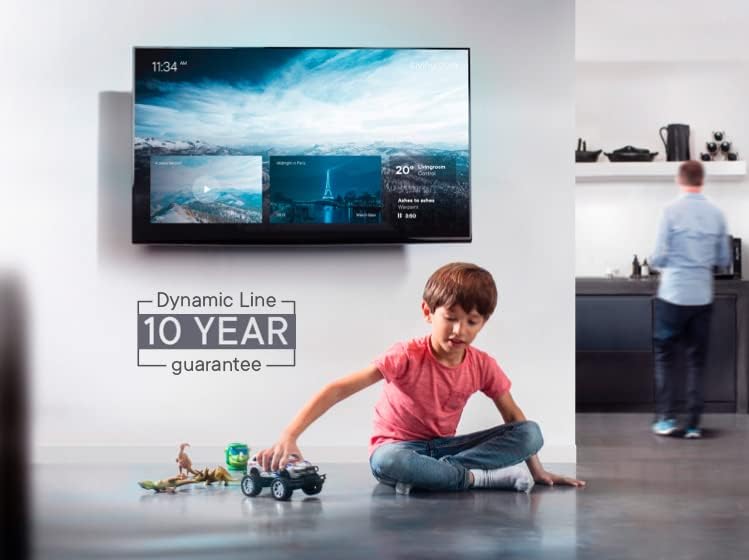
Figure 4.2: Detail illustrating the maximum supported weight of 176 lbs (80 kg) for the TV mount.

Figure 4.3: Side profile demonstrating the low-profile design with a minimal wall clearance of 1.18 inches (30 mm).
5. Setup and Installation
5.1 Tools Required (Not Included)
- Pencil
- Drill
- Stud Finder
- Phillips Head Screwdriver
- Socket Wrench
- Measuring Tape
5.2 Pre-Installation Checks
- Determine Wall Type: This mount is designed for wood stud walls or solid concrete/brick walls. Do not install on drywall alone.
- Locate Studs: Use a stud finder to locate the center of the wood studs. Mark their positions. For concrete/brick, ensure the wall is solid.
- Verify TV VESA Pattern: Check the back of your TV for the VESA mounting holes. Measure the horizontal and vertical distance between them to confirm compatibility with the mount's VESA range (100x100mm to 600x400mm).
- Check TV Weight: Ensure your TV's weight does not exceed the mount's maximum capacity of 176 lbs (80 kg).
5.3 Attaching TV Brackets to Your TV
- Carefully place your TV face down on a soft, clean surface to prevent screen damage.
- Align the two TV brackets with the mounting holes on the back of your TV. Ensure the pull cords are at the bottom.
- Select the appropriate screws, washers, and spacers from the hardware kit that fit your TV's VESA holes.
- Securely fasten the TV brackets to the TV using a Phillips head screwdriver. Do not overtighten.
5.4 Mounting the Wall Plate to the Wall
- Determine the desired height for your TV. Mark the top and bottom center points for the wall plate.
- Hold the wall plate against the wall at the marked height and use the included spirit level to ensure it is perfectly horizontal. Mark the drilling points through the holes on the wall plate.
- For Wood Studs: Drill pilot holes (recommended size specified in hardware instructions) into the center of the studs. Secure the wall plate using the lag bolts and washers.
- For Concrete/Brick Walls: Drill holes (recommended size specified in hardware instructions) and insert wall anchors. Secure the wall plate using the lag bolts and washers into the anchors.
- Ensure the wall plate is firmly and securely attached to the wall.

Figure 5.1: Angled view of the WM5610 mount, illustrating its low-profile design and how it sits close to the wall.
5.5 Hanging the TV on the Wall Plate
- With assistance, carefully lift the TV (with brackets attached) and hook the top of the TV brackets onto the top edge of the wall plate.
- Gently lower the TV until the brackets fully engage with the wall plate.
- Listen for a click, indicating the automatic lock mechanism has engaged, securing the TV to the mount.
- Lightly pull on the bottom of the TV to ensure it is securely locked in place.
6. Operating (TV Attachment and Release)
The One For All WM5610 mount features an easy lock-and-release mechanism for convenient TV attachment and removal.
6.1 Attaching the TV
As described in Section 5.5, simply hook the TV brackets onto the wall plate and lower the TV until the automatic lock engages. The anti-scratch padding on the brackets protects your TV.
6.2 Releasing the TV
To remove the TV from the wall mount, locate the two pull cords extending from the bottom of the TV brackets. Gently pull both cords downwards simultaneously to disengage the locking mechanism. With assistance, carefully lift the TV off the wall plate.

Figure 6.1: Illustration of the easy release mechanism, showing a hand pulling the cord to unlock the TV from the mount.
7. Maintenance
- Periodically check all screws and bolts to ensure they remain tight and secure.
- Clean the mount with a soft, dry cloth. Avoid abrasive cleaners or solvents.
- Do not hang additional items on the TV or mount.
8. Troubleshooting
8.1 TV Not Level
- Ensure the wall plate was installed perfectly level using the spirit level. If not, you may need to adjust the wall plate.
- Check that the TV brackets are securely and evenly attached to the TV.
8.2 Difficulty Engaging/Disengaging Lock
- Ensure the TV is properly aligned with the wall plate when attempting to hang it.
- When releasing, ensure both pull cords are pulled firmly and simultaneously.
8.3 Mount Feels Unstable
- Immediately remove the TV from the mount.
- Re-check all mounting points and ensure all screws are tightened correctly into appropriate wall structures (studs or anchors).
- If uncertainty persists, consult a qualified professional.
9. Warranty and Support
The One For All WM5610 Fixed TV Wall Mount comes with a 10-year warranty, covering defects in materials and workmanship under normal use. Please retain your proof of purchase for warranty claims.
For technical support, missing parts, or warranty inquiries, please visit the official One For All website or contact their customer service department.


