1. Introduction
This manual provides essential instructions for the safe and effective operation, maintenance, and troubleshooting of the Makita CE001GZ Rechargeable Power Cutter. Please read this manual thoroughly before using the tool to ensure proper handling and to prevent injury or damage.
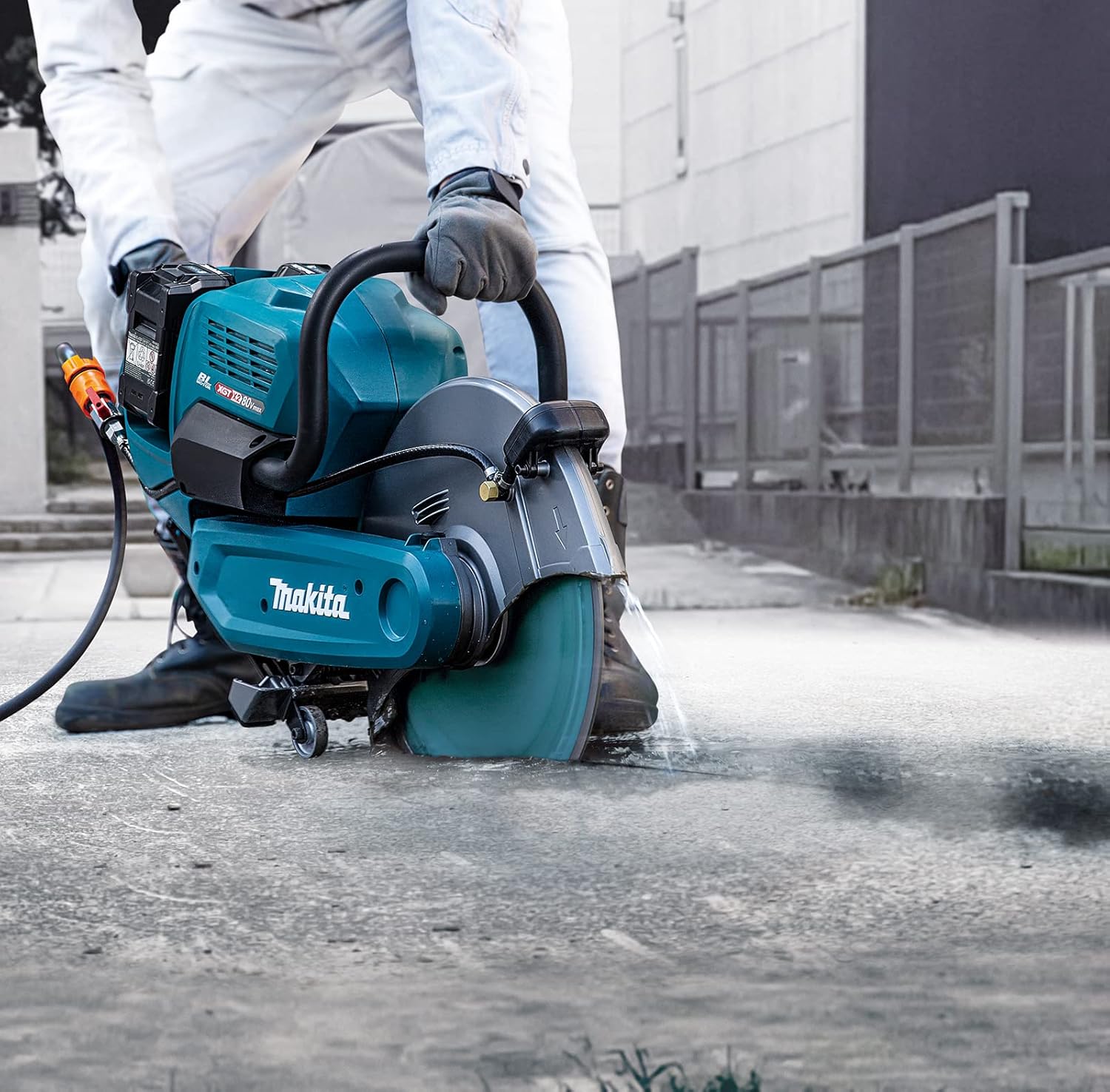
The Makita CE001GZ is a cordless 355mm (14-inch) power cutter designed for high cutting efficiency in continuous, heavy-duty applications. It is powered by two 40V Max XGT batteries (sold separately) to deliver power to an 80V Max brushless motor.
2. Safety Information
Always prioritize safety when operating power tools. Failure to follow safety instructions can result in serious injury.
- Personal Protective Equipment (PPE): Always wear appropriate PPE, including safety glasses, hearing protection, gloves, and a dust mask.
- Work Area: Ensure the work area is clear of obstructions, well-lit, and free from flammable materials.
- Tool Inspection: Before each use, inspect the power cutter for any damage, loose parts, or worn components. Do not operate a damaged tool.
- Lock-Off Function: Utilize the lock-off function to minimize accidental start-up.
- Electric Brake: The tool is equipped with an electric brake for increased operator safety, stopping the blade quickly after the trigger is released.
- Anti-Restart Function: The anti-restart function prevents the tool from starting unexpectedly after a power interruption if the switch is in the ON position.
- Battery Safety: Use only specified Makita XGT batteries and chargers. Do not expose batteries to water or extreme temperatures.
- Overload Protection: The overload indicator lamp will blink red if the tool is overloaded. Reduce the load to prevent damage.
- Active Feedback Sensing Technology (AFT): AFT automatically shuts down the motor if the rotation speed slows or the wheel is forced to stop, enhancing safety.
- Wet Cutting: When performing wet cutting, ensure the tool is connected to a water supply kit (not included) and maintain the machine tipped forward as it is wet guard/IPX4 compatible.
3. Components and Features
Familiarize yourself with the main components of your Makita CE001GZ Power Cutter.
- Main Unit: Makita CE001GZ Power Cutter body.
- Cutting Wheel: 355mm (14-inch) diameter (sold separately).
- Battery Compartment: For two 40V Max XGT batteries (sold separately).
- Front and Rear Handles: Designed with anti-vibration housing.
- Rotatable Guard: Adjustable for various cutting angles and safety.
- Lock-Off Lever: Prevents accidental startup.
- Switch Trigger: Activates the motor.
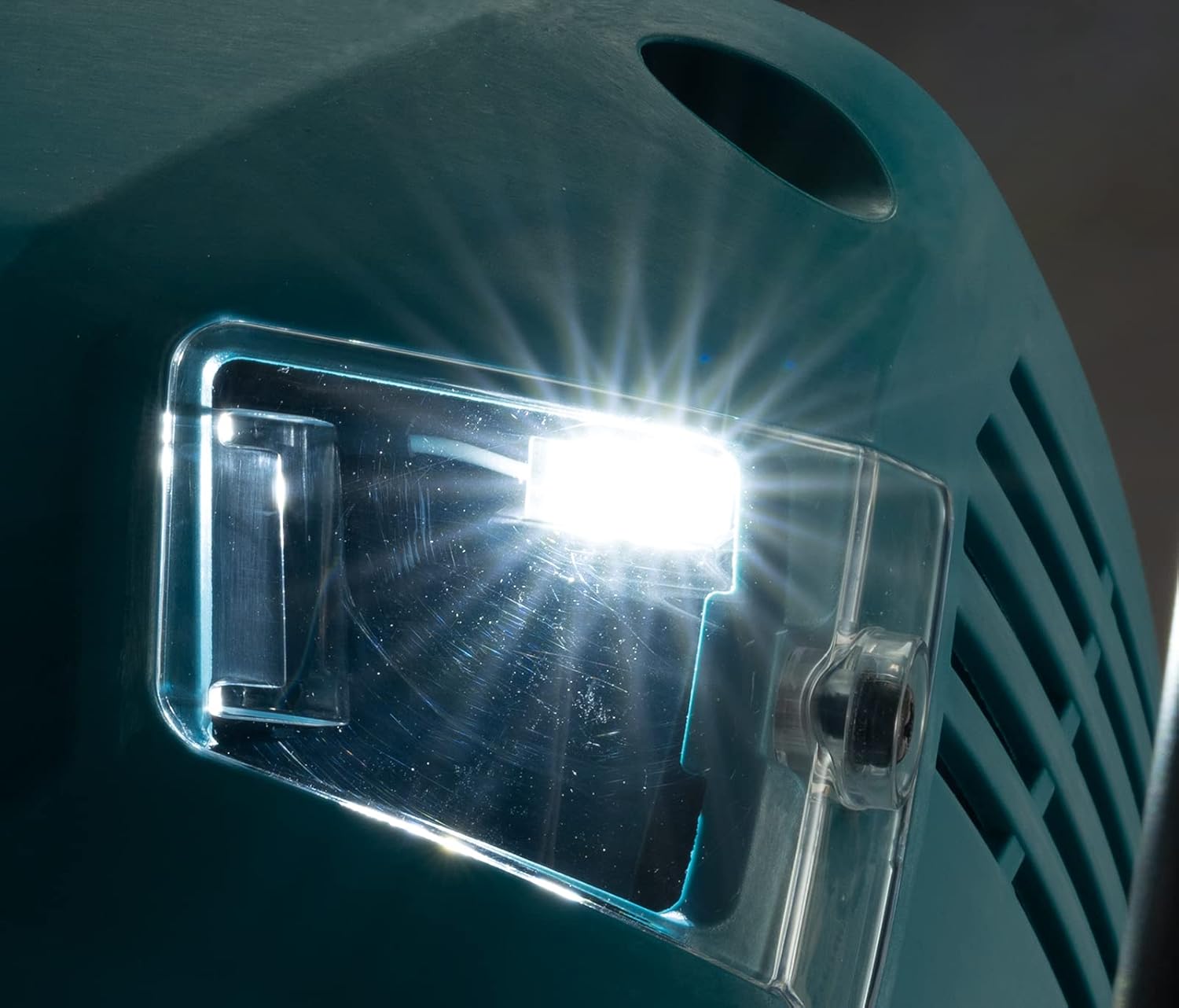
- LED Job Light: Illuminates the cutting area.
- Overload Indicator Lamp: Alerts to overload conditions.
- Water Supply Connection: For wet cutting applications (water supply kit not included).
Included Components:
- 1 x Coupling sleeve
- 1 x Box wrench
- 1 x Ring set
- 1 x Makita CE001GZ (main unit)
- Attachments (specific attachments not detailed, refer to packaging)
- Battery (Note: Batteries are sold separately for this model)
4. Setup
4.1. Battery Installation
- Ensure the power cutter is switched off and the lock-off lever is engaged.
- Open the battery cover.
- Insert two fully charged 40V Max XGT batteries into the battery compartments until they click into place.
- Close the battery cover securely.
4.2. Cutting Wheel Installation
- Ensure the power cutter is switched off and batteries are removed.
- Refer to the specific instructions provided with your cutting wheel for proper mounting.
- Use the supplied box wrench and ring set to securely fasten the cutting wheel. Ensure the wheel diameter is 355mm, maximum thickness 5.0mm, and minimum thickness 2.0mm.
- Verify the cutting wheel is correctly seated and tightened before use.
4.3. Water Supply Connection (for Wet Cutting)
For wet cutting applications, a water supply kit (not included) is required.
- Connect the water supply hose from the kit to the water supply connection point on the power cutter.
- Ensure all connections are secure to prevent leaks.
- Adjust water flow as needed for effective dust suppression and cooling.
5. Operating Instructions
5.1. Starting the Power Cutter
- Ensure all safety precautions are observed and PPE is worn.
- Hold the power cutter firmly with both hands using the front and rear handles.
- Disengage the lock-off lever.
- Press the switch trigger to start the motor. The LED job light will illuminate the work area.
5.2. Cutting Operation
- Allow the cutting wheel to reach full speed before making contact with the workpiece.
- Apply steady, even pressure. Do not force the tool, as this can cause overloading and trigger the overload indicator lamp.
- Maintain a firm grip and stable stance throughout the cutting process.
- For wet cutting, ensure the water supply is active to suppress dust and cool the blade.
- The maximum cutting capacity is 127mm. The tool can cut 8 to 10 rebars of 16mm at once.
5.3. Stopping the Power Cutter
Release the switch trigger. The electric brake will quickly stop the cutting wheel.
5.4. LED Job Light
The LED job light automatically turns on when the switch trigger is pressed. It will automatically shut off if the switch trigger is not pulled for a certain amount of time. A conveniently located button on the rear handle allows manual control of the LED job light.
6. Maintenance
Regular maintenance ensures optimal performance and extends the life of your power cutter.
- Cleaning: After each use, clean the tool to remove dust and debris. Use a dry cloth or compressed air. Do not use solvents that may damage plastic parts.
- Blade Inspection: Regularly inspect the cutting wheel for wear, cracks, or damage. Replace worn or damaged blades immediately.
- Guard Inspection: Ensure the rotatable guard operates smoothly and is free from damage.
- Battery Care: Store batteries in a cool, dry place. Charge batteries using only Makita XGT chargers.
- Storage: Store the power cutter in a secure, dry location, out of reach of children.
7. Troubleshooting
- Tool does not start:
- Check if batteries are properly inserted and fully charged.
- Ensure the lock-off lever is disengaged.
- Verify the anti-restart function is not active (if power was interrupted).
- Overload Indicator Lamp blinks red:
- The tool is experiencing an overload. Reduce the cutting pressure or the load on the motor.
- Allow the motor to cool down if it has been operating under heavy load for an extended period.
- Motor stops unexpectedly during operation:
- This may be due to the Active Feedback Sensing Technology (AFT) activating if the rotation speed slows significantly or the wheel is forced to stop.
- Check for obstructions or excessive binding of the cutting wheel.
- The battery protection circuit may have activated due to overheating, overload current, or over-discharge. Allow batteries to cool or recharge.
8. Specifications
| Feature | Specification |
|---|---|
| Model Number | CE001GZ |
| Power Source | Battery Powered (2 x 40V Max XGT batteries) |
| Voltage | 80 Volts (Max) |
| Wattage | 3600 watts |
| No-Load Speed | 5300 RPM |
| Maximum Wheel Diameter | 355 mm (14 inches) |
| Maximum Wheel Thickness | 5.0 mm |
| Minimum Wheel Thickness | 2.0 mm |
| Maximum Cutting Capacity | 127 mm |
| Item Weight | 26.4 pounds |
| Product Dimensions | 30.94 x 11.14 x 17.05 inches |
| Special Features | Electric Brake, Brushless Motor, Anti-Restart Function, Overload Indicator, AFT, LED Job Light, Wet Guard/IPX4 Compatible |
9. Warranty and Support
The Makita CE001GZ Power Cutter comes with a 1-year manufacturer warranty. An additional 2 years of warranty can be obtained by registering the product within 30 days of purchase.
Important: This guarantee does not apply where non-genuine or non-recommended parts or accessories are fitted to the tool. The use of non-genuine or compatible batteries and chargers with Makita tools will invalidate the Makita guarantee for our tools.
For technical support, service, or warranty claims, please contact your authorized Makita service center or visit the official Makita website for further assistance.
You can visit the Makita Store on Amazon for more product information and support resources.
10. Product Images