
Eonon GA2193K
Contents
EONON GA2193K Car Navigation System User Manual
Model: GA2193K
1. Introduction
This manual provides detailed instructions for the installation, operation, and maintenance of your EONON GA2193K Car Navigation System. Please read this manual thoroughly before using the product to ensure proper and safe operation.
2. Setup and Installation
The EONON GA2193K is designed for DIY installation. However, for complex wiring or if you are unsure, professional installation is recommended.
2.1 Package Contents
Verify that all components are included in your package:
- GPS Antenna
- Power Cable
- AV Cables (various)
- Back Camera Input Cable
- USB Cables (various)
- 4G Antenna
- External Microphone
- 10A Fuse
- Mounting Screws (8 pcs)
- SIM Card Holder
- User Manual

2.2 Wiring Diagram
Follow the wiring diagram carefully for correct connections. Incorrect wiring can damage the unit or your vehicle's electrical system.

2.3 Panel Adjustment
The display panel can be adjusted for optimal viewing angle and fit. Ensure the panel is securely attached after adjustment.

3. Operating Instructions
3.1 Initial Setup and Reset
If the touch panel is unresponsive after installation, press the RST button with a thin object to reset the navigation system. The device will automatically restart after a successful reset.
3.2 Wireless & Wired CarPlay / Android Auto
The EONON GA2193K supports both wireless and wired Apple CarPlay and Android Auto. Connect your smartphone easily to access navigation, make calls, and enjoy music. Mirroring function is also available via the built-in "Carbitlink" app, allowing you to sync photos, music, and videos from your smartphone to the unit.

3.3 Internet Connectivity (Wi-Fi & 4G Module)
The unit features built-in Wi-Fi and a 4G module. You can connect to the internet by creating a Wi-Fi hotspot from your smartphone or by directly inserting a 4G SIM card (check compatibility with local frequency bands). This allows for app downloads, music streaming, and video playback.

3.4 Bluetooth 5.0
Bluetooth 5.0 provides faster data transfer, wider communication range, and enhanced anti-interference capabilities. Enjoy music from Spotify, Apple Music, YouTube, Netflix, and make hands-free calls while driving.

3.5 IPS Touch Screen & UI Customization
The 10.1-inch IPS display offers a super high-resolution of 1280x720P, providing natural and ideal images from any viewing angle. The responsive touch buttons ensure precise operation. You can also customize the user interface (UI) and home screen to your preference.

3.6 Audio Features (DSP)
The Digital Sound Field Processing (DSP) features a full digital processing chip and powerful 56-bit precision, allowing you to adjust audio signals from various angles. It delivers wide and realistic sound with a maximum output of 4x48W.

3.7 Navigation
Install map apps or use Android offline maps (EONON G3048 sold separately) for easy online and offline navigation. Google Maps and other navigation apps can be downloaded for the latest traffic information.

3.8 Multi-Window Display
The screen can be split to display two applications simultaneously, enhancing multitasking capabilities.

3.9 Steering Wheel Control
Register frequently used operations to your steering wheel buttons for safe and convenient control without touching the main unit while driving.

3.10 OBD2 Compatibility
Compatible with OBD2 (EONON V0056 sold separately). Use the Torque app to monitor vehicle performance information such as engine speed, voltage, and water temperature.

3.11 Drive Recorder Mode
Connect an Android-compatible USB HD drive recorder (EONON R0015 R0020 sold separately) to view recorded footage and monitor traffic conditions on the large screen.

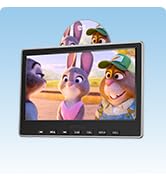
3.12 RCA Full Screen Share
Share video and images to external monitors like headrest monitors via RCA output (EONON A0595 sold separately) for an enhanced viewing experience for rear passengers.
3.13 TV Viewing
By connecting the 3.5mm connector of the V0050 power cable (EONON V0050 sold separately) to the unit, you can operate TV viewing from the touch panel. An external digital tuner is required.

3.14 Back Camera Linkage
Supports AHD back cameras up to 1920x1080 resolution (EONON A0126J A0119N sold separately). When you engage reverse gear, the display automatically switches to the back camera view.

4. Maintenance
To ensure the longevity and optimal performance of your EONON GA2193K, follow these maintenance guidelines:
- Cleaning the Screen: Use a soft, lint-free cloth to gently wipe the screen. For stubborn smudges, slightly dampen the cloth with water or a screen-safe cleaner. Avoid abrasive materials or harsh chemicals.
- General Cleaning: Keep the unit free from dust and debris. Use a soft brush or compressed air to clean vents and ports.
- Software Updates: Periodically check for software updates from the EONON official website to ensure you have the latest features and bug fixes.
- Avoid Extreme Temperatures: Do not expose the unit to extreme heat or cold, as this can affect its performance and lifespan.
- Secure Connections: Periodically check all cable connections to ensure they are secure and free from corrosion.
5. Troubleshooting
This section addresses common issues you might encounter with your EONON GA2193K. If the problem persists after trying these solutions, please contact customer support.
| Problem | Possible Cause | Solution |
|---|---|---|
| Touch panel unresponsive | Software glitch, initial setup issue. | Press the RST button with a thin object to reset the unit. |
| No power | Loose power connection, blown fuse. | Check power cable connections. Inspect and replace the 10A fuse if necessary. |
| No sound | Volume too low, incorrect speaker wiring, audio settings. | Increase volume. Check speaker connections. Verify audio output settings in DSP. |
| GPS signal weak/lost | GPS antenna not properly installed or obstructed. | Ensure GPS antenna is installed in a clear location with an unobstructed view of the sky. Check antenna connection. |
| CarPlay/Android Auto not connecting | Incorrect USB cable, phone settings, app not installed. | Use a high-quality USB cable. Ensure CarPlay/Android Auto is enabled on your phone. Check if the "Carbitlink" app is installed and updated. |
| Screen flickering or distorted image | Loose display cable, software issue. | Check the display panel connection. Try resetting the unit. |
6. Specifications
| Feature | Detail |
|---|---|
| Model Name | GA2193K |
| Screen Size | 10.1 inches |
| Display Type | IPS LCD |
| Resolution | 1280 x 720P |
| Processor | 8-core CPU |
| RAM | 3GB |
| Internal Storage | 32GB |
| Connectivity | Bluetooth 5.0, Wi-Fi, 4G Module (SIM card support), USB, Ethernet |
| Tuner Type | AM/FM |
| USB Ports | 2 |
| Compatible Devices | Smartphones, TVs, PCs |
| Map Type | Street |
| Product Dimensions | 25.2 x 14.7 x 24.1 cm |
| Product Weight | 2.5 kg |
| Special Features | Hands-free calling, Wireless/Wired CarPlay & Android Auto, Mirroring, DSP, UI Selection, Multi-window, Steering Wheel Control, OBD2, Drive Recorder, RCA Output |
7. Warranty and Support
7.1 Warranty Coverage
The warranty period for products purchased from our store is 1 year from the date of arrival. (Note: Back cameras, smartphone goods, and parts have a warranty period of 6 months. Please be aware.)
Our products are DIY items, assuming customers will install them themselves. The warranty applies only to the product itself. We do not compensate for costs related to installation/removal, replacement vehicle costs, resale, or other third-party damages.
Damages, breakages, or malfunctions due to incorrect wiring during installation are also outside the scope of the refund warranty. When entrusting installation to a professional, please confirm the work process, content, and product characteristics with the professional and proceed at your own discretion.
7.2 Warranty Procedure
- Please inform us of the symptoms you believe are defective, your purchase history (order number, date/time), and the serial number affixed to the product itself or its outer box/packaging.
- Our customer service representative will confirm the reported content with our technical department. If there is no way to improve the situation as it stands, we will inform you of a return number. Please write the return number in the item name field of the return slip and send the main unit and a list of accessories to us.
- Before returning, please remove any items other than our product's accessories and keep them. If a disc or similar cannot be removed from the main unit, please inform us in advance. Also, if you cannot return the accessory list, please inform us.
- Defective products must be returned within 7 days of receiving the return number.
7.3 Specific Response Details
Please note that the response will vary depending on the period from when the customer received the product until a defect is reported:
- Within 14 days of product arrival: If the symptoms do not improve and the defect is confirmed, we will bear the round-trip shipping costs and arrange for an exchange.
- If you cannot return the product within 7 days of receiving the return number, the warranty content below (ii) will apply.
- 15 days to 1 year after product arrival: (Note: For back cameras, smartphone goods, and parts, this period is 15 days to 6 months.) If the symptoms do not improve and the defect is confirmed, the customer will bear the round-trip shipping costs, and we will arrange for an exchange.
7.4 Important Notes on Warranty
- If the product cannot be returned to us, exchanges will not be accepted.
- We do not bear any costs related to the installation or removal of the product.
- Once the return process is complete, please inform us of the tracking number of the shipping slip.
- Refunds are generally not accepted. Please understand this in advance.
- If the shipping address for the exchanged product differs from the address at the time of purchase, please inform us.
7.5 Cases Not Covered by Warranty
- Damage due to human error, such as accidental drops or impacts.
- Malfunctions resulting from incorrect operation not in accordance with the instruction manual.
- Powering the unit with non-compatible voltage.
- Malfunctions caused by disassembly, repair, or modification.
- LCD monitor with 3 or fewer dead pixels.
- Damage to consumables and accessories (e.g., antenna, remote control).
- Indirect damages caused by product malfunction.
- If the warranty seal affixed to the unit is peeled off or broken.
- Products whose warranty period has expired.
- Damage caused by natural disasters or human-made disasters.
Documents and downloads
Ask a question about this manual
Ask about setup, troubleshooting, compatibility, parts, safety, or missing instructions. Manuals+ will review the question and use this page’s manual context to help answer it.