1. Introduction
Thank you for choosing the TITANO Gamer Chair. This ergonomic gaming chair is designed to provide comfort and support during long gaming sessions, work, or relaxation. It features adjustable components, a retractable footrest, and integrated LED lighting to enhance your experience. Please read this manual carefully before assembly and use to ensure proper function and safety.
2. Safety Information
- Weight Limit: This chair has a maximum load capacity of 300 pounds (approximately 136 kg). Do not use the chair if you exceed this weight limit to prevent damage or injury.
- Assembly: During assembly, ensure all components are installed correctly. Specifically, do not invert the T-bone component, as this will prevent the chair from reclining properly.
- Regular Checks: Periodically check all screws and bolts to ensure they are tight. Loose components can affect stability and safety.
- Children and Pets: Keep children and pets away from the chair during assembly.
3. Product Overview
The TITANO Gamer Chair combines durable materials with a multifunctional design for optimal user comfort.
Key Features:
- High-density ecological sponge cushion for elasticity and durability.
- 1.8 mm thick wooden backrest for robustness and stability.
- High-quality PU leather, wear-resistant and comfortable.
- Adjustable seat height (5.8"-19.7").
- 360-degree swivel and multi-directional nylon wheels.
- Backrest recline adjustment from 90 to 140 degrees.
- Retractable footrest for added comfort.
- Integrated RGB LED lighting with various patterns, controlled by a remote.
- Ergonomic design with headrest cushion and lumbar support.
Product Components:

Image 3.1: Front view of the TITANO Gamer Chair in blue and black, featuring a retractable footrest and integrated LED lighting along the edges.

Image 3.2: Diagram highlighting key features including a headrest cushion, RGB LED light with patterns, adjustable height, ergonomic backrest, PVC upholstered seat, and nylon wheels.
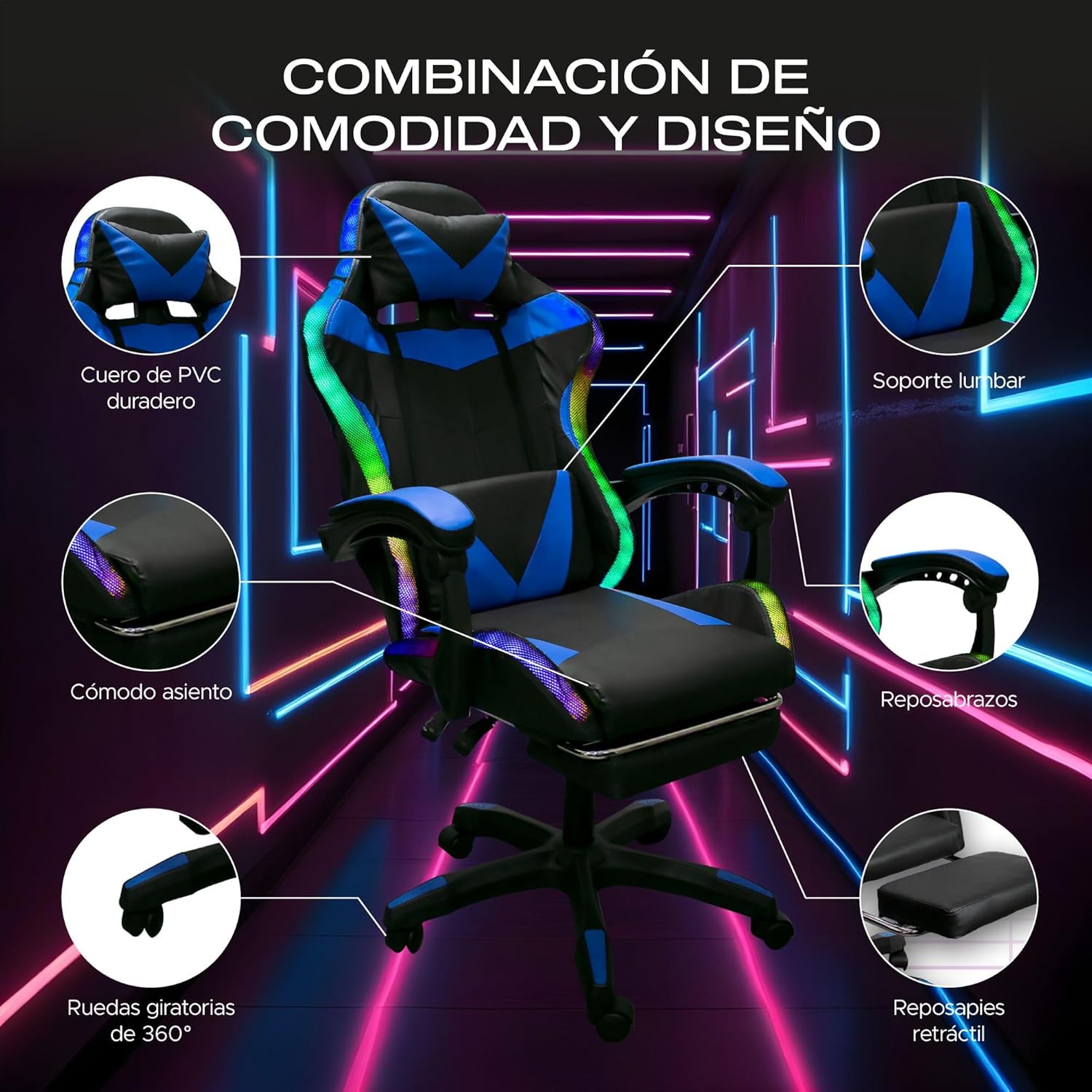
Image 3.3: Visual breakdown of the chair's comfort and design elements, including durable PVC leather, lumbar support, comfortable seat, armrests, 360-degree swivel wheels, and a retractable footrest.
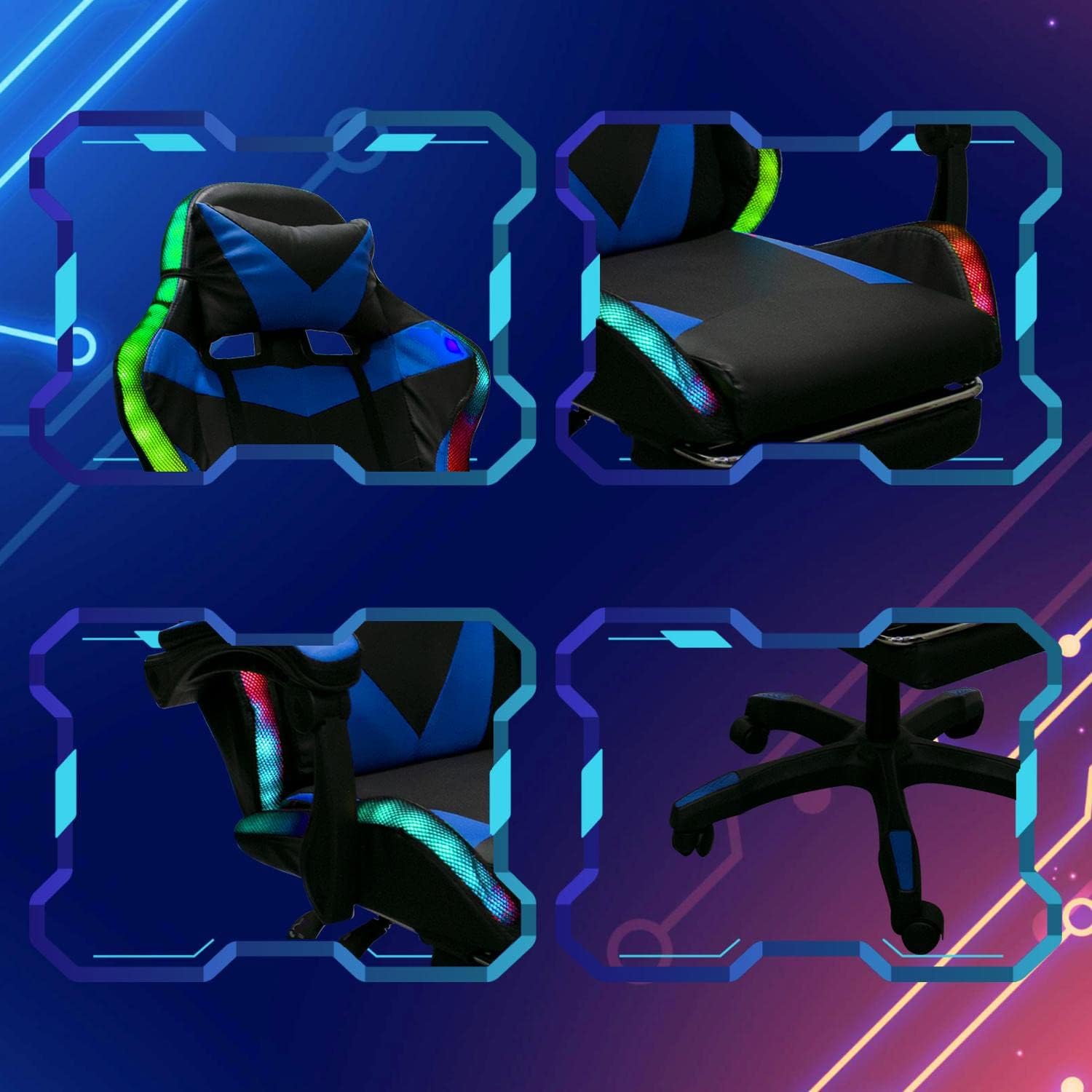
Image 3.4: Close-up views of various chair components, illustrating the headrest, seat, backrest, and base structure.
4. Setup and Assembly
Assembly of the TITANO Gamer Chair typically takes between 15 to 30 minutes. Please follow the step-by-step instructions provided in the physical package. It is crucial to correctly identify and install all parts.
- Unpack Components: Carefully remove all parts from the packaging. It is recommended to separate and identify all pieces according to the manual's parts list before beginning assembly.
- T-bone Installation: Pay close attention to the orientation of the T-bone component. Installing it incorrectly will prevent the chair's recline function.
- Secure Fasteners: Ensure all screws and bolts are tightened securely during each step of assembly. Do not overtighten, but ensure there is no wobble.
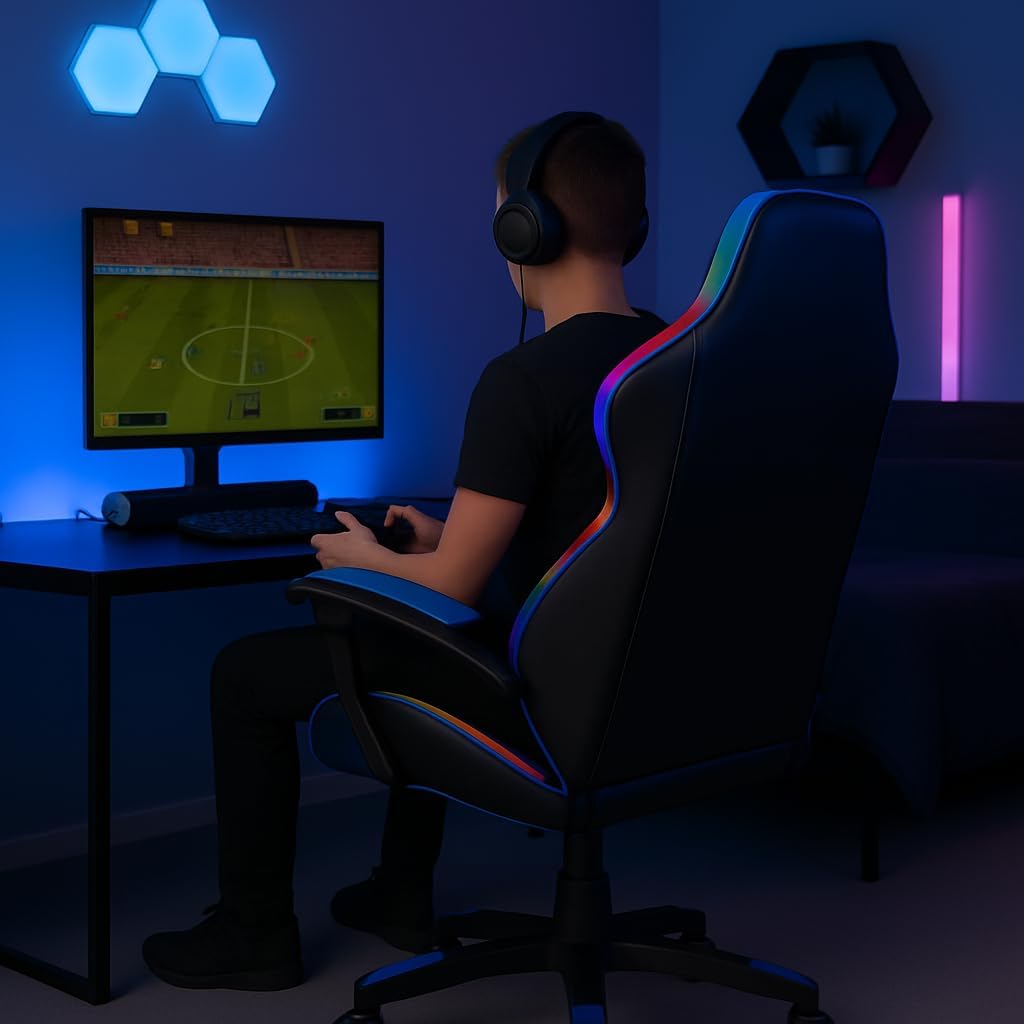
Image 4.1: A user seated in the TITANO Gamer Chair, demonstrating its use in a gaming setup. This image shows the chair's ergonomic design and LED lighting from the rear.
5. Operating Instructions
Chair Adjustments:
- Height Adjustment: Use the lever located under the seat on the right side to adjust the chair's height. Pull the lever up to raise the seat, or pull it up while seated to lower the seat.
- Backrest Recline: Use the lever on the left side of the seat to adjust the backrest angle. The backrest can recline from 90 to 140 degrees, allowing for comfortable working, gaming, or resting positions.
- Swivel Function: The chair features a 360-degree swivel for easy movement and access.
- Retractable Footrest: Pull out the footrest from under the seat when desired, and push it back in when not in use.

Image 5.1: Diagram illustrating the flexible adjustment capabilities of the TITANO Gamer Chair, including the reclinable backrest (90-140 degrees) and the retractable footrest, along with adjustment levers.
LED Light Operation:
The integrated LED lights are powered via a USB connection and controlled by a remote.
- Power Connection: Connect the chair's USB cable to a compatible USB power source (e.g., computer, power bank, USB wall adapter).
- Remote Control: Use the provided remote control to adjust the LED light settings. The remote allows for control over speed, brightness, and color selection (RGB spectrum).

Image 5.2: This image displays the TITANO Gamer Chair with its multicolor LED illumination effects. It highlights the remote control for adjusting speed, brightness, and colors, and indicates a USB power source for the lights.
6. Maintenance
Proper maintenance will extend the life and appearance of your TITANO Gamer Chair.
- Cleaning: For the PU leather, wipe with a soft, damp cloth. Avoid harsh chemicals or abrasive cleaners that can damage the material.
- Moving Parts: Periodically check and lubricate moving parts such as the gas lift and wheel axles if they become stiff or noisy.
- Fasteners: Regularly inspect all screws and bolts and tighten them as needed to maintain stability and prevent squeaking.
- Avoid Direct Sunlight: Prolonged exposure to direct sunlight can cause the PU leather to fade or crack.
7. Troubleshooting
Here are solutions to common issues you might encounter with your TITANO Gamer Chair:
- LED Lights Not Working:
- Ensure the USB power cable is securely connected to a functional USB power source.
- Check the remote control battery and replace if necessary.
- Verify that the remote is pointed directly at the chair's LED receiver (if applicable).
- Chair Squeaks:
- Tighten all assembly screws and bolts, especially those connecting the seat to the base and the backrest.
- Apply a small amount of lubricant (e.g., silicone spray) to moving parts like the gas lift, tilt mechanism, and wheel axles.
- Chair Feels Unstable or Parts Detach:
- Immediately stop using the chair.
- Re-check all assembly points, ensuring every screw and bolt is correctly installed and fully tightened.
- Verify that the T-bone component was installed in the correct orientation as per the assembly manual.
- Ensure the chair's weight capacity is not being exceeded.
8. Specifications
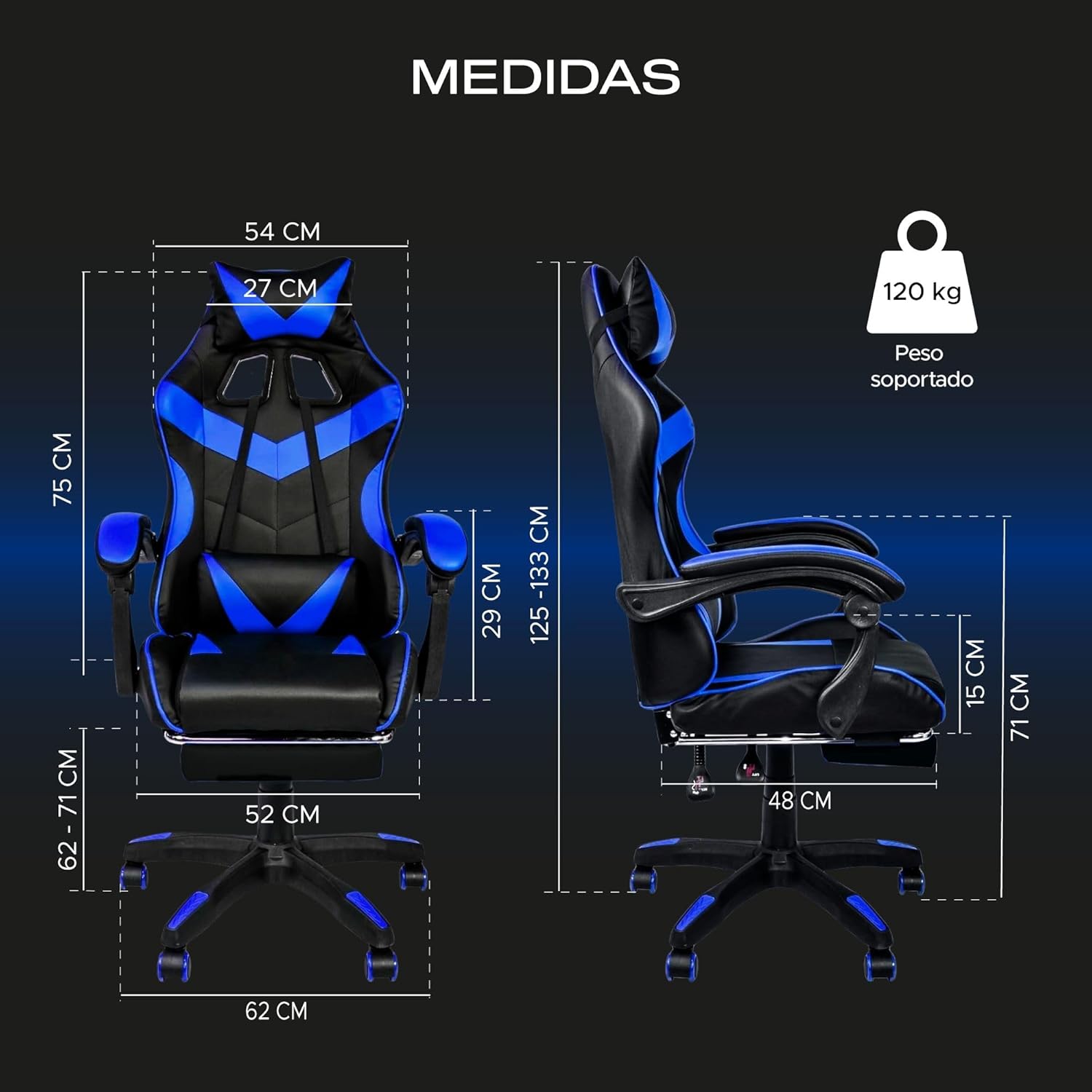
Image 8.1: Detailed diagram showing the dimensions of the TITANO Gamer Chair, including seat width, backrest height, and overall adjustable height, along with the supported weight of 120 kg.
| Feature | Specification |
|---|---|
| Brand | TITANO |
| Color | Blue |
| Material | Polyvinyl Chloride (PU Leather) |
| Product Dimensions (D x W x H) | 52 x 62 x 125 cm (approx. 20.5 x 24.4 x 49.2 inches) |
| Adjustable Height Range | Seat height: 5.8" - 19.7" |
| Backrest Dimensions (W x H) | 21.3" x 31.5" |
| Seat Dimensions (W x D) | 15" x 18.9" |
| Weight Capacity | 300 lbs (approx. 136 kg) |
| Product Weight | 16 kg (approx. 35.3 lbs) |
| Special Features | Footrest, LED Lights, Ergonomic Design, Adjustable Recline (90-140 degrees) |
9. Warranty and Support
For warranty information and customer support, please refer to the documentation included with your product or contact TITANO customer service through their official channels. Keep your purchase receipt as proof of purchase for any warranty claims.


