
1. Introduction
The MMOBIEL CP300 LCD Screen Heating Pad is designed to assist in the safe and efficient separation of LCD screens from smartphones and tablets. By applying controlled heat, the adhesive bonding the screen is softened, making the repair process easier and reducing the risk of damage. This manual provides essential information for the proper setup, operation, and maintenance of your heating pad.
2. Key Features
- Dual Smart Modes: Features dedicated modes for mobile phones and tablets, providing optimized temperature ranges.
- Phone Mode: Adjustable temperature from 10°C to 120°C (50°F to 248°F).
- Tablet Mode: Adjustable temperature from 10°C to 90°C (50°F to 194°F).
- Integrated Storage: Includes 4 different slots and 30 screw compartments to organize small components and improve workspace efficiency.
- Safety Features: Allows for precise regulation of time and temperature to ensure safe operation during screen separation.
- Portability: Compact and lightweight design for easy transport and on-site repairs.
- Durable Material: Constructed from soft silicone material, designed to be flexible and resistant to damage.

Image 1: MMOBIEL CP300 Heating Pad displaying temperature and time settings for different devices.
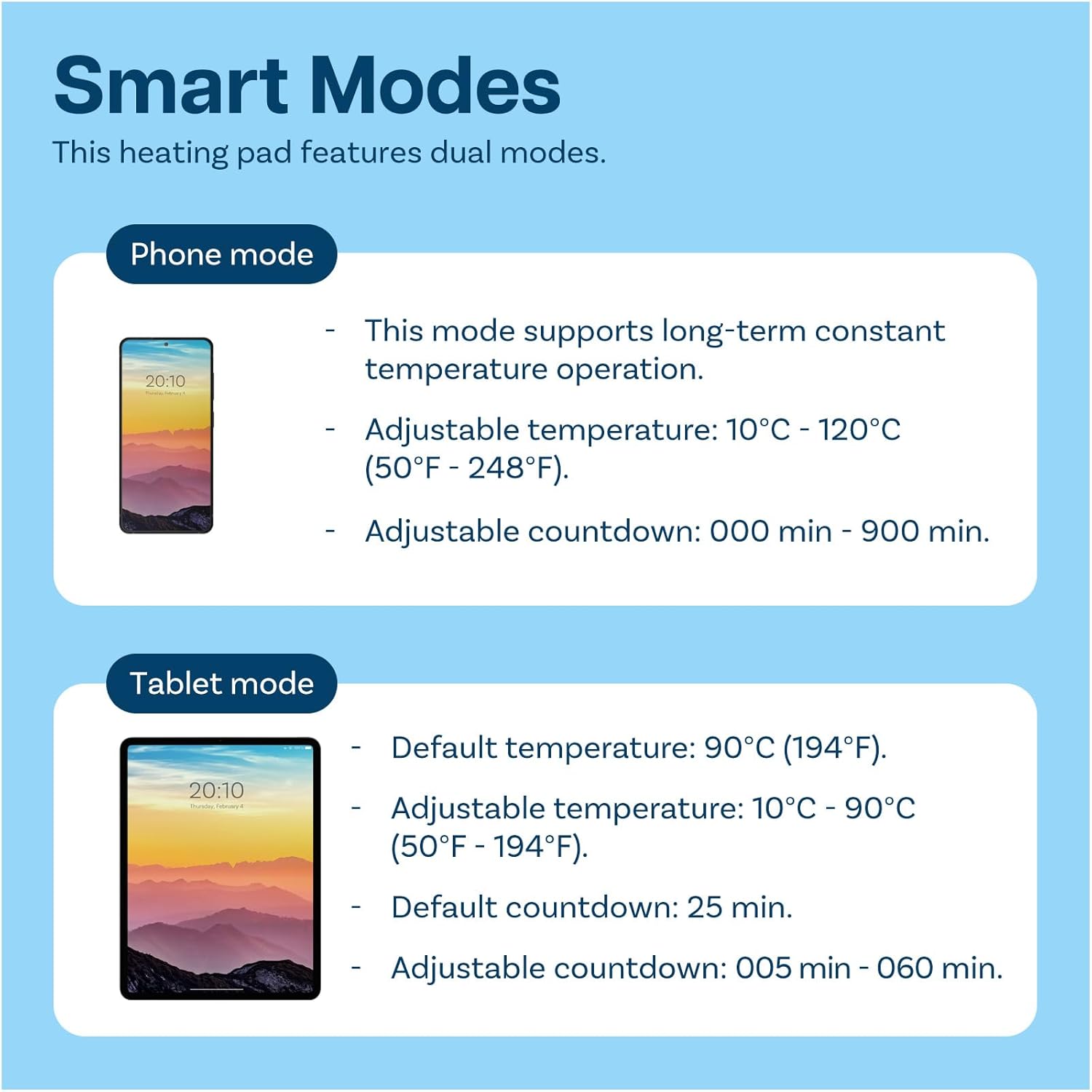
Image 2: Detailed explanation of Phone Mode and Tablet Mode temperature and countdown settings.
3. Safety Information
Please read and understand all safety instructions before using the MMOBIEL CP300 LCD Screen Heating Pad. Failure to follow these instructions may result in electric shock, fire, or serious injury.
- Always ensure the device is placed on a stable, heat-resistant surface.
- Do not leave the heating pad unattended while in operation.
- Avoid contact with the heated surface during operation to prevent burns. Use heat-resistant gloves if handling the device or heated components.
- Keep the heating pad away from flammable materials.
- Do not immerse the device in water or any other liquid.
- Ensure proper ventilation to prevent overheating.
- Unplug the device from the power outlet when not in use or before cleaning.
- Do not operate the device if the power cord or plug is damaged.
- Keep out of reach of children.

Image 3: Visual representation of safety features and recommended temperature ranges for phone and tablet modes.
4. Setup
- Unpack: Carefully remove the heating pad and all accessories from the packaging.
- Placement: Place the heating pad on a flat, stable, and heat-resistant surface. Ensure there is adequate space around the device for ventilation.
- Power Connection: Connect the power cable to the heating pad and then plug it into a suitable power outlet. The device supports 110V/220V universal voltage, which can be converted if needed (refer to device markings for specific voltage selection switches if present).
- Initial Power On: Press the power button (usually marked with a power symbol) to turn on the device. The digital display will illuminate.
Video 1: Demonstrates the physical setup and features of a CPB Heating Pad, including its flexible silicone material and voltage selection.
Video 2: Shows the CP300 Heating Pad being plugged in and powered on, with the digital display activating.
5. Operating Instructions
Follow these steps to operate your MMOBIEL CP300 LCD Screen Heating Pad for screen separation:
- Power On: Press the red power button to turn on the device. The display will show the current temperature and timer settings.
- Select Mode: Press the 'M' (Mode) button to switch between "Phone Mode" and "Tablet Mode". The selected mode icon will be displayed.
- Adjust Temperature: Use the Up (▲) and Down (▼) arrow buttons to set the desired temperature.
- For Phone Mode: Set between 10°C to 120°C (50°F to 248°F).
- For Tablet Mode: Set between 10°C to 90°C (50°F to 194°F).
- Set Timer: Use the Up (▲) and Down (▼) arrow buttons to set the desired heating duration.
- For Phone Mode: Adjustable from 000 to 900 minutes.
- For Tablet Mode: Adjustable from 005 to 060 minutes (default 25 minutes).
- Place Device: Carefully place the smartphone or tablet onto the heating zone of the pad. Ensure the device is centered for even heat distribution.
- Heating Process: Allow the device to heat for the set duration. The heat will soften the adhesive, making screen separation easier.
- Screen Separation: Once the heating cycle is complete, carefully remove the device (using heat-resistant gloves if necessary). Use appropriate tools (e.g., suction cup, pry tools) to gently separate the screen from the device frame.
- Power Off: After use, press and hold the power button to turn off the heating pad. Unplug the device from the power outlet.

Image 4: Close-up view of the control panel, indicating Power On/Off, Down, Up, and Mode buttons, along with temperature and countdown displays.
Video 3: Demonstrates the process of using a CPB heating pad to repair a phone screen, including heating and separation.
Video 4: Illustrates the use of a phone heating separator for screen removal.
6. Maintenance
- Cleaning: Ensure the heating pad is unplugged and completely cooled before cleaning. Wipe the silicone surface with a soft, damp cloth. For stubborn residue, a small amount of isopropyl alcohol can be used, but ensure quick drying to maintain the integrity of the silicone.
- Storage: Store the heating pad in a cool, dry place away from direct sunlight and extreme temperatures.
- Inspection: Regularly inspect the power cord and the heating pad for any signs of damage. Do not use if damaged.
7. Troubleshooting
| Problem | Possible Cause | Solution |
|---|---|---|
| Device does not power on. | No power supply; loose connection; faulty power button. | Check power outlet and cable connection. Ensure the power button is fully pressed. If issues persist, contact customer support. |
| Heating pad not heating up. | Incorrect temperature setting; device malfunction. | Verify temperature settings are above ambient. Ensure the correct mode (phone/tablet) is selected. If still not heating, contact customer support. |
| Temperature display is inaccurate. | Sensor issue; environmental factors. | Ensure the device is not in direct sunlight or near other heat sources. If the discrepancy is significant, contact customer support. |
8. Specifications
- Model Number: CP300
- Brand: MMOBIEL
- Dimensions: 15 x 9 x 0.3 inches (Pad size)
- Package Dimensions: 15.2 x 9.02 x 1.65 inches
- Item Weight: 1.89 pounds
- Color: Black
- Phone Mode Temperature Range: 10°C to 120°C (50°F to 248°F)
- Tablet Mode Temperature Range: 10°C to 90°C (50°F to 194°F)
- Special Features: Portable, Wireless (referring to display features, not power)

Image 5: The MMOBIEL CP300 Heating Pad demonstrating its optimal size for device repair, with a disassembled phone and various tools.

Image 6: Diagram illustrating the optimal size and dimensions of the heating pad, suitable for both smartphones and tablets.
9. Warranty & Support
MMOBIEL is committed to providing high-quality products and customer satisfaction. For specific warranty details, product support, or technical assistance, please refer to the official MMOBIEL website or contact their customer service directly.
You can visit the MMOBIEL Store for more information: MMOBIEL Store