
1. Introduction
Thank you for purchasing the Bud Light Bluetooth Bottle Cap Speaker. This speaker combines wireless audio connectivity with a unique design, featuring color-changing lights, FM radio, and multiple playback options. This manual provides essential information for safe and optimal use of your device.
2. Package Contents
- Bud Light Bluetooth Bottle Cap Speaker
- USB Charging Cable
- User Manual

Image: Front view of the Bud Light Bluetooth Bottle Cap Speaker, showcasing its distinctive bottle cap design with the Bud Light logo.
3. Product Overview
3.1 Controls and Ports
The speaker features various ports and controls located on its rear panel for easy access and operation.
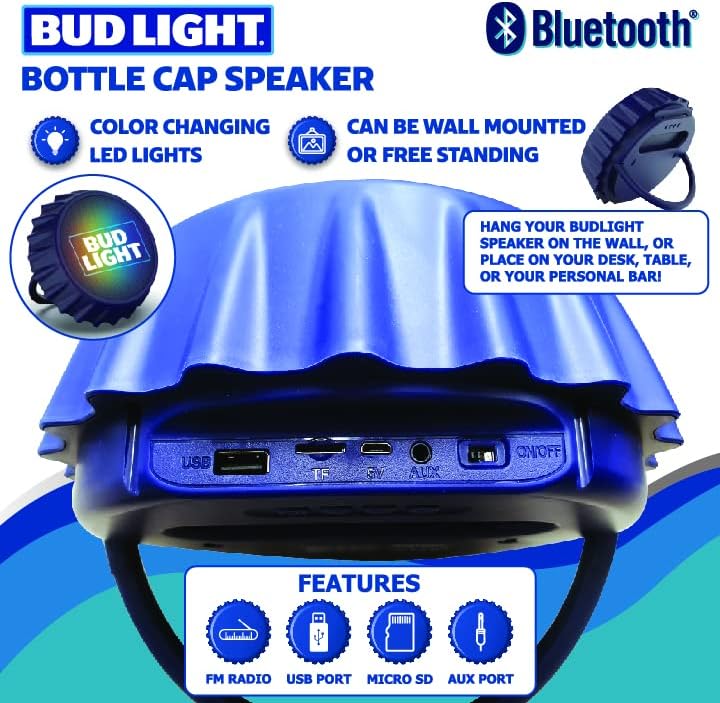
Image: Rear view of the speaker, highlighting the USB port, TF (Micro SD) card slot, 5V charging port, AUX input, and the ON/OFF switch.
- USB Port: For USB drive playback.
- TF Card Slot: For Micro SD card playback.
- 5V Port: Micro USB charging input.
- AUX Port: 3.5mm audio input for wired connections.
- ON/OFF Switch: Powers the speaker on or off.
- Control Buttons: (Specific button functions may vary, typically include Play/Pause, Volume Up/Next Track, Volume Down/Previous Track, Mode selection). Refer to the quick start guide for detailed button mapping.
3.2 Color Changing Lights
The speaker is equipped with integrated color-changing LED lights that enhance the listening experience. These lights typically activate automatically when the speaker is powered on and cycle through various colors.
4. Setup
4.1 Charging the Speaker
- Connect the provided USB charging cable to the 5V port on the speaker.
- Connect the other end of the USB cable to a standard USB power adapter (not included) or a computer's USB port.
- The charging indicator light (if present) will illuminate, typically red, during charging and turn off or change color when fully charged.
- A full charge typically takes 2-3 hours.
4.2 Powering On/Off
- To power on, slide the ON/OFF switch to the 'ON' position. A power-on sound or indicator light will confirm activation.
- To power off, slide the ON/OFF switch to the 'OFF' position.
5. Operating Instructions
5.1 Bluetooth Pairing
- Ensure the speaker is powered on and in Bluetooth mode. If not, press the 'Mode' button (if available) until you hear a Bluetooth pairing prompt.
- On your mobile device (smartphone, tablet, etc.), enable Bluetooth and search for available devices.
- Select "Bud Light Speaker" or a similar name from the list of devices.
- Once paired, the speaker will emit a confirmation sound, and the indicator light will typically stop flashing.
- You can now play audio from your device through the speaker.
5.2 FM Radio Operation
- Power on the speaker.
- Press the 'Mode' button to switch to FM Radio mode.
- Press and hold the 'Play/Pause' button to initiate an automatic station scan. The speaker will scan and save available FM stations.
- Use the 'Next Track' and 'Previous Track' buttons to navigate through the saved stations.
5.3 Micro SD Card Playback
- Insert a Micro SD card (TF card) with MP3 audio files into the TF card slot.
- The speaker should automatically switch to Micro SD card mode and begin playback. If not, press the 'Mode' button to select it.
- Use the control buttons for play/pause, next track, and previous track.
5.4 AUX Input
- Connect one end of a 3.5mm audio cable (not included) to the AUX port on the speaker.
- Connect the other end of the cable to the audio output jack of your external device.
- The speaker should automatically switch to AUX mode. If not, press the 'Mode' button to select it.
- Control playback and volume from your external device.
5.5 USB Playback
- Insert a USB flash drive with MP3 audio files into the USB port.
- The speaker should automatically switch to USB mode and begin playback. If not, press the 'Mode' button to select it.
- Use the control buttons for play/pause, next track, and previous track.
6. Mounting Options
The Bud Light Bottle Cap Speaker offers versatile mounting options to suit your preference.
6.1 Wall Mounting
The speaker is designed with keyhole slots on the back for easy wall mounting.
- Choose a suitable location on a wall.
- Install two screws (not included) into the wall, ensuring they are spaced correctly to align with the keyhole slots on the speaker. Leave a small portion of the screw head protruding.
- Carefully align the keyhole slots with the screw heads and slide the speaker down to secure it.
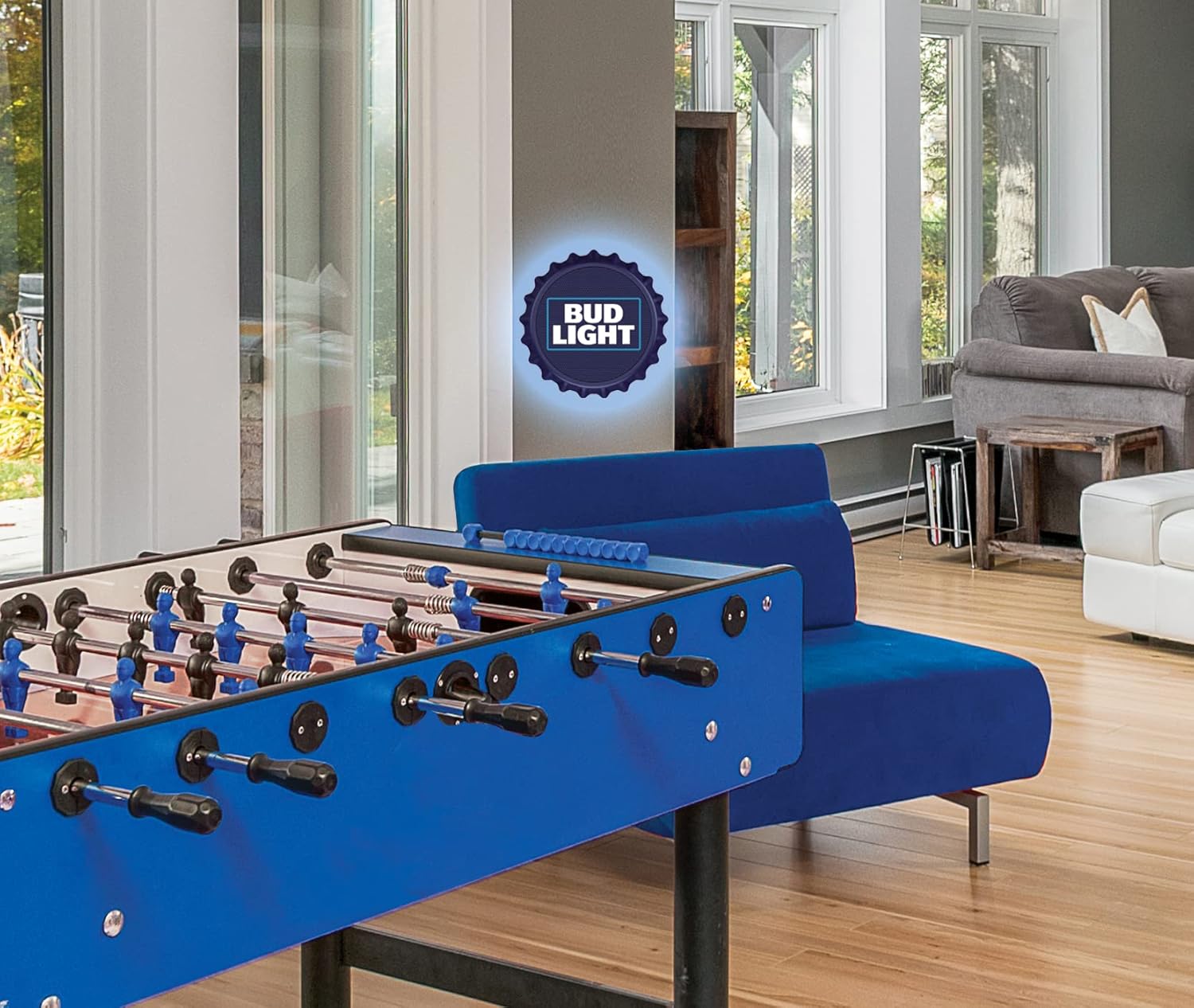
Image: The Bud Light speaker displayed mounted on a wall in a recreational setting, demonstrating its wall-mount capability.
6.2 Kickstand Use
For tabletop or desk placement, the speaker includes a built-in kickstand.
- Locate the integrated kickstand on the back of the speaker.
- Pull out the kickstand until it locks into position, allowing the speaker to stand upright on a flat surface.
- Ensure the speaker is stable before use.
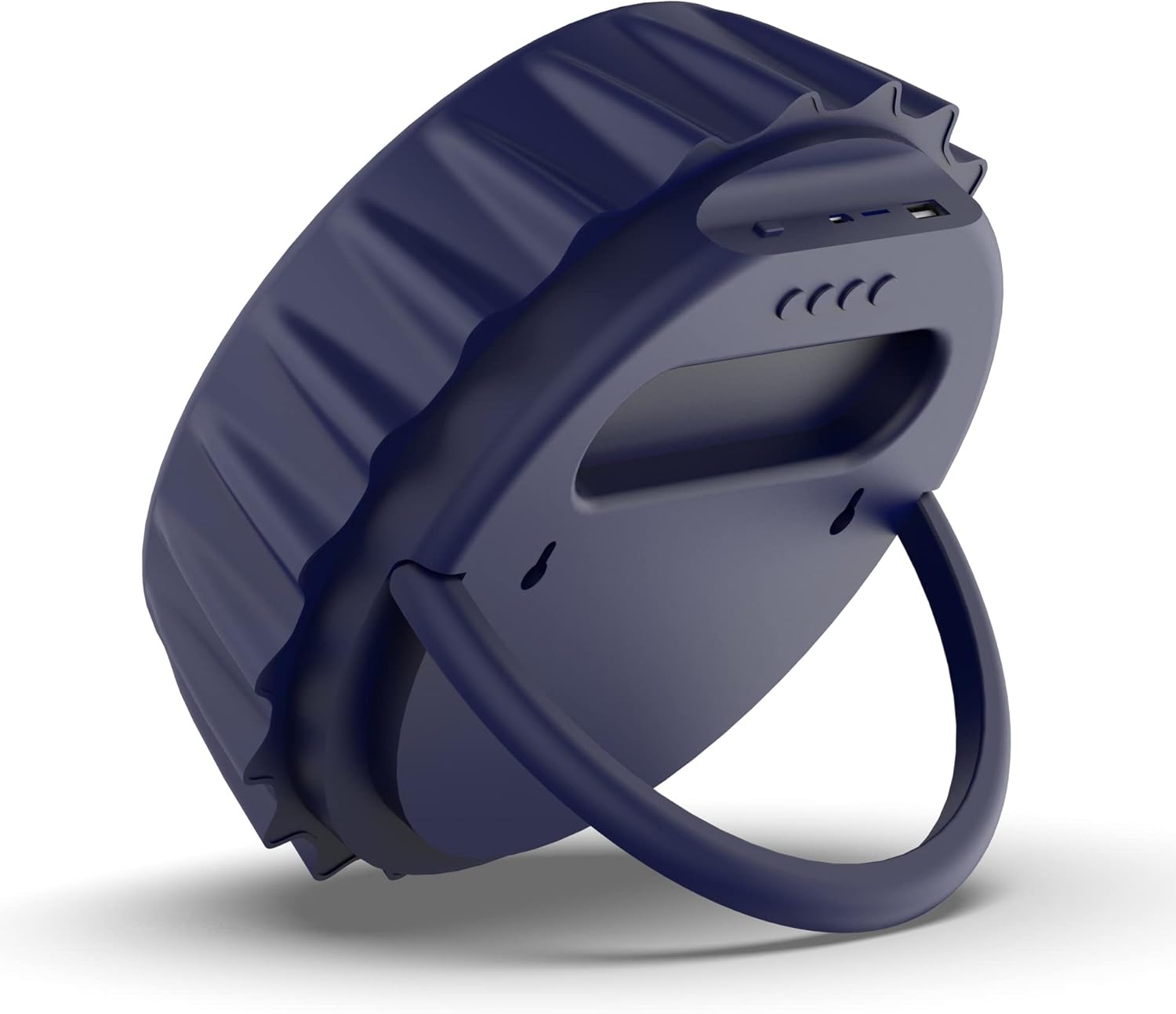
Image: Side view of the speaker, illustrating the kickstand extended for freestanding use on a flat surface.
7. Maintenance
- Keep the speaker dry. It is not water-resistant.
- Clean the speaker with a soft, dry cloth. Do not use abrasive cleaners or solvents.
- Avoid exposing the speaker to extreme temperatures or direct sunlight for prolonged periods.
- Store the speaker in a cool, dry place when not in use.
8. Troubleshooting
| Problem | Possible Cause | Solution |
|---|---|---|
| Speaker does not power on. | Battery is depleted. | Charge the speaker using the provided USB cable. |
| No sound from speaker. | Volume is too low; incorrect mode selected; device not connected. | Increase speaker and device volume; ensure correct mode (Bluetooth, AUX, etc.) is selected; re-pair Bluetooth device or check AUX cable connection. |
| Bluetooth device cannot pair. | Speaker is not in pairing mode; device is too far; interference. | Ensure speaker is in Bluetooth pairing mode; move device closer to speaker; turn off other Bluetooth devices nearby. |
| Poor FM radio reception. | Weak signal; environmental interference. | Relocate the speaker to an area with better reception; extend any external antenna if available. |
9. Specifications
- Model Name: Bud Light Bottle Cap Speaker
- Item Model Number: BL-BBC-BLU
- Speaker Type: Soundbar
- Special Feature: Radio, Color Changing Lights
- Connectivity Technology: Bluetooth, Auxiliary, USB
- Wireless Communication Technology: Bluetooth
- Bluetooth Range: 10 Meters
- Audio Output Mode: Stereo
- Speaker Maximum Output Power: 25 Watts
- Audio Driver Size: 50 Millimeters
- Power Source: Battery Powered
- Control Method: Touch (on device buttons)
- Mounting Type: Tabletop Mount, Wall Mount
- Color: Blue
- Product Dimensions: 9 x 9 x 3 inches
- Item Weight: 1.68 pounds
- Water Resistance Level: Not Water Resistant
- UPC: 810002179433
- Manufacturer: M & S Accessory Network
10. Warranty and Support
For warranty information and customer support, please refer to the documentation included with your purchase or contact the retailer where the product was acquired. Specific warranty terms and support contact details are typically provided by the manufacturer or seller.
