
Important Safety Instructions
Please read and understand all safety instructions before using this appliance. Failure to follow these instructions may result in electric shock, fire, or serious injury.
- ALCI Safety Plug: This heater is equipped with an Appliance Leakage Current Interrupter (ALCI) safety plug, designed to shut off power immediately in case of a short circuit or contact with water. This feature enhances safety, especially in environments like bathrooms.
- Tip-Over Protection: The heater will automatically turn off if it is accidentally tipped over. Place the heater on a stable, flat surface to prevent accidental tipping.
- Overheat Protection: The heater is designed to automatically shut off if it detects an internal temperature that could lead to overheating. If this occurs, unplug the heater and allow it to cool down before attempting to use it again.
- Flame-Retardant Materials: Constructed with V-0 rated flame-retardant materials for added safety.
- Do not use the heater in areas where gasoline, paint, or flammable liquids are stored.
- Keep combustible materials such as furniture, pillows, bedding, papers, clothes, and curtains at least 3 feet (0.9 m) from the front and sides of the heater.
- Do not insert or allow foreign objects to enter any ventilation or exhaust opening as this may cause an electric shock or fire, or damage the heater.
- Always unplug the heater when not in use.
The ALCI safety plug provides enhanced protection against electrical hazards, especially in damp environments.

The heater features an automatic tip-over safety switch, turning off if knocked over.

Built-in overheat protection ensures the heater safely shuts down if internal temperatures become too high.
Product Overview
The Dreo Space Heater (Model DR-HSH004A) is a portable PTC ceramic heater designed for indoor use, including bathrooms. It offers multiple heating modes, oscillation, and a digital thermostat for precise temperature control.
Package Contents:
- 1 x Dreo Space Heater
- 1 x Remote Control
- 1 x User Manual (this document)

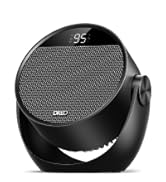
The Dreo Space Heater, showing its compact design, control panel, remote control, and ALCI safety plug.
Product Dimensions:

Dimensions of the Dreo Space Heater: 5.51 inches (Depth) x 6.69 inches (Width) x 10.31 inches (Height).
Setup
Follow these steps to set up your Dreo Space Heater for first use:
- Unpack: Carefully remove the heater and all accessories from the packaging. Retain the packaging for future storage or transport.
- Placement: Place the heater on a firm, level surface. Ensure there is at least 3 feet (0.9 m) of clear space around the heater to allow for proper airflow and to prevent fire hazards. Do not block air inlets or outlets.
- Power Connection: Plug the ALCI safety plug directly into a 120V AC, 60Hz wall outlet. Do not use extension cords, power strips, or surge protectors with this heater.
Operating Instructions
Your Dreo Space Heater can be operated using the touch controls on the top panel or the included remote control.
Control Panel and Remote:

The remote control allows convenient operation of all heater functions from a distance.
- Power Button (⏻): Turns the heater ON or OFF.
- Mode Button (☰): Cycles through the heating modes: H1 (900W), H2 (1000W), H3 (1500W), ECO, and Fan Only.
- Oscillation Button (⟳): Activates or deactivates the 70° wide-angle oscillation feature.
- Timer Button (◷): Sets the auto-off timer from 1 to 12 hours.
- Temperature Up/Down Buttons (+/-): Adjusts the target temperature from 41°F to 95°F in 1°F increments.
Heating Modes:
- H1 (900W): Low heat setting for energy-efficient warmth.
- H2 (1000W): Medium heat setting for balanced warmth.
- H3 (1500W): High heat setting for rapid heating of larger spaces.
- ECO Mode: Automatically adjusts the heating level to maintain the set temperature, optimizing energy consumption.
- Fan Only: Circulates air without heating, useful for ventilation.

The ECO mode intelligently maintains your desired temperature, contributing to energy savings.
Temperature Adjustment:
Use the + and - buttons to set your desired temperature between 41°F and 95°F. The heater will cycle on and off to maintain this temperature.
Oscillation Function:
Press the oscillation button to activate the 70° wide-angle oscillation. This feature distributes heat more evenly across the room. Press the button again to stop oscillation.

The 70° oscillation feature ensures wide heat distribution for comprehensive warmth.
Timer Function:
Press the timer button to set the auto-off timer. Each press will increase the timer by 1 hour, up to a maximum of 12 hours. The heater will automatically turn off once the set time has elapsed.
Care and Maintenance
Regular cleaning and proper maintenance will ensure the longevity and efficient operation of your Dreo Space Heater.
- Cleaning the Exterior: Always unplug the heater and allow it to cool completely before cleaning. Use a soft, damp cloth to wipe the exterior surfaces. Do not use abrasive cleaners or solvents.
- Cleaning the Filter: The heater features a detachable and easy-to-clean filter to ensure clean air circulation. Regularly remove and clean the filter to maintain optimal performance. Refer to the diagram below for filter removal.
- Storage: If storing the heater for an extended period, clean it thoroughly and store it in its original packaging in a cool, dry place.

The removable filter can be easily detached for cleaning, ensuring optimal air quality and heater performance.
Troubleshooting Guide
If you encounter any issues with your Dreo Space Heater, please refer to the following common problems and solutions:
| Problem | Possible Cause | Solution |
|---|---|---|
| Heater does not turn on. | No power, ALCI tripped, Tip-over switch activated, Overheat protection activated. | Ensure plug is fully inserted. Press RESET button on ALCI plug. Place heater upright on a flat surface. Unplug and allow to cool for 30 minutes. |
| No heat output. | Fan Only mode selected, Temperature setting too low. | Change to a heating mode (H1, H2, H3, ECO). Increase the target temperature above the current room temperature. |
| Heater makes unusual noise. | Obstruction in fan, Unit not on a level surface. | Unplug and check for obstructions. Ensure heater is on a stable, flat surface. |
| Oscillation not working. | Obstruction, Motor issue. | Ensure no physical obstructions. If issue persists, contact customer support. |
If the problem persists after attempting these solutions, please contact Dreo Customer Support for assistance.
Technical Specifications
| Feature | Specification |
|---|---|
| Brand | Dreo |
| Model Number | DR-HSH004A |
| Power Output | 1500W (Max) |
| Voltage | 120V |
| Amperage | 12.5 Amps |
| Heating Element | PTC Ceramic |
| Temperature Range | 41°F - 95°F |
| Oscillation Angle | 70° |
| Timer | 1-12 hours |
| Noise Level | 36.5 dB (Quiet Operation) |
| Product Dimensions (D x W x H) | 5.51" x 6.69" x 10.31" |
| Item Weight | 3.85 pounds |
| Cable Length | 1.8 Meters |
| Safety Features | ALCI Safety Plug, Tip-Over Protection, Overheat Protection, V-0 Flame-Retardant Materials |
| Recommended Use | Indoor (Bathroom, Bedroom, Office, Living Room, etc.) |
Warranty and Customer Support
Your Dreo Space Heater comes with a default 12-month warranty from the date of purchase. This warranty covers defects in materials and workmanship under normal use.
For warranty claims, technical assistance, or any questions regarding your product, please contact Dreo Customer Support. Please have your model number (DR-HSH004A) and purchase information ready when contacting support.
For the most up-to-date contact information, please visit the official Dreo website or refer to the contact details provided in your purchase documentation.


