
Della 048-TL-D35W_3
DELLA 3000 Sq. Ft Smart Dehumidifier User Manual
Model: 048-TL-D35W_3 | Brand: Della
1. Important Safety Instructions
Please read all instructions carefully before operating this appliance. Keep this manual for future reference.
- Always connect the dehumidifier to a grounded electrical outlet.
- Do not operate the unit if the power cord or plug is damaged.
- Ensure proper ventilation around the unit to prevent overheating.
- Do not block air inlets or outlets.
- Empty the water tank regularly or ensure continuous drainage is properly set up.
- This product contains chemicals known to the State of California to cause cancer and birth defects or other reproductive harm.
2. Product Overview
The DELLA 35 Pint Smart Dehumidifier is designed to efficiently remove moisture from medium to large rooms, basements, dens, and storage areas, covering up to 3000 sq. ft. It features quiet operation, smart Wi-Fi control, and multiple drainage options.
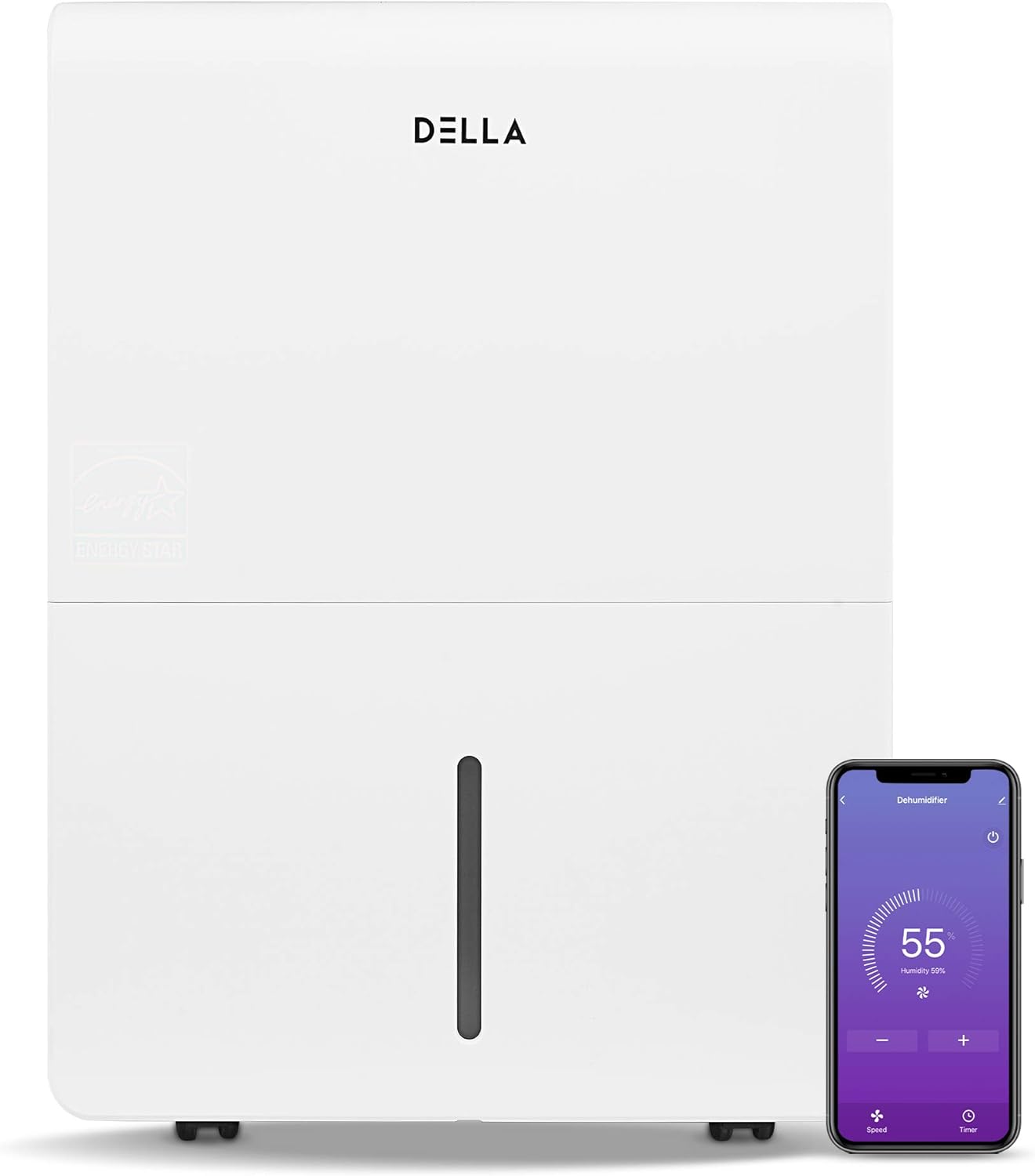
Figure 2.1: Front view of the DELLA Smart Dehumidifier, showcasing its sleek design and the accompanying smartphone app interface for remote control.

Figure 2.2: Visual comparison illustrating the moisture removal capacity difference between a 22 Pint and a 35 Pint dehumidifier, highlighting the 35 Pint model's suitability for larger areas (1,500 - 3,000 sq ft).

Figure 2.3: The dehumidifier can be intelligently controlled remotely via the Della+ app on your smartphone, allowing for convenient adjustments from anywhere.

Figure 2.4: The Della+ app features geo-fencing technology, enabling the dehumidifier to automatically turn on as you approach home and turn off when you leave.
Video 2.1: This video demonstrates the key features and functionality of the DELLA Smart Dehumidifier, including its portability, control panel, and smart app integration.
3. Setup
3.1 Placement
Place the dehumidifier in a location where the humidity is highest and air circulation is good. Ensure there is at least 8 inches of space around the unit for optimal airflow. The unit is portable with 360-degree easy-roll hidden wheels for room-to-room portability.
3.2 Power Connection
Plug the dehumidifier into a standard 115V, 60Hz grounded electrical outlet. Do not use extension cords or power strips.
3.3 Drainage Options
The unit offers two methods for water drainage:
- Manual Emptying: The water tank can be manually removed and emptied when full. The unit will alert you when the tank is full and automatically shut off to prevent overflow.
- Continuous Drainage: For continuous operation without manual emptying, connect a standard garden hose (not included) to the continuous drain outlet. Ensure the hose is sloped downwards to allow gravity drainage into a suitable drain.

Figure 3.1: Illustration of the two drainage methods: manual tank removal (1) and continuous gravity drainage via a hose (2).

Figure 3.2: The dehumidifier is equipped with an electromagnetic float water-fill alarm device that automatically shuts off the unit when the water tank is full, preventing overflow.
4. Operating Instructions
4.1 Control Panel
The dehumidifier features an easy-to-use control panel located on the top of the unit.

Figure 4.1: Detailed view of the control panel, showing buttons for Power, Mode, Timer, and indicators for Tank Full, Filter, and Wi-Fi status.
- POWER: Press to turn the dehumidifier on or off.
- MODE: Press to cycle through different operating modes: Dry, Turbo, Comfort, and Cont (Continuous).
- TIMER: Press to initiate the auto start and auto stop feature, allowing you to set a specific operating duration.
- Humidity Setting: Use the up/down arrows to adjust the desired humidity level.
- Indicators: Lights for 'Tank Full', 'Filter', and 'Wi-Fi' indicate the status of the unit.
4.2 Wi-Fi Control (DELLA+ App)
This dehumidifier is Wi-Fi enabled, allowing you to control it remotely using the DELLA+ app on your smartphone. Download the app from your device's app store and follow the in-app instructions for pairing. The app allows you to adjust settings, monitor humidity levels, and receive notifications (e.g., when the water tank is full).
5. Maintenance
5.1 Filter Cleaning
The dehumidifier is equipped with a washable filter. A 'Filter' indicator light on the control panel will illuminate to remind you when it's time to clean the filter (typically after 250 hours of operation). Regularly cleaning the filter ensures optimal performance and air quality.
- Turn off and unplug the unit.
- Remove the filter from its slot.
- Wash the filter with warm, soapy water. Rinse thoroughly.
- Allow the filter to air dry completely before reinserting it.
- Press and hold the 'Filter' button on the control panel to reset the filter timer.
5.2 Water Tank Emptying
When the water tank is full, the 'Tank Full' indicator will light up, and the unit will automatically shut off. Carefully remove the water tank using its handle and empty the collected water. Reinsert the tank firmly until it clicks into place to resume operation.
6. Troubleshooting
| Problem | Possible Cause | Solution |
|---|---|---|
| Dehumidifier does not turn on. | No power, power cord unplugged, water tank full or not properly seated. | Check power connection, empty and re-seat water tank. |
| Unit runs but does not dehumidify. | Air filter clogged, room temperature too low, humidity setting too high. | Clean air filter, ensure room temperature is above 41°F (5°C), lower humidity setting. |
| Water leaks from the unit. | Water tank not properly seated, continuous drain hose is kinked or clogged. | Re-seat water tank, check continuous drain hose for kinks or blockages. |
| Unit is noisy. | Unit not on a level surface, air filter clogged. | Place unit on a flat, stable surface. Clean air filter. |
| Wi-Fi connection issues. | Incorrect Wi-Fi password, router too far, app not updated. | Verify Wi-Fi credentials, move unit closer to router, update Della+ app. |
7. Specifications

Figure 7.1: Overview of the dehumidifier's dimensions and key technical specifications.
| Specification | Value |
|---|---|
| Brand | Della |
| Model Name | 048-TL-D35W_3 |
| Floor Area Coverage | 3000 Square Feet |
| Dehumidification Capacity | 35 Pints per Day |
| Tank Volume | 0.9 Gallons (7.17 Pints) |
| Power Supply | 115V/60Hz |
| Wattage | 560 watts |
| Noise Level (Hi/Med/Lo) | 48/45 dB |
| Product Dimensions (DxWxH) | 9.84"D x 14.37"W x 19.69"H |
| Item Weight | 33.7 Pounds |
| Special Features | Quiet Operation, Timer, Washable Filter, Wi-Fi Control |
| Included Components | Manual, Dehumidifier |
8. Warranty Information
Specific warranty details for your DELLA 3000 Sq. Ft Smart Dehumidifier are typically provided with the product packaging or can be found on the manufacturer's official website. Please refer to the warranty card or contact Della customer support for comprehensive information regarding warranty coverage, terms, and conditions.
9. Customer Support
For technical assistance, troubleshooting not covered in this manual, or inquiries regarding parts and service, please contact Della customer support. Refer to the contact information provided in your product packaging or visit the official Della website for the most up-to-date support options.
Related documents048-TL-D35W_3

Ask a question about this manual
Ask about setup, troubleshooting, compatibility, parts, safety, or missing instructions. Manuals+ will review the question and use this page’s manual context to help answer it.