
Keychron K3D1
Keychron K3 Version 2 Mechanical Keyboard User Manual
Model: K3D1
Product Overview
The Keychron K3 Version 2 is an ultra-slim, 75% layout (84 keys) mechanical keyboard designed for versatility and performance. It offers both wireless Bluetooth 5.1 and wired USB-C connectivity, making it compatible with macOS and Windows devices. Featuring hot-swappable low-profile Keychron Optical Red Switches, this keyboard provides a precise linear typing experience with white LED backlighting.

Figure 1: Top-down view of the Keychron K3 Version 2 keyboard, showcasing its 75% layout with 84 keys and white backlighting.
Setup and Connectivity
The Keychron K3 Version 2 offers flexible connectivity options to suit various setups.
Wireless Bluetooth 5.1 Connection
- Ensure the keyboard is charged or connected via USB-C.
- Locate the mode switch on the side of the keyboard and set it to "Bluetooth".
- On your device (laptop, PC, tablet, or phone), enable Bluetooth and search for available devices.
- Select "Keychron K3" from the list of devices.
- The keyboard can connect to up to 3 devices simultaneously. Use the Fn + 1, Fn + 2, or Fn + 3 keys to switch between paired devices.
USB-C Wired Connection
- Connect the provided USB-C to USB-A cable from the keyboard to your computer's USB port.
- Set the mode switch on the side of the keyboard to "Cable".
- The keyboard will automatically be recognized by your device.

Figure 2: Illustration showing the Keychron K3 connecting wirelessly via Bluetooth 5.1 to a laptop, tablet, and smartphone, highlighting its multi-device compatibility.
Operating Instructions
Key Layout and Compatibility
The 75% layout with 84 keys provides a compact design while retaining essential function keys. The keyboard is fully compatible with both macOS and Windows operating systems. It includes extra keycaps for both systems to ensure proper labeling.
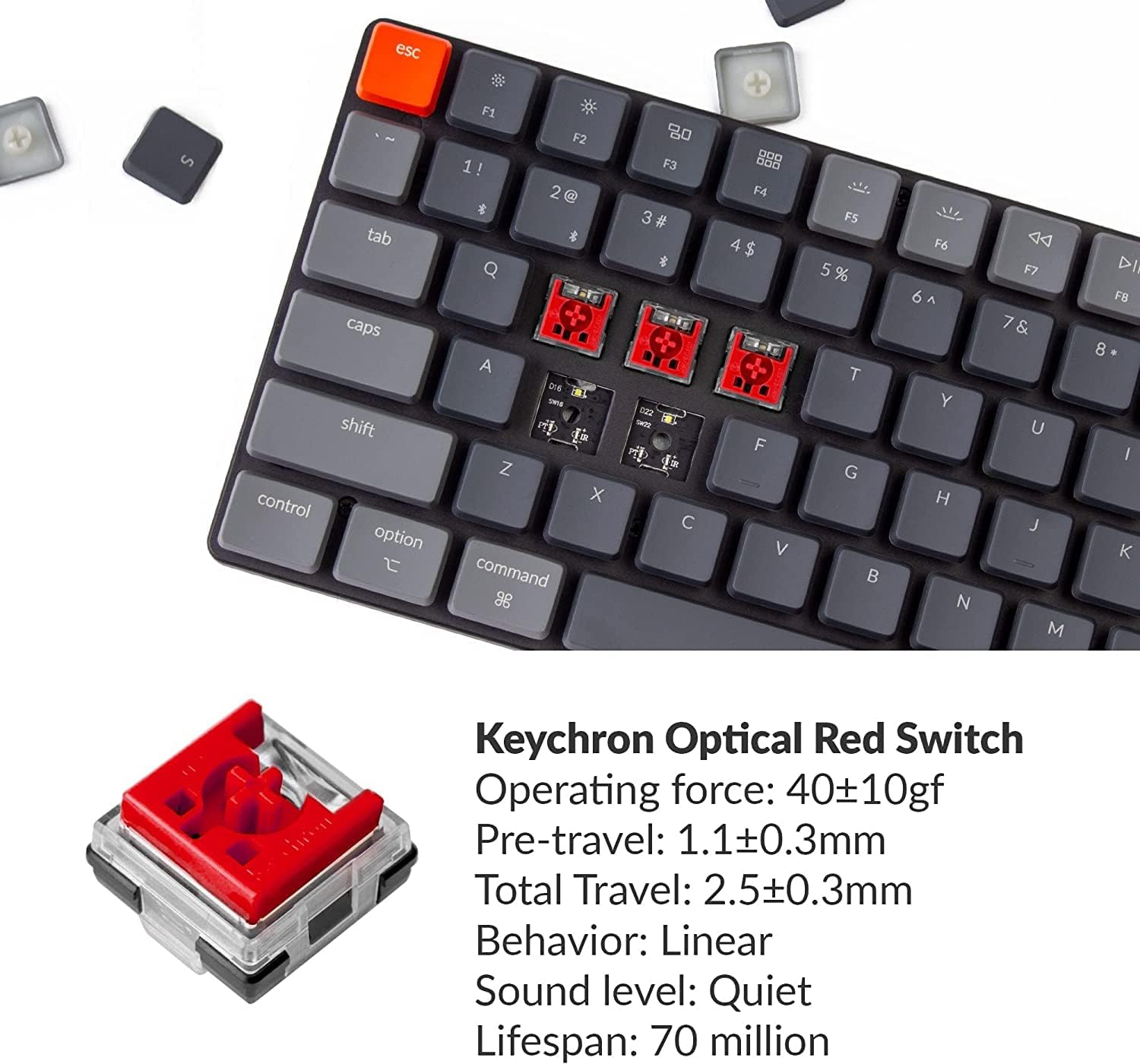
Figure 3: The tenkeyless design of the Keychron K3, demonstrating how it saves desk space and provides more room for mouse movement.
Hot-Swappable Switches
The K3 features hot-swappable low-profile Keychron Optical Red Switches, allowing users to easily change switches without soldering. This enables customization of the typing experience, whether you prefer linear, clicky, or tactile feedback.

Figure 4: Close-up view of the Keychron K3 showcasing its hot-swappable low-profile optical switches, with a keycap puller demonstrating the ease of removal.
White LED Backlight
The keyboard is equipped with a white LED backlight. Users can switch between static white or flashing light modes to suit their preference.
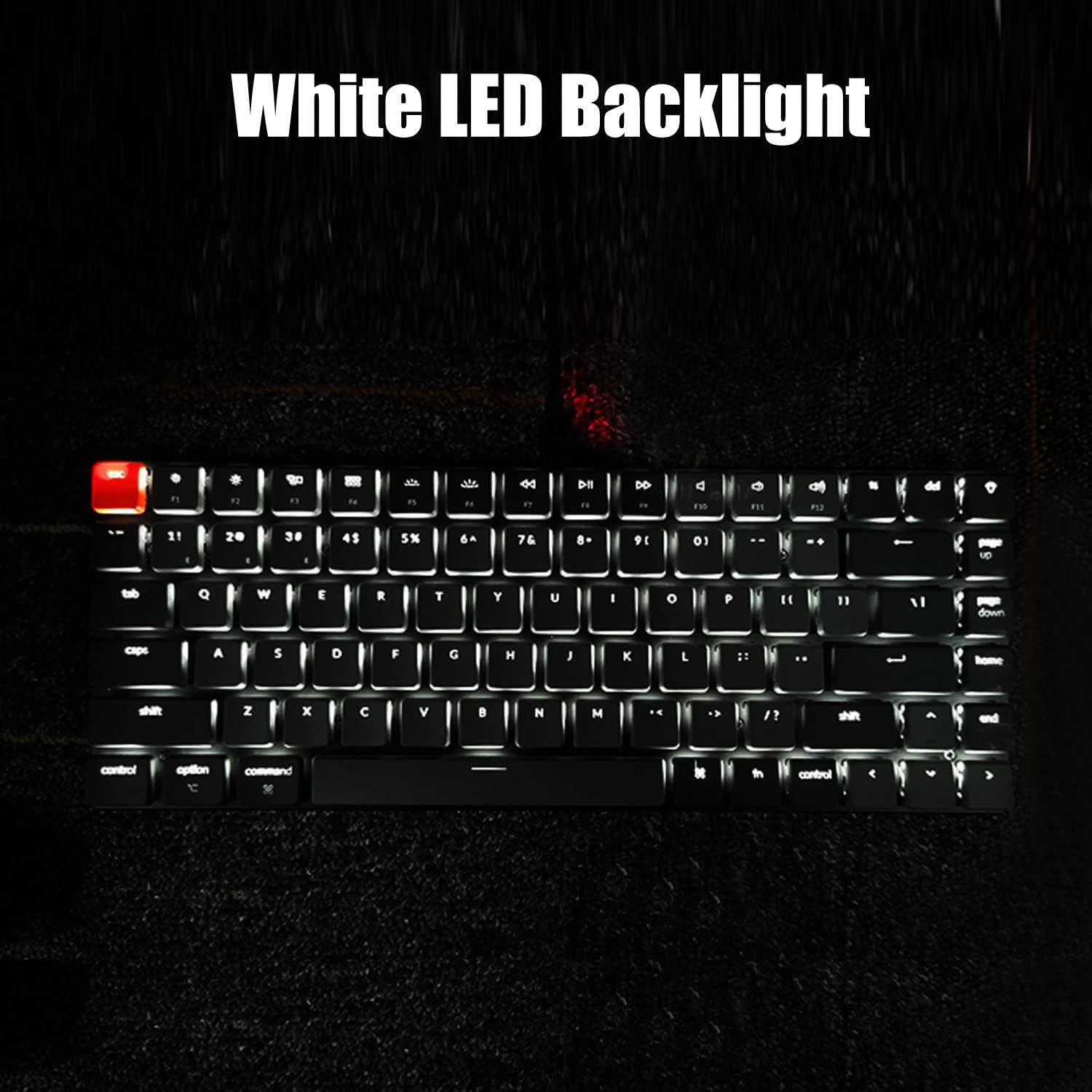
Figure 5: The Keychron K3 keyboard illuminated with its white LED backlight, enhancing visibility in low-light conditions.
Ergonomic Design
The K3's design incorporates ergonomics with two keyboard stands that provide a comfortable typing angle (6-9 degrees), reducing wrist strain. Its streamlined aluminum body ensures durability and a lightweight profile.

Figure 6: Side view of the Keychron K3 demonstrating its adjustable typing angle (6-9 degrees) for improved ergonomics.
Maintenance
Cleaning
- Use a soft, dry cloth to wipe down the keyboard surface.
- For deeper cleaning, remove keycaps using the provided keycap puller and use compressed air to clear debris from beneath the keys.
Switch Replacement
To replace a switch:
- Gently pull the keycap off using the keycap puller.
- Use the switch puller to carefully remove the optical switch from the keyboard.
- Align the pins of the new optical switch with the holes on the PCB and press firmly until it clicks into place.
- Reattach the keycap.
Note: This keyboard is NOT compatible with conventional MX style mechanical switches.
Troubleshooting
Connectivity Issues
- If experiencing input delay or disconnections in Bluetooth mode, ensure the keyboard is within range of your device and there are no significant obstructions.
- Try re-pairing the keyboard with your device.
- Switch to wired mode via USB-C to rule out Bluetooth interference.
Battery Life
- The keyboard has a built-in 1550 mAh rechargeable Li-polymer battery, offering up to 34 hours of working time.
- If battery life seems shorter than expected, ensure the backlight is not set to maximum brightness constantly, as this consumes more power.
- The keyboard enters a deep sleep mode after 5 minutes of inactivity to conserve battery. Press any key to wake it up.
Specifications
| Feature | Detail |
|---|---|
| Model Number | K3D1 |
| Layout | 75% (84 Keys) |
| Connectivity | Bluetooth 5.1, USB-C Wired |
| Switch Type | Low-Profile Keychron Optical Red Switch (Hot-Swappable) |
| Operating Force (Optical Red) | 40±10gf |
| Pre-travel (Optical Red) | 1.1±0.3mm |
| Total Travel (Optical Red) | 2.5±0.3mm |
| Lifespan (Optical Red) | 70 million keystrokes |
| Backlight | White LED (Static or Flashing) |
| Battery | 1550 mAh Li-polymer |
| Working Time | Up to 34 hours |
| Dimensions | 12.91 x 6.22 x 1.54 inches |
| Weight | 1.74 pounds |
| Manufacturer | Keychron |
What's in the Box
- USB Cable
- Keycap Puller
Official Product Video
Video 1: An official product video demonstrating the features and benefits of the Keychron K3 mechanical keyboard, including its ultra-slim design, hot-swappable switches, and multi-device connectivity. This video highlights the keyboard's versatility for both work and gaming environments.
Warranty and Support
For detailed warranty information and customer support, please refer to the official Keychron website or the user manual PDF provided with your product.
- Download User Manual (PDF)
- Protection Plans are available for purchase separately:
- 3-Year Protection Plan
- 4-Year Protection Plan
- Complete Protect (monthly plan)
Related documentsK3D1


Ask a question about this manual
Ask about setup, troubleshooting, compatibility, parts, safety, or missing instructions. Manuals+ will review the question and use this page’s manual context to help answer it.