
LANDAST 0728990399347
Contents
LANDAST Tower Fan User Manual
Model: 0728990399347
Introduction
Thank you for purchasing the LANDAST Tower Fan. This 36-inch oscillating fan is designed to provide efficient and quiet cooling for your bedroom, living room, or office. Featuring a large LED display, remote control, sleep mode, and a 12-hour timer, it offers versatile comfort and convenience. Please read this manual thoroughly before operation to ensure proper use, maintenance, and safety.

Image: The LANDAST Tower Fan, showcasing its sleek black design, large LED display, and included remote control. Leaves are depicted to illustrate airflow.
Important Safety Information
To reduce the risk of fire, electric shock, or injury, please observe the following safety precautions:
- Always plug the fan directly into a 120V AC wall outlet. Never use with an extension cord or power strip.
- Do not operate any fan with a damaged cord or plug. Discard fan or return to an authorized service facility for examination and/or repair.
- Do not run cord under carpeting. Do not cover cord with throw rugs, runners, or similar coverings. Arrange cord away from traffic area where it will not be tripped over.
- Unplug the fan from the outlet when not in use or when moving the fan.
- Do not immerse fan in water or other liquids.
- This appliance is not intended for use by persons (including children) with reduced physical, sensory or mental capabilities, or lack of experience and knowledge, unless they have been given supervision or instruction concerning use of the appliance by a person responsible for their safety.
- Children should be supervised to ensure that they do not play with the appliance.
- Do not insert fingers or foreign objects into any openings on the fan.
- Do not use outdoors.
- The fan features a bladeless design for enhanced safety, especially around children and pets.

Image: A close-up of the LANDAST Tower Fan's bladeless design, with a baby in the foreground, illustrating the safety feature for households with children and pets.
Package Contents
- LANDAST Tower Fan Unit
- Remote Control
- User Manual
Product Overview
Familiarize yourself with the components and controls of your new tower fan.
Control Panel & LED Display

Image: Detailed view of the fan's top control panel and LED display, indicating buttons for Power, Speed, Mode, Timer, and Oscillation, along with the remote control.
- Power Button: Turns the fan On/Off.
- Speed Button: Adjusts fan speed (Low, Medium, High).
- Mode Button: Cycles through different wind modes (Normal, Natural, Sleep).
- Timer Button: Sets the auto-off timer (up to 12 hours).
- Oscillation Button: Activates/deactivates 70° oscillation.
- LED Display: Shows current settings, including fan speed, mode, timer, and ambient temperature.
Remote Control
The included remote control allows for convenient operation from a distance. It replicates all functions available on the fan's control panel.

Image: The LANDAST Tower Fan in a modern living room setting, illustrating its features like 12-hour timer, sleep mode, 3 wind modes, and temperature display, with a family enjoying the comfort.
Setup
Follow these steps to assemble your tower fan:
- Carefully remove all components from the packaging.
- Assemble the base: The base typically comes in two halves. Align the two halves and snap them together.
- Pass the power cord through the center hole of the assembled base.
- Attach the fan unit to the base: Align the fan unit with the base and secure it using the provided screws (if any) or by twisting until it locks into place. Ensure the power cord is not pinched.
- Place the fan on a firm, level surface.
- Plug the power cord into a standard 120V AC wall outlet.

Image: A four-panel diagram illustrating the assembly process of the fan's base, from connecting the two halves to securing the main fan unit.
Operating Instructions
Power On/Off
Press the POWER button on the control panel or remote control to turn the fan on or off.
Adjusting Fan Speed
Press the SPEED button repeatedly to cycle through the three available fan speeds: Low, Medium, and High. The LED display will indicate the current speed setting.
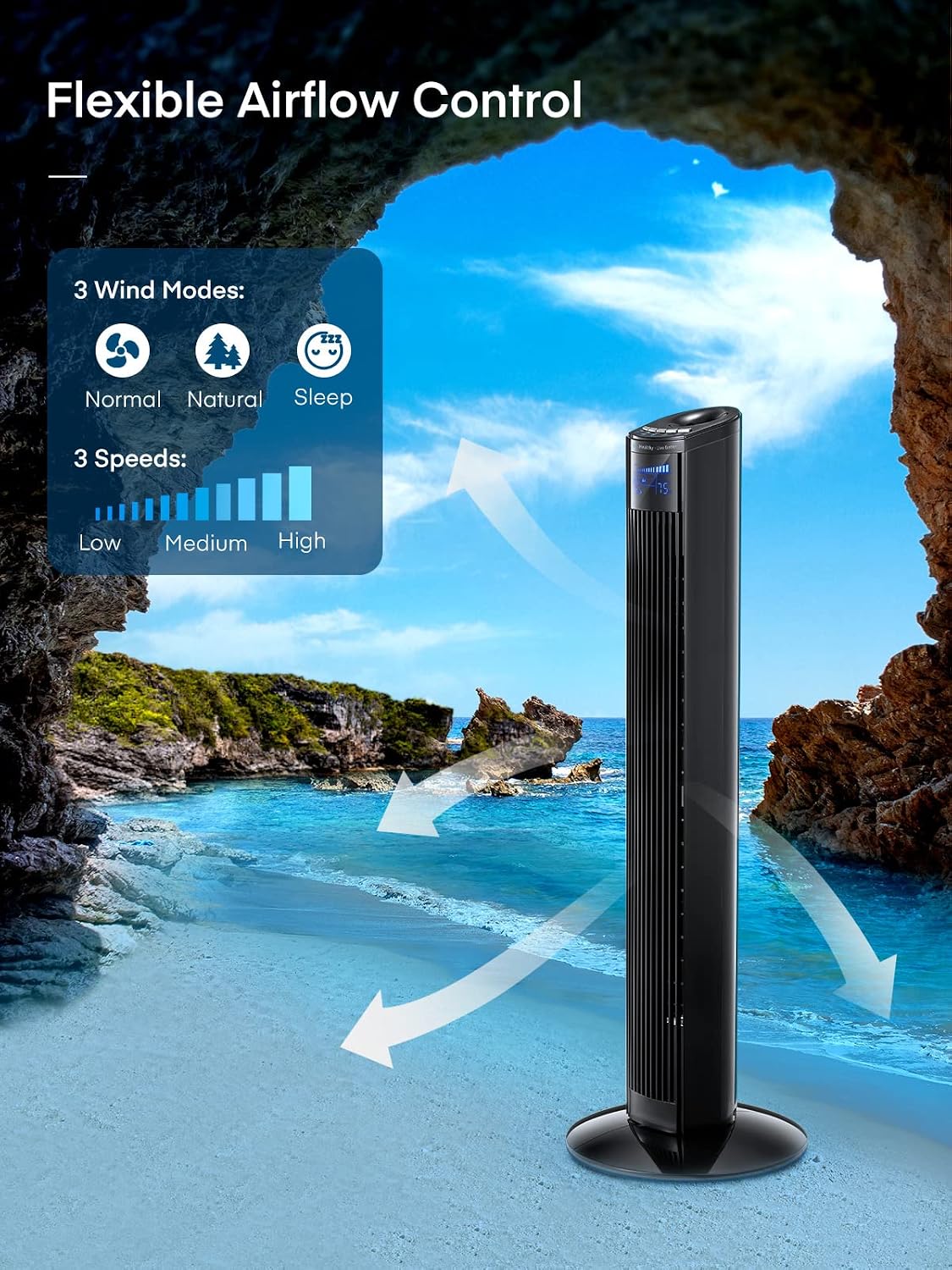
Image: The LANDAST Tower Fan set against a beach backdrop, illustrating its flexible airflow control with three wind modes (Normal, Natural, Sleep) and three speed settings (Low, Medium, High).
Selecting Wind Mode
Press the MODE button repeatedly to select from the following wind modes:
- Normal Mode: Provides a constant airflow at the selected speed.
- Natural Mode: Simulates natural breeze by varying fan speed intermittently.
- Sleep Mode: Operates at a lower, quieter speed and dims the LED display for undisturbed sleep. The fan will automatically reduce speed over time in this mode.

Image: The LANDAST Tower Fan positioned beside a bed with a sleeping person, highlighting its quiet operation (below 50dB), 12-hour timer, and dedicated sleep mode for a soothing night's rest.
Setting the Timer
Press the TIMER button repeatedly to set the auto-off timer in 1-hour increments, up to 12 hours. The fan will automatically turn off after the set time has elapsed. The LED display will show the remaining timer duration.

Image: A detailed view of the fan's top panel and LED display, emphasizing the 12-hour timer function with a clock graphic.
Activating Oscillation
Press the OSC (Oscillation) button to enable or disable the fan's 70° oscillation feature, which distributes air across a wider area.

Image: An isometric view of a room with the LANDAST Tower Fan, illustrating its 70-degree oscillation feature for wider wind coverage and improved air circulation.

Image: A top-down view illustrating the fan's 70-degree oscillation range, with a cat and a ball indicating the wide area of air distribution.
Ambient Temperature Display
The LED display automatically shows the current ambient room temperature, providing useful information at a glance.
Remote Control Storage
The remote control can be conveniently stored in a designated slot on the fan unit when not in use.
Maintenance
Regular cleaning will help maintain your fan's performance and extend its lifespan.
- Cleaning: Always unplug the fan before cleaning. Use a soft, damp cloth to wipe the exterior surfaces. Do not use abrasive cleaners or solvents.
- Dust Removal: Use a vacuum cleaner with a brush attachment or compressed air to remove dust from the air intake and outlet grilles.
- Storage: When not in use for extended periods, store the fan in a cool, dry place, preferably in its original packaging, to protect it from dust and damage.
Troubleshooting
| Problem | Possible Cause | Solution |
|---|---|---|
| Fan does not turn on. | No power supply; Power cord not securely plugged in; Power button not pressed. | Ensure the fan is plugged into a working outlet; Check if the power cord is fully inserted; Press the Power button on the fan or remote. |
| Weak airflow. | Fan speed set too low; Air intake/outlet blocked by dust. | Increase fan speed; Clean the air intake and outlet grilles. |
| Fan makes unusual noise. | Fan not on a level surface; Foreign object inside the fan. | Place the fan on a flat, stable surface; Unplug the fan and carefully check for any obstructions. |
| Remote control not working. | Batteries are dead or incorrectly inserted; Obstruction between remote and fan. | Replace batteries (ensure correct polarity); Remove any obstructions; Ensure remote is pointed at the fan's receiver. |
Specifications
| Feature | Detail |
|---|---|
| Brand | LANDAST |
| Model Name | LANDAST (Item model number: 0728990399347) |
| Color | Black |
| Product Dimensions | 7.6"D x 7.6"W x 36"H |
| Item Weight | 9.33 pounds |
| Power Source | Corded Electric |
| Number of Power Levels | 3 (Low, Medium, High) |
| Special Features | Bladeless, Oscillating (70°), Portable, 12H Timer, Sleep Mode, Large LED Display, Ambient Temperature Display |
| Control Method | Remote, On-unit buttons |
| Indoor/Outdoor Usage | Indoor |
| Blade Material | Plastic |
| UPC | 728990399347 |

Image: A diagram illustrating the physical dimensions of the tower fan, showing a height of 35.5 inches and a base width of 7.6 inches, alongside the FCC compliance logo.
Warranty and Support
For warranty information or technical support, please refer to the contact details provided on the product packaging or visit the official LANDAST website. Keep your purchase receipt as proof of purchase for any warranty claims.
For further assistance, please contact LANDAST Customer Service.
Ask a question about this manual
Ask about setup, troubleshooting, compatibility, parts, safety, or missing instructions. Manuals+ will review the question and use this page’s manual context to help answer it.