
1. Product Overview
This manual provides detailed instructions for the K&F CONCEPT 20L Camera Backpack, Model KF13.087AV5. Designed for photographers, travelers, and commuters, this versatile backpack offers organized storage and robust protection for your camera gear and personal items.
Key Features:
- Functional Modern Design: Exclusive color matching for aesthetic appeal in various settings.
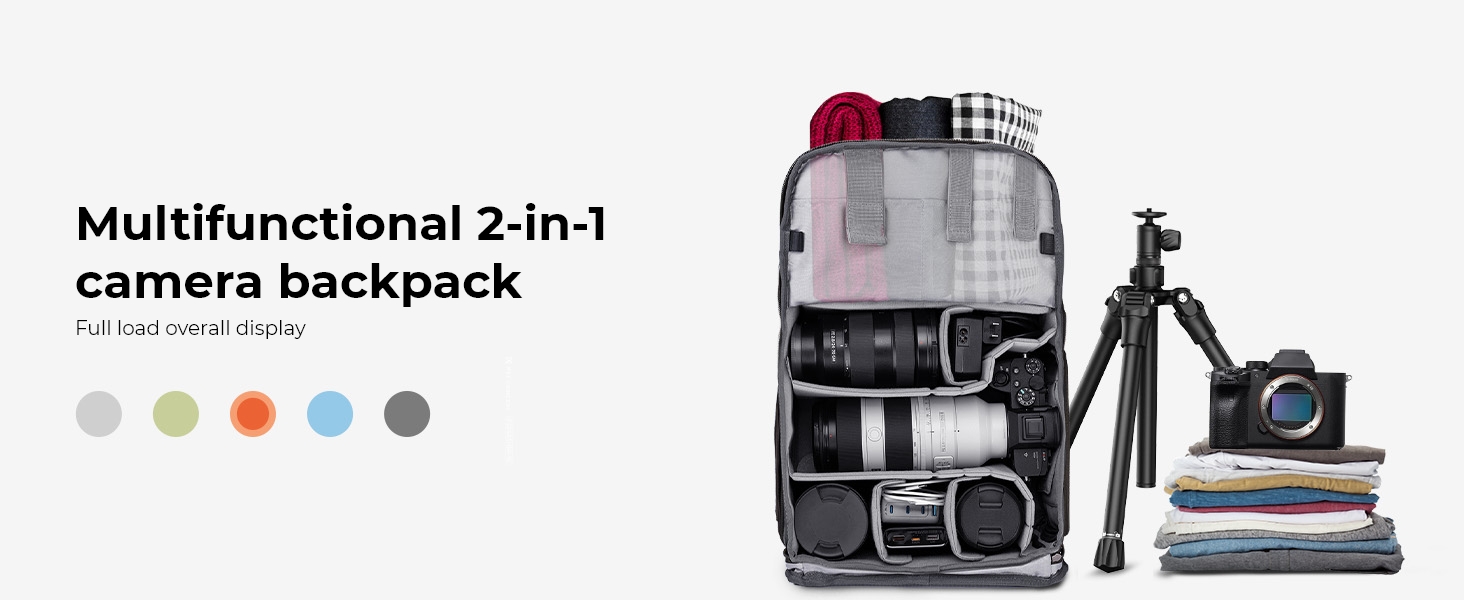
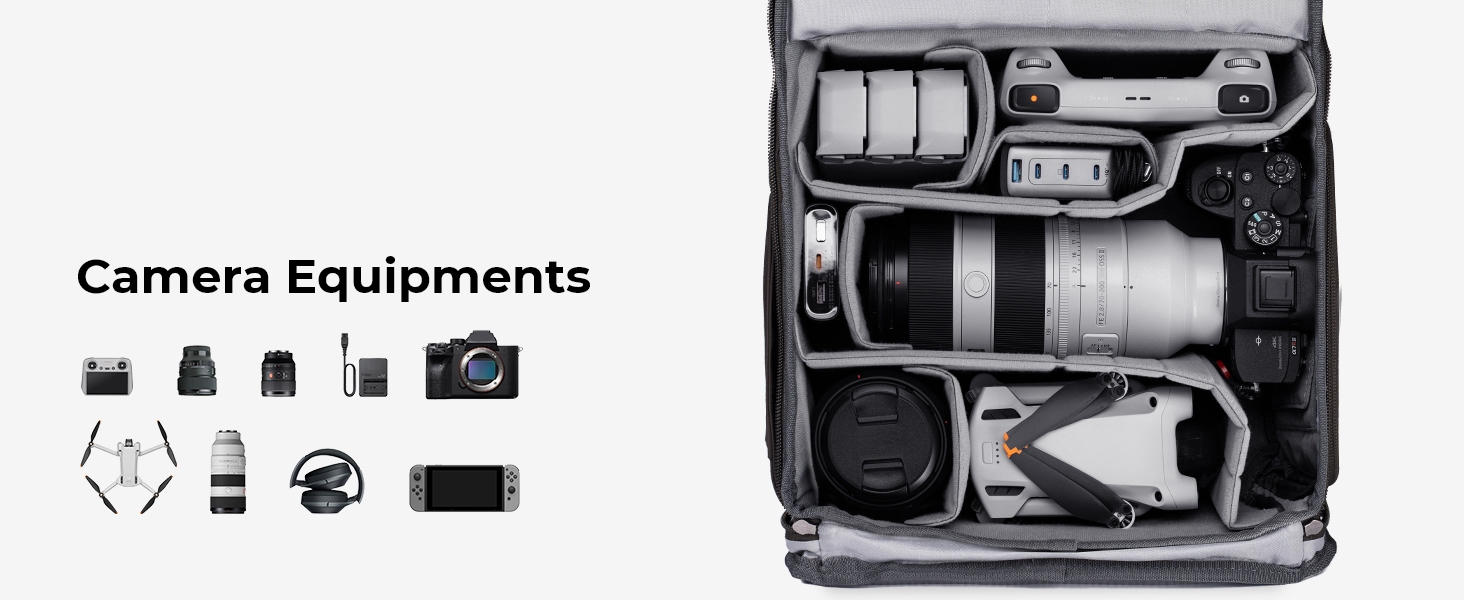
- Large Capacity: Approximately 20L, capable of holding 1 camera, 4 lenses, a tripod, other photography accessories, or a DJI Mavic Drone. Includes a dedicated compartment for up to a 15.6-inch laptop.
- Convenient Access: Quick side access for retrieving gear while wearing the backpack, and a professional back full-open design for effortless organization and maximum protection.
- Maximum Camera Protection: Constructed from durable, waterproof high-density nylon with heavily reinforced stitching and anti-theft zippers. EPE foam padded layers ensure valuable equipment is safe from shock.
- Enhanced Travel Comfort: Features a unique padded shoulder strap and ergonomic padded back panel for comfort and heat dissipation. An adjustable chest belt optimizes weight distribution.

2. Setup Instructions
2.1 Configuring Internal Dividers
The main compartment features adjustable EPE foam padded dividers. These can be customized to securely fit your camera body, lenses, and other accessories. Arrange them to create snug compartments that prevent movement and protect your equipment.

2.2 Attaching a Tripod
Utilize the external straps located at the front of the backpack to securely attach a tripod. Adjust the straps to ensure the tripod is held firmly against the bag, preventing shifting during transport.

2.3 Adjusting Shoulder and Chest Straps
Adjust the padded shoulder straps and the chest belt to achieve a comfortable and secure fit. Proper adjustment helps distribute weight evenly, reducing strain during extended wear.

3. Operating Instructions
3.1 Quick Side Access
For rapid access to your camera, utilize the side zipper. This allows you to retrieve your camera without fully removing the backpack, ensuring you don't miss fleeting moments.
3.2 Utilizing the Laptop Compartment
The backpack includes a dedicated, self-contained compartment designed to safely store laptops up to 15.6 inches. Ensure your laptop is fully inserted and the compartment is zipped closed for security.

3.3 Securing Small Accessories
Multiple accessory pockets are available for organizing batteries, memory cards, and other small items. Use the anti-theft hooks on the main flap to further secure your belongings.
4. Maintenance
4.1 Cleaning Instructions
The backpack is made from durable, waterproof nylon. For cleaning, hand wash only. Do not machine wash, bleach, tumble dry, or iron. Use a soft cloth with mild soap and water to gently clean soiled areas. Rinse thoroughly and air dry away from direct sunlight.
4.2 Using the Rain Cover
A dedicated rain cover is included to provide additional protection against harsh weather conditions. Deploy the rain cover over the backpack when exposed to rain or excessive moisture to keep your gear dry.

5. Troubleshooting
If you encounter any issues with your K&F CONCEPT Camera Backpack, please review the following common concerns:
- Stuck Zippers: Ensure no fabric is caught in the zipper teeth. Apply a small amount of zipper lubricant if necessary.
- Discomfort During Wear: Re-adjust shoulder straps and chest belt to optimize weight distribution. Ensure the backpack is not overloaded.
- Inadequate Protection: Verify that all internal dividers are properly configured and secured around your equipment. Ensure all compartments are fully zipped.
For persistent issues, please refer to the 'Warranty and Support' section for contact information.
6. Specifications
| Feature | Detail |
|---|---|
| Model Name | KF13.087AV5 |
| Color | 01-grey |
| Storage Volume | 20 Liters |
| Item Dimensions (D x W x H) | 7.87"D x 12.2"W x 17.72"H |
| Item Weight | 1.55 Kilograms |
| Material Type | Polyester |
| Outer Material | Polyester |
| Lining Description | Nylon |
| Water Resistance Level | Water Resistant |
| Compatible Device Size Maximum | 15.6 Inches (Laptop) |
| Number Of Pockets | 7 |
| Number of Compartments | 7 |
| Product Care Instructions | Hand Wash Only |
7. Official Product Videos
8. Warranty and Support
For warranty information and customer support, please refer to the official K&F CONCEPT website or contact your retailer. Keep your purchase receipt as proof of purchase for any warranty claims.