
Introduction
Thank you for choosing the K&F CONCEPT 20L Camera Backpack. This manual provides essential information for the proper setup, operation, and maintenance of your new photography backpack. Designed for photographers and enthusiasts, this large-capacity backpack offers robust protection and versatile storage for your camera gear, laptop, and personal items, ensuring convenience and comfort during your photographic adventures.
Key Features
- Functional Modern Design: Exclusive color matching for aesthetic appeal in various settings.
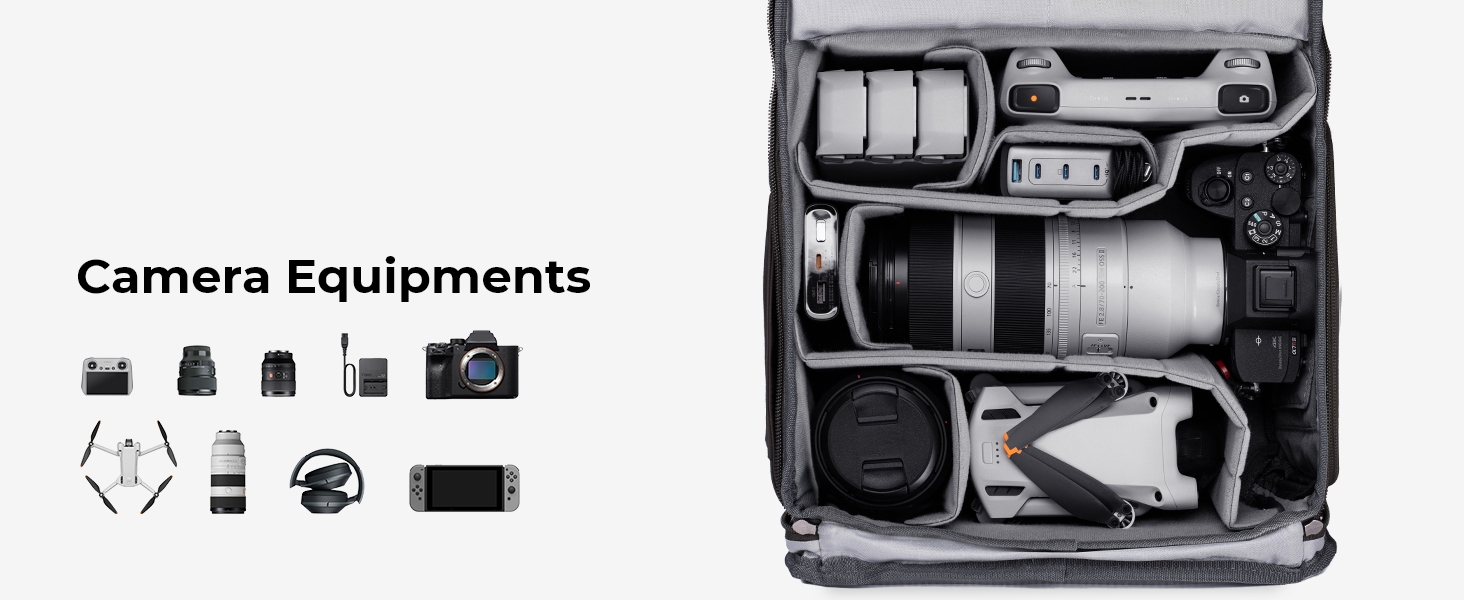
- Large Capacity: Approximately 20L, accommodating 1 camera, 4 lenses, a tripod, other accessories, or a DJI Mavic Drone.
- Dedicated Laptop Compartment: Fits up to 15.6-inch laptops.
- Quick Side Access: Allows rapid retrieval of gear without removing the backpack.
- Professional Back Full Open Design: Facilitates effortless organization and maximum protection for contents.
- Maximum Camera Protection: Constructed from durable, waterproof high-density nylon with reinforced stitching and EPE foam padding.
- Ergonomic Carrying System: Padded shoulder straps, breathable back panel, and adjustable chest belt for comfort during long trips.
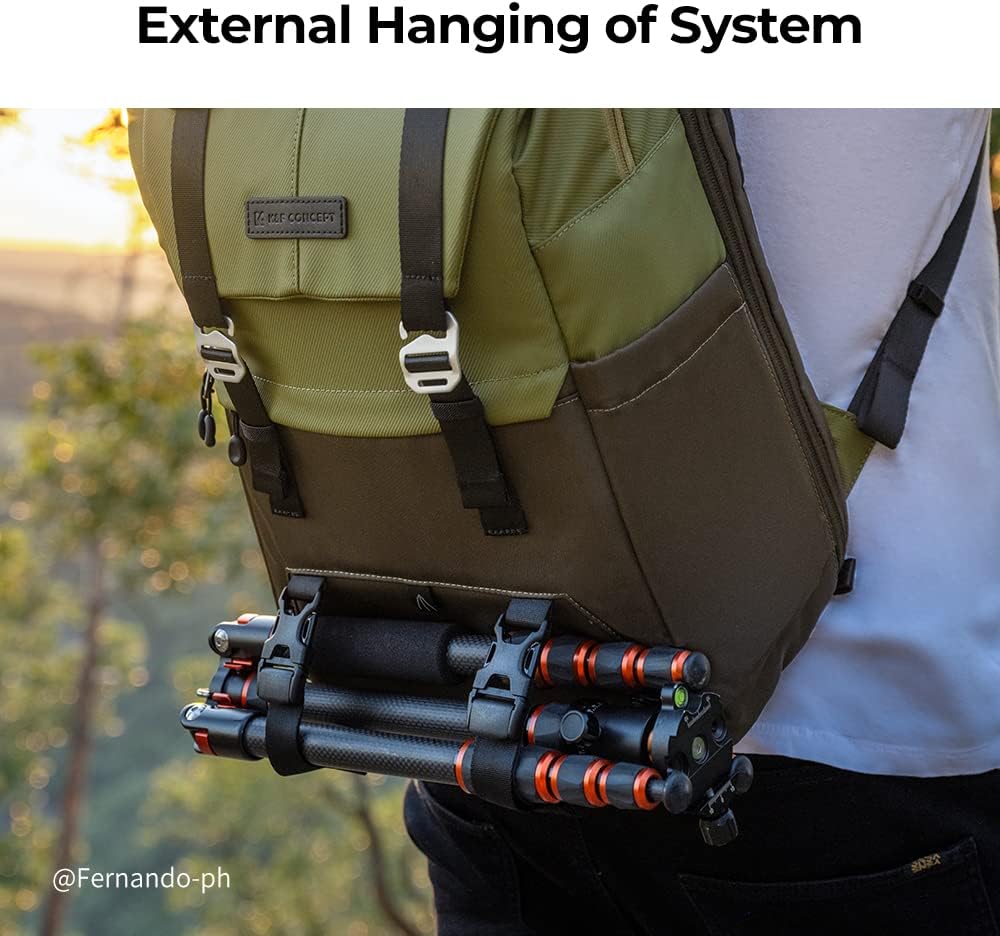
- External Tripod Fixation: Secure straps for carrying a tripod externally.
- Anti-theft Zippers: Enhanced security for your valuable equipment.
Setup
1. Unpacking and Initial Inspection
Upon receiving your K&F CONCEPT 20L Camera Backpack, carefully remove it from its packaging. Inspect the backpack for any signs of damage during transit. Ensure all included accessories, such as the rain cover, adjustable dividers, and auxiliary straps, are present.
2. Configuring Internal Dividers
The main compartment features adjustable EPE foam padded dividers, allowing you to customize the layout to securely fit your specific camera, lenses, and other equipment. The dividers attach via hook-and-loop fasteners. Arrange them to create snug compartments that prevent gear from shifting during transport.
3. Adjusting Shoulder and Chest Straps
Adjust the padded shoulder straps to ensure the backpack sits comfortably on your back. Utilize the adjustable chest belt to distribute weight evenly and secure the backpack, preventing excessive movement during activity. The ergonomic design aims to reduce strain during extended wear.

Operating the Backpack
1. Main Compartment Access
The main compartment is accessed via a full-open zipper on the back panel. This design allows for comprehensive organization and secure access to all your gear when the backpack is laid flat. It also provides enhanced security as the main opening is against your back when worn.

2. Quick Side Access
For rapid access to your camera or frequently used lenses, utilize the quick-access side zipper. This allows you to retrieve your gear without fully removing the backpack, ideal for capturing spontaneous moments.

3. Laptop Compartment
A dedicated, padded compartment is located to safely store laptops up to 15.6 inches. This compartment is designed to protect your device from impacts and scratches.

4. External Tripod Attachment
Secure your tripod to the front of the backpack using the integrated external straps. This provides convenient carrying and balances the load.

5. Anti-theft Features
The backpack incorporates anti-theft zippers and secure buckles to protect your valuable equipment. Ensure all compartments are properly closed and secured when in transit.

6. Official Product Videos
K&F Concept Large Capacity Camera Backpack
Video Description: This video provides an overview of the K&F Concept Large Capacity Camera Backpack, showcasing its design and various features for photographers.
A Very Nice Bag for Photography and Videography
Video Description: A detailed look at the backpack's functionality and suitability for both photography and videography equipment, highlighting its practical aspects.
The Perfect Camera Bag for Photographers
Video Description: This video demonstrates why the K&F Concept backpack is considered ideal for photographers, focusing on its protective and organizational capabilities.
The Perfect Camera Bag for Outdoor Photography
Video Description: Highlighting the backpack's durability and comfort for outdoor use, this video shows its performance in various natural environments.
Maintenance
1. Cleaning Instructions
To clean your backpack, use a soft cloth dampened with mild soap and water. Gently wipe down the exterior and interior surfaces. Avoid harsh chemicals or abrasive cleaners, as these can damage the material. Allow the backpack to air dry completely before storing or reusing.
2. Rain Cover Use and Care
The included rain cover provides additional protection against rain and dust. To use, simply pull the cover over the backpack, ensuring it fully encloses all sides. After use, allow the rain cover to dry completely before folding and storing it in its designated pocket to prevent mildew.

Troubleshooting
If you encounter any issues with your K&F CONCEPT 20L Camera Backpack, please consider the following:
- Difficulty with Zippers: Ensure zippers are not obstructed by fabric. Apply a small amount of zipper lubricant if they feel stiff.
- Discomfort During Wear: Re-adjust shoulder straps and chest belt to ensure proper weight distribution. Ensure the backpack is not overloaded.
- Gear Not Fitting: Reconfigure the internal padded dividers to optimize space for your specific equipment.
- Lack of Protection: Always ensure all compartments are securely closed and the rain cover is used in adverse weather conditions.
Specifications
| Feature | Detail |
|---|---|
| Product Dimensions | 17.32 x 11.42 x 6.3 inches |
| Item Weight | 3.41 pounds (1.55 Kilograms) |
| Capacity Total | 20 Liters |
| Material | Durable and waterproof high-density nylon |
| Laptop Compartment | Up to 15.6-inch laptops |
| Model Number | KF13.087AV2 |
| Manufacturer | K&F Concept |
Warranty and Support
For warranty information, product support, or any inquiries not covered in this manual, please refer to the official K&F CONCEPT website or contact their customer service directly. Keep your purchase receipt for warranty claims.


