
1. Introduction
Thank you for choosing the ANRAN AR-W678 Security Camera. This manual provides detailed instructions for the installation, operation, and maintenance of your new security camera. Please read this manual thoroughly before use to ensure proper functionality and to maximize the lifespan of your device. Keep this manual for future reference.
2. Package Contents
Before installation, please verify that all components are present and in good condition. If any items are missing or damaged, contact customer support.
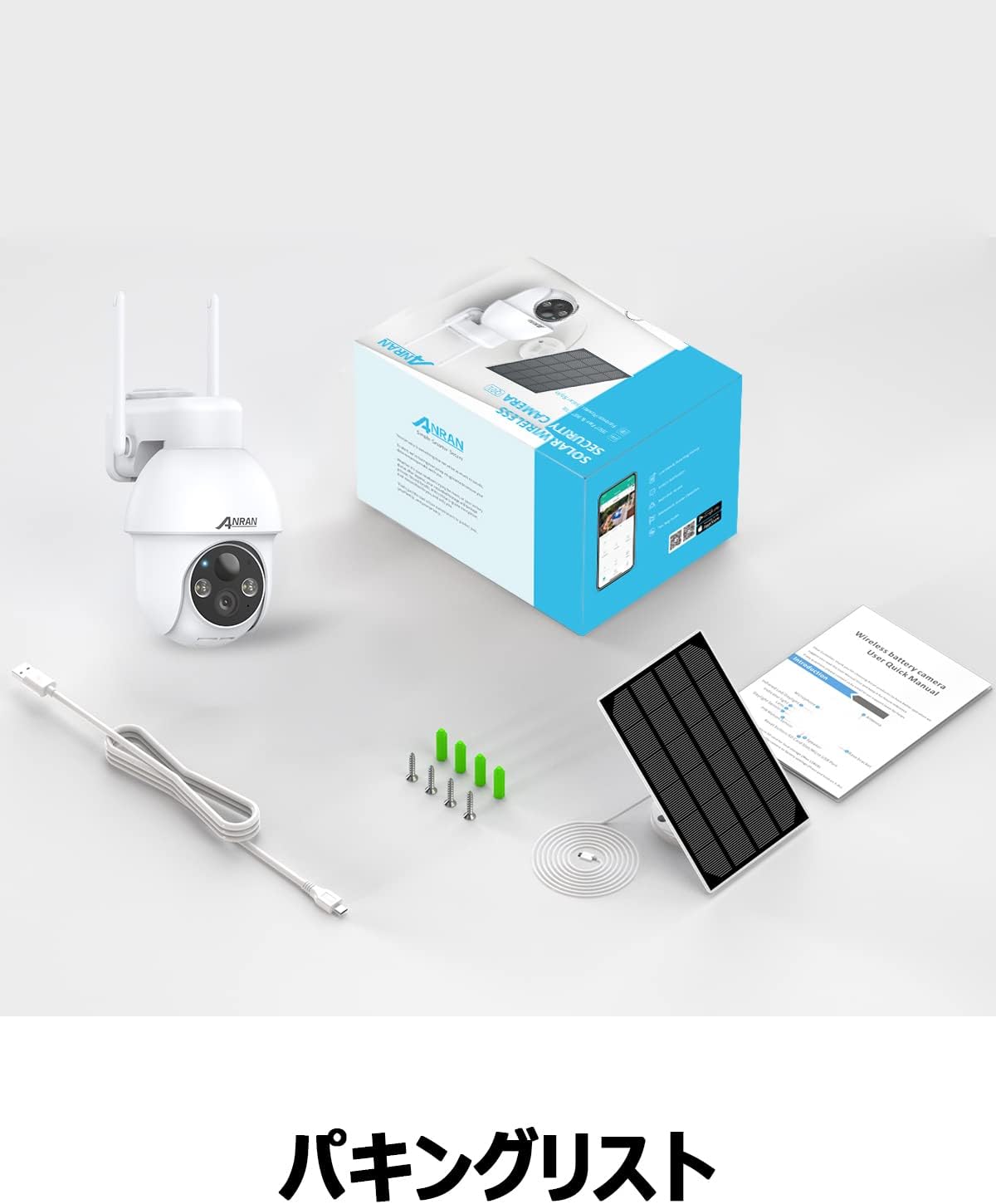
Image: The product package contents, including the camera, solar panel, mounting hardware, USB cable, and user manual.
- ANRAN AR-W678 Security Camera
- Solar Panel
- Wall Mount Bracket and Screws
- USB Charging Cable
- User Manual
3. Product Overview
The ANRAN AR-W678 is a wireless, battery-powered security camera designed for both indoor and outdoor use. It features 1080p video resolution, Wi-Fi connectivity, and an IP65 waterproof rating for reliable performance in various environments.
- High-Definition Video: Captures clear 1080p footage for detailed monitoring.
- Pan-Tilt-Zoom (PTZ) Functionality: Offers 355° horizontal pan and 90° vertical tilt for comprehensive area coverage.
- AI Intelligent Detection: Advanced algorithms differentiate between people, vehicles, and other objects to reduce false alarms.
- Motion Detection & Alarms: Configurable motion detection with adjustable sensitivity (10 levels) and instant alerts, including sound and light warnings.
- Real-time Digital Zoom: Allows for closer inspection of live or recorded video via the mobile application.
- Voice Assistant Compatibility: Integrates with smart home systems like Alexa for convenient voice control and viewing.
- Weatherproof Design: IP65 rated for protection against dust and water, suitable for outdoor installation.

Image: A visual comparison demonstrating the clarity of higher resolution camera footage versus standard resolution.
4. Setup
4.1 Initial Charging
Before first use, fully charge the camera's internal battery using the provided USB cable and a standard 5V/2A USB power adapter (not included). A full charge ensures optimal performance and allows the solar panel to maintain the charge effectively.
4.2 App Download and Account Creation
- Download the official ANRAN app from your smartphone's app store (iOS or Android).
- Open the app and follow the on-screen instructions to create a new account or log in if you already have one.
4.3 Wi-Fi Connection
- Power on the camera. The indicator light will flash, indicating it's ready for pairing.
- In the ANRAN app, tap the '+' icon to add a new device.
- Select your camera model and follow the app's instructions to connect it to your 2.4GHz Wi-Fi network. Ensure your phone is connected to the same Wi-Fi network during setup.
- Scan the QR code displayed on your phone with the camera lens when prompted.
- Once connected, the camera's indicator light will turn solid blue.
4.4 Mounting Instructions
The camera is designed for wall mounting. Choose a location that provides the desired viewing angle and has good Wi-Fi signal strength. For optimal solar charging, ensure the solar panel is positioned to receive maximum direct sunlight throughout the day.
- Mark the drilling spots on the wall using the mounting bracket as a template.
- Drill holes and insert wall anchors if necessary.
- Secure the mounting bracket to the wall with screws.
- Attach the camera to the mounting bracket.
- Connect the solar panel to the camera and adjust its angle for optimal sun exposure.

Image: The ANRAN camera with its solar panel, mounted outdoors, illustrating its weather-resistant design.
5. Operating Instructions
5.1 Live View
Open the ANRAN app and select your camera from the device list to access the live video feed. You can view real-time footage from anywhere with an internet connection.
5.2 Pan-Tilt-Zoom (PTZ) Control
From the live view screen in the app, use the directional controls to pan the camera horizontally up to 355° and tilt it vertically up to 90°. This allows you to adjust the viewing angle remotely.
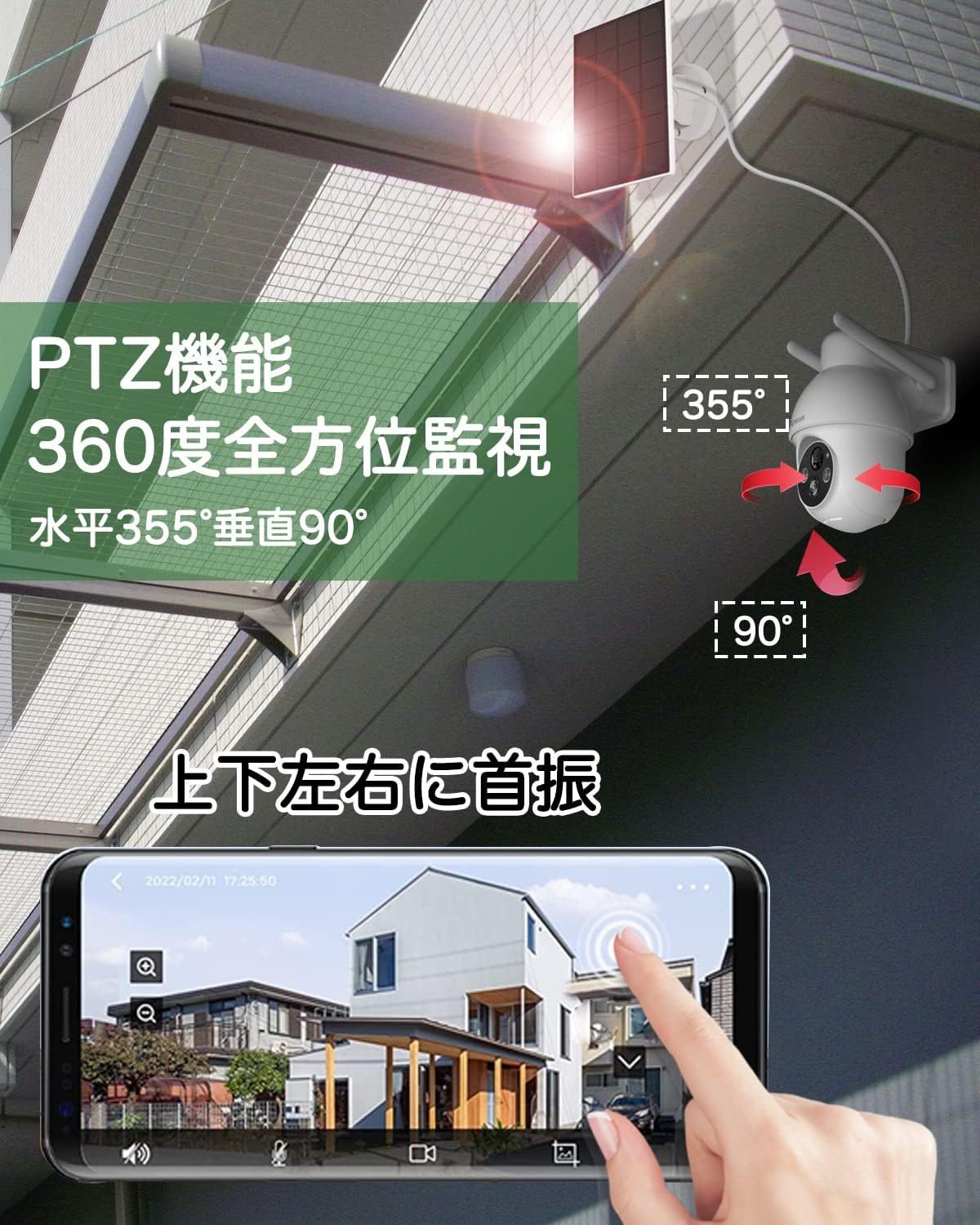
Image: An illustration of the camera's pan (355°) and tilt (90°) capabilities, controlled via a smartphone app interface.
5.3 AI Intelligent Detection
Enable AI detection in the app settings to receive more accurate alerts. The camera can distinguish between human shapes, vehicles, and other moving objects, reducing notifications from irrelevant movements like swaying branches.
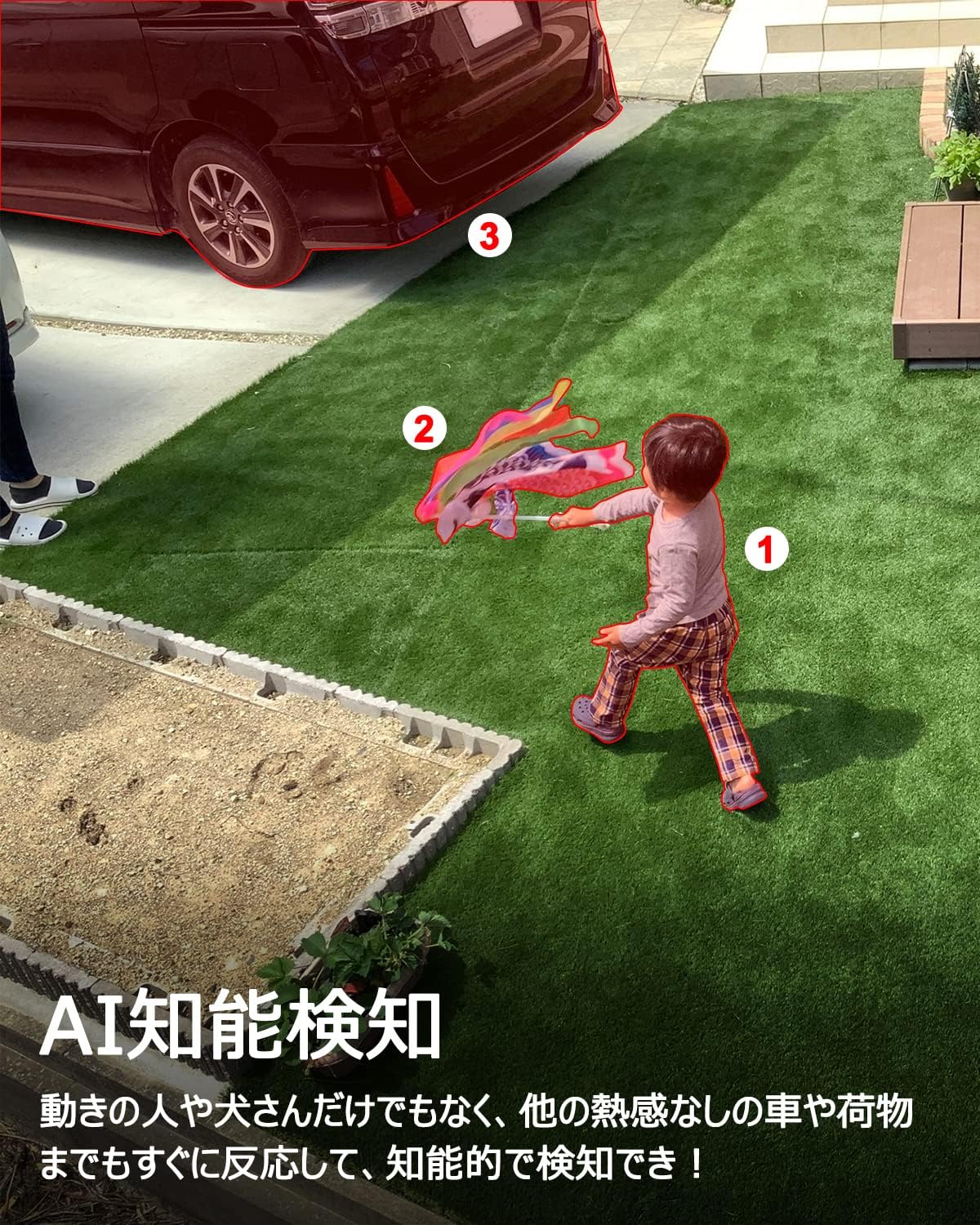
Image: A scene depicting the camera's AI intelligent detection feature highlighting a child and a car in a garden setting.
5.4 Motion Detection & Alarms
Configure motion detection sensitivity (1-10 levels) in the app. When motion is detected, the camera can send instant push notifications to your phone and trigger built-in sound and light alarms to deter intruders.

Image: The camera detecting a person at night, activating a sound and light alarm, with a smartphone displaying an alert notification.
5.5 Real-time Digital Zoom
While viewing the live feed or recorded footage, you can use a pinch-to-zoom gesture on your smartphone screen to digitally zoom in on specific areas for a closer look.

Image: A smartphone screen demonstrating the digital zoom feature, showing a zoomed-in view of a car from the camera's feed.
5.6 Voice Assistant Integration (Alexa)
Link your ANRAN camera with Amazon Alexa through the Alexa app. Once linked, you can use voice commands such as "Alexa, show me the [camera name]" to view the live feed on compatible Alexa-enabled devices like the Echo Show.
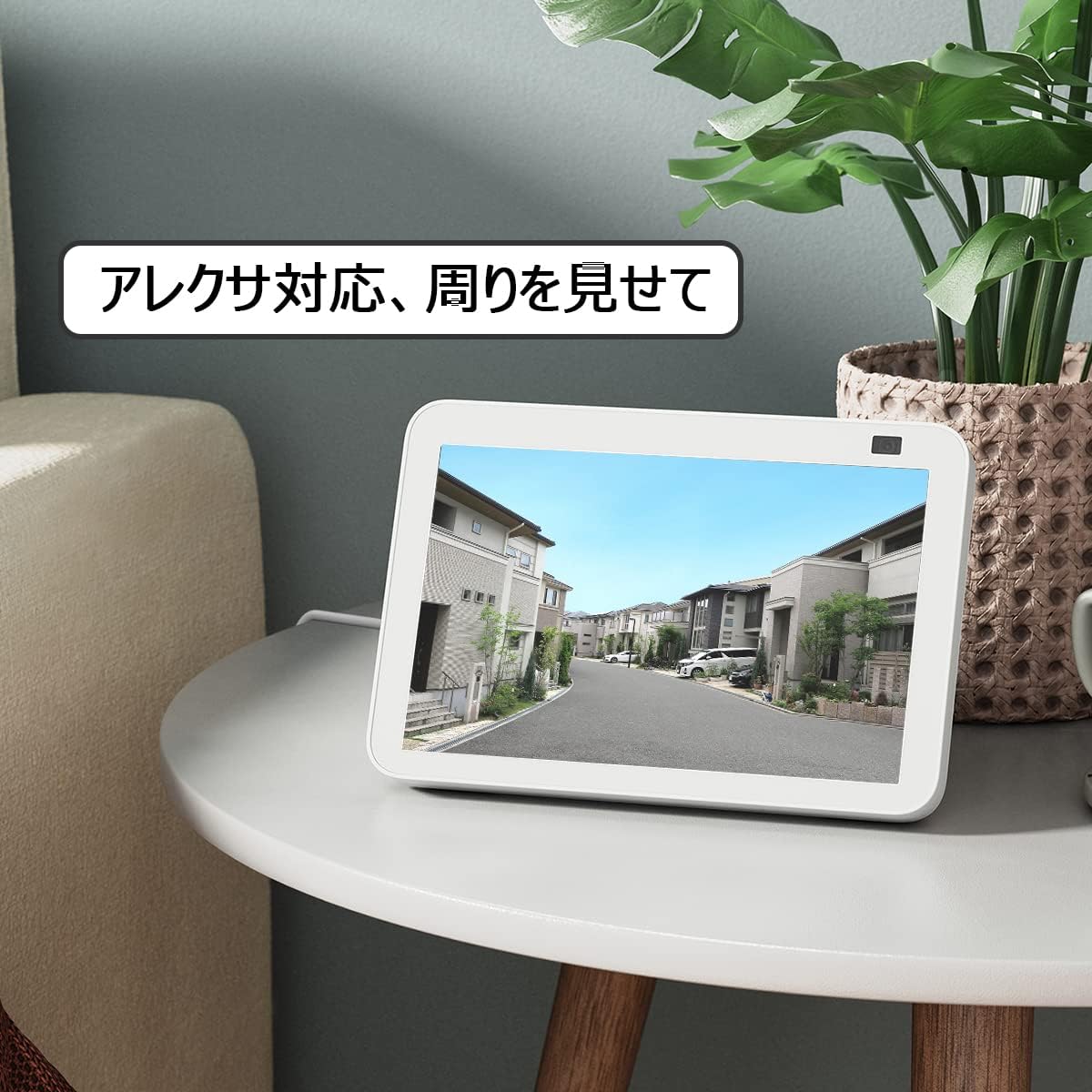
Image: An Amazon Echo Show device displaying the camera's live feed, demonstrating its compatibility with Alexa voice commands.
6. Maintenance
6.1 Weather Resistance
The ANRAN AR-W678 camera has an IP65 rating, meaning it is protected against dust ingress and low-pressure water jets from any direction. While it is designed for outdoor use, avoid submerging the camera in water or exposing it to extreme weather conditions beyond its rating.
6.2 Battery Management
For optimal battery life, ensure the solar panel receives adequate direct sunlight daily. In periods of low sunlight or heavy usage, the camera may require manual charging via the USB port. Monitor battery levels through the ANRAN app.
6.3 Cleaning
Periodically clean the camera lens and solar panel with a soft, damp cloth to remove dust, dirt, or smudges. Do not use harsh chemicals or abrasive materials, as these can damage the surfaces.
7. Troubleshooting
- Camera Not Connecting to Wi-Fi: Ensure your Wi-Fi network is 2.4GHz. Check Wi-Fi signal strength at the camera's location. Restart your router and the camera.
- Poor Video Quality: Check your internet connection speed. Ensure the camera lens is clean. Adjust the camera's position to avoid glare or obstructions.
- False Motion Alarms: Adjust the motion detection sensitivity in the app. Enable AI detection to filter out irrelevant movements.
- Battery Not Charging: Ensure the solar panel is clean and positioned for maximum direct sunlight. Check the connection cable between the solar panel and the camera.
- App Not Responding: Close and reopen the app. Ensure your app is updated to the latest version. Restart your smartphone.
8. Specifications
| Feature | Specification |
|---|---|
| Brand | ANRAN |
| Model Number | AR-W678 |
| Connectivity Technology | Wireless, Wi-Fi |
| Indoor/Outdoor Usage | Indoor, Outdoor |
| Power Source | Battery Powered (with Solar Panel) |
| Mounting Type | Wall Mount |
| Video Capture Resolution | 1080p |
| Waterproof Rating | IP65 |
| Form Factor | Bullet |
| Enclosure Material | Metal |
| Light Source | Infrared |
| Voltage | 6 Volts |
| Wattage | 12 watts |
| Item Dimensions | 25.4 x 25.4 x 25.4 Centimetres |
9. Warranty and Support
For specific warranty details, please refer to the documentation included with your purchase or visit the official ANRAN website. For technical support, troubleshooting assistance, or any product-related inquiries, please contact ANRAN customer service through their official channels.


