
VIDCASTIVE V10
VIDCASTIVE 4K Mini Spy Camera V10
User Manual
Introduction
This manual provides detailed instructions for the setup, operation, and maintenance of your VIDCASTIVE 4K Mini Spy Camera V10. Designed for discreet indoor surveillance, this camera features 4K Ultra HD video, Wi-Fi connectivity, PIR motion detection, and enhanced night vision capabilities. Please read this manual thoroughly before using the device to ensure proper functionality and safety.
Package Contents
- 1 x VIDCASTIVE 4K Mini Spy Camera V10
- 1 x Camera Holder
- 1 x USB Charging Cable
- 1 x TF Card Reader
- 1 x User Manual (this document)
Product Overview
The VIDCASTIVE V10 camera is a compact, square-shaped device designed for versatile placement. It features a lens and an infrared sensor on the front face. The sides include ports for charging, a memory card slot, and control buttons.
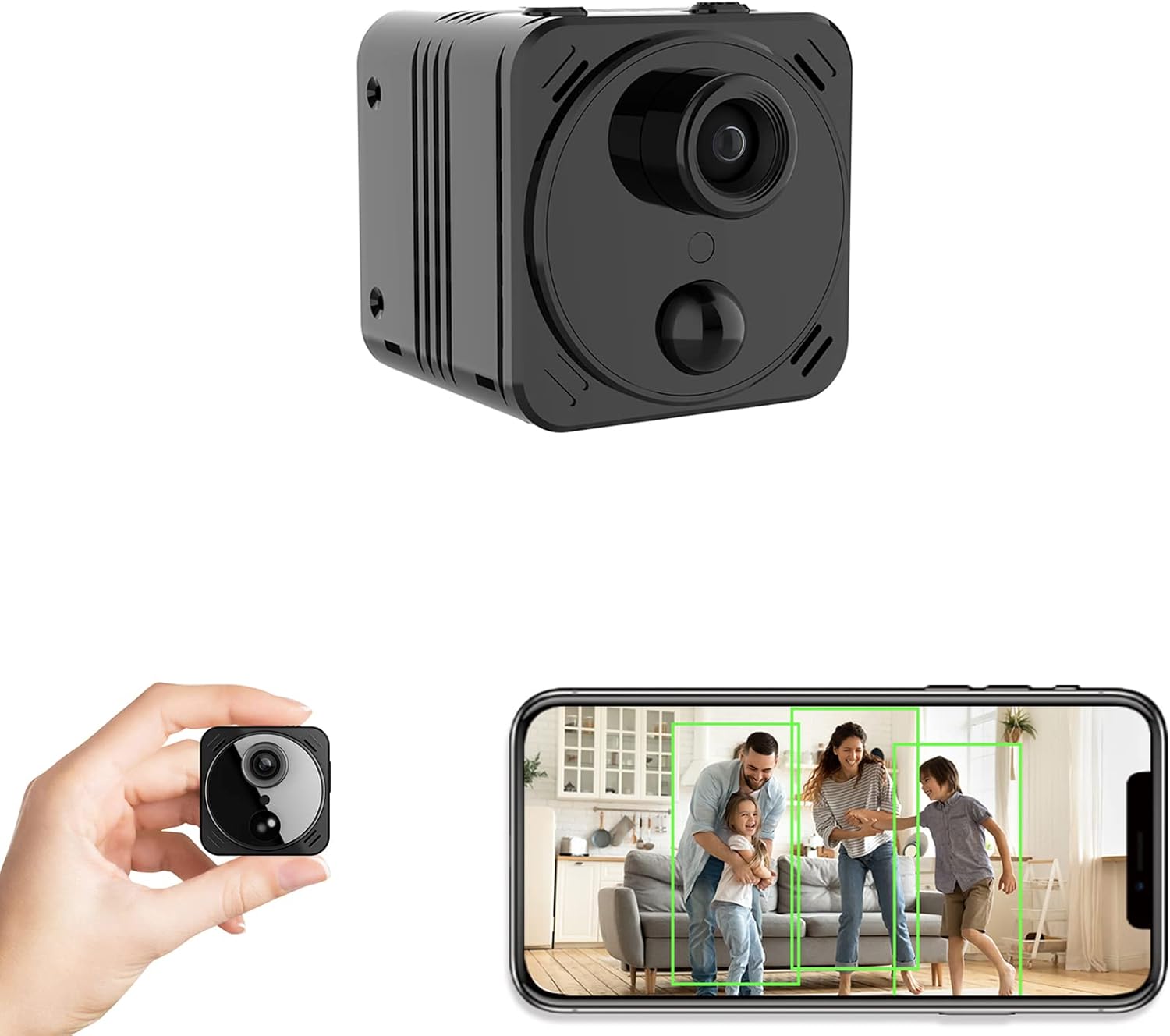
Figure 1: Front view of the VIDCASTIVE 4K Mini Spy Camera V10, showing the lens and infrared sensor.

Figure 2: Side view of the camera, illustrating the USB charging port, TF card slot, and power/mode buttons.
Setup
- Charge the Camera: Before first use, fully charge the camera using the provided USB cable and a standard 5V USB power adapter. The charging indicator light will change color or turn off when fully charged.
- Insert TF Card (Optional): For local video storage, insert a compatible TF (microSD) card (up to 256GB, not included) into the designated slot. Ensure the card is inserted correctly.
- Download the App: Search for and download the 'O-Kam' application from your smartphone's app store (available for Android and iOS).
- Power On: Press and hold the power button until the indicator light illuminates.
- Connect to Wi-Fi:
- Open the O-Kam app and follow the on-screen instructions to add a new device.
- Select your camera model.
- The app will guide you through connecting the camera to your 2.4GHz Wi-Fi network. Ensure your phone is connected to the same 2.4GHz network during setup.
- Place the camera near your Wi-Fi router during the initial connection process for optimal signal strength.

Figure 3: Illustration of the wireless setup process, connecting the camera to a 2.4GHz Wi-Fi network via the smartphone app.
Operation
Live View
Once connected, open the O-Kam app to access the live video feed from your camera. You can view the 4K Ultra HD stream and monitor your desired area in real-time.

Figure 4: A smartphone screen showing the live 4K video feed from the VIDCASTIVE V10 camera.
Recording Modes
- Continuous Recording: If a TF card is inserted, the camera can be configured via the app to record continuously. When the card is full, the oldest footage will be overwritten (loop recording).
- PIR Motion Detection Recording: The camera features an upgraded PIR (Passive Infrared) sensor that detects human movement. When motion is detected, the camera will:
- Send instant alerts to your smartphone.
- Record video clips of the event.
- Upload motion-triggered videos to free cloud storage (3-day cycle).
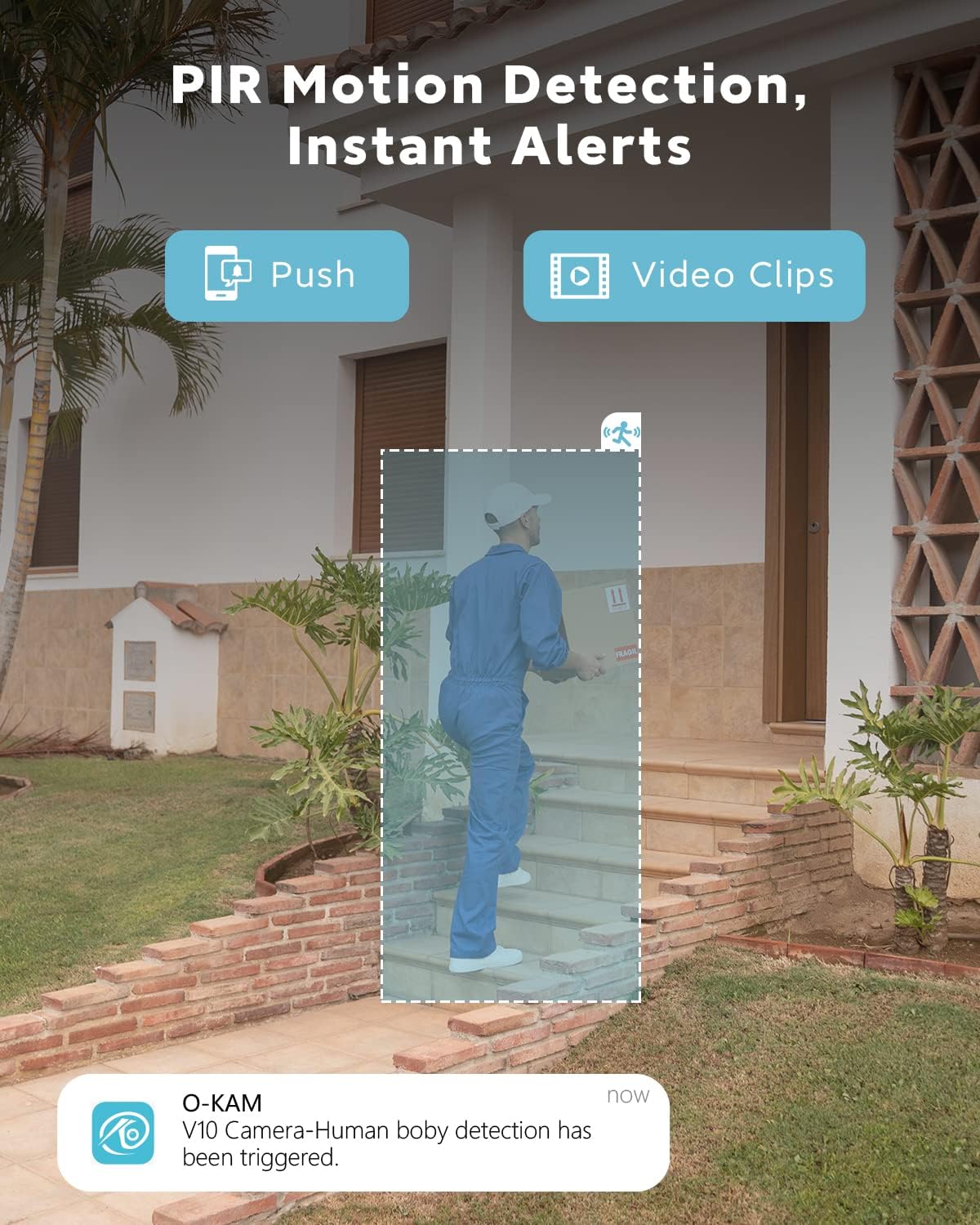
Figure 5: Visual representation of PIR motion detection triggering an alert and video recording when a person is detected.

Figure 6: The camera supports free 3-day cloud storage for motion-triggered events.
Night Vision
The camera automatically activates night vision mode in low-light conditions, capturing clear black and white video up to 26 feet away. The infrared lights are designed to be invisible, preventing obvious red glows found in older technology.

Figure 7: Example of night vision footage, displaying a scene in black and white under low light conditions.
Battery Management
The built-in 3000mAh rechargeable lithium battery provides extended operation. In low-power consumption mode, the battery can last 7-20 days depending on PIR trigger frequency, and up to 100 days in deep sleep standby mode. Continuous recording will consume battery faster.
Maintenance
- Charging: Recharge the camera when the battery level is low. Use the provided USB cable and a compatible 5V power adapter.
- TF Card Management: Regularly check the TF card status via the app. Format the card periodically to maintain optimal performance and free up space.
- Cleaning: Use a soft, dry cloth to clean the camera lens and body. Avoid using liquid cleaners or abrasive materials.
Troubleshooting
| Issue | Possible Solution |
|---|---|
| Camera not connecting to Wi-Fi | Ensure your Wi-Fi is 2.4GHz. Place the camera close to the router during setup. Restart the camera and your router. Verify Wi-Fi password. |
| Poor image quality | Clean the camera lens. Ensure adequate lighting (if not in night vision mode). Check app settings for resolution. |
| Battery life shorter than expected | Frequent PIR triggers, continuous recording, or poor Wi-Fi signal can increase battery consumption. Ensure the camera is in low-power mode if long standby is desired. |
| Motion detection delay | Environmental factors or network latency can affect alert speed. Ensure strong Wi-Fi signal. |
| TF card not recognized | Ensure the TF card is inserted correctly. Try formatting the card via the app or using a different compatible card. |
Specifications
| Feature | Detail |
|---|---|
| Model Number | V10 |
| Video Capture Resolution | 4K |
| Viewing Angle | 160 Degrees |
| Night Vision Range | Up to 8 meters (26 feet) |
| Connectivity Protocol | Wi-Fi (2.4GHz) |
| Power Source | Battery Powered (3000mAh Lithium Ion) |
| Battery Life (Standby) | Up to 100 days (deep sleep mode) |
| Motion Detection | PIR Human Detection |
| Storage Options | TF Card (up to 256GB, not included), Free 3-day Cloud Storage |
| Dimensions (L x W x H) | 1.57 x 1.57 x 1.57 inches |
| Item Weight | 70 Grams (2.47 ounces) |
| Compatible Devices | Smartphone, Tablet (Android, iOS) |
Warranty and Support
VIDCASTIVE provides unlimited lifetime technical product support for the V10 Mini Spy Camera. For assistance with setup, operation, or troubleshooting, please contact VIDCASTIVE customer support through their official channels. Information regarding product warranty terms and conditions can typically be found on the manufacturer's website or included with your purchase documentation.
Related documentsV10


Ask a question about this manual
Ask about setup, troubleshooting, compatibility, parts, safety, or missing instructions. Manuals+ will review the question and use this page’s manual context to help answer it.