1. Introduction
This manual provides detailed instructions for the installation, operation, and maintenance of your 10Gtek 150Mbps Free Driver Wireless USB WiFi Adapter. This device is designed to provide wireless internet connectivity to your desktop or laptop computer.

Image 1: The 10Gtek 150Mbps Free Driver Wireless USB WiFi Adapter, a compact device for wireless connectivity.
Product Features:
- Chipset: Realtek 8811GU.
- Maximum speed up to 2.4GHz 150Mbps.
- Compatible with 802.11 b/g/n wireless standards.
- Free driver installation for Windows operating systems (10/8.1/8/7/XP).
- Compact mini design.

Image 2: Overview of the USB WiFi Adapter highlighting its 150Mbps speed, USB 2.0 interface, single band 2.4GHz operation, and high gain antenna.
2. Setup Instructions
Windows Operating Systems (10/8.1/8/7/XP):
- Insert the Adapter: Plug the 10Gtek USB WiFi Adapter into an available USB port on your desktop or laptop computer.
- Automatic Driver Installation: For Windows operating systems, the adapter is designed for "free driver" installation. The system should automatically detect the device and install the necessary drivers. This process typically takes a few moments.
- Verification: Once the driver installation is complete, a notification may appear. You can verify the installation by checking your computer's Device Manager under "Network adapters."
Note: If automatic installation does not occur, the adapter may present itself as a storage device containing the driver installer. Navigate to "My Computer" or "This PC," locate the new drive, and run the executable file (e.g., "setup.exe") to manually install the drivers.
Other Operating Systems (Linux/macOS):
While the product is primarily advertised for Windows with free driver functionality, some users have reported success with Linux. For Linux or macOS, manual driver installation may be required. Please refer to online resources or the manufacturer's support for specific driver packages and installation guides for your operating system and the Realtek 8811GU chipset.
3. Operating Instructions
Connecting to a Wireless Network:
- Enable Wi-Fi: Ensure your computer's Wi-Fi is enabled. If you previously used an internal Wi-Fi adapter, it might be automatically disabled or you may need to disable it manually to avoid conflicts.
- Access Network Settings:
- Windows 10/8.1/8/7: Click the Wi-Fi icon in the system tray (usually in the bottom-right corner of the screen).
- Windows XP: Access "Network Connections" from the Control Panel.
- Select Network: A list of available wireless networks will appear. Select your desired network (SSID).
- Enter Password: If the network is secured, you will be prompted to enter the network security key (Wi-Fi password).
- Connect: Click "Connect." Your computer should now be connected to the wireless network.

Image 3: The USB WiFi adapter enabling wireless connectivity for a laptop, allowing connection to various devices.
4. Compatibility
The 10Gtek USB WiFi Adapter is compatible with a range of operating systems and devices:
- Operating Systems: Windows 10, Windows 8.1, Windows 8, Windows 7, Windows XP.
- Compatible Devices: Desktop computers, Laptops.
- Wireless Standards: 802.11 b/g/n.

Image 4: Visual representation of the adapter's compatibility with various devices and Windows operating systems.
5. Soft-AP Mode
The adapter supports Soft-AP mode, which allows your computer to function as a wireless hotspot. If your computer has a wired internet connection, you can use the 10Gtek USB WiFi Adapter to share that connection wirelessly with other devices (e.g., smartphones, tablets) that are Wi-Fi enabled.
Enabling Soft-AP Mode:
Specific steps to enable Soft-AP mode vary by operating system. Generally, you can find this option within your network settings or through the driver utility software if provided. Look for options like "Mobile hotspot" or "Create a Wi-Fi hotspot."

Image 5: Illustration of Soft-AP mode, where the USB WiFi adapter enables a computer to share its internet connection wirelessly.
6. Security Features
The 10Gtek USB WiFi Adapter supports standard wireless security protocols to protect your network from unauthorized access. These include:
- WPA-PSK (Wi-Fi Protected Access - Pre-Shared Key)
- WPA2-PSK (Wi-Fi Protected Access II - Pre-Shared Key)
- WEP Encrypt (Wired Equivalent Privacy)
It is recommended to use WPA2-PSK for the strongest security when setting up your wireless network.
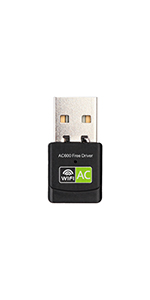
Image 6: Visual representation of the wireless security protocols supported by the adapter.
7. Specifications
| Feature | Detail |
|---|---|
| Brand | 10Gtek |
| Model Number | WD-1513B |
| Chipset | Realtek 8811GU |
| Hardware Interface | USB 2.0 |
| Data Transfer Rate | 150 Megabits Per Second (Mbps) |
| Wireless Standards | 802.11 b/g/n |
| Frequency Band | 2.4GHz (Single Band) |
| Compatible Operating Systems | Windows 10/8.1/8/7/XP, Linux (with manual driver installation) |
| Compatible Devices | Desktop, Laptop |
| Item Weight | 0.317 ounces (0.01 Kilograms) |
| Package Dimensions | 3.98 x 3.07 x 0.35 inches |

Image 7: Detailed dimensions of the compact USB WiFi adapter.
8. Troubleshooting
- Adapter Not Detected:
- Ensure the adapter is fully inserted into a functional USB port.
- Try a different USB port.
- Restart your computer.
- Check Device Manager for any unknown devices or network adapters with error symbols.
- No Internet Connection After Connecting to Wi-Fi:
- Verify your Wi-Fi password is correct.
- Restart your router/modem.
- Ensure your computer's network settings are configured to obtain an IP address automatically (DHCP).
- Slow Speeds or Frequent Disconnections:
- Ensure the adapter is not obstructed and is within reasonable range of your Wi-Fi router.
- Minimize interference from other 2.4GHz devices (e.g., cordless phones, microwaves).
- Update your computer's operating system and network drivers to the latest versions.
- If using Soft-AP mode, ensure your primary internet connection is stable.
- Driver Installation Issues (Non-Windows OS):
- For Linux or macOS, manual driver compilation or installation from specific repositories might be necessary. Search online for "Realtek 8811GU Linux driver" or "Realtek 8811GU macOS driver" for community-supported solutions.
9. Maintenance
- Cleaning: Keep the adapter clean and free from dust. Use a soft, dry cloth to wipe the exterior. Avoid liquid cleaners.
- Storage: When not in use, store the adapter in a cool, dry place away from direct sunlight and extreme temperatures.
- Physical Protection: Avoid dropping the adapter or subjecting it to physical impact, which can damage internal components.
10. Warranty and Support
For warranty information or technical support, please contact 10Gtek directly through their official website or the retailer where the product was purchased. Keep your purchase receipt as proof of purchase.
Manufacturer: 10Gtek
Brand Store: 10Gtek Amazon Store


