
VTech 519303
VTech Marble Rush Speedway Instruction Manual
Model: 519303
Introduction
Welcome to the exciting world of VTech Marble Rush Speedway! This construction toy allows children aged 4 years and up to build thrilling marble runs with jumps, stunts, and electronic features. This manual provides comprehensive instructions for assembly, operation, maintenance, and troubleshooting to ensure a fun and safe play experience.

Image: The VTech Marble Rush Speedway fully assembled, showcasing its various tracks, loops, and electronic starting gate, with a marble visible on the track.
Safety Information
- Age Recommendation: This toy is designed for children aged 4 years and up.
- Battery Safety: Requires 2 AA batteries. Ensure correct polarity (+/-). Do not mix old and new batteries or different types of batteries. Remove exhausted batteries promptly. Remove batteries if the toy will not be used for an extended period.
- Small Parts: Contains small marbles and building pieces. Choking hazard for children under 3 years. Adult supervision is recommended during play, especially with younger children.
- Assembly: Adult assembly may be required for initial setup. Follow instructions carefully.
- Usage Environment: Use on a flat, stable surface to prevent the structure from collapsing.
What's in the Box
Your VTech Marble Rush Speedway package includes the following components:
- VTech Marble Rush Speedway main components
- Quick Start Guide
- 5 Marbles
- 70 Building Components (various tracks, connectors, modules)
- Colour-coded Build Guide

Image: The front cover of the VTech Marble Rush Speedway instruction manual, showing an assembled marble run.
Setup and Assembly
Follow these steps to assemble your Marble Rush Speedway. Refer to the included Colour-coded Build Guide for detailed visual instructions. The set offers 3 build options from beginner to advanced.
1. Battery Installation
- Locate the battery compartment on the electronic light-up starting gate module.
- Using a screwdriver (not included), open the battery compartment cover.
- Insert 2 new AA batteries, ensuring correct polarity (+/-). Batteries are included for demo purposes; new batteries are recommended for regular use.
- Replace the battery compartment cover and tighten the screw.
2. Base Plate Assembly
Begin by connecting the white base plates to form a stable foundation for your marble run.

Image: A view of the white base plates laid out, with some initial blue and red building blocks attached, forming the foundation of the marble run.
3. Building the Structure
Follow the Colour-coded Build Guide to connect the various building pieces, including towers, tracks, and special modules. The pieces are designed for easy construction.

Image: An open instruction manual displaying step-by-step, color-coded diagrams for assembling the Marble Rush Speedway, indicating specific parts and their placement.
- Connect the electronic light-up starting gate module.
- Integrate the pinball module, swing module, launcher, and 360 loop as per your chosen design.
- Ensure all connections are secure to prevent the structure from falling apart during play.

Image: An assembled section of the Marble Rush Speedway featuring a tall blue and orange tower, a long orange track leading to a yellow 360-degree loop, and various other track pieces.
Operating Instructions
Once assembled, your Marble Rush Speedway is ready for action!
1. Starting the Marble Run
- Place one or more of the included marbles into the electronic light-up starting gate module.
- Press the start button on the module. The module will light up and play sounds as the marbles are released onto the track.

Image: A close-up of the electronic starting gate module, displaying a "321" countdown with colorful lights, and the VTech logo.

Image: The electronic starting gate module in action, with two marbles (one yellow, one green) being released from the base of the module onto the track below.
2. Exploring Modules and Features
- Pinball Module: Observe how marbles interact with the pinball elements, adding an exciting challenge to the run.
- Swing Module: Watch marbles swing through this dynamic section of the track.
- Launcher: Marbles gain speed as they are propelled by the launcher.
- 360 Loop: Experience the thrill as marbles complete a full loop before continuing their journey.

Image: An assembled Marble Rush Speedway featuring a yellow swing module, a blue electronic starting gate, and various red and orange track pieces, all built on white base plates.
3. Creative Building
The Marble Rush Speedway encourages creative and imaginative play. Experiment with different configurations and connect with other VTech Marble Rush items (sold separately) to create even larger and more complex marble runs.
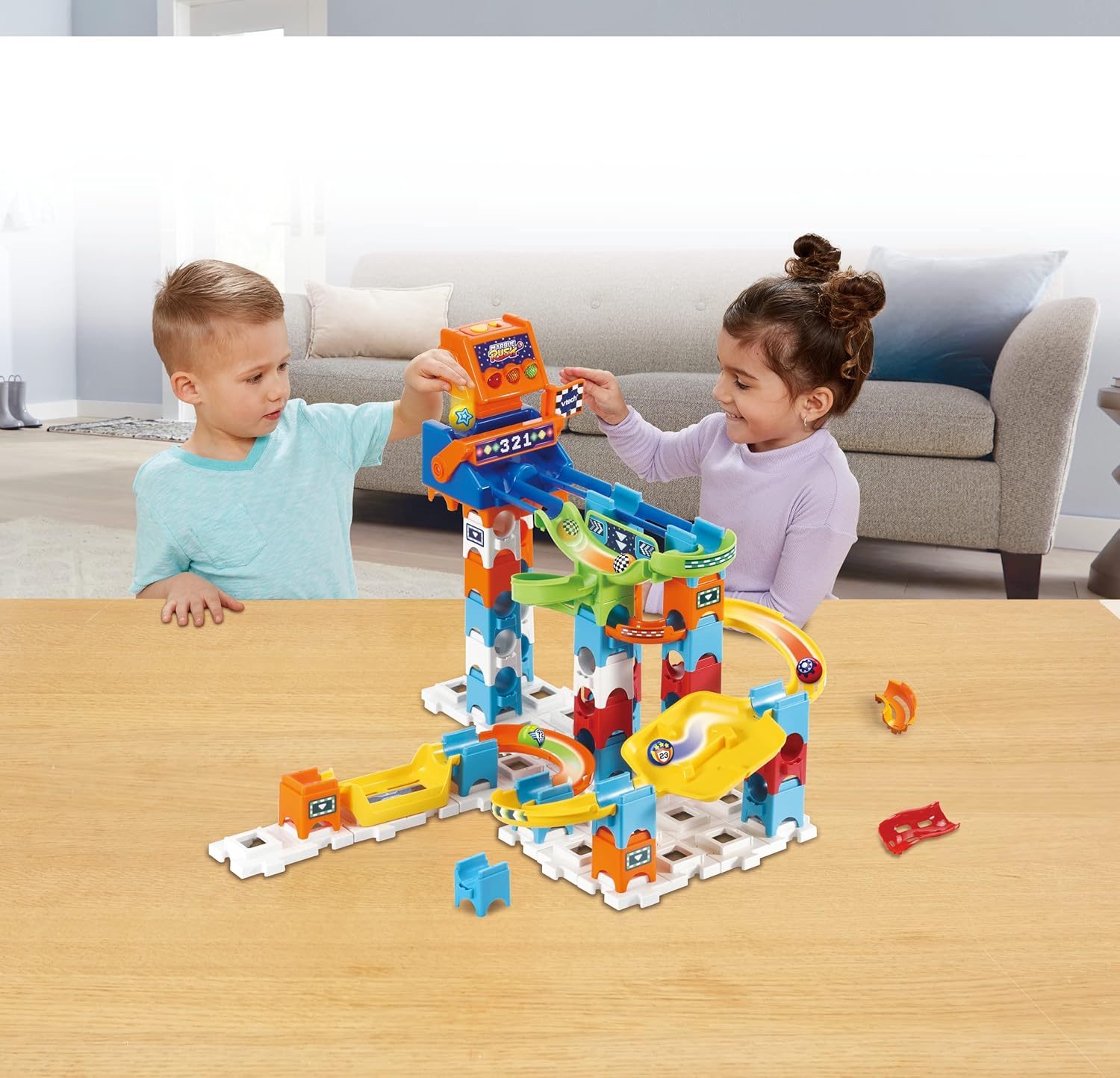
Image: Two young children, a boy and a girl, are actively engaged in playing with the VTech Marble Rush Speedway, which is set up on a wooden table in a living room setting.
Maintenance and Care
- Cleaning: Wipe the toy with a slightly damp cloth. Do not immerse any electronic parts in water. Do not use harsh chemicals or abrasive cleaners.
- Storage: Store the toy in a cool, dry place away from direct sunlight. Disassemble for compact storage if desired.
- Battery Care: Remove batteries if the toy will not be used for an extended period to prevent leakage.
Troubleshooting
| Problem | Possible Solution |
|---|---|
| Electronic module not working. |
|
| Marbles get stuck on the track. |
|
| Pieces do not connect securely. |
|
Specifications
- Model Number: 519303
- Product Dimensions: 17.4 x 21.38 x 14.13 inches
- Item Weight: 3.96 pounds
- Manufacturer Recommended Age: 4 years and up
- Batteries: 2 AA batteries required (included for demo purposes)
- Manufacturer: Vtech Electronics
Warranty and Support
VTech products are designed to provide years of educational and fun play. For detailed warranty information or technical support, please visit the official VTech website or contact their customer service department.
Online Support: www.vtechkids.com/support
Customer Service: Refer to the VTech website for regional contact information.
Related documents519303

Ask a question about this manual
Ask about setup, troubleshooting, compatibility, parts, safety, or missing instructions. Manuals+ will review the question and use this page’s manual context to help answer it.