
1. Introduction
The Autel MaxiPRO MP900 is a professional diagnostic scan tool designed for comprehensive vehicle system analysis. It offers advanced functionalities such as ECU coding, bidirectional control, and a wide range of service functions. This manual provides instructions for the proper use and maintenance of your MaxiPRO MP900 device.

Figure 1: Autel MaxiPRO MP900 Diagnostic Scanner device.
The MaxiPRO MP900 features an 8-inch display, Android 11.0 operating system, a powerful RK3566 processor, 4GB RAM, 64GB ROM, an 8MP rear camera, and a 7700mAh battery. It supports CAN FD and DOIP protocols for expanded vehicle compatibility.

Figure 2: Overview of the Autel MaxiPRO MP900's key features and hardware specifications.
2. Setup
- Initial Power On: Press and hold the power button to turn on the device. Follow the on-screen instructions to complete the initial setup, including language selection and Wi-Fi connection.
- Vehicle Connection: Connect the MaxiPRO MP900 to the vehicle's OBD2 port using the provided OBD2 cable. The device connects directly via cable and does not use Bluetooth for vehicle communication.
- Software Updates: Ensure the device's software is up to date. Connect to a stable Wi-Fi network and navigate to the 'Update' section to download and install the latest software versions for optimal performance and vehicle coverage.
3. Operating Instructions
3.1. ECU Coding
ECU Coding allows for customization of vehicle settings, matching replaced components, and activating or deactivating specific features. This function is comparable to OEM diagnostic tools.
- Programming Personalization: Modify default values to customize original equipment (OE) settings.
- Component Matching: Match new or replaced electronic control units to the vehicle's system.
- Feature Activation/Deactivation: Enable or disable specific vehicle functions, such as altering gear ratios, correcting fuel quantity programming, or adjusting speed limits.
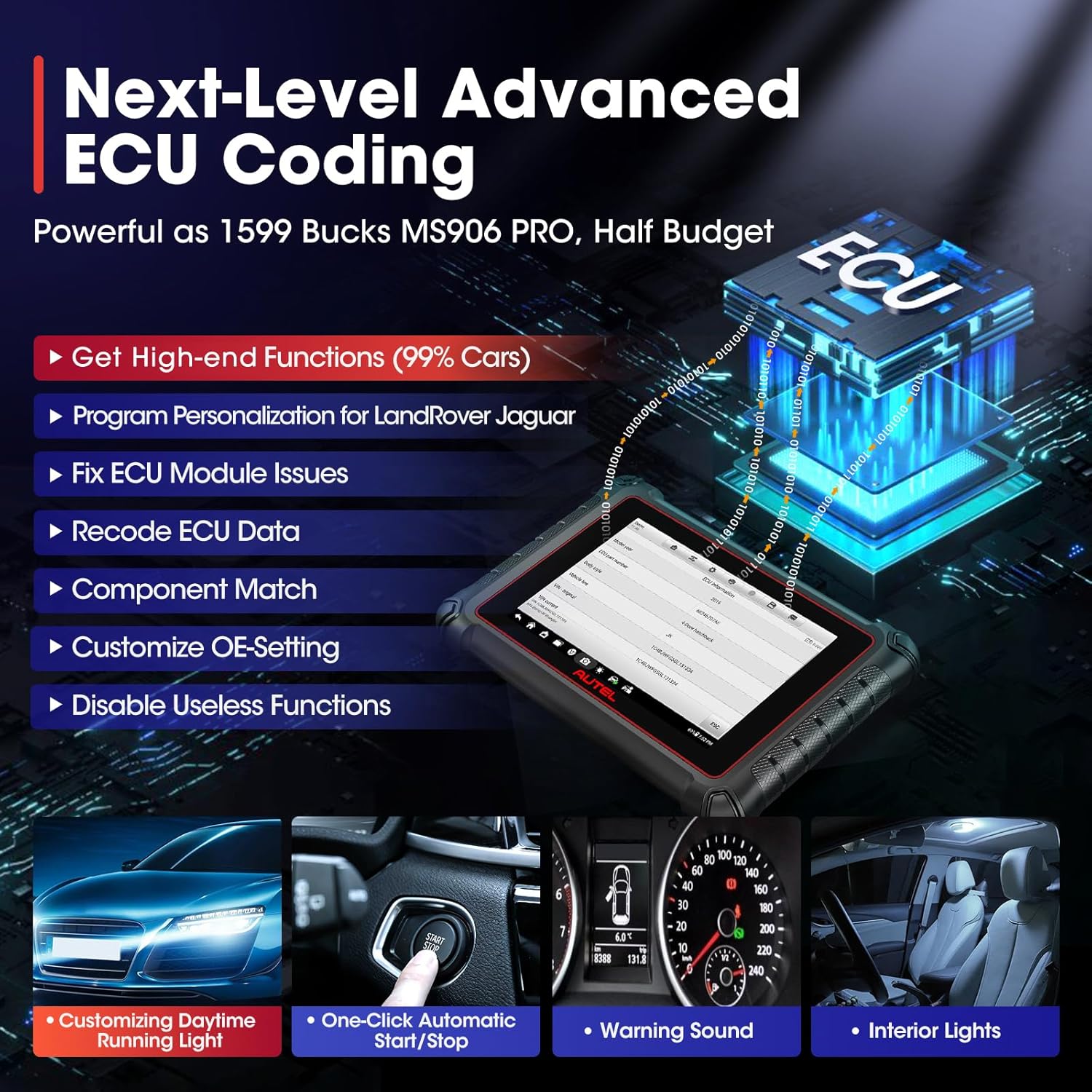
Figure 3: The ECU Coding interface on the MaxiPRO MP900, demonstrating customization capabilities.

Figure 4: Illustration of refreshing hidden functions through ECU coding, such as activating daytime running lights or automatic mirror folding.
3.2. Bidirectional Control (Active Test)
The bidirectional control feature allows the diagnostic tool to send commands to vehicle systems and components to perform active tests. This helps in quickly identifying faulty components without manual operation.
- Component Activation: Activate specific components like fuel pumps, radiator fans, or mirrors to verify their functionality.
- System Tests: Perform tests such as EGR tests, EVAP tests, and VGT Turbo calibration.
- VAG Guided Function: For Volkswagen, Audi, Skoda, and Seat vehicles, this function provides step-by-step repair instructions.
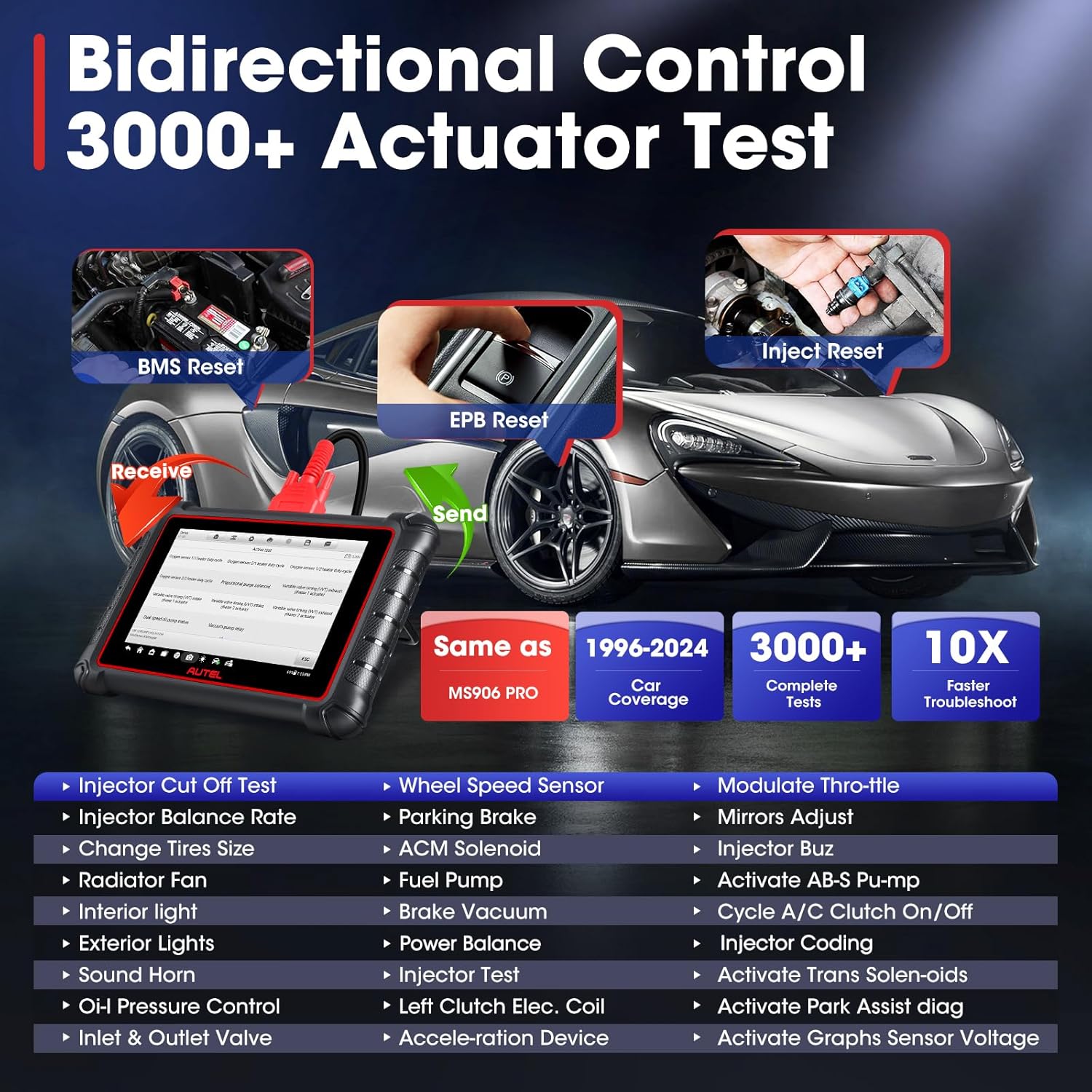
Figure 5: The bidirectional control function, showing the ability to send commands to vehicle components for active testing.
3.3. Service Functions
The MaxiPRO MP900 includes over 40 service functions for routine maintenance and resets across a wide range of vehicle makes and models.
- Oil Reset: Reset the oil life system after an oil change.
- EPB Reset: Reset the electronic parking brake system.
- SAS Reset: Reset the steering angle sensor.
- BMS Reset: Register new battery replacements.
- ABS Bleed: Perform ABS brake bleeding procedures.
- Injector Coding: Code new injector numbers to the ECU.
- Throttle Reset: Reset the throttle position sensor.
- Other Services: Includes EGR Adaptation, Blind Spot Monitoring Calibration, Gearbox, Sunroof, and Suspension resets.
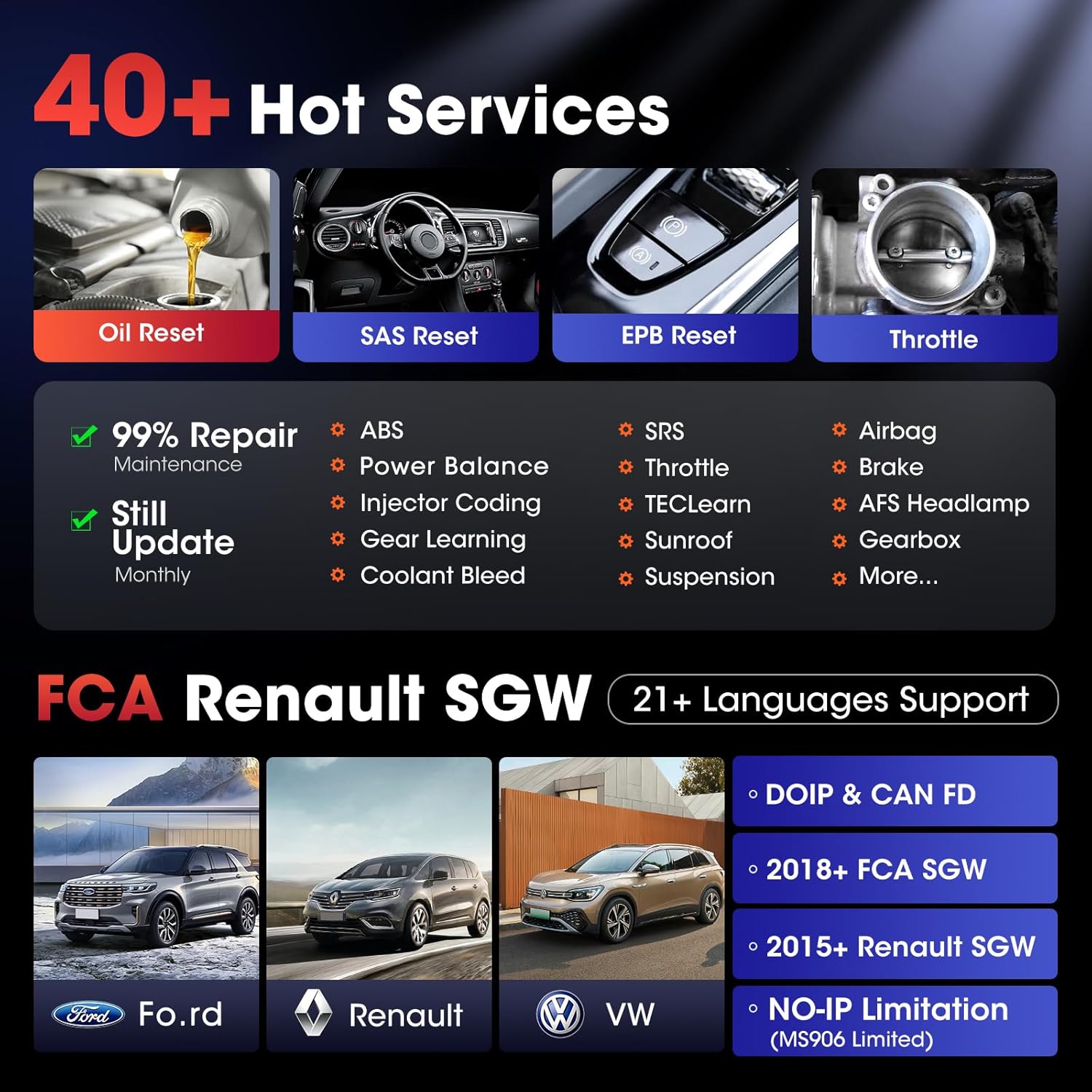
Figure 6: Visual representation of various service functions available on the MaxiPRO MP900, such as Oil Reset, SAS Reset, and EPB Reset.
3.4. All System Diagnosis
The tool performs comprehensive diagnostics on all available vehicle systems, reading and clearing diagnostic trouble codes (DTCs), viewing live data streams, and performing component adaptations.
- Read/Erase Codes: Retrieve and clear DTCs from all electronic control modules.
- Live Data Stream: Display real-time data from various sensors and components in text, graph, or gauge format.
- Freeze Frame Data: View a snapshot of sensor values when a DTC was set.
- ECU Information: Retrieve detailed information about the vehicle's ECUs.

Figure 7: Display of real-time PID data from the ECU in a graphical format, allowing for easy monitoring and analysis.
4. Advanced Features
4.1. CAN FD & DOIP Protocol Support
The MaxiPRO MP900 supports advanced communication protocols, CAN FD and DOIP, significantly expanding its vehicle coverage for newer models.
- CAN FD: Compatible with GM models from 2019 and later, including Corvette (after 2020), Encore, Genesis, and GL8.
- DOIP: Supports BMW (F&G chassis), Volvo models (2018 and later), and Land Rover & Jaguar models (2017 and later).

Figure 8: Illustration of the vehicle models and brands supported by the CAN FD and DOIP communication protocols.
4.2. VIN & License Plate Scanning
The device features an 8MP camera for quick vehicle identification through VIN or license plate scanning.
- Scan VIN: Automatically detect vehicle identification number.
- Scan License: Scan license plates for vehicle information.
- Manual Input: Option for manual VIN input if scanning is not feasible.

Figure 9: The Auto Scan VIN/License feature, showing options for scanning QR codes, VINs, or license plates.
4.3. WIFI Printing & Report Management
The MaxiPRO MP900 allows for convenient printing and sharing of diagnostic reports.
- WIFI Print: Print diagnostic reports directly from the device to a Wi-Fi enabled printer.
- Pre & Post Scan Reports: Generate logical diagnostic reports before and after repairs.
- Cloud-based Report Management: Store and manage reports in the Autel Cloud.
- Report Sharing: Share reports via QR code, SMS, or email.
4.4. Remote Desk & Autel Cloud
These features enhance support and data management.
- Remote Desk: Allows for remote technical assistance.
- Autel Cloud: Provides cloud storage and management for diagnostic data.
4.5. FCA & Renault SGW Access
The device supports access to the Security Gateway Module (SGW) for specific vehicle brands.
- 2018+ FCA SGW: Access for Fiat Chrysler Automobiles (FCA) vehicles.
- 2015+ Renault SGW: Access for Renault vehicles.

Figure 10: Steps for accessing the Security Gateway Module (SGW) for FCA and Renault vehicles.
5. Maintenance
- Software Updates: Regularly check for and install software updates to ensure optimal performance, expanded vehicle coverage, and access to new features.
- Cleaning: Use a soft, damp cloth to clean the device's screen and body. Avoid abrasive cleaners or solvents.
- Storage: Store the device in a cool, dry place, away from direct sunlight and extreme temperatures. When not in use, store it in its protective case.
- Battery Care: To prolong battery life, avoid fully discharging the battery frequently. Charge the device regularly, especially if it will be stored for an extended period.
- Accessory Compatibility: The MaxiPRO MP900 can work with optional accessories like the Autel MV108S/MV105S endoscope for in-depth inspections of hard-to-reach areas.

Figure 11: The MaxiPRO MP900 used with an optional endoscope for detailed visual inspections of engine components, air cylinders, and electrical interiors.
6. Troubleshooting
- Device Not Powering On: Ensure the battery is charged. Connect the device to the power adapter and allow it to charge for at least 30 minutes before attempting to power it on again.
- No Communication with Vehicle:
- Verify the OBD2 cable is securely connected to both the device and the vehicle's OBD2 port.
- Ensure the vehicle's ignition is on.
- Check for any blown fuses in the vehicle's OBD2 port circuit.
- Confirm the vehicle model and year are correctly selected in the diagnostic software.
- Software Freezes/Errors: Restart the device. If the issue persists, ensure the software is updated to the latest version. If necessary, perform a factory reset (note: this will erase all user data).
- Slow Performance: Close unnecessary applications running in the background. Clear cached data from the device settings. Ensure sufficient storage space is available.
7. Specifications
| Feature | Specification |
|---|---|
| Model | MaxiPRO MP900 |
| Operating System | Android 11.0 |
| Processor | RK3566 (4-Core) |
| Memory | 4GB RAM, 64GB ROM |
| Display | 8-inch LCD, 1280x800 resolution |
| Camera | 8 Megapixel Rear |
| Battery | 7700mAh Lithium Polymer |
| Connectivity | Dual-band 5 & 2.4GHz Wi-Fi, USB |
| Dimensions | Approximately 5.91 x 5.91 x 5.91 inches |
| Weight | Approximately 1.41 ounces |
| Supported Protocols | CAN FD, DOIP, and standard OBD2 protocols |
8. Warranty and Support
The Autel MaxiPRO MP900 includes a 1-year software upgrade period and a 1-year quality backup warranty. For technical support, compatibility inquiries, or any other assistance, please contact the professional after-sales team at autelsupply@outlook.com.
The device supports over 21 languages and has no IP restrictions, allowing for global use. Language authorization can be requested by providing the device's serial number.


