
Bioby BB006HG
Bioby Baby Swing Instruction Manual
Model: BB006HG
1. Safety Information
Your child's safety is paramount. Please read and understand all safety warnings and instructions before assembly and use. This baby swing is designed for infants weighing 5-20 lbs (approximately 0-12 months).
- Always use the 5-point safety harness to secure your baby.
- Never leave your child unattended in the swing.
- Do not use the swing if any components are damaged or missing.
- Ensure the swing is placed on a flat, stable surface.
- The ergonomic 25° spine tilt design supports your baby's spine growth.
For comprehensive safety guidelines, please refer to the complete User Guide PDF provided with your product or available online.
2. Product Overview
The Bioby Baby Swing is designed to provide comfort and entertainment for your infant, offering multiple features for a soothing experience.

The Bioby Baby Swing in Grey, featuring a comfortable seat and overhead canopy.
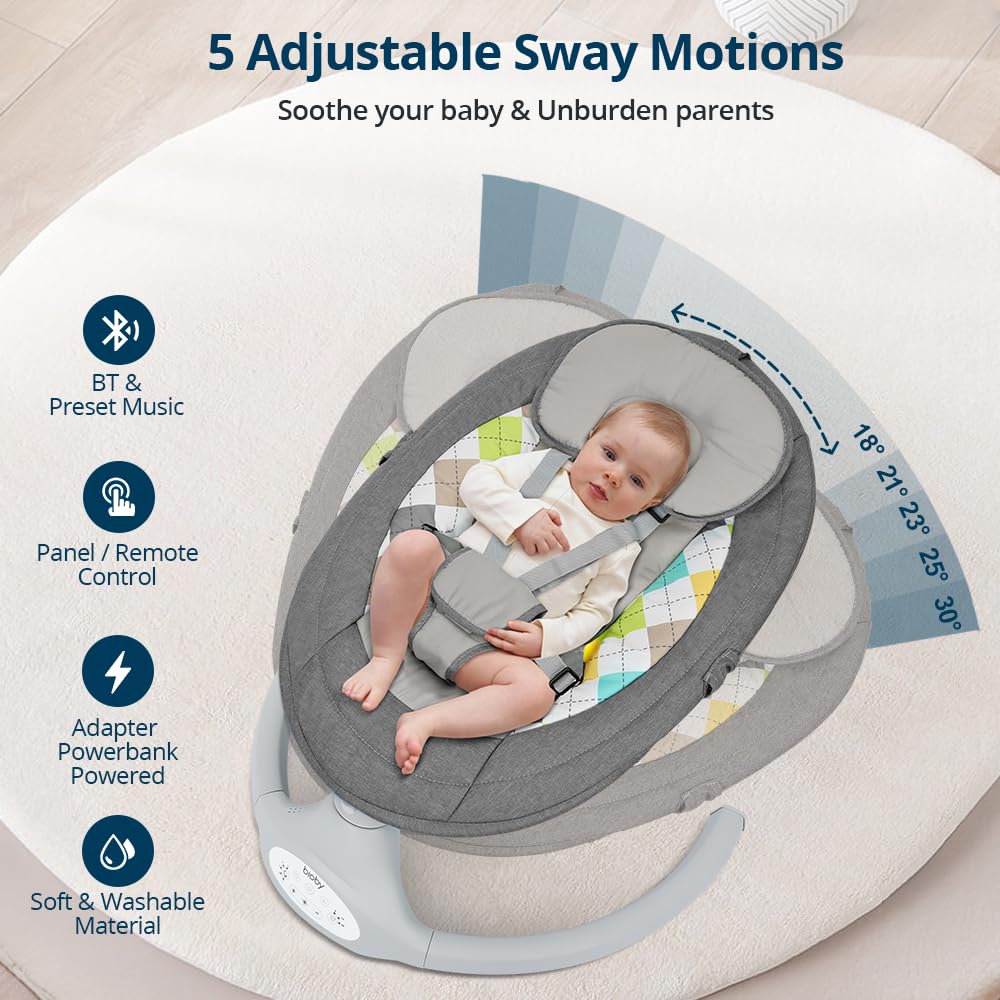
The swing offers 5 unique sway speeds (18°, 21°, 23°, 25°, 31°) to soothe your baby.

Ergonomic 25° spine tilt design ensures proper spinal development for infants.
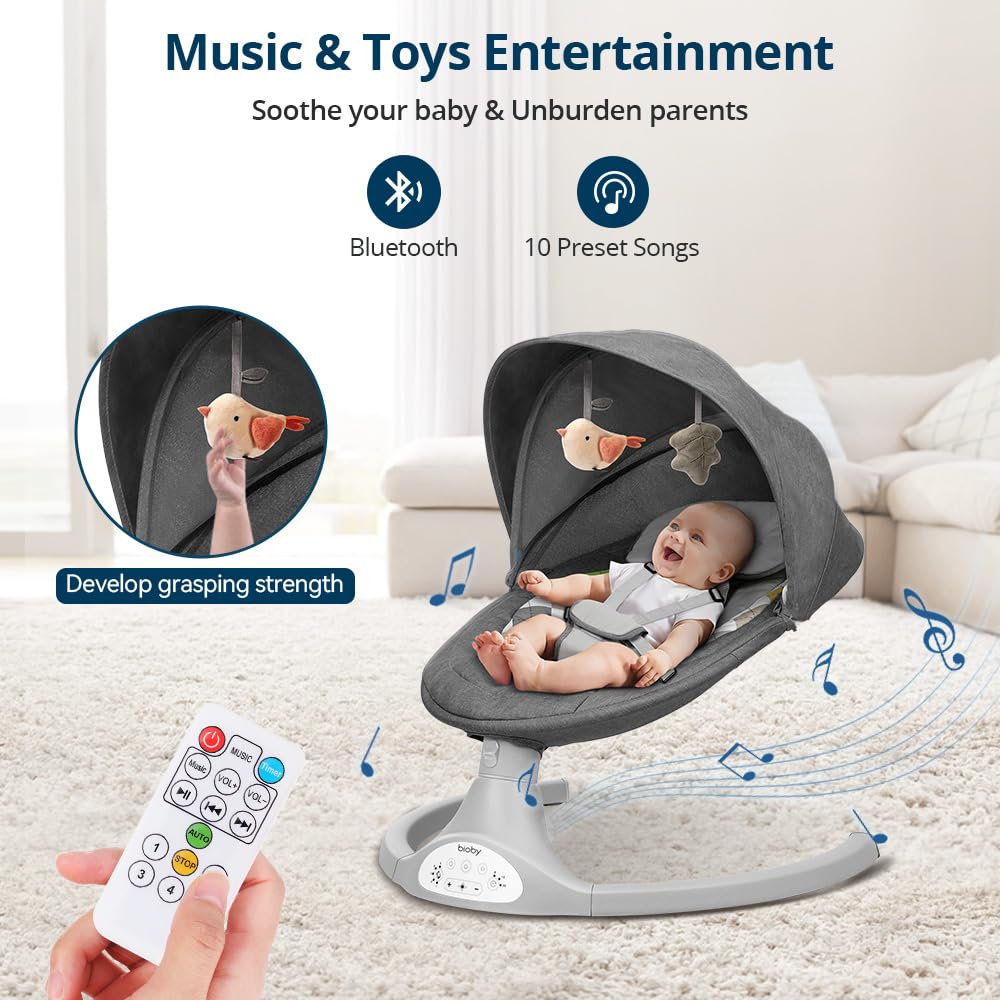
Features Bluetooth connectivity for custom music and 10 preset songs, along with hanging toys for entertainment.

Convenient remote control and three timer settings (8, 15, 30 minutes) for ease of use.
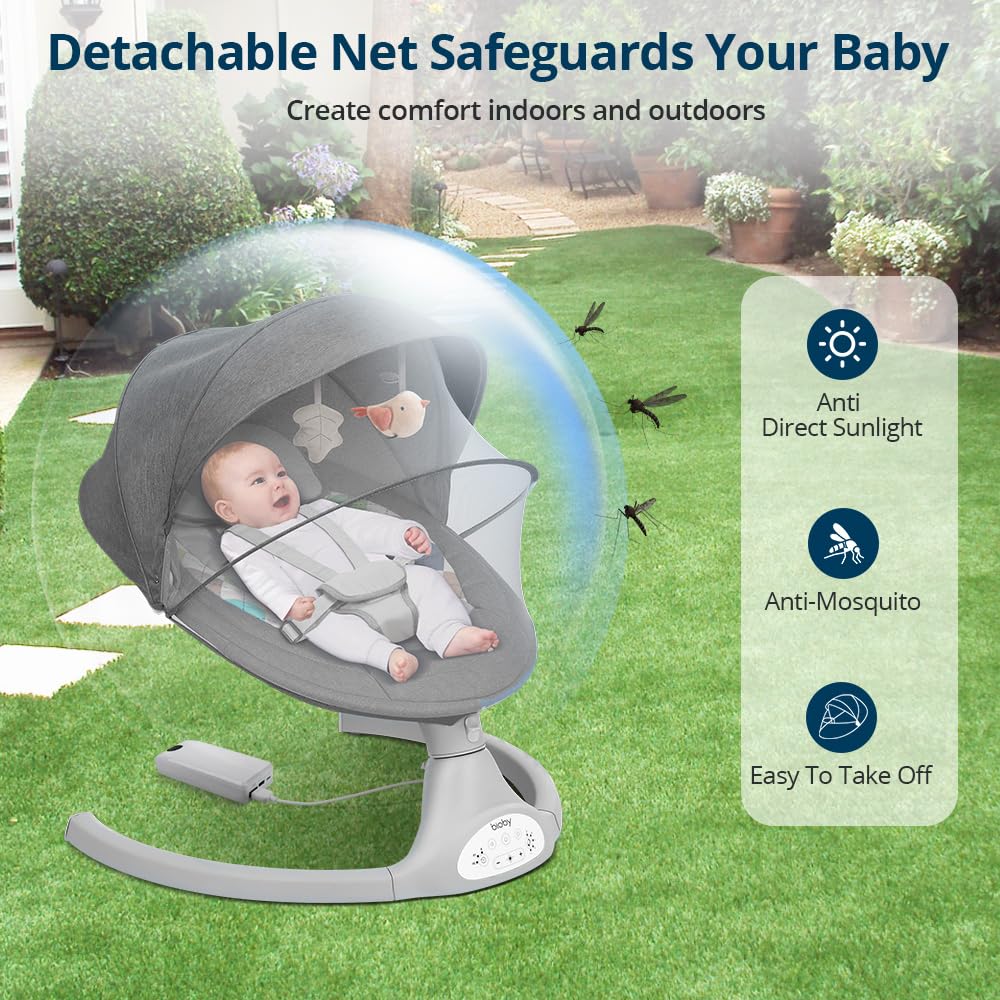
The detachable protective net safeguards your baby from dust, mosquitoes, and direct sunlight.

The swing can be powered by a plug-in adapter or a power bank for portable use anywhere.
3. Setup Guide
Assembly of the Bioby Baby Swing is quick and straightforward, typically taking about five minutes for one person.
Assembly Steps:
- Install the Seat Frame: Connect the two parts of the seat frame by pressing the steel clips until they click into place.
- Install the Base Frame: Insert the left and right foot tubes into the main engine, ensuring the screw holes align. Fix them with the provided 4 screws.
- Connect Seat to Base: Insert the upper seat frame into the hole of the assembled base frame. Ensure the clips bounce up with a clear "click" sound.
- Install Pillow and Seat Cover: Put the seat cover on the seat frame from top to bottom, zip up, and fasten the snap button on the back. Attach the pillow to the top retaining ring of the seat frame and press the Velcro of the pillow to secure it.
- Install Mosquito Net and Toys: Attach the plush toys (moon and star) to the canopy. Fasten the clasps of the canopy to the pipe of the seat frame. Attach the mosquito net to the bottom of the seat frame.
Official Bioby video demonstrating the installation process of the baby swing. This video provides a visual guide for assembling the seat frame, base, and attaching accessories like the canopy and mosquito net.
4. Operating Instructions
The Bioby Baby Swing offers intuitive controls for a customized experience.
Control Panel & Remote:
- Power On/Off: Press the power button on the control panel or remote to turn the swing on or off.
- Sway Speeds: Select from 5 different sway speeds using the buttons on the control panel or the remote (numbered 1-5).
- Music & Volume: Play preset lullabies or connect via Bluetooth to play your own music. Adjust volume using the +/- buttons.
- Timer Settings: Set the swing to operate for 8, 15, or 30 minutes using the timer button.
- Motion Lock: Push the motion lock down to stop the swing motion and lock the seat. Pull it up to unlock and resume swinging.
Official Bioby video showcasing the various operating features of the baby swing, including speed adjustments, music playback, and remote control functionality.
5. Maintenance and Care
Proper maintenance ensures the longevity and hygiene of your Bioby Baby Swing.
- Seat Cover: The soft seat cover is detachable and machine washable for effortless cleaning.
- Frame Cleaning: Wipe down the aluminum frame with a damp cloth and mild soap. Do not use abrasive cleaners.
- Storage: When not in use, the swing is easy to disassemble and store due to its small size.
6. Troubleshooting
If you encounter any issues with your Bioby Baby Swing, please refer to the following common solutions:
- Swing Not Operating: Ensure the power adapter is securely plugged into both the swing and a working electrical outlet. If using a power bank, ensure it is charged and properly connected.
- No Sound: Check the volume settings on both the swing's control panel/remote and your connected Bluetooth device. Ensure Bluetooth is properly paired.
- Swing Motion Irregular: Verify that the swing is on a flat, level surface and that the motion lock is disengaged.
For more detailed troubleshooting steps or persistent issues, please consult the full User Guide PDF or contact Bioby customer service.
7. Specifications
| Feature | Detail |
|---|---|
| Product Dimensions | 25.6 x 25.6 x 28.1 inches |
| Item Model Number | BB006HG |
| Recommended Weight | 5-20 Lb (0-12 Months) |
| Material Type | Aluminum |
| Item Weight | 8.69 pounds |
| Power Source | Adapter (5V/1A) or Power Bank |
| Sway Speeds | 5 (18°, 21°, 23°, 25°, 31°) |
| Music | Bluetooth, 10 Preset Songs |
| Timer Settings | 8, 15, 30 minutes |
8. Warranty and Support
Bioby is committed to providing quality products and excellent customer service. While specific warranty details are not provided in this manual, please refer to your product packaging or the official Bioby website for comprehensive warranty information.
For any inquiries, assistance, or support, Bioby offers 24-hour customer service.
You can also download the full User Guide PDF for detailed information: Download User Guide (PDF)
Related documentsBB006HG

Ask a question about this manual
Ask about setup, troubleshooting, compatibility, parts, safety, or missing instructions. Manuals+ will review the question and use this page’s manual context to help answer it.