
Introduction
Thank you for choosing the NICREW SkyLED RGB+W 24/7 Aquarium LED Light. This advanced lighting system is designed to provide optimal illumination for freshwater aquariums, promoting plant growth and enhancing the vibrant colors of your aquatic environment. Featuring a full-spectrum output, programmable 24/7 lighting cycles, and various weather effects, this light offers comprehensive control over your aquarium's ambiance. Please read this manual thoroughly before installation and operation to ensure proper use and longevity of your product.
Safety Instructions
- Always disconnect the power supply before performing any maintenance or cleaning on the light or aquarium.
- This product is designed for indoor use only. Do not expose to extreme temperatures or direct sunlight.
- Ensure your hands are dry when handling the power adapter and plug.
- Do not operate the light if any part is damaged, especially the power cord or LED unit.
- Keep out of reach of children.
- The light unit is waterproof (IP67 rated) but the power adapter and remote control are not. Keep them away from water.
- Do not attempt to disassemble or modify the light unit. This will void the warranty.
- Ensure the light is securely mounted on the aquarium to prevent accidental falls.
Package Contents
Please check the package for the following items:
- NICREW SkyLED RGB+W 24/7 LED Light Unit
- Adjustable Mounting Brackets (2x)
- Power Adapter
- Infrared Remote Control (with 1 Lithium metal battery included)
- Instruction Manual
Product Features
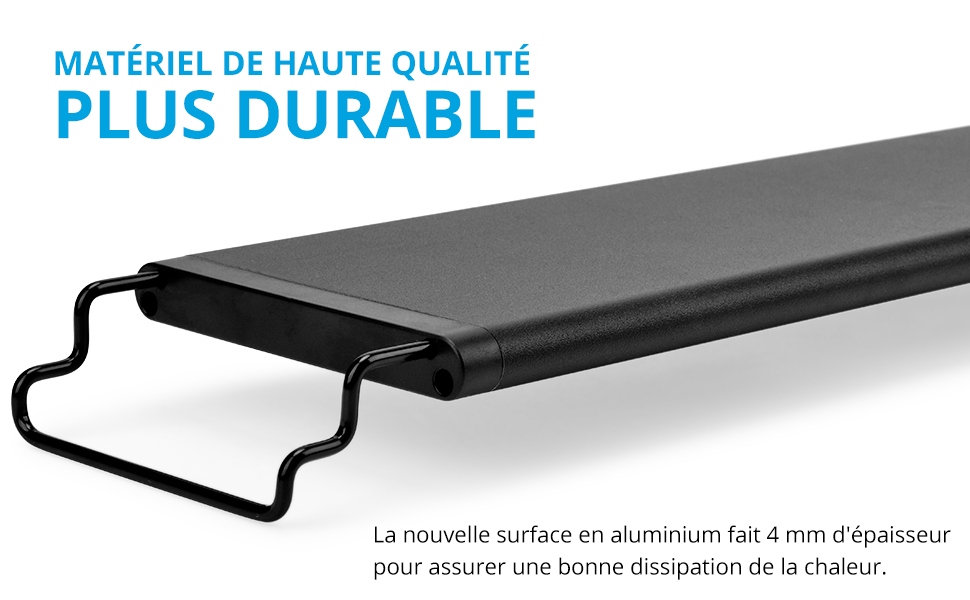
Image: Overview of the NICREW SkyLED RGB+W 24/7 light highlighting its key features: Full Spectrum, Adjustable Colors (WRGB), 24/7 Mode, and Dynamic Effects.
1. Advanced 24/7 Lighting Mode
The 24/7 mode simulates a natural day-night cycle with 5 distinct lighting phases: sunrise, daylight, sunset, moonlight, and off. You can program multiple lighting schedules with smooth 15 or 30-minute transitions between phases, creating a realistic and beneficial environment for your aquatic inhabitants.

Image: Diagram of the 24/7 lighting cycle, showing light intensity changes throughout the day from 7:00 AM to 10:00 PM, including sunrise, daylight, sunset, and moonlight phases.
2. Full Spectrum RGB+W LEDs
Equipped with RGB and 6500K white LEDs, this light provides a full spectrum output ideal for promoting healthy plant growth and enhancing the natural colors of your fish and aquarium decor. The color spectrum is adjustable to suit various aquascaping needs.

Image: Controls for adjusting White, Red, Green, and Blue LED intensity, accompanied by a spectral graph illustrating the light's full spectrum output.
3. Infrared Remote Control
The included infrared remote control provides convenient access to all lighting functions, including mode selection, color customization, and activation of weather effects. It also features memory buttons (M1-M4) to save and recall your preferred custom settings.

Image: A hand operating the infrared remote control, demonstrating its use with the light's external controller.
4. Dynamic Weather Effects
Choose from four preset weather modes: cloudy, lightning, sunny day, and moonlight. These dynamic effects add variety and realism to your aquarium's environment, mimicking natural conditions.

Image: Visual representation of the four dynamic weather effects: cloudy, lightning, sunny, and moonlight.
5. Waterproof Design (IP67)
The light unit features an IP67 waterproof rating, protecting it from splashes and accidental immersion. This ensures durability and safety in an aquatic environment. Note: The power adapter and remote control are NOT waterproof.
6. Adjustable Mounting Brackets
The light comes with extendable mounting brackets, allowing for easy and secure installation on aquariums of various widths. The brackets ensure a stable fit and optimal light positioning.

Image: Detail of the adjustable mounting brackets, showing how they extend to fit various aquarium widths.
Installation & Setup
1. Mounting the Light
- Unpack the light unit and its components.
- Attach the adjustable mounting brackets to both ends of the LED light unit.
- Place the light unit on top of your aquarium. Adjust the brackets to fit the width of your tank securely. Ensure the light is centered and stable.
2. Power Connection
- Connect the power adapter to the light unit's controller.
- Plug the power adapter into a suitable electrical outlet. Ensure there is a drip loop to prevent water from running down the cord to the outlet.
- The light will power on, and the controller display will activate.
Operating Instructions
Remote Control Overview
The infrared remote control allows you to manage all light settings. Point the remote directly at the light's external controller for optimal response.
Setting 24/7 Mode
The 24/7 mode automates the daily lighting cycle. Refer to the diagram in the Product Features section for a visual representation of the cycle.
- Press the "24/7" button on the remote to activate the mode.
- The controller will display the current time. Use the arrow buttons to set the correct current time.
- The light will then follow the preset 24/7 cycle, including sunrise, daylight, sunset, and moonlight phases with gradual transitions.
- To customize the 24/7 cycle, consult the detailed instructions in the full product manual (if available) or experiment with the "DIY" mode for individual phase adjustments.
Customizing Colors
You can adjust the intensity of individual color channels (White, Red, Green, Blue) to create custom lighting effects.
- Press the "DIY" button on the remote.
- Use the color-specific buttons (W, R, G, B) and the "+" / "-" buttons to adjust the intensity of each color channel.
- To save your custom color setting, press and hold one of the memory buttons (M1-M4) until the controller confirms.
- To recall a saved setting, simply press the corresponding memory button (M1-M4).
Activating Weather Modes
The remote control provides dedicated buttons for instant weather effects.
- Press the "Cloudy" button for a cloudy sky simulation.
- Press the "Lightning" button for a lightning storm effect.
- Press the "Day" button for a bright daylight setting.
- Press the "Moon" button for a moonlight effect.
- To exit a weather mode, press the "ON/OFF" button or select another mode.
Maintenance
- Cleaning the Light Unit: Disconnect power before cleaning. Wipe the LED unit with a soft, damp cloth to remove water spots or algae. Do not use abrasive cleaners or solvents.
- Cleaning the Brackets: Periodically check and clean the mounting brackets to ensure they remain free of corrosion and securely hold the light.
- Power Adapter and Remote: Keep the power adapter and remote control dry and clean. Avoid exposing them to water or high humidity.
- LED Longevity: The LEDs are designed for long-term use. Avoid frequently turning the light on and off, as this can reduce their lifespan.
Troubleshooting
| Problem | Possible Cause | Solution |
|---|---|---|
| Light does not turn on. | No power, loose connection, damaged adapter. | Check power outlet, ensure all connections are secure. Test with another outlet. If still not working, the adapter or light may be faulty. |
| Remote control not working. | Battery depleted, remote not pointed at controller, obstruction. | Replace the remote control battery. Ensure the remote is pointed directly at the light's external controller. Remove any obstructions. |
| Light flickers or dims unexpectedly. | Unstable power supply, loose connection, internal fault. | Check power connections. Try plugging into a different outlet. If the issue persists, contact customer support. |
| 24/7 mode not functioning correctly. | Incorrect time setting, interference. | Re-set the current time on the controller. Ensure no other remote signals are interfering. |
Specifications

Image: Detailed specifications table for various NICREW SkyLED models, including power, suitable aquarium length, lumen output, LED count, PAR, LUX, CRI, and input voltage.
| Specification | Value |
|---|---|
| Model Number | N28785 |
| Brand | NICREW |
| Product Dimensions (L x W x H) | 89 x 10 x 6 cm (35 x 3.9 x 2.4 inches) |
| Weight | 1.68 kg (3.7 lbs) |
| Wattage | 33 Watts |
| Lumen Output | 1650 LM (for 90-110 cm model) |
| LED Type | RGB + 6500K White LEDs |
| Control Method | Infrared Remote Control |
| Waterproof Level | IP67 (Light Unit) |
| Material | Aluminum (Base), Metal (Shade) |
| Power Source | Electric Cable (AC 100-240V) |
| Included Components | Light kit included (LED unit, brackets, power adapter, remote) |
| Battery (for remote) | 1 Lithium metal (included) |
Energy Information

Image: EU Energy Label for the NICREW N28785, indicating an energy efficiency class of F and energy consumption of 33 kWh per 1000 hours.
For detailed product information regarding energy efficiency and other regulatory data, please refer to the EPREL database:

Image: EPREL (European Product Registry for Energy Labelling) information sheet providing comprehensive technical details for the NICREW N28785.
You can access the official EPREL entry for this product using the following link:
Warranty and Support
NICREW products are manufactured with quality and reliability in mind. This product comes with a standard manufacturer's warranty against defects in materials and workmanship. For specific warranty terms, duration, and to obtain technical support or service, please refer to the warranty card included with your product or visit the official NICREW website. Please retain your proof of purchase for warranty claims.

