
Scriptel ST1476
Scriptel ST1476 EasyScript Slimline USB Signature Capture Pad Instruction Manual
Model: ST1476 | Brand: Scriptel
Introduction
The Scriptel ST1476 EasyScript Slimline 1x5 USB Signature Capture Pad is designed for electronic signature capture. It features Scriptel's active battery-less tethered pen and a low-profile, modern design with an ergonomic palm rest. This device supports integration with software applications using Scriptel APIs or the OmniScript universal signature integration platform, enabling free signing on PDF, DOC, XLS, and TWAIN-compatible documents. It offers rugged reliability and StaticCap technology.
Key Features:
- Slim design with wide palm rest
- Durable plastic case construction with heavy-duty cable attachments
- Horizontal snap-in and vertical pen mounts
- Active battery-less tethered pen
- Bottom-side rubber feet and mounting holes
Setup Guide
1. Software Installation
The Smajayu signature pad and PDF signer tool are compatible with PC running Windows 7, 8, 10, and 11 (32-bit & 64-bit). It is not compatible with Apple PC currently. Options are available for PDF signer, Excel signer, and Word signer.
- Download the Smajayu PDF Signer .msi installer from the provided download link. Ensure you download the latest version.
- Double-click the downloaded .msi file to run the installer. Follow the on-screen prompts: Click "Next" -> "Next" -> "Install" -> "Finish" to complete the installation.
Video: This video demonstrates the software installation process for the Smajayu PDF Signer and the basic operation of the signature pad, including connecting it to a PC and performing a signature.
2. Hardware Connection
Connect the signature pad to your PC using the provided USB cable. After the display flashes the firmware version, the pad will enter sleep mode until a signature is drawn on the signer application.
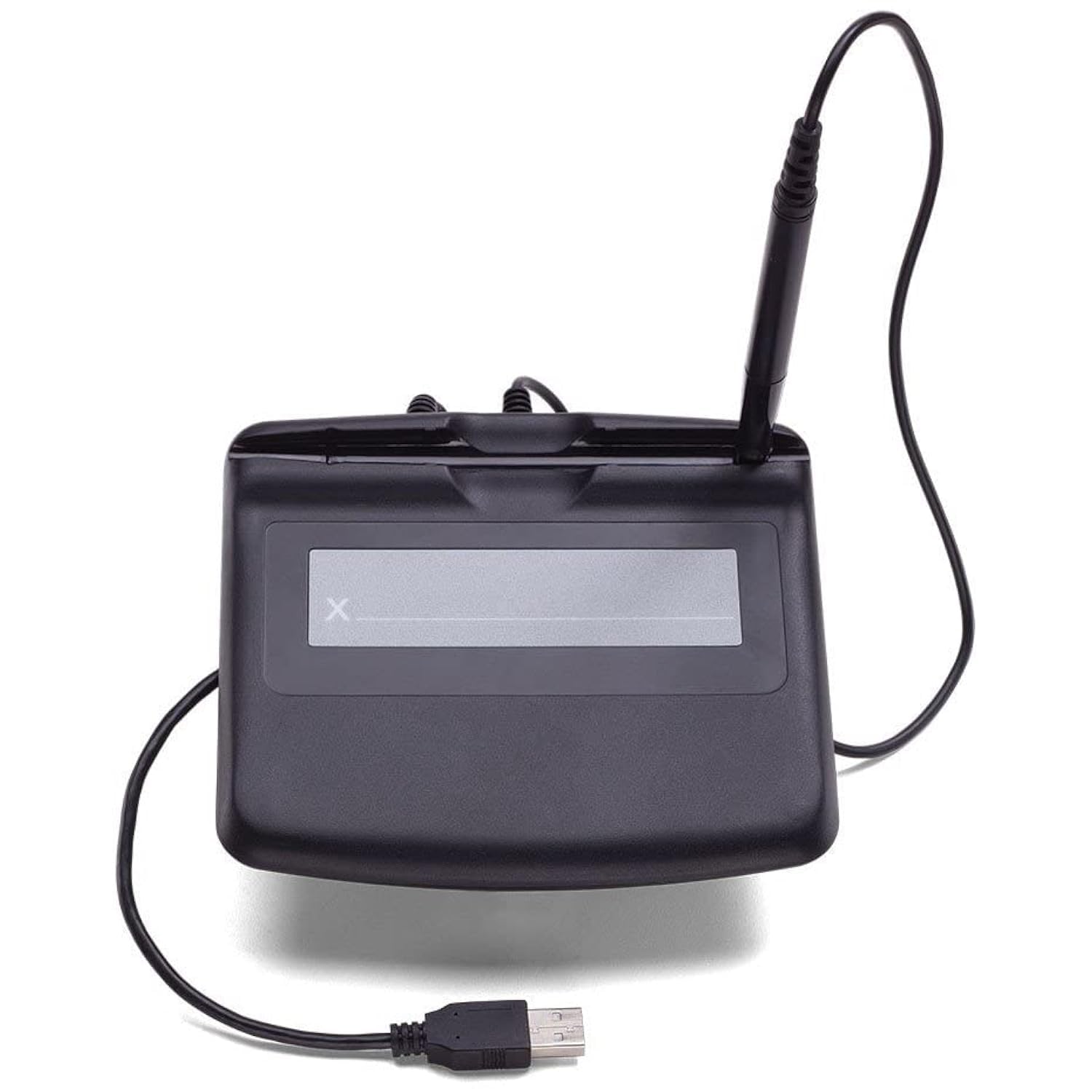
Image: The Scriptel ST1476 signature pad connected to a laptop via its USB cable, ready for use.
Operating Instructions
Signing a Document:
- Ensure the Smajayu PDF Signer software is installed and the signature pad is connected to your PC.
- Open the Smajayu Document Signer application.
- For first-time users, click "Generate Certificate" and then "OK" to create a certificate.
- Open the PDF file you wish to sign within the Smajayu PDF Signer application.
- Draw a rectangle on the PDF document where you want the signature to appear. This area will be mirrored on the signature pad's screen.
- Using the tethered pen, sign your name or draw within the designated area on the signature pad.
- After completing your signature on the pad, click "OK" on the pad's interface.
- On your PC, click "Done" in the signature window. The signature will then appear on your PDF document.
- Save the signed PDF file.

Image: A top-down view of the Scriptel ST1476 signature pad, showing the area where users can sign with the tethered pen.
Maintenance
- Keep the signature pad clean by wiping it with a soft, dry cloth. Avoid abrasive cleaners or solvents.
- Store the tethered pen securely in its horizontal snap-in or vertical mount when not in use to prevent loss or damage.
- Avoid placing heavy objects on the pad or exposing it to extreme temperatures or humidity.
- Ensure the USB cable is not bent sharply or tangled to maintain its integrity.
Troubleshooting
Signature Out of Order / Misalignment:
If your signature appears out of order or misaligned on the document compared to your input on the pad, you may need to perform an alignment calibration.
- Ensure the signature pad is connected to your PC.
- Open the Smajayu PDF Signer application.
- In the application menu, click on "Alignment".
- The signature pad's screen will enter an Alignment interface. Follow the on-screen prompts on the pad to tap the cursor at specific points (left-top, right-top, right-down, left-down, and center) using the pen to calibrate.
- Once calibration is successful, the pad's screen will return to sleep mode.
- You can then proceed to sign documents as usual.
Video: This video demonstrates the steps to calibrate the signature pad if the signature appears out of order or misaligned during use.
General Issues:
- Device Not Recognized: Ensure the USB cable is securely connected to both the pad and the PC. Try a different USB port or cable.
- Pen Not Responding: Check if the pen tip is intact. The pen is battery-less, so no charging is required.
- Software Compatibility: Verify that your operating system (Windows 7, 8, 10, or 11) and software applications are supported. Apple PC is not currently compatible.
Specifications
| Feature | Detail |
|---|---|
| Brand | Scriptel |
| Model Number | ST1476 |
| Color | Black |
| Material | Plastic |
| Item Weight | 13.7 ounces (0.39 Kilograms) |
| Package Dimensions | 8.98 x 7.95 x 2.36 inches |
| Compatible Devices | Laptop |
| Batteries Required | No |
| Pen Type | Active battery-less tethered pen |
| UPC | 021893828007 |
| Date First Available | April 21, 2022 |
Warranty and Support
The Scriptel ST1476 Signature Capture Pad comes with a 2-Year Warranty and offers an overnight exchange service for eligible issues. For technical support, troubleshooting assistance, or warranty claims, please refer to the manufacturer's official website or contact their customer service department. Keep your purchase receipt for warranty validation.
EU Spare Part Availability Duration: 2 Years.
Related documentsST1476


Ask a question about this manual
Ask about setup, troubleshooting, compatibility, parts, safety, or missing instructions. Manuals+ will review the question and use this page’s manual context to help answer it.