
JVC KW-X850BTS
JVC KW-X850BTS Digital Media Receiver User Manual
Comprehensive guide for setup, operation, and maintenance of your JVC KW-X850BTS Bluetooth Car Stereo.
Introduction
This manual provides detailed instructions for the installation, operation, and maintenance of your JVC KW-X850BTS Digital Media Receiver. This unit offers a wide range of features including Bluetooth connectivity, USB port, auxiliary input, Amazon Alexa voice control, and advanced audio processing. Please read this manual thoroughly to ensure proper use and to maximize your enjoyment of the product.
What's in the Box
Upon opening the package, please verify that all the following components are included:
- Digital media receiver (with 10A fuse)
- Wiring harness
- Microphone with bracket (attached 10ft cable terminated by a right-angle mono 3.5mm connector)
- 8 Pan-head ISO-mount screws (M5 x 8mm)
- 8 Counter-sunk ISO-mount screws (M5 x 6mm)
- Instruction Manual
- Warranty Information
- Software License Agreement
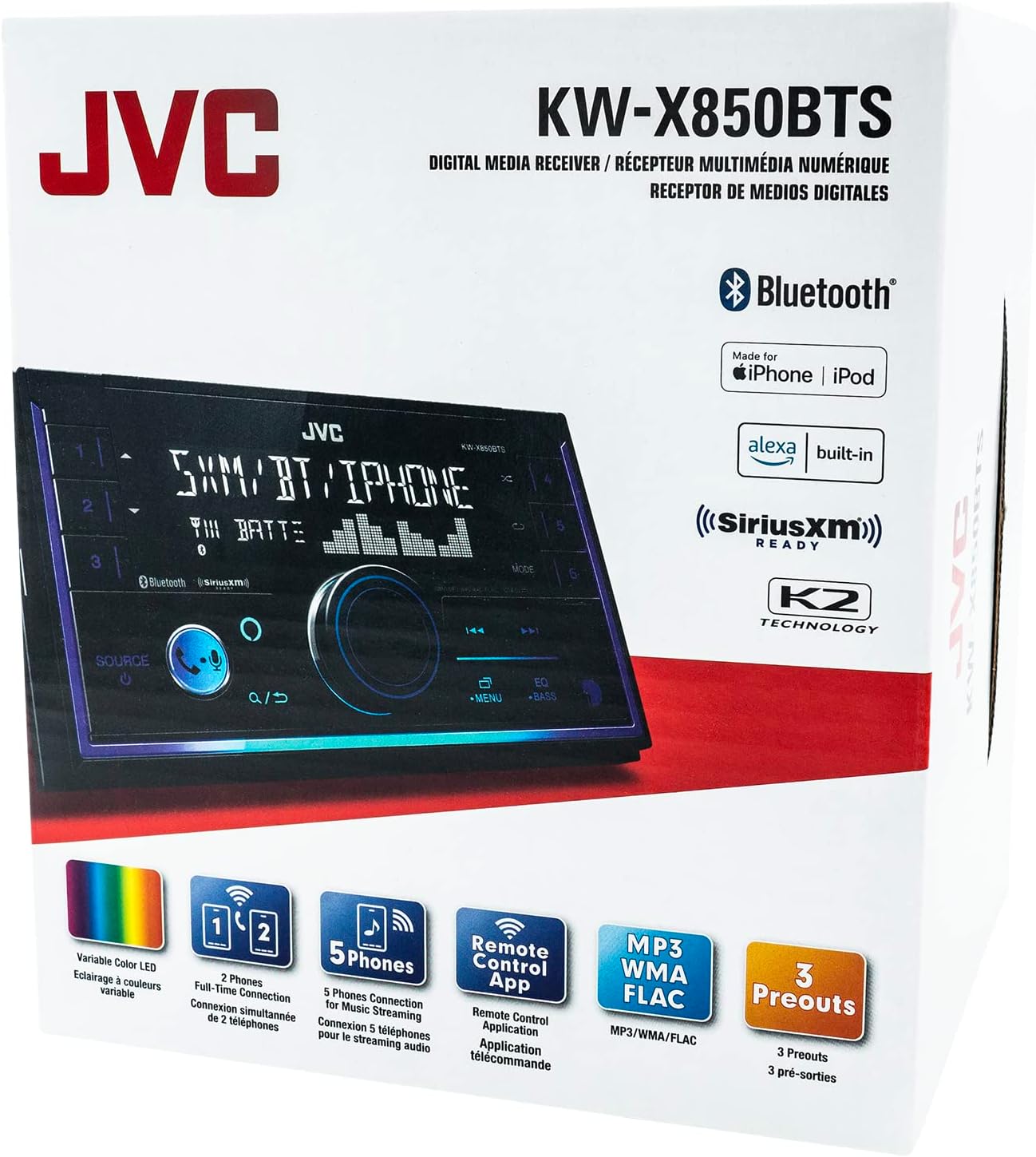
Image: All components included in the JVC KW-X850BTS package, laid out for inspection.

Image: The retail packaging for the JVC KW-X850BTS Digital Media Receiver.
Setup and Installation
The JVC KW-X850BTS is designed for Double-DIN dash openings. Its compact dimensions facilitate easier installation.
Dimensions
- Installation Size (WxHxD): 7" x 3-15/16" x 3-15/16" (178 x 100 x 100mm)
- Product Dimensions: 3"D x 15"W x 7"H (unit)
Wiring and Connections
Connect the included wiring harness to your vehicle's electrical system. Ensure all connections are secure and properly insulated. The microphone should be routed to a suitable location for optimal voice pickup during calls and Alexa commands.

Image: Rear view of the JVC KW-X850BTS unit, displaying the various input and output ports, including the wiring harness connector and RCA preamp outputs.

Image: An angled view of the JVC KW-X850BTS, highlighting the dynamic purple and blue lighting effects and the microphone input cable on the side.
Operating Instructions
General Features
- Display: 1.5-line display with 2-zone variable color button illumination.
- Amazon Alexa: Compatible for voice control.
- Media Playback: Plays USB memory devices. Note: This unit does not play CDs.
- Controls: Features a physical volume knob for easy adjustment.
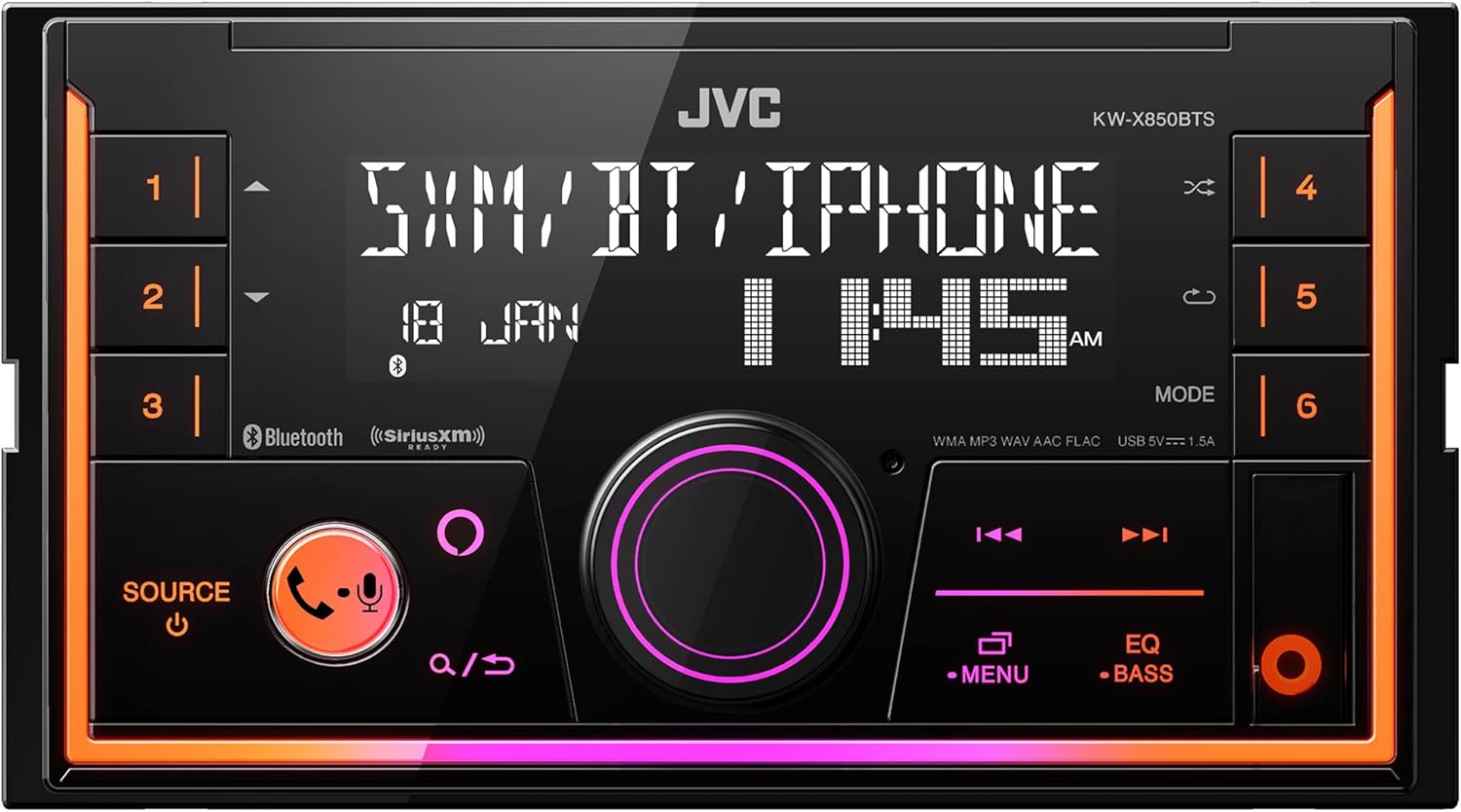
Image: Front view of the JVC KW-X850BTS digital media receiver, showcasing its display and control buttons with orange illumination.

Image: The JVC KW-X850BTS with its display and buttons illuminated in a vibrant orange and pink color scheme.

Image: The JVC KW-X850BTS displaying a cool purple and blue illumination on its controls and display.

Image: An angled view of the JVC KW-X850BTS, highlighting the dynamic purple and blue lighting effects.
Image: A composite image demonstrating the JVC KW-X850BTS's capability to display various illumination colors, allowing for over 65,000 color combinations.
Bluetooth and Smartphone Features
- Built-in Bluetooth (version 4.2): For hands-free calling and audio streaming. Supports dual phone connection.
- JVC Streaming DJ: Allows music streaming and control from up to five paired smartphones.
- USB 1.5A Connection: Charges devices quickly.
- Smartphone Control: iPhone control via USB and Bluetooth; Android control via Bluetooth.
- JVC Remote App: Control the stereo using JVC's free Remote app on your compatible Android phone.
Audio Features
- Equalizer: 13-band equalizer with 11 presets and digital time alignment.
- K2 Technology: Improves digital sound for all music sources.
- Volume Link EQ: Boosts specific frequencies to compensate for road noise.
- Preamp Outputs: 6-channel preamp outputs (2.5-volt front, rear, subwoofer) with independent crossovers.
- High-Res Audio: Plays USB drives loaded with high-res FLAC music files (up to 24-bit/96kHz).
Expandability
- Compatible with SiriusXM satellite radio tuner (not included).
- Inputs: Front-panel auxiliary input and USB port.
- Outputs: 6-channel preamp outputs (2.5-volt front, rear, subwoofer).
- Compatible with most factory steering wheel audio controls (adapter required).
Maintenance
To ensure the longevity and optimal performance of your JVC KW-X850BTS, follow these maintenance guidelines:
- Cleaning: Use a soft, dry cloth to wipe the unit's surface. For stubborn dirt, slightly dampen the cloth with water. Avoid using abrasive cleaners, solvents, or chemical sprays, as these can damage the finish or internal components.
- Temperature: Avoid exposing the unit to extreme temperatures, direct sunlight for prolonged periods, or high humidity.
- Connections: Periodically check all wiring connections to ensure they are secure and free from corrosion.
- Firmware Updates: Check the official JVC website for any available firmware updates. Keeping the firmware updated can improve performance and resolve potential issues.
Troubleshooting
If you encounter issues with your JVC KW-X850BTS, refer to the following common problems and solutions:
Display is too dim during daylight
- Check Brightness Settings: Ensure the brightness setting is adjusted to its maximum level. The unit has two different brightness settings that can switch automatically by the clock.
- Firmware Update: A common solution for this issue is to update the unit's firmware. Users have reported significant improvement in screen visibility after updating from older versions (e.g., v1.09) to newer ones (e.g., v1.11). Visit the official JVC support website for the latest firmware and instructions.
- Dimmer Wire: Verify the dimmer wire connection. While some users report it may not significantly affect brightness, ensuring it's correctly installed is part of standard troubleshooting.
No audio output
- Volume Level: Ensure the volume is not set to minimum or muted.
- Source Selection: Verify that the correct audio source (e.g., Bluetooth, USB, AUX, AM/FM) is selected.
- Wiring: Check all speaker and preamp output connections for looseness or incorrect wiring.
Bluetooth connection issues
- Pairing Mode: Ensure the unit is in Bluetooth pairing mode and your device's Bluetooth is enabled and discoverable.
- Device Limit: Remember the JVC Streaming DJ feature allows up to five paired smartphones. If you have too many devices connected, try disconnecting some.
- Reset: Try resetting the Bluetooth connection on both the stereo and your smartphone.
Specifications
| Feature | Detail |
|---|---|
| Model Number | KW-X850BTS |
| Brand | JVC |
| Product Dimensions (Unit) | 3"D x 15"W x 7"H |
| Item Weight | 2.38 pounds |
| Connectivity Technology | Bluetooth, Auxiliary, USB |
| Controller Type | Amazon Alexa, Android |
| Special Feature | Equalizer |
| Compatible Devices | Smartphone, Speaker |
| Connector Type | USB, 3.5mm Jack |
| Audio Output Mode | Stereo |
| Surround Sound Channel Configuration | 2.0 |
| Output Power | 22 Watts RMS / 50 Peak x 4 channels (built-in MOSFET amplifier) |
| Manufacturer | JVC |
| First Available Date | April 21, 2022 |
Warranty and Support
Warranty Information
The JVC KW-X850BTS Digital Media Receiver comes with a 1-year manufacturer's warranty. Please refer to the included Warranty Information document in your product package for full terms and conditions, including details on coverage and how to make a claim.
Customer Support
For technical assistance, troubleshooting beyond this manual, or warranty inquiries, please contact JVC customer support. You can typically find contact information on the official JVC website or within the warranty document.
It is recommended to have your product model number (KW-X850BTS) and purchase date ready when contacting support.
Related documentsKW-X850BTS


Ask a question about this manual
Ask about setup, troubleshooting, compatibility, parts, safety, or missing instructions. Manuals+ will review the question and use this page’s manual context to help answer it.