
TODO T3840-NEW
Contents
TODO T3840-NEW Under Desk Treadmill Instruction Manual
Model: T3840-NEW
1. Introduction
Thank you for choosing the TODO T3840-NEW Under Desk Treadmill. This manual provides essential information for the safe and efficient use, setup, operation, and maintenance of your new fitness equipment. Please read this manual thoroughly before initial use and retain it for future reference.
The TODO T3840-NEW is a portable and slim walking pad designed for walking, jogging, and light running in home or office environments. It features a quiet motor, remote control operation, and an LED display to track your workout progress.
2. Important Safety Instructions
To reduce the risk of serious injury, always follow basic precautions when using this appliance, including the following:
- Read all instructions before using the treadmill.
- Keep children and pets away from the treadmill during operation.
- Place the treadmill on a flat, stable surface with at least 2 feet (0.6 meters) of clear space behind it and 1 foot (0.3 meters) on each side.
- Ensure the power cord is not damaged or pinched. Do not use extension cords.
- Wear appropriate athletic footwear. Do not operate the treadmill barefoot or in loose clothing.
- The maximum user weight capacity for this treadmill is 242 pounds (110 kg). Do not exceed this limit.
- If you experience dizziness, nausea, chest pain, or any other abnormal symptoms, stop your workout immediately and consult a physician.
- Always turn off and unplug the treadmill when not in use, before cleaning, or performing maintenance.
- Do not attempt to service the treadmill yourself. Contact qualified service personnel for repairs.
3. Package Contents
Verify that all components are present in the package:
- TODO T3840-NEW Under Desk Treadmill
- Power Cord
- Remote Control (1 CR2032 battery included)
- Tool Kit
- User Manual (this document)
4. Setup
4.1 Unpacking and Placement
Carefully remove the treadmill from its packaging. Due to its compact design, the treadmill can be easily placed under a working desk, bed, or sofa when not in use. Ensure the chosen location is on a firm, level surface.

Figure 1: The TODO Under Desk Treadmill, a compact and portable walking pad, shown with its remote control. It features a flat, slim design suitable for home or office use.
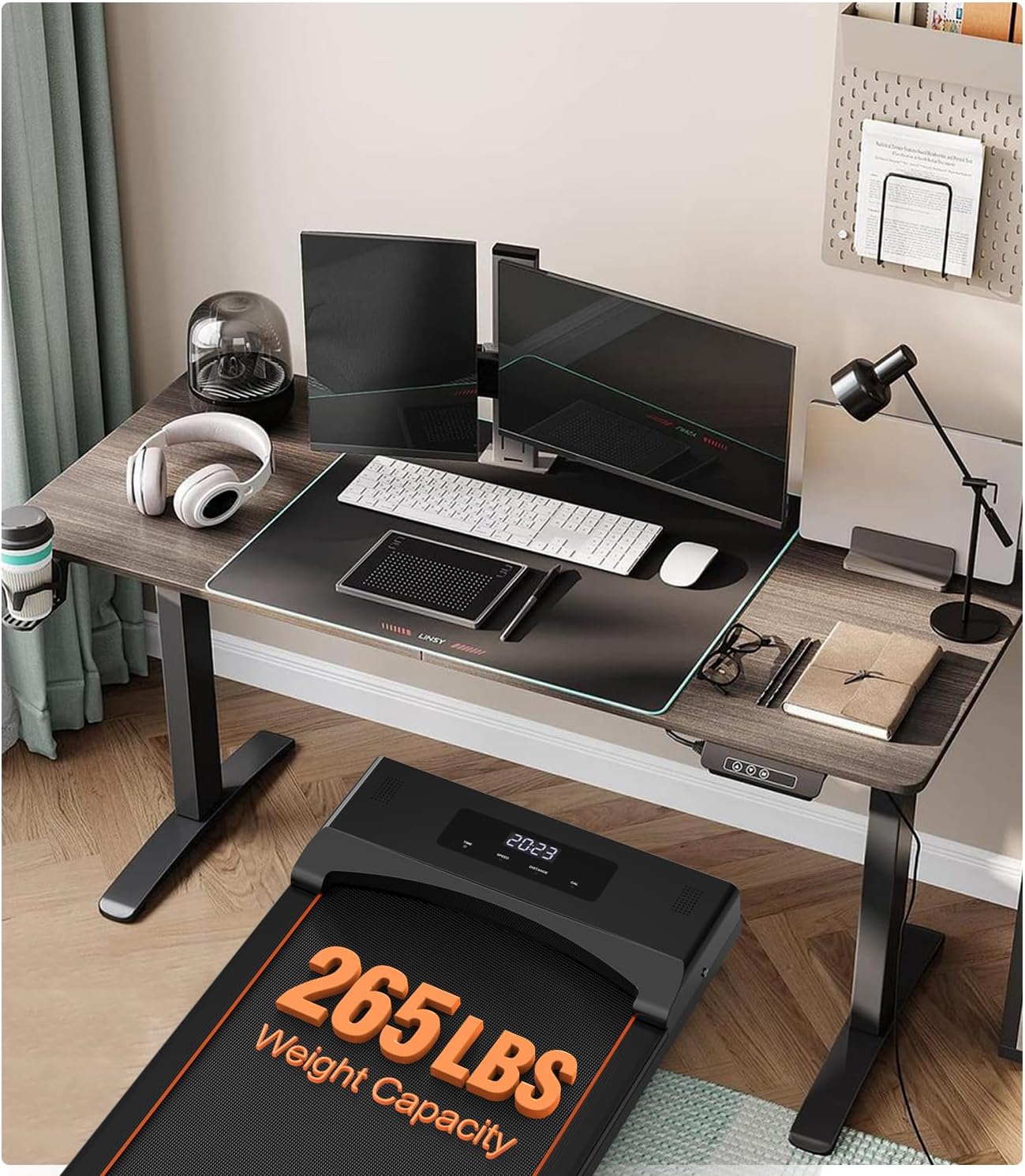
Figure 2: The TODO Under Desk Treadmill placed beneath a standing desk, illustrating its use in a home office environment. The treadmill's low profile allows for easy integration.
4.2 Power Connection
Connect the power cord to the treadmill's power input and then plug it into a standard electrical outlet. Ensure the master physical power switch (usually located near the power cord input) is in the 'ON' position.
4.3 Initial Lubrication
Before first use, and periodically thereafter, apply silicone lubricant to the running belt. Lift the edge of the running belt and apply a small amount of lubricant to the center of the deck. Run the treadmill at a low speed for a few minutes to distribute the lubricant evenly. This helps maintain belt performance and longevity.
5. Operating Instructions
5.1 Remote Control Functions
The treadmill is operated primarily via the included remote control. Ensure the remote control battery (CR2032) is installed correctly.
- Start/Stop Button: Press to begin or end your workout.
- Speed +/- Buttons: Adjust the walking/running speed.
- Mode Button: Cycle through different display modes (Time, Speed, Distance, Calories) or select pre-set programs if available.
- Mute Button: Mute/unmute any operational sounds.
5.2 LED Display
The integrated LED display shows your workout data. It automatically cycles through Speed, Time, Distance, and Calories. You can also manually set a countdown for time or distance.

Figure 3: A detailed view of the treadmill's LED display, which cycles through important metrics such as time, speed, distance, and calories burned. The remote control is also depicted.
5.3 Usage Modes
The treadmill supports various activity levels:
- Walking Mode: Typically 1-3 KPH, suitable for light activity or working at a desk.
- Working Mode: Typically 3-5 KPH, for a brisk walk.
- Running Mode: Typically 5-8 KPH, for jogging or light running.

Figure 4: This image displays the various modes of operation for the treadmill, including running (5-8 KPH), working (3-5 KPH), and walking (1-3 KPH), with corresponding user postures.
5.4 Operational Demonstration
Video 1: This video provides a visual guide to the Upreign walking pad, showcasing its minimalist design, remote control operation, and quiet motor. It illustrates how the treadmill can be used for walking and jogging in a home setting.
6. Maintenance
6.1 Cleaning
Regularly clean the treadmill to ensure optimal performance and longevity. Use a soft, damp cloth to wipe down the surface of the treadmill. Avoid using abrasive cleaners or solvents that could damage the finish. Ensure the treadmill is unplugged before cleaning.
6.2 Lubrication
The running belt requires periodic lubrication to reduce friction and wear. Apply silicone lubricant every 3-6 months, or after approximately 50 hours of use, depending on usage frequency. Refer to section 4.3 for lubrication instructions.
6.3 Belt Adjustment
If the running belt becomes misaligned or slips, it may require adjustment. Use the included tool kit to adjust the tension bolts at the rear of the treadmill. Turn the bolts in small increments (quarter turns) and test the belt alignment and tension. If you are unsure, contact customer support.
7. Troubleshooting
If you encounter issues with your TODO T3840-NEW treadmill, refer to the following common problems and solutions:
- Treadmill does not power on: Check if the power cord is securely plugged into both the treadmill and the wall outlet. Ensure the master power switch is in the 'ON' position.
- Remote control not responding: Check the CR2032 battery in the remote control and replace if necessary. Ensure there are no obstructions between the remote and the treadmill's receiver.
- Running belt slows down or hesitates: This can indicate insufficient lubrication or incorrect belt tension. Refer to section 6.2 for lubrication and 6.3 for belt adjustment. Ensure the user's weight does not exceed the maximum capacity.
- Error Codes (e.g., E03): The user manual does not provide a comprehensive list of error code descriptions. If an error code appears on the display, please contact customer support for assistance.
- Workout statistics clear upon stopping: This model does not retain workout data after the treadmill is stopped. To track progress, note down your statistics before stopping the machine.
For issues not covered here, or if troubleshooting steps do not resolve the problem, please contact customer support.
8. Specifications
Detailed specifications for the TODO T3840-NEW Under Desk Treadmill:
| Feature | Specification |
|---|---|
| Model Number | T3840-NEW |
| Product Dimensions | 121 x 11.6 x 55 cm (47.6 x 4.6 x 21.7 inches) |
| Item Weight | 18.5 kg (40.8 lbs) |
| Maximum Weight Capacity | 110 kg (242 lbs) |
| Motor Horsepower | 2.25 Horsepower |
| Speed Rating | 8 miles per hour (approximately 12.8 km/h) |
| Display Type | LCD |
| Included Components | Power Cord, Remote Control, Tool Kit, User Manual |
| Power Source | Corded Electric |
| Material | Alloy Steel, Acrylonitrile Butadiene Styrene |

Figure 5: A visual representation of the treadmill's dimensions (123cm length, 50.8cm width, 12cm height) and other specifications like 19kg net weight and cable length.
9. Warranty and Support
9.1 Warranty Information
The TODO T3840-NEW Under Desk Treadmill typically comes with a one-year warranty. A full exchange may be available within 30 days of purchase. For specific warranty terms and conditions, please refer to your purchase documentation or contact the seller directly.
9.2 Customer Support
For any questions, technical assistance, or warranty claims, please contact customer service. The recommended method for contacting support is through your Amazon account:
- Log in to your Amazon account.
- Navigate to "Your Orders".
- Locate the order ID for your TODO T3840-NEW Treadmill.
- Click on "Contact Seller".
The manufacturer, GOTODO, is committed to providing responsive and helpful customer service.
Ask a question about this manual
Ask about setup, troubleshooting, compatibility, parts, safety, or missing instructions. Manuals+ will review the question and use this page’s manual context to help answer it.