
Introduction
The IDEAPLAY J8 Portable Car Battery Jump Starter is a versatile device designed to provide emergency jump-starting for vehicles and portable power for electronic devices. With a 1500A peak current and 12000mAh capacity, it can jump start up to 7.0L gas or 5.5L diesel 12V vehicles, including hybrid and electric cars, motorcycles, ATVs, UTVs, RVs, boats, trucks, lawn mowers, and snowmobiles. The J8 supports up to 15 jump starts on a full charge and has a standby time of up to 6 months.
Beyond jump-starting, it functions as a 12000mAh portable charger with 2 x USB-A 18W Quick Charge ports and 1 x 30W two-way USB-C port, suitable for charging phones, tablets, cameras, and e-readers. It also features an ultra-bright LED flashlight with three modes: Flashlight, SOS, and Strobe, enhancing safety and utility in various situations.
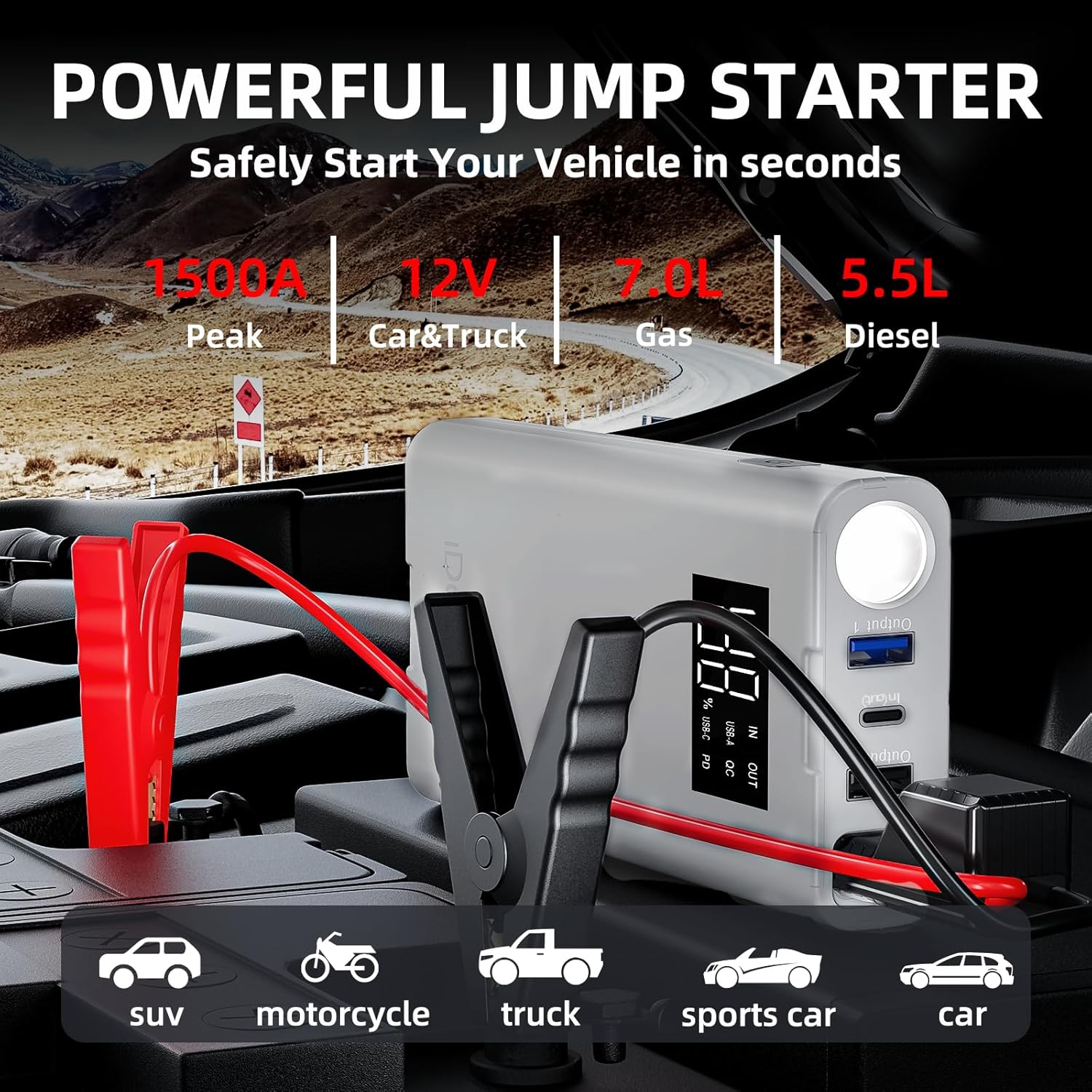
Image: The IDEAPLAY J8 Jump Starter connected to a car battery, illustrating its primary function.
Setup
- Charge the Jump Starter: Ensure the IDEAPLAY J8 is charged to at least 60% before use. Connect the included USB-C Fast Charging Cable to the 'In (Out)' USB-C port on the device and a suitable power adapter. The digital display will show the charging percentage.
- Connect Smart Jumper Cable Clamps: Open the protective cap on the 'ENGINE START' port of the jump starter. Insert the blue plug of the intelligent jumper cable clamps firmly into this port. The indicator light on the smart clamps will flash red and green, indicating it is ready for connection to the vehicle battery.
- Identify Battery Terminals: Locate your vehicle's battery. Identify the positive (+) terminal (usually marked with a plus sign and covered by a red cap) and the negative (-) terminal (usually marked with a minus sign).
- Connect Clamps to Battery: Attach the red (+) clamp to the positive (+) terminal of the vehicle battery. Attach the black (-) clamp to the negative (-) terminal of the vehicle battery. Ensure a secure connection. The indicator light on the smart clamps should turn solid green, indicating a correct and safe connection. If it remains red or flashes, check connections and battery status.
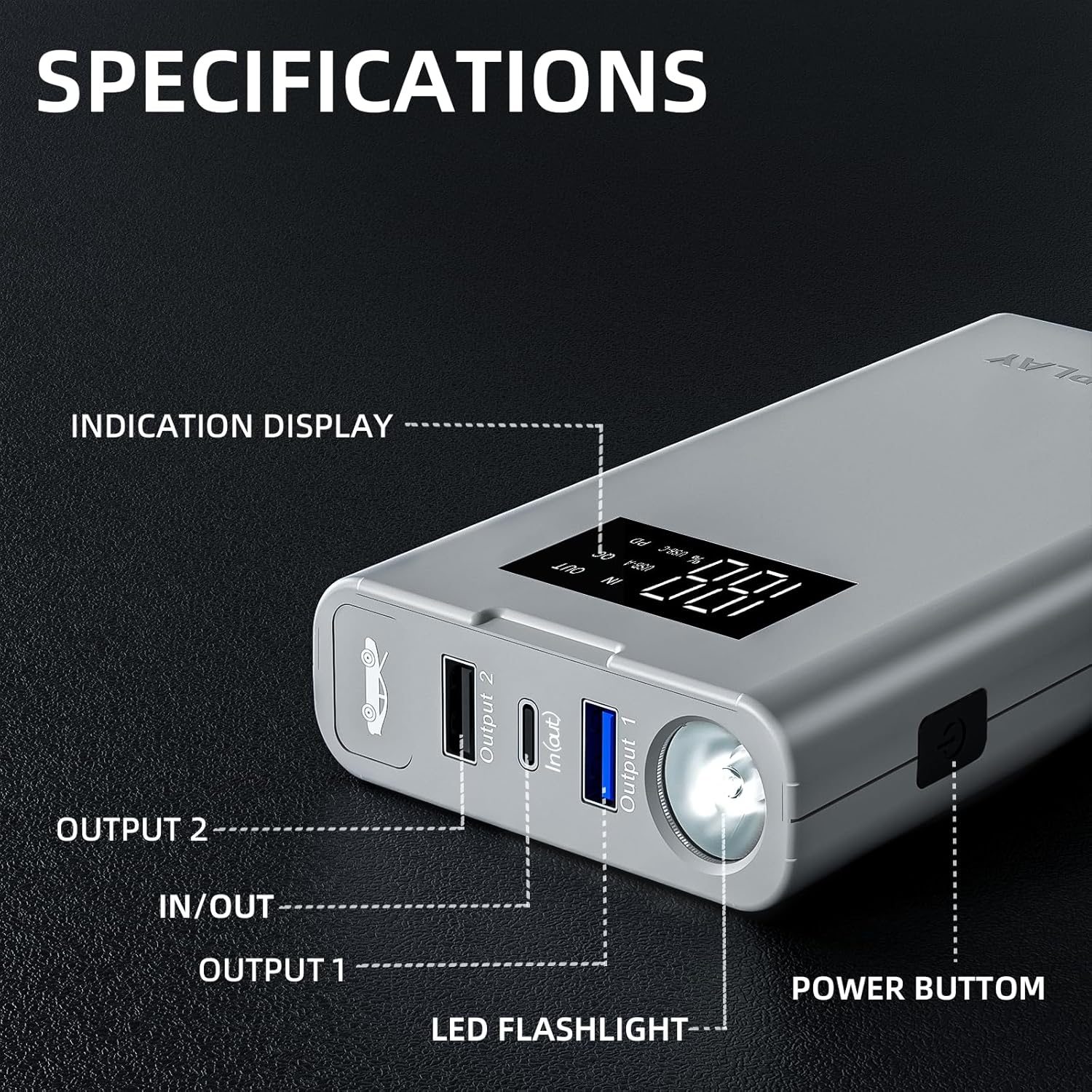
Image: Detailed view of the IDEAPLAY J8 Jump Starter, highlighting the various ports and buttons for setup and operation.
Operating Instructions
Jump-Starting a Vehicle
- Follow the setup steps above to connect the jump starter to your vehicle battery. Ensure the smart clamp indicator light is solid green.
- Enter your vehicle and start the engine. If the engine does not start immediately, wait 30 seconds before attempting again. Do not attempt more than 3 consecutive jump starts.
- Once the vehicle starts, immediately disconnect the black (-) clamp from the vehicle battery, followed by the red (+) clamp.
- Disconnect the smart jumper cable clamps from the IDEAPLAY J8 jump starter.
Using as a Portable Charger
The IDEAPLAY J8 features two USB-A 18W Quick Charge output ports and one 30W two-way USB-C port. Use appropriate USB cables to connect your electronic devices (phones, tablets, cameras, etc.) to these ports for charging.

Image: The IDEAPLAY J8 Jump Starter simultaneously charging a smartphone and a tablet via its USB ports.
LED Flashlight Operation
Press and hold the power button on the side of the device to activate the LED flashlight. Subsequent short presses will cycle through the three modes:
- Flashlight: Provides continuous illumination.
- SOS: Emits a Morse code SOS signal for emergencies.
- Strobe: Produces a rapid flashing light.
To turn off the flashlight, press and hold the power button again.

Image: The IDEAPLAY J8 Jump Starter's LED flashlight in action, showing its various lighting modes for different scenarios.
Official Product Videos
Video: An unboxing and overview of the IDEAPLAY Portable Jump Starter Powerbank, showcasing its features and components.
Video: Demonstration of the IDEAPLAY Jump Starter being used to start an ATV battery, highlighting its effectiveness.
Video: A user review emphasizing the reliability and convenience of the IDEAPLAY Jump Starter for emergency situations.
Video: A detailed look at the compact design and various features of the IDEAPLAY Jump Starter, including its ease of use.
Maintenance
- Recharging: Recharge the IDEAPLAY J8 after each use or every 3-6 months to maintain optimal battery health. Use the provided USB-C cable and a compatible power adapter.
- Storage: Store the jump starter in its carrying case in a cool, dry place away from direct sunlight and extreme temperatures.
- Cleaning: Wipe the device with a soft, dry cloth. Do not use harsh chemicals or abrasive materials.
Troubleshooting
- Indicator Light Flashing Red/Green: This indicates the smart clamps are ready for connection. Ensure proper connection to the vehicle battery terminals.
- Indicator Light Solid Red: This typically means there is an issue with the connection or the battery. Check for reverse polarity, short circuit, or if the vehicle battery is severely damaged. The intelligent jumper cables provide ultra-safe protection against short circuit, over-load, over-current, reverse polarity, over-voltage, over-charge, over-discharge, and high-temperature.
- Vehicle Not Starting: Ensure the jump starter has at least 60% charge. Check all connections for tightness. If the vehicle still doesn't start after a few attempts, the vehicle battery may be beyond jump-starting or there may be another mechanical issue.
- Device Not Charging: Ensure the USB-C cable and power adapter are functioning correctly. Check the USB-C port for any debris.

Image: The IDEAPLAY J8 Jump Starter's smart clamps, illustrating the various safety protections it offers.
Specifications
| Brand | IDEAPLAY |
| Battery Cell Composition | Lithium Ion |
| Voltage | 12 Volts |
| Product Dimensions | 3.35"D x 1.47"W x 6.5"H |
| Vehicle Service Type | All of the above |
| Battery Type | Lithium Ion |
| Compatible with Vehicle Type | All of the above |
| Battery Capacity | 12000 Amp Hours |
| Amperage | 1500 Amps |
| Peak Output Current | 1500 Amps |
| Specification Met | UL |
| UPC | 810052541259 |
| ASIN | B09YHNFN7K |
Image: The IDEAPLAY J8 Jump Starter, showing its various ports and the digital display.
Safety Information
The IDEAPLAY J8 is UL2743 certified and equipped with advanced safety protections to ensure safe operation for both the user and the vehicle. These protections include:
- Short Circuit Protection: Prevents damage from accidental short circuits.
- Over-Load Protection: Safeguards against excessive current draw.
- Over-Current Protection: Protects the device and battery from current surges.
- Reverse Polarity Protection: Alerts and prevents damage if clamps are connected incorrectly.
- Over-Voltage Protection: Shields against voltage spikes.
- Over-Charge Protection: Prevents battery damage from overcharging.
- Over-Discharge Protection: Extends battery life by preventing deep discharge.
- High-Temperature Protection: Monitors and regulates internal temperature to prevent overheating.
Always ensure the intelligent jumper cables' indicator light is solid green before attempting to jump start. If the light is red or flashing, recheck connections and troubleshoot according to the manual.
Warranty and Support
The IDEAPLAY J8 Portable Battery Jump Starter comes with a 2-Year Protection Plan. IDEAPLAY brand products are designed in the USA and offer 24/7 customer service. If you encounter any problems with your product, please reach out to IDEAPLAY customer support for assistance.
What's Included:
- 1 x Portable Battery Jump Starter (J8)
- 1 x Intelligent Jumper Cable Clamps
- 1 x USB-C Fast Charging Cable
- 1 x Carrying Case
- 1 x User Manual

