
1. Introduction
This manual provides essential instructions for the safe and efficient use of your AUTOUTLET BLM-CDQ-A8 Battery Charger and Maintainer. This upgraded unit features an extended charging cable, a convenient carrying handle, and thickened cable clamps for a secure connection. It is designed to charge and maintain various lead-acid batteries, including Gel, AGM, and STD types, across a wide voltage range from 6V to 24V.
The charger incorporates an intelligent charging program with automatic voltage detection for 12V and 24V batteries, and manual selection for 6V, 8V, 14V, and 16V batteries. Its fully automatic microprocessor detects battery voltage, selects the appropriate charging rate, and switches to float charge upon reaching full capacity. An LCD display provides clear charging status information, and multiple safety protections ensure reliable operation.
2. Safety Information
WARNING: Read all safety warnings and instructions before using this product.
- Do not charge a frozen or broken battery. The recondition function is not applicable for frozen or broken batteries.
- Avoid smoking or allowing sparks or flames near the battery or engine during operation.
- Do not expose this product to water, rain, snow, condensation, or spray.
- Ensure proper ventilation during charging to prevent gas accumulation.
- The charger features multiple protections including overcharge, over-voltage, overheat, over-time charging, short circuit, and reverse-connection protection.
- If the charger output is short-circuited, it will automatically turn off. After correcting the polarity, the charger will recharge automatically.
- If the charger temperature exceeds 150°C, it will shut down. If the temperature drops to 80°C or after 10 minutes, the charger can resume work.
3. Package Contents
- 1 x AUTOUTLET BLM-CDQ-A8 Smart Battery Charger
- 1 x User Guide
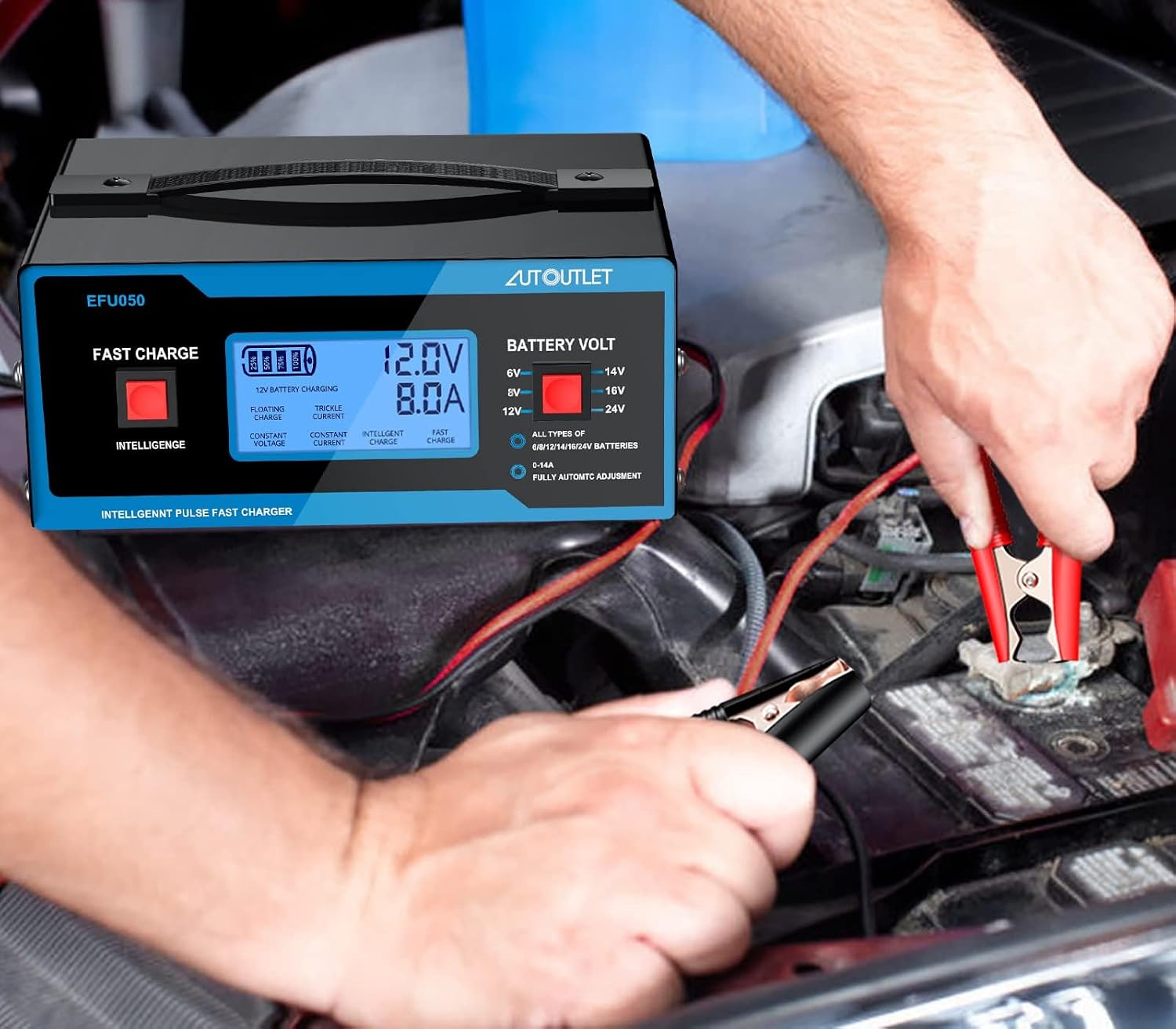
Image: The AUTOUTLET BLM-CDQ-A8 Smart Battery Charger and its accompanying user guide, neatly packaged in its box.
4. Product Overview
Familiarize yourself with the components and features of your AUTOUTLET battery charger.

Image: A detailed diagram of the AUTOUTLET BLM-CDQ-A8 Battery Charger with numbered labels indicating its various components.
- Display the voltage of the charging battery
- Display the charging rate of the battery charger
- Display the real battery voltage
- Display the current of the charging battery
- Switch for choosing a charging mode (Intelligence / Fast Charge)
- Floating charge display
- Constant voltage charge display
- Trickle current charge display
- Constant current charge display
- Intelligent charge mode display
- Fast charge mode display
- Switch for choosing a matched voltage (6V/8V/12V/14V/16V/24V)

Image: An illustration highlighting the compact dimensions (5.27"D x 6.79"W x 2.82"H) and key features such as the built-in cooling fan, handle for easy carrying, upgraded cable clamps, and a longer charging cord (80cm).
5. Setup
Follow these steps to properly set up your AUTOUTLET battery charger:

Image: A visual guide demonstrating the four easy steps to set up the battery charger: 1. Plug into a socket, 2. Select battery voltage, 3. Connect cable clamps to the battery, 4. Press the switch to choose a charging mode.
- Plug in the Charger: Connect the charging cord to a standard 110V-250V AC power socket.
- Select Battery Voltage: Use the 'BATTERY VOLT' switch to select the voltage that matches your battery (6V, 8V, 14V, 16V). For 12V and 24V batteries, the charger will automatically detect the voltage.
- Connect Cable Clamps: Attach the red (+) clamp to the positive terminal of the battery and the black (-) clamp to the negative terminal. Ensure a secure connection.
- Select Charging Mode: Press the 'FAST CHARGE / INTELLIGENCE' switch to choose your desired charging mode. 'Intelligence' mode provides a smart, multi-stage charge, while 'Fast Charge' delivers a quicker charge.
Video: An official AUTOUTLET video demonstrating the setup and basic operation of the 6/8/12/14/16/24V Automotive Battery Charger, showing how to connect it to a car battery and select charging modes.
6. Operating Instructions
Once connected and powered on, the charger will begin its operation. The LCD display will show real-time information about the charging process.

Image: A close-up view of the charger's LCD display, clearly showing the battery voltage, charging current, and selected charging mode (e.g., 12V Battery charging, 6.00A, Fast charge).
- Automatic Voltage Detection: For 12V and 24V lead-acid batteries, the charger automatically detects the correct voltage.
- Manual Voltage Selection: For 6V, 8V, 14V, and 16V batteries, manually select the appropriate voltage using the 'BATTERY VOLT' switch.
- Intelligent Charging Program: The microprocessor-controlled program detects battery voltage, selects the charging rate, and transitions to a float charge once the battery reaches full capacity.
- LCD Display: The LCD screen provides clear information on the battery voltage, charging rate, real battery voltage, charging current, and the active charging mode (Floating, Constant Voltage, Trickle Current, Constant Current, Intelligent Charge, Fast Charge).
- Recondition Function: To activate the recondition function for deeply discharged batteries, press the left switch (Intelligence/Fast Charge) for 3-5 seconds. If there is no response for 1-2 hours, it indicates the battery may be broken and cannot be reconditioned.

Image: The AUTOUTLET battery charger actively connected to a car battery, demonstrating its use in an automotive setting.
7. Maintenance
Proper maintenance ensures the longevity and optimal performance of your battery charger and batteries.
- Charger Care: Keep the charger clean and dry. Store it in a cool, dry place away from direct sunlight, moisture, and corrosive materials.
- Battery Terminals: Regularly inspect and clean battery terminals to ensure good electrical contact. Corroded terminals can hinder charging efficiency.
- Battery Water Levels (for flooded lead-acid batteries): If using flooded lead-acid batteries, check and maintain appropriate electrolyte levels by adding distilled water as needed, especially before charging.
- Cable Inspection: Periodically check the charging cables and clamps for any signs of wear, damage, or corrosion. Replace if necessary.
8. Troubleshooting
| Problem | Possible Cause | Solution |
|---|---|---|
| Charger does not turn on or display is blank. | No power, incorrect connection, or severely discharged battery. | Check power outlet. Ensure clamps are correctly connected (red to positive, black to negative). Verify battery voltage is above 10V for 12V batteries; if below, the charger may not initiate. |
| Charging is slow or not completing. | Incorrect voltage selection, poor connection, or battery issue. | Confirm the correct voltage is selected. Clean battery terminals. Ensure clamps are secure. Battery may be old or damaged. |
| Charger shuts off during operation. | Overheat, short circuit, or over-time protection activated. | Ensure adequate ventilation around the charger. Check for short circuits in connections. Allow charger to cool down if overheated. |
| Recondition function does not work. | Battery is frozen or severely damaged. | The recondition function is not designed for frozen or broken batteries. If no response after 1-2 hours, the battery may be beyond repair. |
9. Specifications
| Feature | Detail |
|---|---|
| Model Number | BLM-CDQ-A8 |
| Rated Input Voltage | AC 110V-250V / 50-60 Hz |
| Rated Output Voltage | 6V / 8V / 12V / 14V / 16V / 24V DC |
| Current Rating | 10 Amps |
| Amperage | 10 Amps |
| Working Temperature | 32°F (0°C) - 104°F (40°C) |
| Battery Type | Lead-acid batteries (Gel, AGM, STD) |
| Work Efficiency | 98% |
| Charger Type | Fully automatic microprocessor controlled |
| Product Dimensions | 5.27"D x 6.79"W x 2.82"H |
| Item Weight | 1 Kilograms |
| Compatible Devices | Lead-acid batteries (Gel, AGM, STD) and vehicles that use them |
| Connector Type | Battery Clamp Connector |
| Number of Ports | 1 |
| Certifications | UL, CE, FCC |

Image: The AUTOUTLET battery charger is suitable for various applications, including Gel, AGM, and STD lead-acid batteries, and vehicles such as cars, golf carts, lawn mowers, and motorcycles.
10. Warranty & Support
AUTOUTLET products come with a warranty of 18 months from the date of purchase. If you require any support, please feel free to contact us.
Email: autoutletshop@outlook.com