
AILE X5
AILE Automatic Upper Arm Blood Pressure Monitor - User Manual
Model: X5
1. Introduction
Thank you for choosing the AILE Automatic Upper Arm Blood Pressure Monitor. This device is designed for convenient and accurate blood pressure and pulse rate measurement at home. It features an adjustable large cuff (22-42cm) and memory for two users, making it suitable for most adults. Please read this manual thoroughly before use to ensure proper operation and to obtain accurate readings.
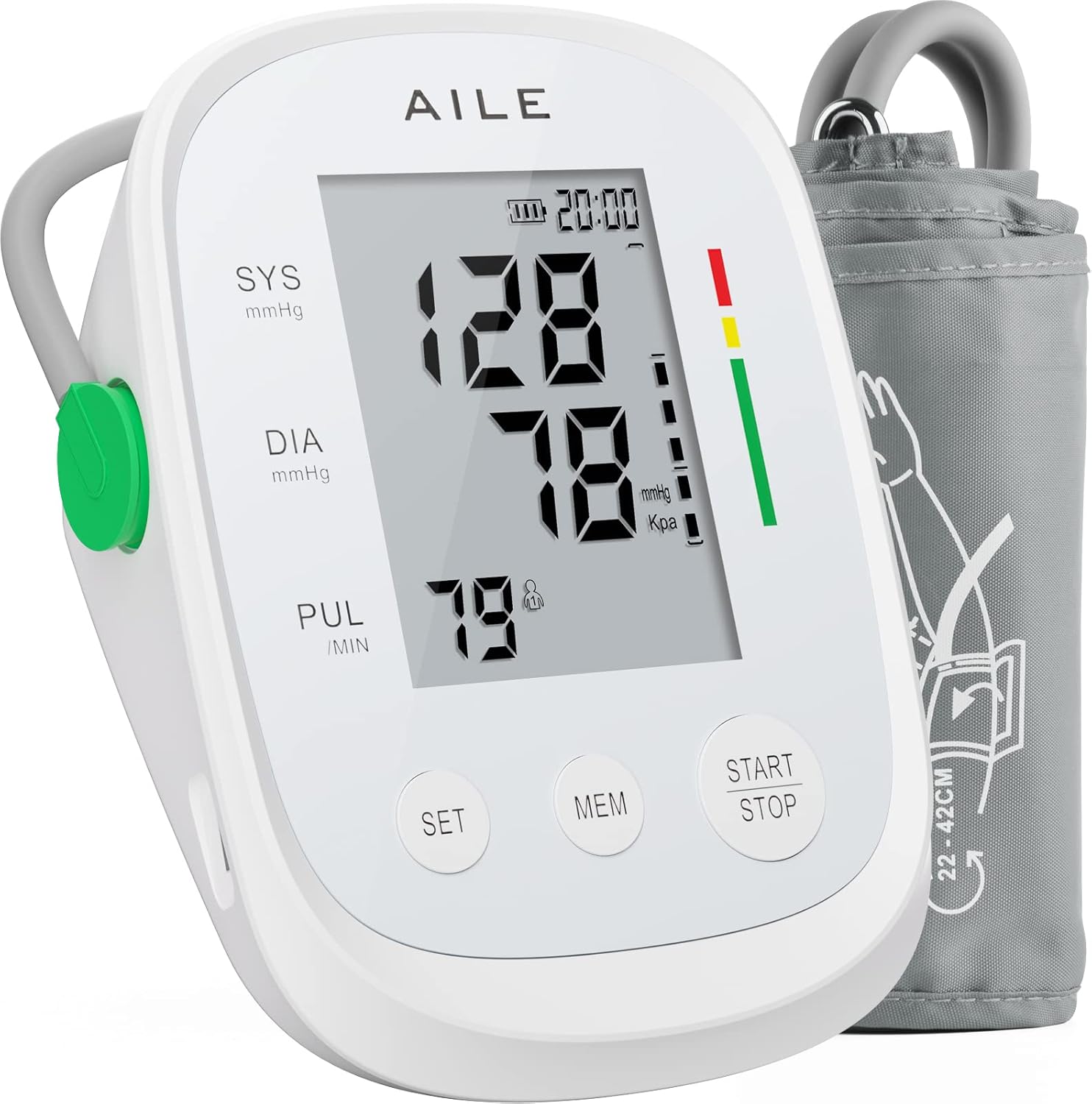
Image 1.1: The AILE Blood Pressure Monitor and its adjustable cuff.
2. Safety Information
- Consult your physician before using this device if you have any medical conditions.
- Do not use this device on infants, children, or individuals who cannot express their consent.
- Do not use this device for purposes other than measuring blood pressure and pulse rate.
- Avoid taking measurements immediately after bathing, exercising, or consuming alcohol/caffeine.
- Ensure the cuff is properly applied and not too tight, as this may affect accuracy or cause discomfort.
- Keep the device away from strong electromagnetic fields.
- Do not disassemble or attempt to repair the device yourself. Contact customer support for assistance.
3. Product Components
The AILE Blood Pressure Monitor package includes the following components:
- 1 x AILE Blood Pressure Monitor Unit
- 1 x Adjustable Upper Arm Cuff (22-42cm)
- 1 x USB Cable (for power, batteries not included)
- 1 x User Manual (this document)
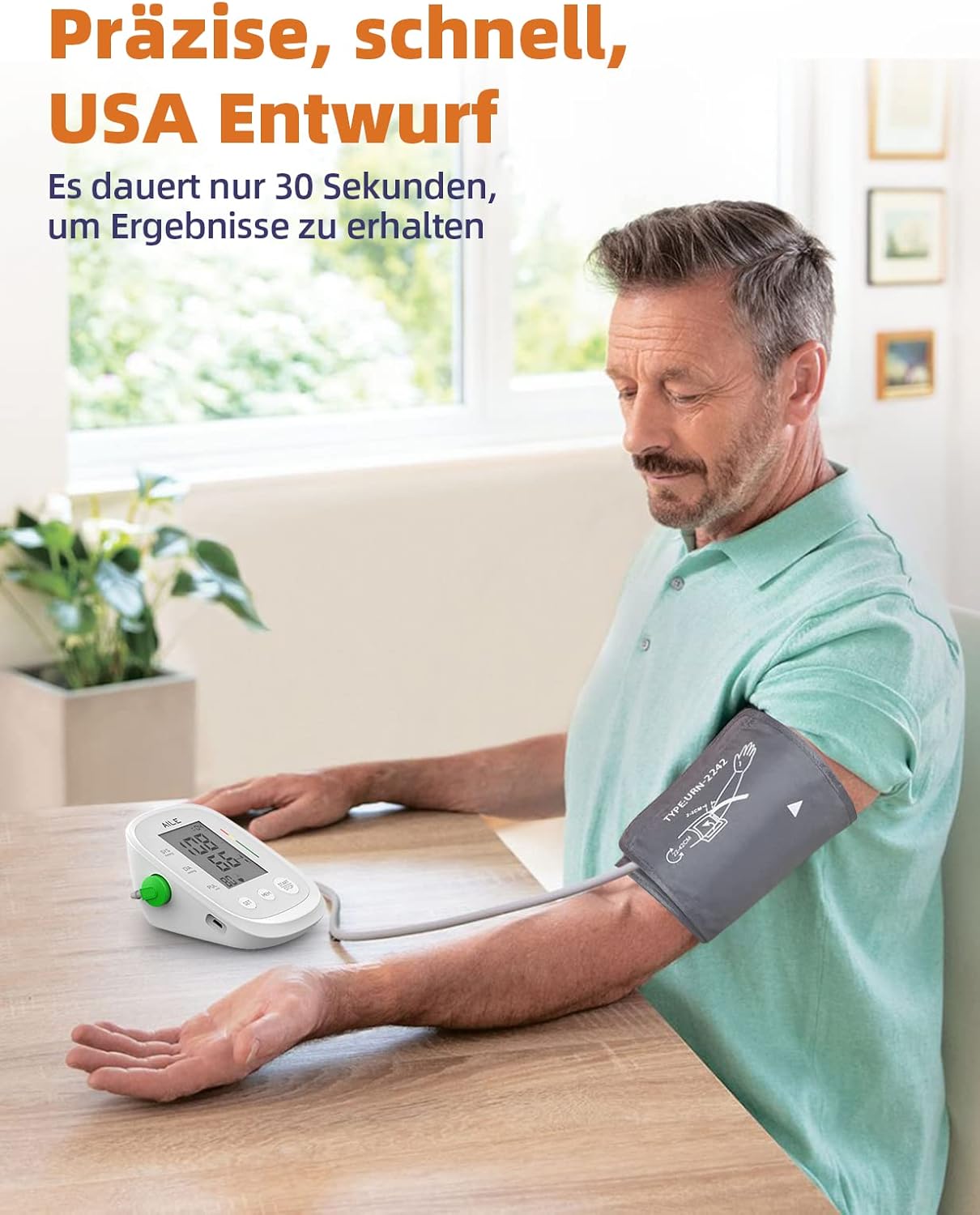
Image 3.1: The blood pressure monitor in use, demonstrating its compact design.
4. Setup
4.1 Power Supply
The AILE Blood Pressure Monitor can be powered by either AAA batteries or a USB cable.
- Using Batteries: Open the battery compartment on the back of the device. Insert four (4) 1.5V AAA batteries, ensuring correct polarity (+/-). Close the compartment securely.
- Using USB Cable: Connect the provided USB cable to the USB port on the side of the monitor and plug the other end into a compatible USB power source (e.g., a wall adapter, computer USB port).

Image 4.1: Power options: 4x AAA batteries or Micro USB cable.
4.2 Cuff Connection
Connect the air tube from the cuff securely into the air jack located on the side of the main unit. Ensure a snug fit to prevent air leakage during measurement.
5. Operating Instructions
5.1 Proper Cuff Placement
Accurate measurement depends on correct cuff placement. Follow these steps:
- Sit comfortably with your back supported and feet flat on the floor. Relax for 5 minutes before measuring.
- Place the cuff on your bare upper arm, about 2-3 cm (0.8-1.2 inches) above your elbow joint. The air tube should run down the inside of your arm.
- Wrap the cuff snugly around your arm, ensuring it is not too tight or too loose. You should be able to insert two fingers between the cuff and your arm.
- Rest your arm on a table so the cuff is at the same level as your heart. Remain still and quiet during the measurement.

Image 5.1: Cuff positioned 2-3 cm above the elbow.

Image 5.2: Ensure at least two fingers can fit under the cuff.

Image 5.3: Position your arm so the cuff is level with your heart.

Image 5.4: The adjustable cuff fits arm circumferences from 22cm to 42cm.
5.2 Taking a Measurement
Once the cuff is correctly placed and the device is powered on:
- Press the START/STOP button. The cuff will automatically inflate, and the measurement will begin.
- Remain still and do not talk during the measurement process.
- Once the measurement is complete (approximately 30 seconds), the cuff will deflate, and your Systolic (SYS), Diastolic (DIA) blood pressure, and Pulse (PUL) rate will be displayed on the large LCD screen.
- The device will automatically store the reading in the selected user's memory.
- Press the START/STOP button again to turn off the device, or it will automatically shut off after a period of inactivity.

Image 5.5: Pressing the START/STOP button to begin a measurement.
5.3 User Modes and Memory Function
The AILE Blood Pressure Monitor supports two users (User 1 and User 2) with 99 memory records each, totaling 198 readings. This allows for tracking individual progress over time.
- Selecting a User: Before taking a measurement, press the SET button to toggle between User 1 and User 2. The selected user icon will be displayed on the screen.
- Viewing Memory: Press the MEM button to view past readings. Each press will cycle through the stored measurements, displaying the blood pressure, pulse rate, and the date/time of the measurement. The average of the last three readings will also be displayed automatically.

Image 5.6: The monitor supports two users, each with independent memory storage.
6. Maintenance and Storage
- Cleaning: Wipe the monitor and cuff with a soft, dry cloth. If necessary, use a slightly damp cloth with mild soap, then wipe dry. Do not use abrasive cleaners or immerse the device in water.
- Storage: Store the device in a cool, dry place, away from direct sunlight, extreme temperatures, and humidity. Keep it out of reach of children and pets.
- Battery Replacement: If the low battery indicator appears, replace all four AAA batteries simultaneously. Remove batteries if the device will not be used for an extended period.

Image 6.1: The compact design allows for easy storage and portability.
7. Troubleshooting
| Problem | Possible Cause | Solution |
|---|---|---|
| Device does not turn on. | Batteries are dead or incorrectly inserted; USB cable not connected. | Replace batteries with new ones, ensuring correct polarity. Check USB cable connection. |
| Error message (e.g., "Err"). | Cuff not properly applied; movement during measurement; irregular heartbeat detected. | Re-apply cuff correctly. Remain still and quiet. If error persists, consult a physician. |
| Inaccurate readings. | Incorrect cuff placement; talking/moving during measurement; arm not at heart level; recent activity. | Ensure proper cuff placement and arm position. Relax before measurement. Avoid talking or moving. |
| Cuff does not inflate or deflates too quickly. | Air tube loose or disconnected; cuff leakage. | Check that the air tube is securely connected to the monitor and cuff. Inspect cuff for damage. |
If you encounter issues not listed here or if problems persist, please contact AILE customer support.
8. Specifications
| Feature | Detail |
|---|---|
| Product Name | Upper Arm Blood Pressure Monitor |
| Model Number | X5 |
| Brand | AILE |
| Cuff Size | Adjustable, 22-42 cm (8.7 - 16.5 inches) |
| Measurement Method | Oscillometric |
| Measurement Range | Blood Pressure: 0-299 mmHg; Pulse: 40-199 beats/minute |
| Accuracy | Pressure: ±3 mmHg; Pulse: ±5% of reading |
| Memory | 2 users, 99 records per user (total 198) with date/time stamp |
| Display Type | Large LCD Digital Display |
| Power Source | 4 x 1.5V AAA Batteries (not included) or USB Cable (included) |
| Automatic Shut-off | Yes |
| Product Dimensions | Approx. 16.2 x 11.4 x 8.8 cm |
| Product Weight | Approx. 380 grams |
| Origin | China |
9. Warranty and Support
AILE products are manufactured with high-quality materials and are thoroughly inspected before shipment. While specific warranty details are not provided in this manual, please retain your purchase receipt as proof of purchase.
For any questions, technical support, or warranty claims, please contact AILE customer service through the platform where you purchased the product or refer to the contact information provided on the product packaging.
We are committed to ensuring your satisfaction with AILE products.
Related documentsX5


Ask a question about this manual
Ask about setup, troubleshooting, compatibility, parts, safety, or missing instructions. Manuals+ will review the question and use this page’s manual context to help answer it.