1. Overview
The Yamaha YCM01 is a studio-quality condenser microphone designed for a broad range of audio applications. It features a cardioid polar pattern, which enhances sensitivity towards the sound source directly in front of the microphone, making it suitable for live streaming, gaming voice chat, musical performances, remote meetings, and music recording and production.
This microphone is engineered to deliver clear and focused audio capture. Its robust construction ensures durability and reliable performance across various environments.
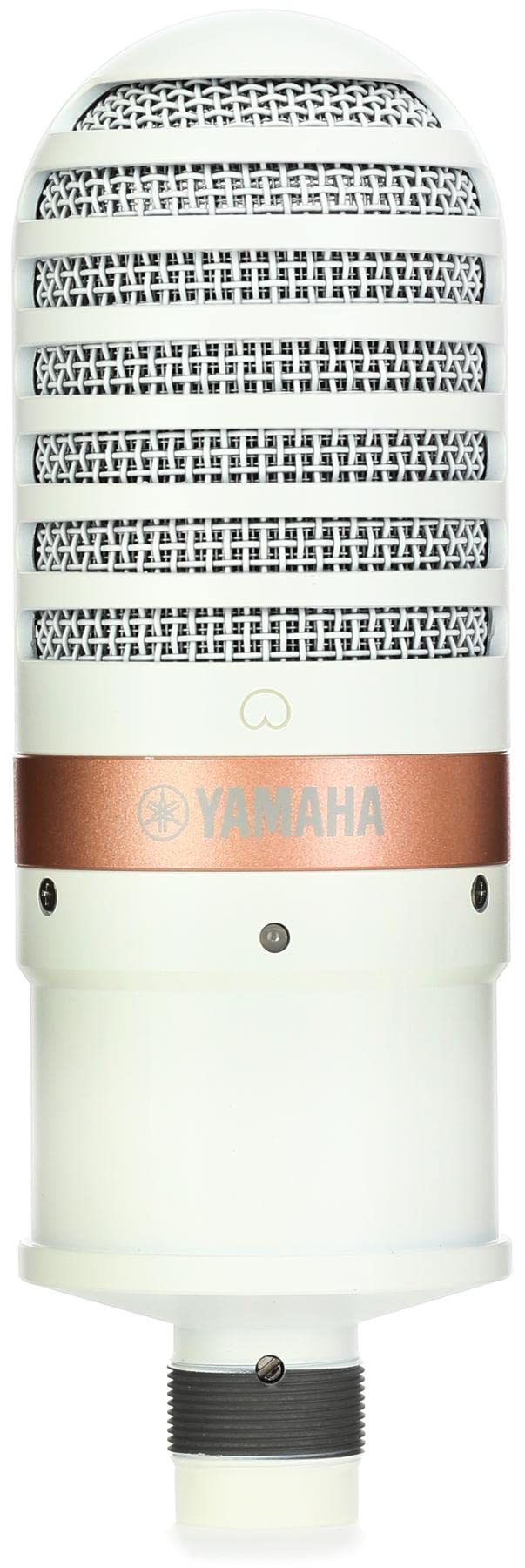
Image 1: The Yamaha YCM01 White High-Definition Condenser Microphone, showcasing its design and grille.
2. Setup
2.1 Unpacking and Contents
Carefully unpack your Yamaha YCM01 microphone. Ensure all components are present:
- YCM01 Condenser Microphone
- Microphone stand adaptor
- Microphone pouch
2.2 Connecting the Microphone
The YCM01 connects via an XLR cable (not included) to an audio interface or mixer. This connection provides both the audio signal path and phantom power, which is required for the microphone's operation.
- Attach the Microphone to a Stand: Secure the YCM01 to a microphone stand using the provided microphone stand adaptor.
- Connect the XLR Cable: Insert one end of a standard XLR cable into the XLR port at the base of the microphone.
- Connect to Audio Interface/Mixer: Connect the other end of the XLR cable to an available XLR input on your audio interface or mixer. Ensure your audio interface or mixer is capable of supplying +48V phantom power.
- Power On Phantom Power: Activate the +48V phantom power on your audio interface or mixer. The microphone will not function without it.
Video 1: A product overview video demonstrating the setup and features of a similar Audio-Technica microphone, illustrating general connection principles for condenser microphones.
3. Operation
3.1 Microphone Placement
The YCM01 utilizes a cardioid polar pattern, meaning it is most sensitive to sounds coming from the front and rejects sounds from the sides and rear. For optimal sound capture:
- Directivity: Position the microphone so that the front (where the Yamaha logo is typically located) faces the sound source directly.
- Distance: Maintain an appropriate distance from the sound source. For vocals, a distance of 6-12 inches (15-30 cm) is often ideal to balance clarity and warmth.
- Environment: Minimize background noise by using the microphone in a quiet environment. The cardioid pattern helps, but it does not eliminate all ambient sound.
3.2 Monitoring Your Audio
If your audio interface has a headphone output, connect headphones to monitor your audio in real-time. This allows you to hear exactly what the microphone is capturing and adjust your speaking or singing position and volume accordingly.
4. Maintenance
Proper maintenance ensures the longevity and optimal performance of your YCM01 microphone:
- Cleaning: Use a soft, dry cloth to wipe the microphone body. Avoid using liquid cleaners or solvents, as these can damage the finish or internal components.
- Storage: When not in use, store the microphone in its provided pouch to protect it from dust, moisture, and physical damage.
- Handling: Handle the microphone with care. Avoid dropping it or subjecting it to strong impacts, which can affect its sensitive internal components.
5. Troubleshooting
If you encounter issues with your YCM01 microphone, consider the following common solutions:
- No Sound:
- Ensure +48V phantom power is enabled on your audio interface/mixer.
- Check all XLR cable connections for secure fit.
- Verify that the correct input is selected in your computer's sound settings or recording software.
- Low Volume:
- Increase the gain/input level on your audio interface/mixer.
- Ensure the microphone is positioned correctly, facing the sound source directly.
- Distorted Sound:
- Reduce the gain/input level on your audio interface/mixer to prevent clipping.
- Ensure the sound source is not too close to the microphone.
- Excessive Background Noise:
- Move to a quieter recording environment.
- Ensure the microphone is correctly oriented to utilize its cardioid pattern effectively.
6. Specifications
| Feature | Specification |
|---|---|
| Microphone Form Factor | Table Array |
| Item Dimensions (L x W x H) | 9.35 x 8.25 x 4.65 inches |
| Power Source | Corded Electric (requires +48V Phantom Power) |
| Material | Metal |
| Signal-to-Noise Ratio | 78 dB |
| Number of Channels | 1 |
| Frequency Response | 16000 Hz |
| Item Weight | 2 pounds (907 Grams) |
| ASIN | B09YG7DY94 |
| Item Model Number | YCM01 W |
| Date First Available | April 20, 2022 |
| Color | White |
| Recommended Uses | Streaming |
| Connectivity Technology | XLR |
| Connector Type | XLR |
| Special Feature | Condenser Microphone |
| Compatible Devices | Personal Computer, Audio Interface, Mixing Console |
| Included Components | Microphone stand adaptor, Microphone pouch |
| Polar Pattern | Unidirectional (Cardioid) |
7. Warranty and Support
For detailed warranty information and customer support, please refer to the official Yamaha website or contact your local Yamaha dealer. Keep your purchase receipt as proof of purchase for warranty claims.
Online resources, including FAQs and additional product documentation, may be available on the Yamaha support pages.


