
1. Introduction
The JBL Boombox 3 is a powerful portable Bluetooth speaker designed to deliver massive JBL Original Pro Sound with deep bass and clear audio. Its rugged, dustproof, and waterproof design makes it suitable for various environments, from poolside to outdoor gatherings. This manual provides essential information for setting up, operating, and maintaining your speaker.
2. What's in the Box
- 1 x JBL Boombox 3 Speaker
- 1 x AC Power Cord
- 1 x Quick Start Guide
- 1 x Safety Sheet
- 1 x Warranty Card

Image: The JBL Boombox 3 speaker shown with its included AC power cord, quick start guide, safety sheet, and warranty card.
3. Key Features
- Massive JBL Original Pro Sound: Experience powerful audio with deep bass and clear sound from the new 3-way speaker system.
- 24 Hours of Playtime: Enjoy extended listening sessions with a long-lasting battery.
- IP67 Dustproof and Waterproof: Designed to withstand dust and water, making it ideal for outdoor use.
- Strong, Bold Design: Features a sturdy metal handle with silicone grips and twin sidecaps for durability and portability.
- PartyBoost: Connect multiple JBL PartyBoost-compatible speakers for stereo sound or a larger audio experience.
- Built-In Powerbank: Charge your external devices directly from the speaker.
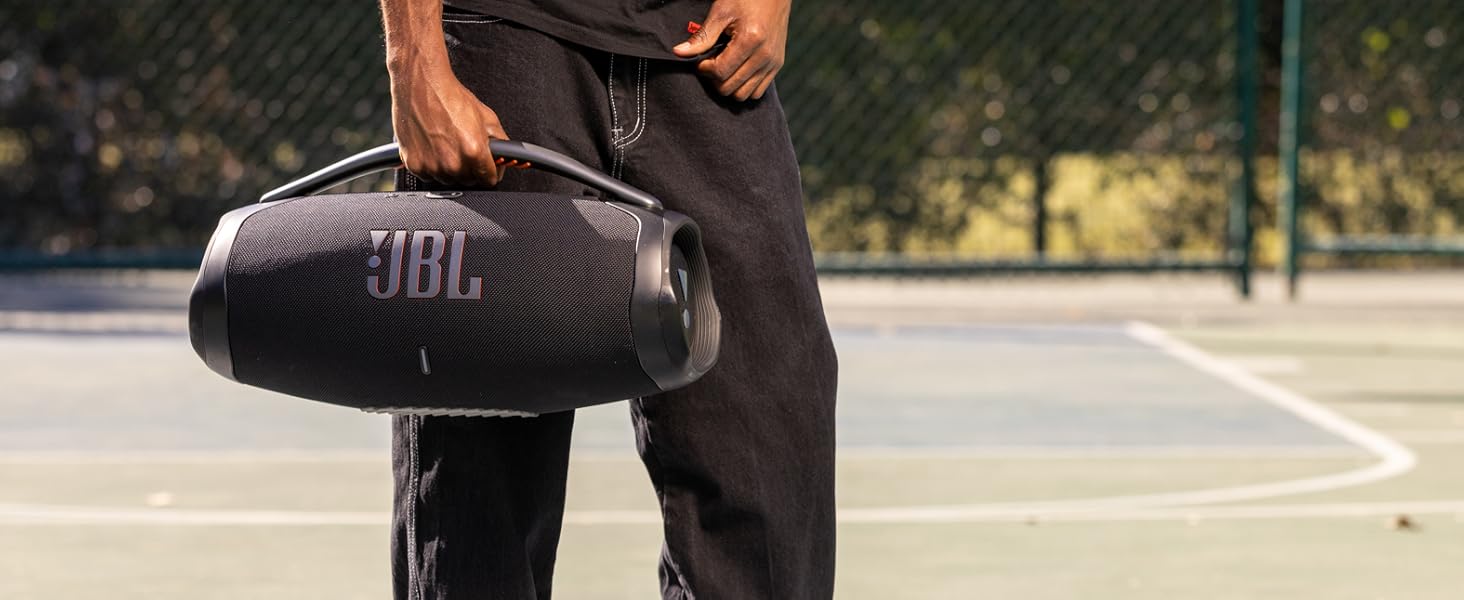
Image: The JBL Boombox 3 with text overlay emphasizing "massive sound".
4. Setup
4.1 Charging the Speaker
- Open the protective flap on the back of the speaker.
- Connect the supplied AC power cord to the speaker's power input.
- Plug the other end of the AC power cord into a wall outlet.
- The battery indicator lights will show the charging status. The speaker is fully charged when all lights are solid.
4.2 Bluetooth Pairing
- Power on the JBL Boombox 3 by pressing the power button.
- Press the Bluetooth button on the speaker. The Bluetooth indicator will flash, indicating it's in pairing mode.
- On your mobile device, go to Bluetooth settings and select "JBL Boombox 3" from the list of available devices.
- Once connected, the Bluetooth indicator will remain solid.

Image: The JBL Boombox 3 speaker in camouflage, showcasing its robust design and top panel buttons for power and Bluetooth.
5. Operating Instructions
5.1 Basic Controls
- Power Button: Press to turn the speaker ON/OFF.
- Bluetooth Button: Press to enter Bluetooth pairing mode.
- Volume Buttons (+/-): Press to adjust the volume up or down.
- Play/Pause Button: Press to play or pause music. Double-press to skip to the next track.
5.2 PartyBoost Function
PartyBoost allows you to connect multiple JBL PartyBoost-compatible speakers together for an enhanced audio experience. To activate:
- Ensure all speakers are powered on and in Bluetooth pairing mode.
- Press the PartyBoost button on the first speaker.
- Press the PartyBoost button on all other compatible speakers you wish to connect.
- The speakers will automatically connect and synchronize audio.
5.3 Using the Powerbank Feature
The JBL Boombox 3 includes a built-in powerbank to charge your external devices.
- Open the protective flap on the back of the speaker.
- Connect your device's USB charging cable to the USB-A port on the speaker.
- Your device will begin charging automatically.
Video: Official product video showcasing the JBL Boombox 3's features, including its sound, durability, and battery life. This video is provided by the seller, Harman Kardon.
6. Maintenance
- Cleaning: Use a soft, damp cloth to clean the speaker. Do not use harsh chemicals or abrasive materials.
- Water Exposure: While IP67 rated, ensure the charging port cover is securely closed before exposing the speaker to water or dust. After exposure to water, dry the speaker thoroughly before charging.
- Storage: Store the speaker in a cool, dry place away from direct sunlight and extreme temperatures.
- Battery Care: To prolong battery life, fully charge the speaker at least once every 3 months if not in regular use.
7. Troubleshooting
| Problem | Solution |
|---|---|
| Speaker does not power on. | Ensure the battery is charged. Connect to power using the AC adapter. |
| Bluetooth connection fails. | Ensure the speaker is in pairing mode (flashing Bluetooth light). Check your device's Bluetooth settings. Try restarting both devices. |
| No sound or low volume. | Adjust volume on both the speaker and your connected device. Ensure the speaker is not muted. |
| PartyBoost not connecting. | Ensure all speakers are PartyBoost compatible and in pairing mode. Press the PartyBoost button on all speakers. |
| Device not charging via powerbank. | Ensure the speaker has sufficient battery charge. Check the USB cable and connection. |
8. Specifications
| Feature | Detail |
|---|---|
| Brand | JBL |
| Model Number | JBLBOOMBOX3SQUADAM |
| Speaker Maximum Output Power | 180 Watts |
| Frequency Response | 20000 Hz |
| Connectivity Technology | Wired, Wireless (Bluetooth) |
| Audio Output Mode | Stereo |
| Mounting Type | Floor Standing |
| Enclosure Material | Metal, Plastic |
| Additional Features | Built-In Powerbank, Smartphone-Charging, Stereo Pairing, Waterproof |
| Subwoofer Diameter | 8.6 Inches |
| Tweeter Diameter | 0.75 Inches |
| Water Resistance Level | Waterproof (IP67) |
| Battery Average Life | 24 Hours |
| Item Dimensions (D x W x H) | 7.9"D x 19"W x 10.1"H |
| Item Weight | 14.7 Pounds |
| Compatible Devices | Audio Player, Club House, DJ, Laptop, Smartphone, Tablet |
| Power Source | Battery Powered |
| Number of Batteries | 1 Lithium Ion batteries required |
| UPC | 050036389082 |
9. Warranty & Support
9.1 Warranty Information
The JBL Boombox 3 comes with a 1-year manufacturer's warranty. Please refer to the included Warranty Card for detailed terms and conditions.
9.2 Customer Support
For further assistance, troubleshooting, or product inquiries, please visit the official JBL website or contact their customer support. You can find contact details on the JBL website or in the Safety Sheet included with your product.
Online Support: www.jbl.com/support


