1. Introduction
Thank you for choosing the ArtSound BRAINWAVE03 Wireless Earbuds. These earbuds are designed to provide a superior audio experience with active noise cancellation, clear call quality, and a comfortable, water-resistant design. This manual provides essential information for setting up, operating, and maintaining your earbuds to ensure optimal performance.
2. Safety Information
- Do not expose the earbuds or charging case to extreme temperatures, direct sunlight, or high humidity.
- Avoid dropping, impacting, or disassembling the device. This may void the warranty.
- Keep out of reach of children and pets. Small parts may pose a choking hazard.
- Use only the provided charging cable or a certified equivalent.
- Prolonged listening at high volume levels can cause permanent hearing damage. Adjust volume to a safe level.
- Be aware of your surroundings when using earbuds, especially in traffic or other potentially hazardous situations.
3. Package Contents
Please check the package for the following items:
- ArtSound BRAINWAVE03 Wireless Earbuds (Left and Right)
- Wireless Charging Case
- USB Charging Cable
- Multiple Sizes of Ear Tips
- User Manual
4. Product Overview
The ArtSound BRAINWAVE03 earbuds are designed for comfort and high-quality audio. Each earbud features a touch-sensitive surface for control and an integrated microphone for calls.
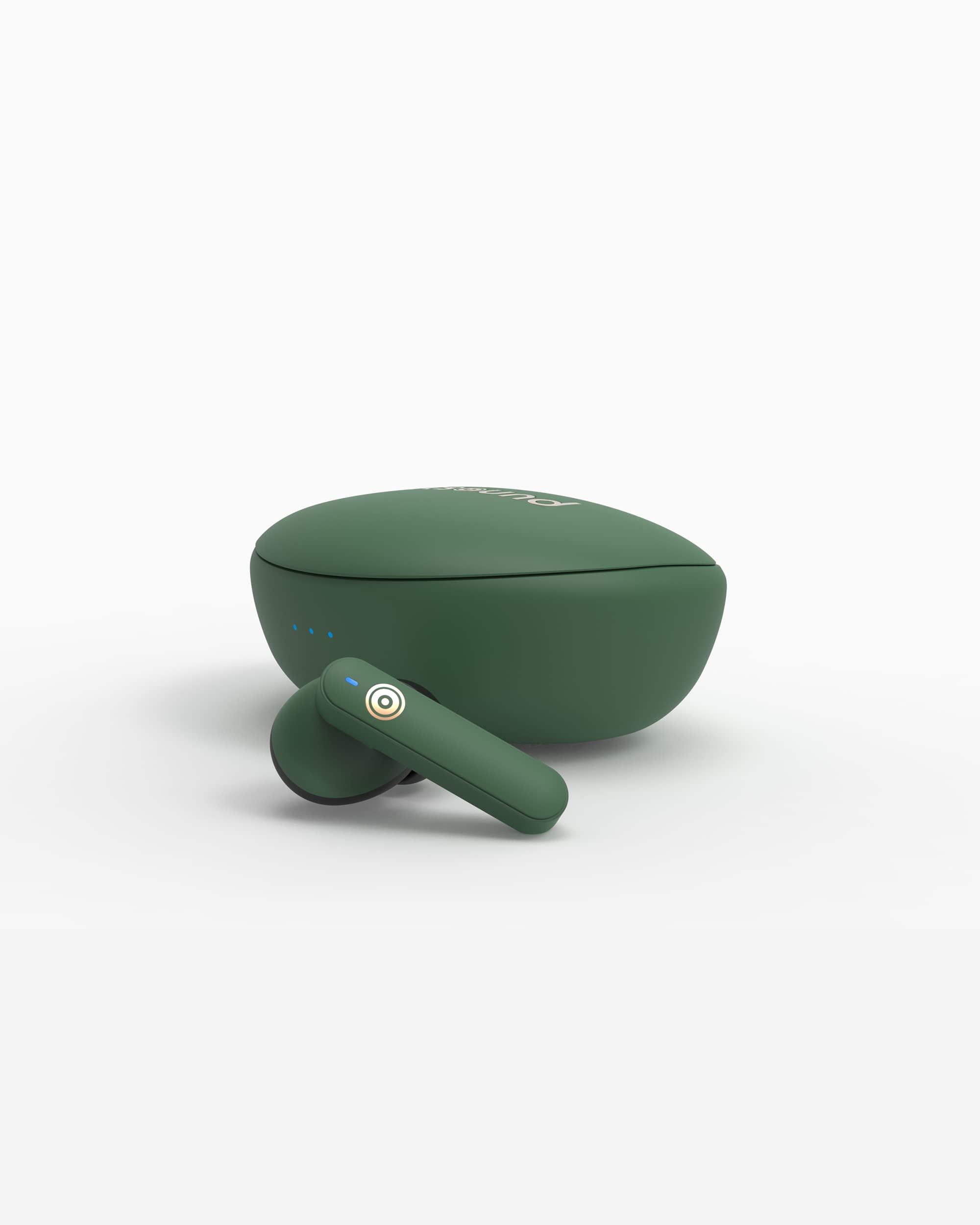
Figure 1: ArtSound BRAINWAVE03 Green Wireless Earbuds (Left and Right)
The compact charging case not only protects your earbuds but also recharges them on the go, extending their battery life.

Figure 2: ArtSound BRAINWAVE03 Earbuds placed inside the open charging case.

Figure 3: The ArtSound BRAINWAVE03 charging case in its closed state.
5. Setup
5.1 Initial Charging
- Place both earbuds into the charging case.
- Connect the charging case to a USB power source using the provided USB cable.
- The indicator lights on the case will show charging status. Ensure the case and earbuds are fully charged before first use (approximately 4 hours for the case).
5.2 Bluetooth Pairing
- Open the charging case. The earbuds will automatically enter pairing mode, indicated by a flashing LED on the earbuds.
- On your device (smartphone, tablet, etc.), enable Bluetooth.
- Search for available Bluetooth devices and select "ArtSound BRAINWAVE03" from the list.
- Once connected, the earbud LEDs will stop flashing or show a solid light, and you will hear an audible confirmation.
5.3 Fitting the Earbuds
For optimal sound quality and comfort, choose the ear tips that best fit your ears. Gently insert the earbuds into your ear canal and twist slightly to secure them.
6. Operating Instructions
The ArtSound BRAINWAVE03 earbuds feature intuitive touch controls. The functions may vary slightly depending on your device and application.
6.1 Power On/Off
- Power On: Open the charging case, or press and hold the touch area on both earbuds for 3 seconds.
- Power Off: Place the earbuds back into the charging case and close the lid, or press and hold the touch area on both earbuds for 5 seconds.
6.2 Music Playback
- Play/Pause: Single tap on either earbud.
- Next Track: Double tap on the right earbud.
- Previous Track: Double tap on the left earbud.
6.3 Call Management
- Answer/End Call: Single tap on either earbud.
- Reject Call: Press and hold on either earbud for 2 seconds.
6.4 Active Noise Cancellation (ANC)
- Toggle ANC/Transparency Mode: Triple tap on the left earbud to cycle through ANC On, Transparency Mode, and ANC Off.
6.5 Voice Assistant
- Activate Voice Assistant: Triple tap on the right earbud.
7. Charging
7.1 Charging the Earbuds
Place the earbuds into the charging case. They will automatically begin charging. The LED indicators on the earbuds will show charging status and turn off when fully charged.
7.2 Charging the Case
Connect the charging case to a USB power source using the provided USB cable. The indicator lights on the case will illuminate to show charging progress. A full charge for the case takes approximately 4 hours.
Battery Life:
- Earbud Playtime: Up to 4 hours on a single charge.
- Total Playtime with Charging Case: Up to 12 hours.
8. Maintenance
- Cleaning: Use a soft, dry cloth to clean the earbuds and charging case. Do not use abrasive cleaners or solvents.
- Ear Tips: Regularly remove and clean the ear tips with water and mild soap. Ensure they are completely dry before reattaching.
- Storage: When not in use, store the earbuds in their charging case to protect them and keep them charged.
- Water Resistance: The earbuds are water-resistant, meaning they can withstand splashes and sweat. They are not designed for submersion in water. Ensure the charging port is dry before charging.
9. Troubleshooting
| Issue | Possible Solution |
|---|---|
| Earbuds not pairing |
|
| No sound or low volume |
|
| Earbuds not charging |
|
| Active Noise Cancellation not working |
|
10. Specifications
| Feature | Detail |
|---|---|
| Brand | Artsound |
| Model Name | BRAINWAVE03GR |
| Connectivity Technology | Wireless (Bluetooth 5.0) |
| Noise Control | Active Noise Cancellation |
| Ear Placement | In-Ear |
| Form Factor | In-Ear |
| Microphone | Included |
| Water Resistance Level | Water-resistant |
| Control Type | Touch Control |
| Earbud Playtime | Up to 4 hours |
| Total Playtime (with Case) | Up to 12 hours |
| Charging Case Recharge Time | Approximately 4 hours |
| Frequency Range | 20 Hz - 20,000 Hz |
| Audio Driver Type | Dynamic |
| Included Components | Wireless charging case, ear tips |
11. Warranty and Support
ArtSound products are manufactured to high-quality standards. For detailed warranty information, please refer to the warranty card included in your product packaging or visit the official ArtSound website. For technical support, troubleshooting assistance, or to inquire about replacement parts, please contact ArtSound customer service through their official channels.
Online Support: Visit the official ArtSound website for FAQs, product registration, and contact information.


