
1. Introduction and Overview
The HIENA Professional Mens Hair Clippers are designed for precise hair cutting and grooming. Featuring premium T-blades for zero-gap trimming, an ergonomic design for comfortable handling, and a cordless, USB-rechargeable operation with a smart LCD display, this trimmer is suitable for various styling needs including lining, sculpting, and trimming beards and body hair.
2. Product Features
- Premium T-Blades: Made of alloy, designed for close-to-skin, zero-gap trimming to prevent irritation and cuts.
- Ergonomic Design: Comfortable grip reduces hand fatigue and allows for better control during use.
- Cordless & USB Rechargeable: Offers up to 180 minutes of working time on a 2-hour charge, compatible with any USB charger interface.
- Smart LCD Display: Indicates battery level, ensuring you are aware of charging needs.
- Versatile Use: Ideal for lining, sculpting outlines, sideburns, beard trimming, and body hair grooming.
- Durable Construction: Features zinc alloy material and an embossed design.
3. What's in the Box
Your HIENA Professional Hair Clippers package includes:
- HIENA Professional Hair Clippers
- Three Guide Combs (1.5mm, 3mm, 4.5mm)
- Lubricating Oil
- Blade Cover
- USB Charging Cable
- Cleaning Comb
- Cleaning Brush

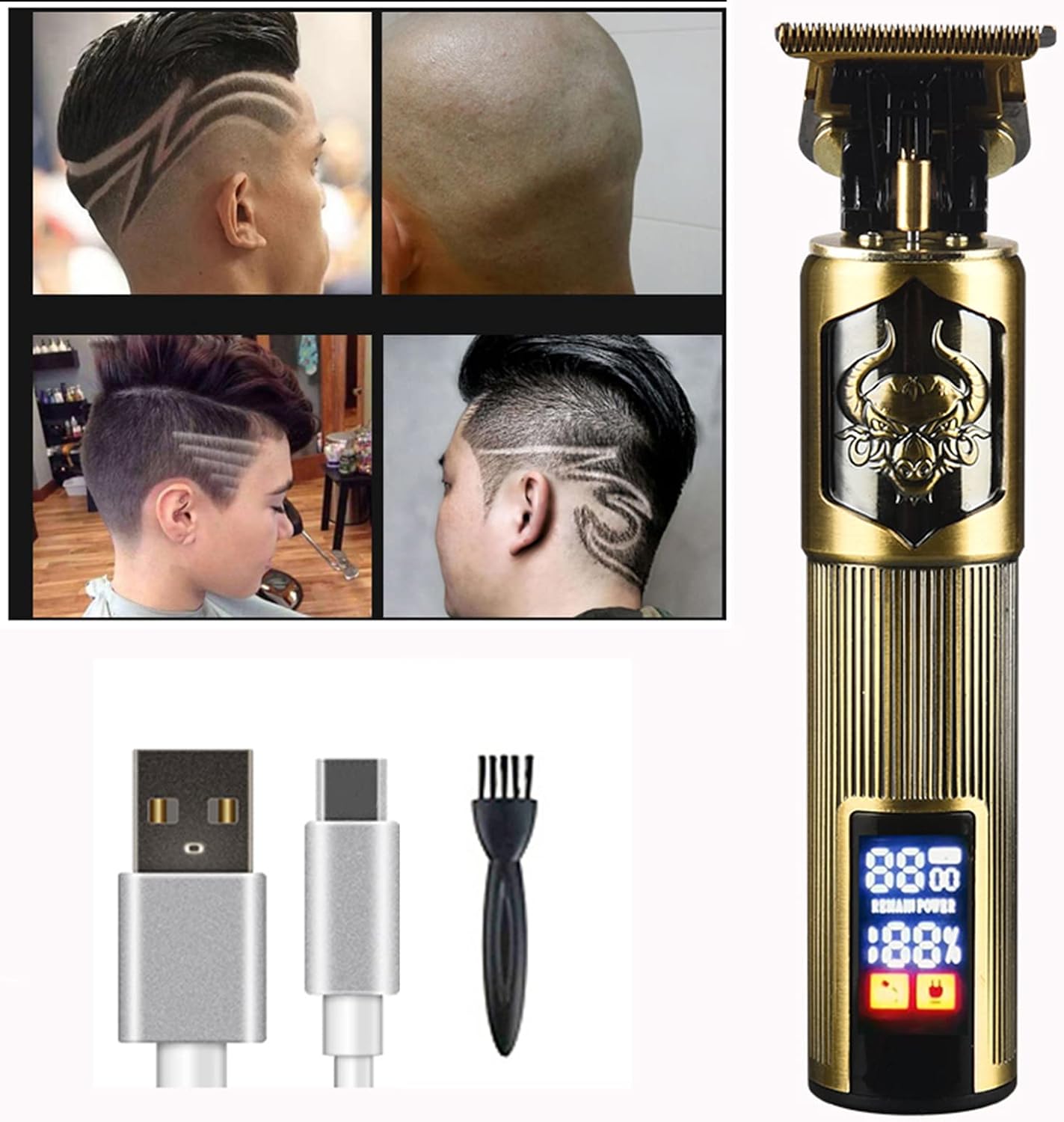
Image: HIENA Professional Hair Clippers with its accessories, including guide combs, USB cable, and cleaning brush.
4. Setup
- Unpack: Carefully remove all components from the packaging. Inspect the clipper and accessories for any damage.
- Initial Charge: Before first use, fully charge the clipper. Connect the USB charging cable to the Type-C port on the clipper and plug the other end into a compatible USB power source. The LCD display will show the charging status. A full charge takes approximately 2 hours.
- Lubricate Blades: Apply a small drop of the included lubricating oil to the blades before the first use and after each cleaning to ensure smooth operation and longevity.
- Attach Guide Comb (Optional): If a specific hair length is desired, select one of the three guide combs (1.5mm, 3mm, or 4.5mm) and securely attach it to the clipper head. For zero-gap trimming, use the clipper without a guide comb.

Image: Detail of the Type-C charging port and the clipper's design.
5. Operating Instructions
- Power On/Off: Press the power button located on the clipper to turn it on. Press again to turn it off. The LCD display will illuminate when the clipper is on.
- Check Battery: Monitor the battery percentage on the LCD display to ensure sufficient power for your grooming session.
- Trimming Hair:
- For best results, ensure hair is clean and dry.
- Hold the clipper at a slight angle against the skin.
- Move the clipper slowly and steadily against the direction of hair growth.
- Use the guide combs for desired hair length. For a very close trim or detailing, remove the guide comb.
- Detailing and Edging: The zero-gapped T-blades are ideal for creating sharp lines, precise edges, and intricate designs. Use gentle pressure and a steady hand.

Image: The zero-gap cutter head, designed for oil head engraving and precise trimming.

Image: The LCD display on the clippers, showing battery and RPM information.
6. Maintenance
- Cleaning Blades: After each use, turn off the clipper and use the included cleaning brush to remove any hair clippings from the blades.
- Lubrication: Regularly apply a small amount of lubricating oil to the blades to maintain optimal cutting performance and prevent rust.
- Storage: Store the clipper in a dry, cool place, away from direct sunlight and moisture. Use the blade cover to protect the blades when not in use.
- Charging: Recharge the clipper when the battery indicator on the LCD display shows low power. Avoid overcharging for extended periods.
7. Troubleshooting
- Clipper not turning on: Ensure the clipper is fully charged. If the battery is low, connect it to the charger.
- Poor cutting performance: Check if the blades are clean and free of hair. Apply lubricating oil to the blades. Ensure the guide comb is correctly attached, if used.
- Excessive noise or vibration: Clean and lubricate the blades. If the issue persists, contact customer support.
- Clipper not charging: Verify that the USB cable and power adapter are working correctly. Ensure the Type-C port on the clipper is clean and free of debris.
8. Specifications
| Brand | HIENA |
| Model | Professional Mens Hair Clippers |
| Blade Material | Stainless Steel, Titanium |
| Special Feature | Cordless, Rechargeable, LCD Display |
| Recommended Uses | Clipping, Grooming, Trimming |
| Target Audience | Men |
| Charging Time | Approx. 2 hours |
| Operating Time | Up to 180 minutes |
9. Product Images

10. Official Product Videos
No official product videos from the seller are available for embedding at this time.
11. Warranty and Support
For warranty information, technical support, or any product-related inquiries, please refer to the documentation included with your purchase or contact HIENA customer service directly through their official channels. Keep your proof of purchase for warranty claims.