
1. Product Overview
The Signia Inductive Charger II is designed to provide convenient and efficient charging and drying for compatible Signia hearing aids. This charger ensures your hearing aids are ready for a full day of use by combining fast charging capabilities with a drying function.
Compatible Hearing Aids: Motion Charge&Go X, Pure Charge&Go X, Pure Charge&Go Nx, Motion Charge&Go Nx.
Key Features:
- Integrated charger lid for protection during charging and as a smart carrying case.
- Fast charging option for quick power boosts.
- Drying function via inductive charging to maintain hearing aid performance.
- Intuitive left and right LEDs for clear status information.
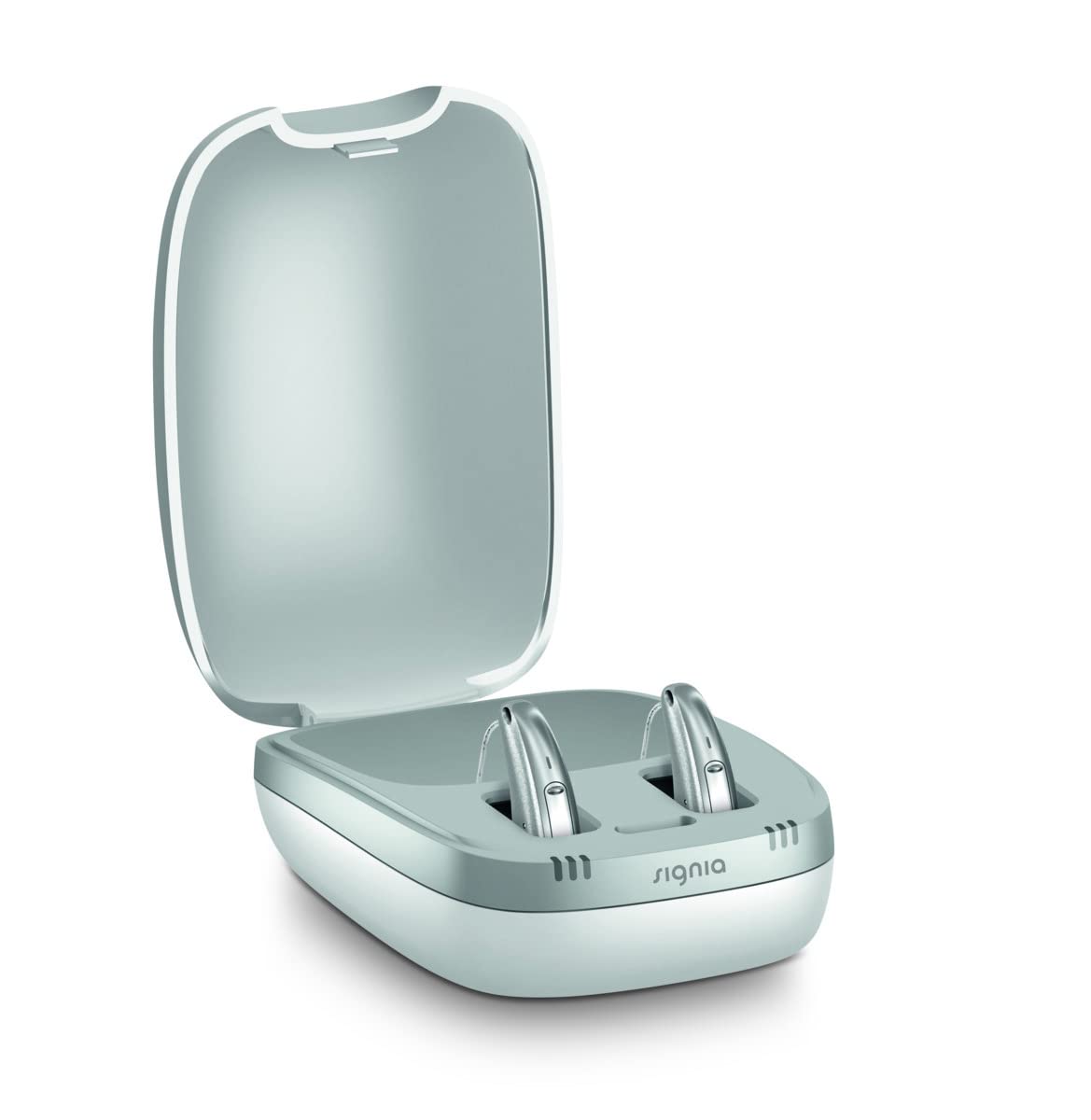
Image 1.1: The Signia Inductive Charger II shown with two compatible hearing aids, illustrating its compact design and readiness for use.
2. Setup Instructions
- Connect Power: Plug the charger into a power outlet using the provided power adapter. The charger's LEDs may illuminate briefly to indicate power connection.
- Open Charger: Gently open the lid of the Inductive Charger II.
- Insert Hearing Aids: Place your Signia hearing aids into the designated charging slots. Ensure they are correctly oriented (left hearing aid in the left slot, right in the right slot). The LEDs above each slot will indicate the charging status.
- Close Lid (Optional): You may close the lid to protect the hearing aids during charging and to activate the drying function.

Image 2.1: The Signia Inductive Charger II with its lid open, revealing the two charging slots for hearing aids.
3. Operating the Charger
The Inductive Charger II automatically begins charging and drying your hearing aids once they are correctly placed in the slots and the charger is connected to power.
LED Indicators:
- Solid Green: Hearing aid is fully charged.
- Pulsing Green: Hearing aid is currently charging.
- Solid Orange: Fast charging is active (if supported by hearing aid and charger).
- Red: Error or improper placement. Refer to the Troubleshooting section.
A full charge typically provides a full day's ultra-durable hearing performance. The drying function operates concurrently with charging, helping to remove moisture from the hearing aids.

Image 3.1: A closer view of the Signia Inductive Charger II's interior, highlighting the charging slots and the position of the LED indicators.
4. Maintenance
To ensure the longevity and optimal performance of your Signia Inductive Charger II, follow these maintenance guidelines:
- Cleaning: Wipe the charger's exterior with a soft, dry cloth. Do not use abrasive cleaners, solvents, or immerse the charger in water.
- Charging Slots: Periodically inspect the charging slots for any debris or dust. Use a soft brush or cotton swab to gently clean them if necessary. Ensure no foreign objects obstruct the charging contacts.
- Storage: When not in use, store the charger in a cool, dry place, away from direct sunlight and extreme temperatures.
5. Troubleshooting
If you encounter issues with your Signia Inductive Charger II, please refer to the following common problems and solutions:
- Charger Not Powering On:
- Ensure the power adapter is securely plugged into both the charger and a working electrical outlet.
- Check if the power outlet is functional by plugging in another device.
- Hearing Aids Not Charging:
- Verify that the hearing aids are correctly seated in their respective charging slots.
- Check the LED indicators for charging status (pulsing green) or error (red).
- Ensure the charging contacts on both the hearing aids and the charger are clean and free of debris.
- LEDs Showing Red:
- A red LED typically indicates an error. Remove the hearing aid, clean its contacts, and reinsert it.
- If the issue persists, contact customer support.
- Drying Function Not Working:
- The drying function operates during charging. Ensure the charger lid is closed for optimal drying.
6. Specifications
| Feature | Detail |
|---|---|
| Brand | Signia |
| Model Number | 10966943 |
| Connector Type | 2-Pin |
| Special Feature | Fast Charging |
| Color | White |
| Total USB Ports | 1 |
| Power Source | Corded Electric |
| Frequency Range | 50 Hz - 60 Hz |
| Main Power Connector Type | 2 pin |
| Net Quantity | 1.00 Count |
| Portable | Yes |
| Mounting Type | Wall Mount |
| Manufacturer | Signia GmbH |
| ASIN | B09Y96PKKW |
7. Warranty Information
The Signia Inductive Charger II comes with a 24-month warranty from the date of purchase. Please retain your proof of purchase for any warranty claims. This warranty covers manufacturing defects under normal use. For detailed warranty terms and conditions, please refer to the documentation provided with your product or contact customer support.
8. Support and Contact
For any queries regarding your Signia Inductive Charger II, hearing aids, accessories, battery usage, or any other details, please contact us:

Image 8.1: Contact details for support, including email address and phone number.
Email: store@hear.com
Phone: +91 9910887323
