
Candy Bila BH01
Candy Bila Kids Bluetooth Headphones User Manual
Model: BH01
Introduction
Thank you for choosing Candy Bila Kids Bluetooth Headphones. These headphones are designed to provide a safe, comfortable, and enjoyable audio experience for children aged 3-21. Featuring a 94dB volume limit for hearing protection, vibrant LED lights, multiple playback modes, and a built-in microphone, they are perfect for remote learning, entertainment, and hands-free communication. Please read this manual carefully to ensure proper use and maintenance of your headphones.
Safety Information
- Volume Limit: These headphones are equipped with a 94dB volume limit to protect children's hearing. While this feature helps, prolonged listening at any volume level should be avoided. Encourage breaks during listening sessions.
- Choking Hazard: Keep small parts, such as the TF card, away from young children to prevent choking.
- Water Resistance: These headphones are NOT water resistant. Avoid exposure to water, rain, or excessive moisture to prevent damage.
- Cleaning: Use a soft, dry cloth for cleaning. Do not use liquid cleaners or aerosols.
- Temperature: Do not expose headphones to extreme temperatures (hot or cold) or high humidity.
- Disassembly: Do not attempt to disassemble or modify the headphones. This will void the warranty and may cause damage or injury.
Product Overview

Overall view of the Candy Bila Kids Bluetooth Headphones in Hot Red, showcasing the foldable design and ear cup details.

Detailed view of the colorful LED lights located on the outer part of the ear cups. These lights can be turned off via a dedicated button.
Components and Controls:
- Adjustable Headband: For a comfortable and secure fit.
- Soft Protein Earcups: Designed for extended listening comfort.
- Power Button: On/Off, Bluetooth pairing.
- Volume Buttons: Increase/Decrease volume.
- Multi-function Button: Play/Pause, Answer/End calls.
- LED Light Button: To turn the colorful LED lights on or off.
- Built-in HD Microphone: For hands-free calls.
- 3.5mm Audio Jack: For wired connection.
- USB-C Charging Port: For charging the headphones.
- TF Card Slot: For playing music directly from a Micro SD card.
- Volume Limiter Switch: (On in-line cable) Allows switching between 94dB and 85dB volume limits for added safety.
Setup
1. Charging the Headphones
Before first use, fully charge the headphones. A full charge takes approximately 2 hours and provides up to 25 hours of playtime.
- Connect the provided USB-C charging cable to the charging port on the headphones.
- Connect the other end of the cable to a USB power adapter (not included) or a computer's USB port.
- The LED indicator light will show charging status (e.g., red for charging, blue for fully charged).
Quick Charge: A 10-minute charge provides approximately 2 hours of music playback.
2. Bluetooth Pairing
These headphones use Bluetooth 5.0 for a stable wireless connection up to 10 meters (33 feet).
- Ensure the headphones are charged.
- Press and hold the Power button on the headphones until the LED indicator flashes blue and red, indicating pairing mode.
- On your device (smartphone, tablet, PC, etc.), go to Bluetooth settings and turn Bluetooth on.
- Search for available devices and select "Candy Bila BH01" (or similar name) from the list.
- Once connected, the LED indicator will turn solid blue or stop flashing.
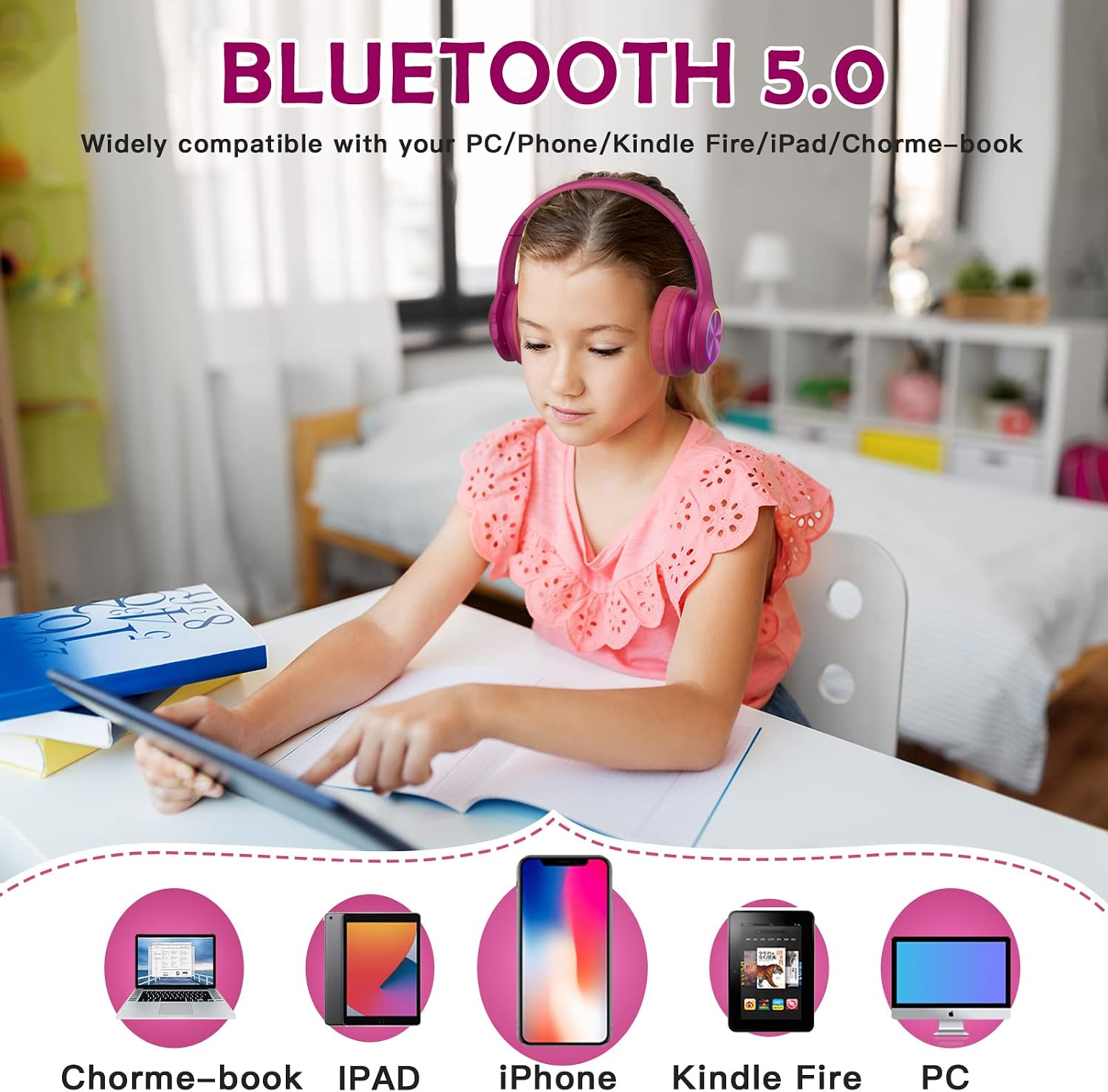
The headphones are widely compatible with various devices including PCs, phones, Kindle Fire, iPads, and Chromebooks via Bluetooth 5.0.
Operating Instructions

Illustration of the three playback modes (Wired, TF Card, Bluetooth 5.0) and the in-line control with HD microphone and 94dB/85dB volume limit switch.
Playback Modes
- Bluetooth Mode: After successful pairing, audio will play wirelessly from your connected device.
- Wired Mode: Connect the provided 3.5mm audio cable to the headphone's audio jack and the other end to your audio source. The headphones can be used in wired mode even if the battery is depleted. The in-line control on the cable allows for volume adjustment and microphone use.
- TF Card Mode: Insert a Micro SD (TF) card with pre-loaded MP3 audio files into the TF card slot. The headphones will automatically switch to TF card playback.
Controlling Audio and Calls
- Play/Pause: Press the Multi-function button once.
- Next Track: Press and hold the Volume Up button.
- Previous Track: Press and hold the Volume Down button.
- Volume Up: Short press the Volume Up button.
- Volume Down: Short press the Volume Down button.
- Answer/End Call: Press the Multi-function button once during an incoming call.
- Reject Call: Press and hold the Multi-function button during an incoming call.
- Redial Last Number: Double-press the Multi-function button.
LED Lights Control
The headphones feature colorful LED lights on the ear cups. To turn them on or off, locate and press the dedicated LED Light button.
Maintenance
- Cleaning: Wipe the headphones with a soft, dry, lint-free cloth. Do not use abrasive cleaners, alcohol, or chemical solvents.
- Storage: When not in use, store the headphones in a cool, dry place, away from direct sunlight and extreme temperatures. The foldable design allows for compact storage.
- Battery Care: To prolong battery life, avoid fully discharging the battery frequently. Charge the headphones regularly, even if not in frequent use.
Troubleshooting
| Problem | Possible Cause | Solution |
|---|---|---|
| Headphones do not turn on. | Battery is depleted. | Charge the headphones for at least 10 minutes. |
| Cannot pair via Bluetooth. | Headphones not in pairing mode; device Bluetooth off; too far from device. | Ensure headphones are in pairing mode (flashing blue/red LED). Turn Bluetooth on your device. Move headphones closer to the device (within 10 meters). |
| No sound. | Volume too low; incorrect mode; device not playing audio. | Increase volume on headphones and connected device. Ensure correct playback mode (Bluetooth, Wired, TF Card). Check if audio is playing on the source device. |
| Sound quality is poor or distorted. | Weak Bluetooth signal; audio file quality; physical damage. | Move closer to the Bluetooth device. Try a different audio file. Inspect for physical damage. |
| LED lights not working. | LED lights are turned off. | Press the dedicated LED Light button to turn them on. |
Specifications
| Model Name | BH01 |
| Brand | Candy Bila |
| Connectivity Technology | Wireless (Bluetooth 5.0), Wired (3.5mm Jack), TF Card |
| Bluetooth Version | 5.0 |
| Bluetooth Range | Up to 10 meters (33 feet) |
| Volume Limit | 94dB (switchable to 85dB via in-line control) |
| Battery Life | Up to 25 hours |
| Charging Time | Approx. 2 hours (USB-C) |
| Microphone | Built-in HD Microphone |
| Ear Placement | On Ear / Over-Ear |
| Product Dimensions | 5.5 x 3.3 x 6.3 inches |
| Item Weight | 10.5 ounces |
| Water Resistance | Not Water Resistant |
| Included Components | Headphones, USB-C Charging Cable, 3.5mm Audio Cable with In-line Control |
Warranty and Support
Candy Bila products are designed for durability and performance. For warranty information or technical support, please refer to the warranty card included with your purchase or visit the official Candy Bila website. You may also contact our customer service team for assistance.
- Customer Service: Please refer to your purchase documentation for contact details.
- Online Resources: Visit Candy Bila Store on Amazon for product updates and FAQs.
Ask a question about this manual
Ask about setup, troubleshooting, compatibility, parts, safety, or missing instructions. Manuals+ will review the question and use this page’s manual context to help answer it.