1. Introduction
This manual provides detailed instructions for the BAOFENG AR-152 Tactical Speaker Microphone. Designed for enhanced communication, this accessory offers clear audio transmission and reception, a volume adjustment feature, and compatibility with various BAOFENG two-way radios. Please read this manual thoroughly to ensure proper use and maintenance of your device.
2. Product Overview
2.1 Key Features
- Enhanced Voice Transmission: High-quality speaker and microphone units for clear audio.
- Adjustable Volume: Integrated volume control button on the speaker microphone for convenient sound level adjustment.
- Durable PU Material Cable: 5mm diameter wire with improved ductility, allowing for flexible placement of the radio.
- 3.5mm Headphone Jack: Allows connection of an earpiece for discreet communication in various environments.
- Wide Compatibility: Compatible with BAOFENG AR-152, UV-5R, UV-82, BF-888S, BF-F8+, UV-S9 PLUS, BF-F9 V2+, GT-3TP, and similar models.
- 360° Rotating Clip: For secure and flexible attachment to clothing or gear.
2.2 Components
- BAOFENG AR-152 Tactical Speaker Microphone
- Acoustic Tube Earpiece (with clip)
- 2-Pin K Type Connector Cable

Figure 2.1: Overview of the BAOFENG AR-152 Tactical Speaker Microphone with included earpiece and radio connector.
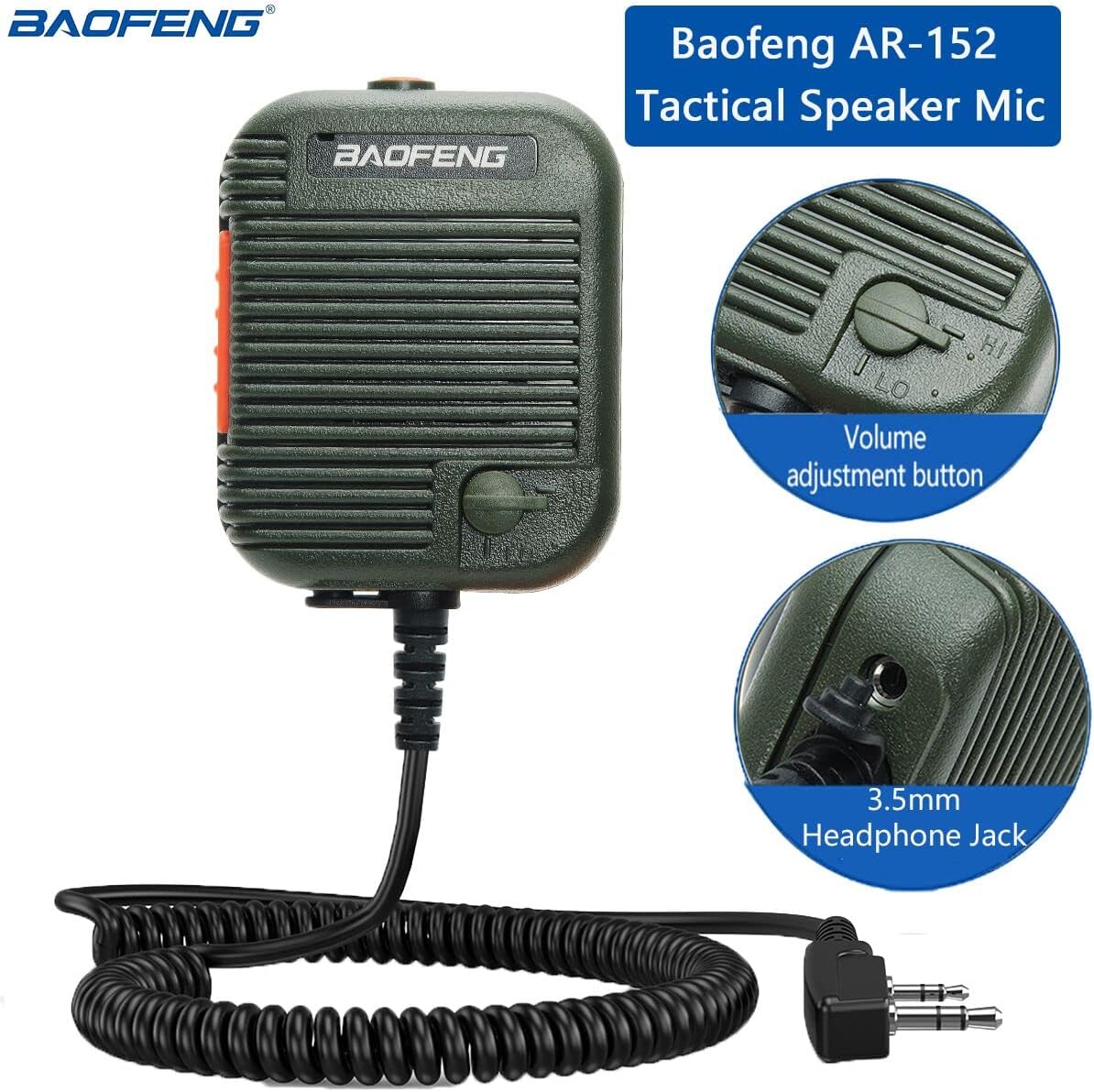
Figure 2.2: Detailed view highlighting the volume adjustment button and the 3.5mm headphone jack on the speaker microphone.
3. Setup
- Connect to Radio:
Align the 2-pin K type connector of the speaker microphone with the corresponding ports on your compatible BAOFENG radio. Ensure the pins are correctly oriented (3.5mm and 2.5mm jacks, 11mm apart) and push firmly until securely connected.

Figure 3.1: Proper connection of the speaker microphone to a compatible two-way radio.
- Attach Earpiece (Optional):
If using the acoustic tube earpiece, insert its 3.5mm plug into the 3.5mm headphone jack located on the side of the speaker microphone. Ensure the earpiece is securely connected. The earpiece features a rotatable clip for comfortable positioning.

Figure 3.2: Steps for connecting the acoustic tube earpiece.
- Secure the Microphone:
Use the 360° rotating clip on the back of the speaker microphone to attach it to your collar, lapel, or other convenient location for easy access and clear communication.

Figure 3.3: The 360° rotating clip for flexible attachment.
4. Operating Instructions
- Power On/Off: The speaker microphone draws power from the connected radio. Ensure your radio is powered on.
- Transmit (PTT): To transmit your voice, press and hold the Push-To-Talk (PTT) button located on the side of the speaker microphone. Speak clearly into the microphone grille. Release the PTT button to stop transmitting and return to receive mode.
- Receive Audio: Audio from the radio will be output through the speaker on the microphone. If an earpiece is connected, audio will be routed to the earpiece for private listening.
- Adjust Volume: Rotate the volume adjustment knob, typically located near the speaker grille, to increase or decrease the audio output level. This allows for fine-tuning the listening volume directly from the microphone unit.
- Using the Earpiece: When the acoustic tube earpiece is connected, it provides discreet audio reception. Position the earpiece comfortably in your ear.

Figure 4.1: Location of the volume adjustment button on the speaker microphone.
5. Maintenance
- Cleaning: Wipe the speaker microphone and cable with a soft, damp cloth. Do not use harsh chemicals or abrasive cleaners. Ensure no moisture enters the microphone grille or connector ports.
- Cable Care: Avoid sharp bends, kinks, or excessive pulling on the cable to prevent internal damage. The PU material cable is designed for durability, but proper handling extends its lifespan.
- Storage: Store the device in a cool, dry place away from direct sunlight and extreme temperatures when not in use.
- Connector Inspection: Periodically check the 2-pin connector for any signs of wear, corrosion, or bent pins.
6. Troubleshooting
| Problem | Possible Cause | Solution |
|---|---|---|
| No audio from speaker/earpiece. |
|
|
| Transmit audio is low or muffled. |
|
|
| Intermittent connection. |
|
|
7. Specifications
| Feature | Detail |
|---|---|
| Brand | BAOFENG |
| Model Name | AR-152 |
| Microphone Form Factor | Lavalier |
| Connectivity Technology | Auxiliary |
| Connector Type | 2-Pin K Type (3.5mm & 2.5mm jacks) |
| Special Feature | Volume Adjustment, 360° Rotating Clip |
| Compatible Devices | BAOFENG AR-152, UV-5R, UV-82, BF-888S, BF-F8+, UV-S9 PLUS, BF-F9 V2+, GT-3TP, etc. |
| Material | Metal (housing), PU (cable) |
| Item Weight | 5.9 ounces |
| Package Dimensions | 7.05 x 5.31 x 1.97 inches |
| Included Components | 1X Speaker Microphone |
8. Warranty and Support
This product is typically covered by a standard manufacturer's warranty. For specific warranty details, including duration and coverage, please refer to the documentation provided at the time of purchase or contact your retailer. For technical support, troubleshooting assistance, or to inquire about replacement parts, please contact BAOFENG customer service through their official website or the retailer from whom you purchased the product.
For further information, you may visit the BAOFENG Store on Amazon.


