1. Introduction
The BN-LINK WiFi & Bluetooth Smart Plug offers enhanced control over your home appliances. Featuring dual Bluetooth and WiFi connectivity, it ensures a stable connection for uninterrupted operation. This smart plug allows for voice control via Alexa and Google Home, remote management through the BN-HUB app, and flexible scheduling options. Designed for heavy-duty use, it supports up to 15A, 125V, 1875W, and is ETL and FCC certified for safety.

Image: Four BN-LINK WiFi & Bluetooth Smart Plugs, illustrating the product packaging.
Key Features:
- Enhanced Stability: Dual Bluetooth and WiFi connectivity for reliable smart control.
- Smart Voice Control: Compatible with Alexa and Google Home for hands-free operation.
- Remote Control & Flexible Timer: Manage electronics from anywhere via the BN-HUB app with custom schedules and timers.
- Heavy Duty & Certified Safe: Supports up to 15A, 125V, 1875W, ETL and FCC certified.
- Easy Setup & Energy Saving: Fast setup with 2.4GHz WiFi and efficient energy management.
2. Package Contents
- 4x BN-LINK WiFi & Bluetooth Smart Plugs
- 1x User Manual
3. Setup Guide
3.1. Download the BN-HUB App
Download the latest BN-HUB app from your smartphone's app store (available for iOS and Android). This app is essential for controlling and configuring your smart plugs.

Image: The BN-HUB App interface, demonstrating various smart control options including On/Off, Countdown, Schedule, Circulate, Random, and Inching.
3.2. Plug in the Smart Plug
Plug your BN-LINK Smart Plug into a standard wall outlet. Ensure the outlet is functioning correctly.
3.3. Pairing Process (WiFi & Bluetooth)
- Open the BN-HUB app and register or log in to your account.
- Tap the "+" icon in the top right corner to add a device.
- The app will search for nearby devices. Select "Smart Plug" when it appears.
- Ensure your smartphone is connected to a 2.4GHz WiFi network. 5GHz networks are not supported.
- Enter your 2.4GHz WiFi network password in the app.
- Follow the on-screen instructions to complete the pairing. The indicator light on the smart plug will flash during pairing.

Image: A visual guide to the easy setup process, highlighting the requirement for a 2.4GHz WiFi connection.
3.4. Integrate with Voice Assistants (Alexa, Google Home)
Once your smart plug is successfully paired with the BN-HUB app, you can link it to your Amazon Alexa or Google Home Assistant for voice control.
- Open your Alexa or Google Home app.
- Navigate to the "Skills & Games" (Alexa) or "Works with Google Home" (Google Home) section.
- Search for "BN-LINK Smart" or "BN-HUB" skill/service.
- Enable the skill/service and log in with your BN-HUB app account credentials.
- Discover devices. Your smart plugs should now appear and be controllable via voice commands.

Image: A user controlling a home device remotely via smartphone, illustrating compatibility with Google Home and Alexa.
Setup Video Guide:
Video: Easy setup and convenient use of the BN-LINK Smart Plug, demonstrating the initial configuration steps.
Video: How to connect and use the BN-LINK Smart Plug, providing a step-by-step guide for linking the device.
4. Operating Instructions
4.1. Manual Control
Each smart plug features a physical power button. Press this button once to manually turn the connected device on or off.
4.2. Remote Control via BN-HUB App
Use the BN-HUB app to control your devices from anywhere with an internet connection.
- On/Off: Toggle power for connected devices.
- Schedules: Create daily or weekly schedules for automatic power on/off.
- Countdown Timers: Set a timer for a device to turn off after a specified duration.
- Circulate, Random, Inching: Advanced timing options for specific use cases.
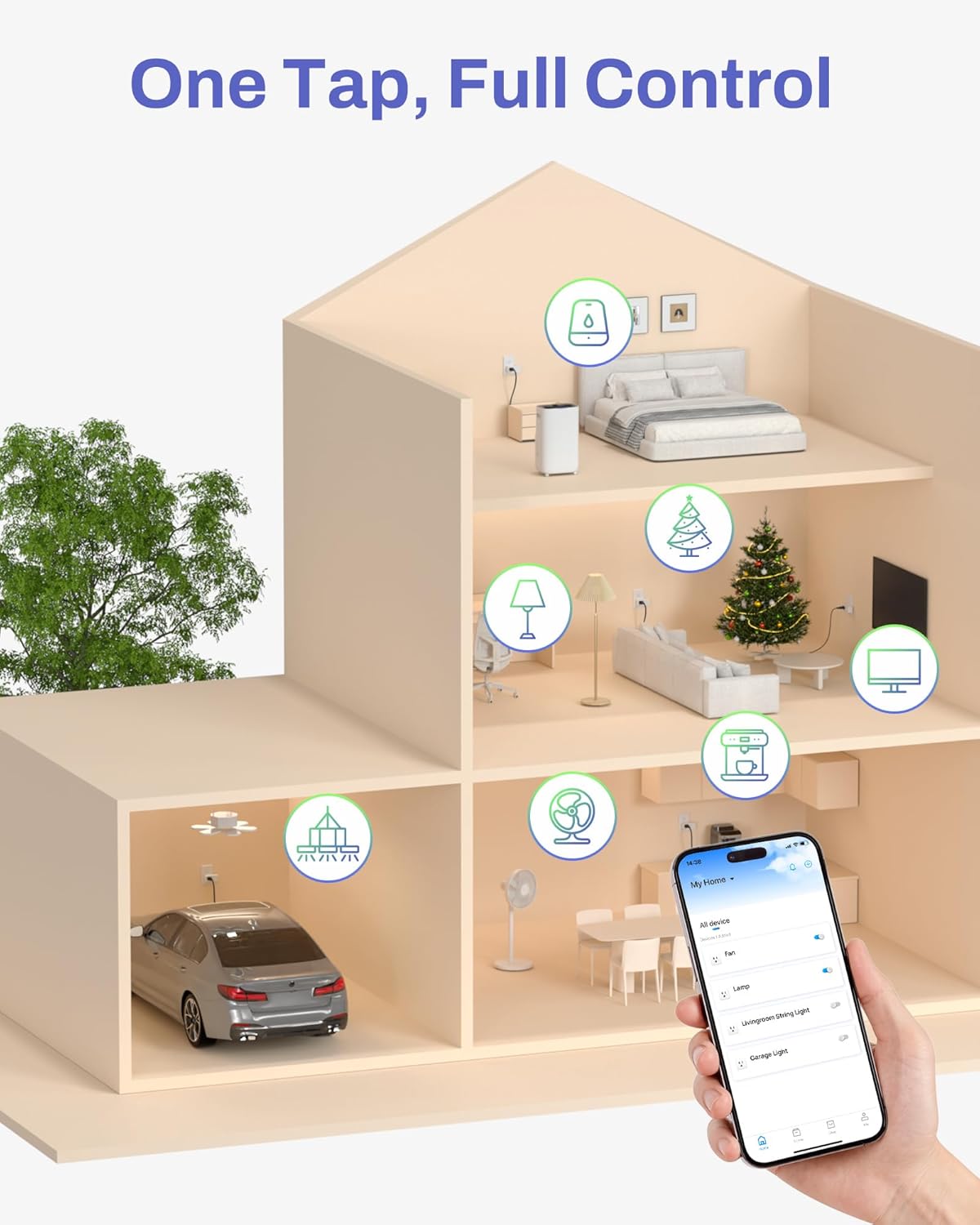
Image: A visual representation of a smart home, demonstrating one-tap full control over various devices via the app.

Image: Smart timing options for various devices, including countdown, schedule, circulate, random, and inching.
4.3. Voice Control
Use simple voice commands with your linked Alexa or Google Home device.
- "Alexa, turn on the [device name]."
- "Hey Google, turn off the [device name]."
- Ensure consistent device names in both the BN-HUB app and your voice assistant app for optimal performance.

Image: A user interacting with Alexa to control living room lights via the smart plug.
4.4. Energy Monitoring
The BN-HUB app allows you to monitor and manage your appliances efficiently, helping to reduce standby power and lower energy costs.
4.5. Group Control & Family Sharing
- Group Control: Group multiple smart plugs together in the app to control them simultaneously with a single command.
- Family Sharing: Share access to your smart plugs with family members through the BN-HUB app, allowing everyone to manage devices.

Image: Two individuals sharing control of smart devices through the app, highlighting the family sharing feature.
5. Specifications
| Feature | Specification |
|---|---|
| Operation Mode | Automatically, Off |
| Current Rating | 15 Amps |
| Operating Voltage | 125 Volts |
| Contact Type | Normally Open |
| Connector Type | Plug In |
| Terminal | Plug-in |
| Item dimensions L x W x H | 3 x 1.2 x 1.5 inches |
| Circuit Type | 1-way |
| Contact Material | Brass |
| International Protection Rating | IP00 |
| Number of Positions | 1 |
| Upper Temperature Rating | 60 Degrees Celsius |
| Controller Type | Amazon Alexa, Google Assistant, Push Button |
| Control Method | App, Push Button, Voice |
| Connectivity Protocol | Bluetooth, Wi-Fi |
| Color | White |
| Wattage | 1875 watts |
| Unit Count | 4.0 Count |
| Number of Items | 4 |
| Manufacturer | BN-LINK |
| Control Type | remote, voice, manual |
| Compatible Devices | Alexa, Google Assistant |
| UPC | 810079589159 |
| Product Dimensions | 3 x 1.2 x 1.5 inches |
| Item Weight | 2.57 ounces |
| ASIN | B0F62MNC7L |
6. Troubleshooting
6.1. Connection Issues
- WiFi Band: Ensure your smart plug is connected to a 2.4GHz WiFi network. 5GHz networks are not supported.
- Pairing Mode: If the indicator light is not flashing rapidly (blue), press and hold the power button for 5 seconds to enter pairing mode. If it's red, press once to turn blue, then hold for 5 seconds.
- Network Stability: Ensure your WiFi network is stable and the signal strength is adequate where the smart plug is located.
6.2. Voice Control Issues
- Skill/Service Linked: Verify that the "BN-LINK Smart" or "BN-HUB" skill/service is correctly enabled and linked in your Alexa or Google Home app.
- Device Naming: Ensure the device names in your BN-HUB app and voice assistant app are consistent and easy to pronounce.
- Restart Devices: Try restarting both your voice assistant device (e.g., Echo, Google Home speaker) and the smart plug.
- Re-link Skill: If issues persist, try disabling and re-enabling the BN-LINK skill/service in your voice assistant app.
Troubleshooting Video Guide:
Video: BN-LINK Wi-Fi Series Troubleshooting Guide, offering solutions for common connection and operation problems.
7. Safety Information
The BN-LINK WiFi & Bluetooth Smart Plug is ETL and FCC certified, ensuring it meets high safety and quality standards. Always use the device according to the instructions and within its specified electrical ratings (15A, 125V, 1875W) to prevent damage or hazards.

Image: An exploded view of the smart plug, highlighting its safe and durable internal components.
8. Warranty and Support
For any further assistance or support, please contact the BN-LINK support team at support@bn-link.com. We are here to help!


