
Introduction
This manual provides detailed instructions for the CEYOMUR CY50 Trail Camera. It covers setup, operation, maintenance, and troubleshooting to ensure optimal performance for wildlife monitoring, hunting, farm monitoring, and home security applications.
Package Contents
Verify that all items are present in your package:
- CEYOMUR CY50 Trail Camera
- 32GB SD Card
- 4 AA Batteries (Note: Camera requires 8 AA batteries for full operation)
- Mounting Strap
- USB Cable
- Wall Mount Bracket with Screws and Wall Plugs
- User Manual
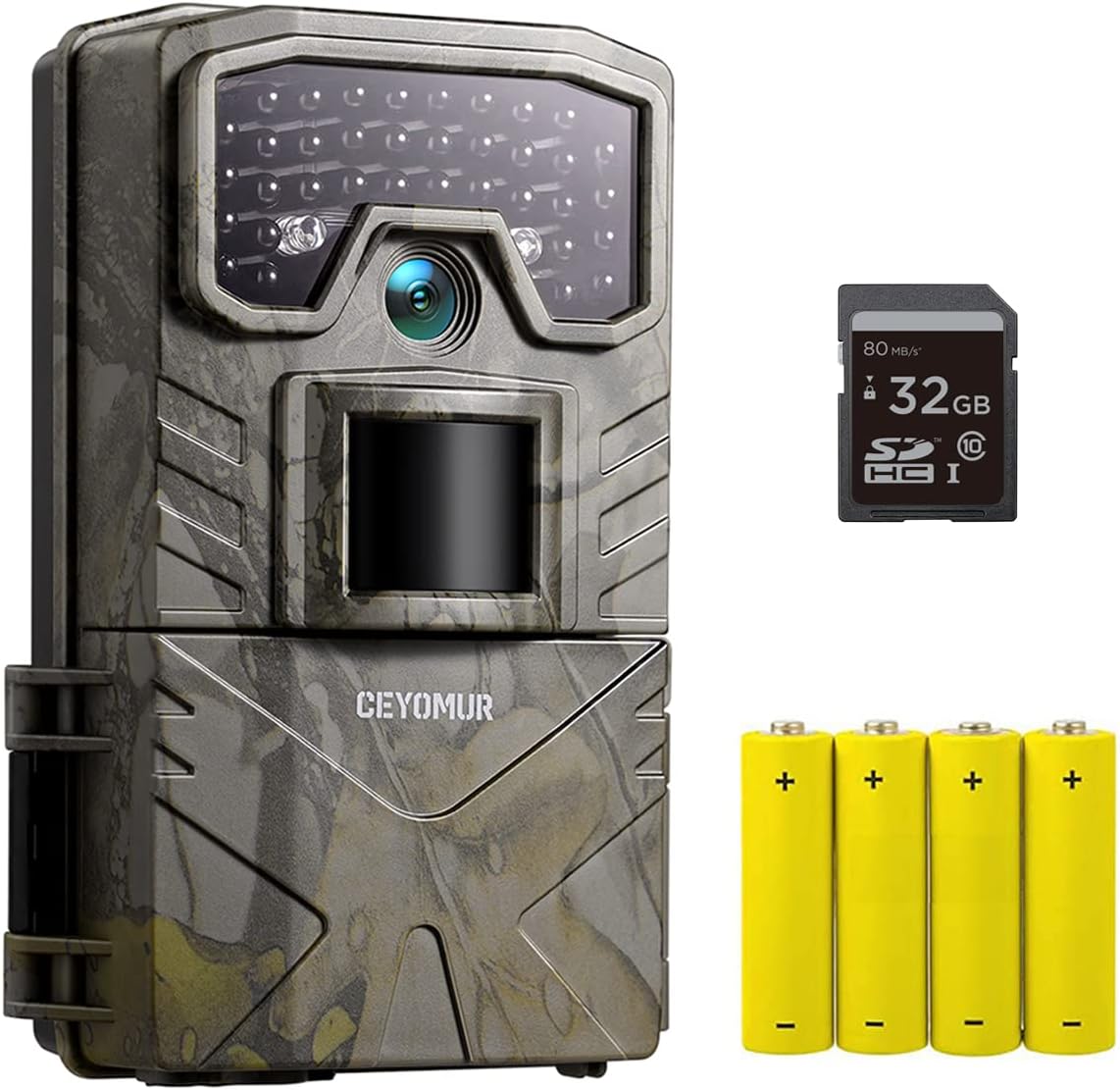
Image: CEYOMUR CY50 Trail Camera, 32GB SD card, and 4 AA batteries.

Image: Contents of the CEYOMUR CY50 Trail Camera package, including the camera, mounting strap, wall mount, USB cable, and user manual.
Product Features
- 20MP Photos & 1080P Videos: Captures high-resolution images and videos for clear wildlife observation.
- Integrated Design & IP66 Waterproof: Features a half-open integrated body design for easy lens angle adjustment and a high-quality rubber seal for strong waterproof and dustproof performance.
- Night Performance: Equipped with a fully automatic IR filter and 36 PCS 850NM Infrared LEDs for crisp black and white nighttime images without disturbing animals.
- Fast Trigger Speed: Ensures quick capture of moving subjects.
- Easy to Use & Multifunctional: Includes a 2-inch LCD screen for easy operation and playback, with features like target recording time, time-lapse, audio recording, password protection, and time stamp.

Image: CEYOMUR CY50 Trail Camera mounted on a tree, highlighting features like 1080P 20MP resolution, 0.3s trigger speed, and IP66 waterproof rating.
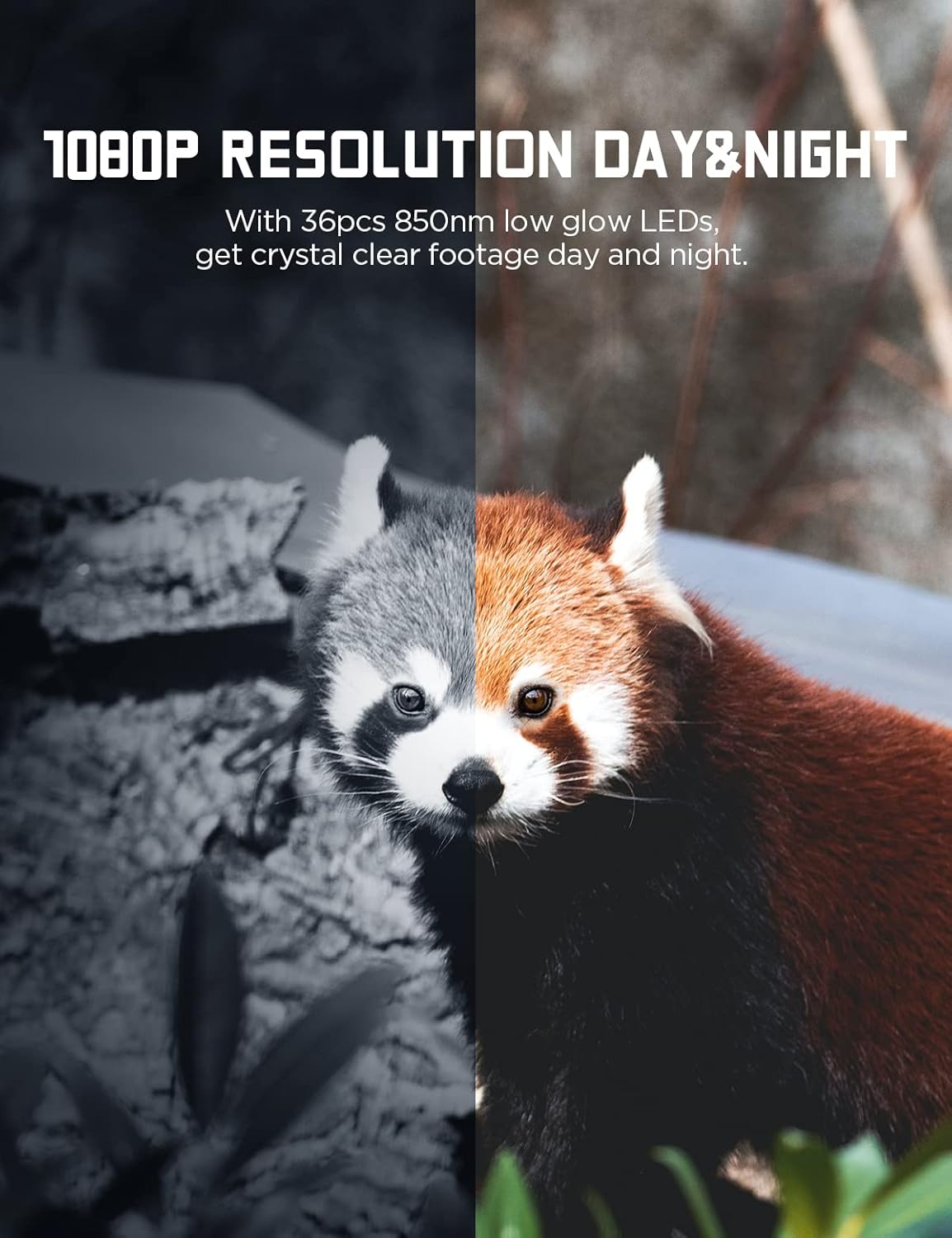
Image: Split view demonstrating the camera's 1080P resolution day and night, showing a red panda.

Image: Comparison of 16MP and 20MP resolution, showing deer in a forest.

Image: Hands opening the front-facing panel of the camera, revealing the screen and side SD card slot.

Image: A kangaroo in mid-jump, illustrating the fast trigger speed of the camera.
Setup
1. Battery Installation
The camera requires 8 AA batteries for optimal performance. Although 4 batteries are included, it is recommended to use 8 for extended operation.
- Open the camera housing.
- Locate the battery compartment.
- Insert 8 AA batteries, ensuring correct polarity (+/-).
- Close the battery compartment securely.
2. SD Card Insertion
A 32GB SD card is included.
- With the camera open, locate the SD card slot on the side.
- Insert the SD card with the metal contacts facing down until it clicks into place.
- To remove, press the card gently until it springs out.
3. Mounting the Camera
The camera can be mounted using the included strap or wall mount.
Using the Mounting Strap
- Thread the strap through the brackets on the back of the camera.
- Securely fasten the camera to a tree or pole at the desired height and angle.
Using the Wall Mount Bracket
- Choose a suitable location on a wall or fence.
- Use the provided screws and wall plugs to attach the bracket.
- Attach the camera to the bracket and adjust the angle.

Image: Internal view of the CEYOMUR CY50 Trail Camera, showing the battery compartment, SD card slot, and screen.
Operating Instructions
Powering On/Off
- To power on, slide the mode switch to "ON".
- To power off, slide the mode switch to "OFF".
Menu Navigation
- Use the navigation buttons (Up, Down, Left, Right, OK) to browse the menu on the 2-inch LCD screen.
- Press "OK" to confirm selections.
- Press "MENU" to exit the current menu or return to the previous screen.
Recording Modes
- Photo Mode: Captures still images.
- Video Mode: Records video clips.
- Photo + Video Mode: Captures a photo followed by a video clip.
Select your desired mode from the main menu.
Adjusting Settings
Key settings include:
- Resolution: Set photo (up to 20MP) and video (up to 1080P) resolution. Higher resolution uses more storage.
- Video Length: Define the duration of each video clip.
- PIR Interval: Set the delay between detections to avoid excessive recordings of the same subject.
- PIR Sensitivity: Adjust sensitivity (Low, Medium, High) to prevent false triggers from environmental factors like wind or falling leaves. Medium is often recommended.
- Time-Lapse: Configure the camera to take photos at set intervals.
- Time Stamp: Enable or disable date, time, and temperature display on recordings.
- Password Protection: Set a password to protect camera access.
Viewing Recordings
- Slide the mode switch to "TEST" to enter playback mode.
- Use the navigation buttons to scroll through photos and videos.
- Press "OK" to view a selected item.
Video Examples (Seller Videos)
Video: An introduction to the CEYOMUR Trail Camera CY50, demonstrating its use in a forest environment and showcasing captured wildlife footage.
Video: A demonstration of the CEYOMUR 20MP 1080P Trail Camera CY50, highlighting its features and showing various wildlife captures.
Maintenance
- Cleaning: Use a soft, dry cloth to clean the lens and camera body. Avoid abrasive cleaners.
- Battery Replacement: Replace all 8 AA batteries when the low battery indicator appears.
- SD Card Management: Regularly format the SD card to ensure optimal performance and prevent data corruption. Back up important files before formatting.
- Storage: When not in use for extended periods, remove batteries and the SD card, and store the camera in a cool, dry place.
Troubleshooting
Camera Not Powering On
- Ensure batteries are inserted correctly with proper polarity.
- Check if batteries are fully charged or replace them with new ones.
- Verify the mode switch is set to "ON".
No Recordings Captured
- Check PIR sensitivity settings; adjust to "High" if subjects are frequently missed.
- Ensure the SD card is properly inserted and not full. Format if necessary (after backing up data).
- Verify the camera is in the correct recording mode (Photo, Video, or Photo+Video).
Poor Image/Video Quality
- Clean the camera lens.
- Check resolution settings; ensure they are set to desired quality (e.g., 20MP for photos, 1080P for video).
- For night vision, ensure no obstructions are blocking the IR LEDs.
False Triggers
- Reduce PIR sensitivity (e.g., to "Medium" or "Low").
- Avoid placing the camera in direct sunlight or near heat sources that could cause false triggers.
- Clear any moving branches or tall grass in front of the camera's detection area.
Specifications
| Feature | Specification |
|---|---|
| Brand | CEYOMUR |
| Model Name | CEYOMUR Trail Camera CY50 |
| Photo Resolution | 20MP |
| Video Resolution | 1080P |
| Night Vision | Yes (36 PCS 850NM IR LEDs) |
| Waterproof Rating | IP66 |
| Field Of View | 90 Degrees |
| Power Source | 8 AA Batteries (DC 6V - 2A) |
| Material | Rubber |
| Mounting Type | Wall Mount; Tree Mount |
| UPC | 735940745925 |
Warranty and Support
For warranty information and technical support, please refer to the official CEYOMUR website or contact their customer service directly. Keep your purchase receipt for warranty claims.
You can visit the CEYOMUR Store for more products and support: CEYOMUR Store


