
1. Introduction and Overview
Welcome to the Ambiano Compact Air Fryer user manual. This appliance is designed to help you create healthier versions of your favorite fried foods with less oil. Its compact design and intuitive controls make it a convenient addition to any kitchen.
Key Features:
- Compact Design: Space-saving and efficient.
- Digital Touch Screen: Easy-to-use LED display for precise control.
- 7 Automatic Cooking Programs: Pre-set options for various dishes.
- Adjustable Temperature: Ranging from 80°C to 200°C.
- 30-Minute Timer: For accurate cooking times.
- Non-Stick Frying Basket: Ensures easy food release and cleaning.
- Cool-Touch Handle: For safe handling of the basket.
2. Important Safety Instructions
Please read all instructions carefully before using the Ambiano Compact Air Fryer. Failure to follow these instructions may result in electric shock, fire, or serious injury.
- Always place the air fryer on a stable, heat-resistant surface, away from walls or other appliances to allow for proper air circulation.
- Do not immerse the main unit, cord, or plug in water or any other liquid.
- Ensure the voltage indicated on the appliance corresponds to your local mains voltage before connecting.
- Do not operate the appliance if the plug, power cord, or the appliance itself is damaged.
- Close supervision is necessary when the appliance is used by or near children.
- Do not let the power cord hang over the edge of a table or counter, or touch hot surfaces.
- Unplug the air fryer from the outlet when not in use and before cleaning. Allow it to cool down completely before handling.
- Do not block the air intake or air outlet vents during operation.
- The outer surfaces of the air fryer may become hot during use. Use oven mitts when handling hot parts.
- Only use accessories recommended by the manufacturer.
3. Product Components
Familiarize yourself with the parts of your Ambiano Compact Air Fryer.

Figure 3.1: Front angled view of the Ambiano Compact Air Fryer, showcasing its sleek black finish and digital display panel on top.

Figure 3.2: The air fryer with its non-stick frying basket partially pulled out, demonstrating the removable cooking compartment.

Figure 3.3: Side view of the Ambiano Compact Air Fryer, highlighting its compact cylindrical shape.

Figure 3.4: Back view of the Ambiano Compact Air Fryer, showing the rear ventilation area.

Figure 3.5: The Ambiano Compact Air Fryer positioned on a kitchen counter with prepared food, illustrating its practical use in a home environment.
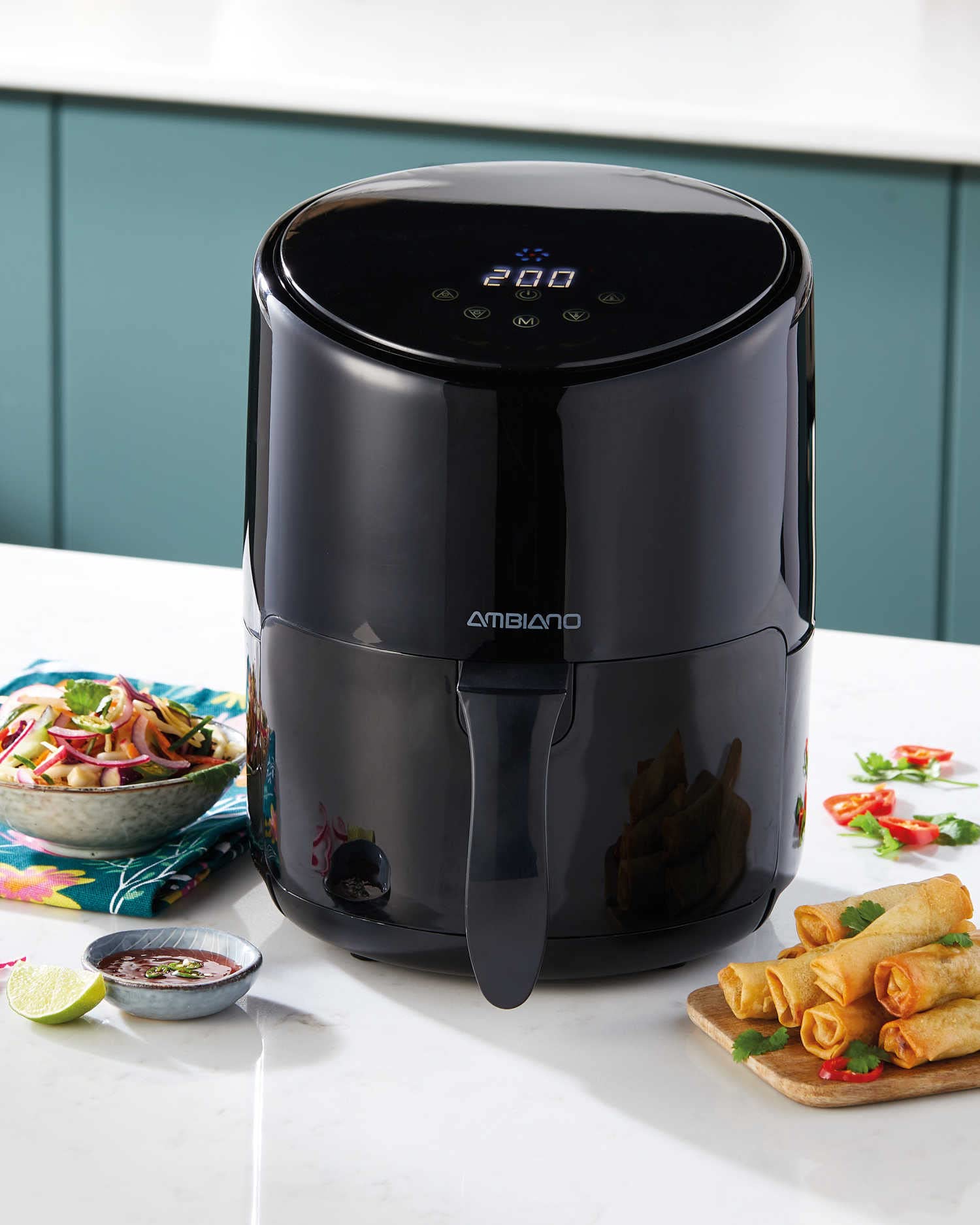
Figure 3.6: A detailed close-up of the air fryer's digital LED display and touch control icons, showing the temperature reading '200' and various function symbols.
List of Components:
- Main Unit with Digital Control Panel
- Removable Frying Basket (with non-stick coating)
- Power Cord
4. Setup
Follow these steps to set up your air fryer for the first time.
- Unpack: Carefully remove the air fryer and all packaging materials from the box. Retain the packaging for future storage or transport.
- Initial Cleaning: Before first use, wash the frying basket with hot water, dish soap, and a non-abrasive sponge. Wipe the inside and outside of the main unit with a damp cloth. Ensure all parts are completely dry before use.
- Placement: Place the air fryer on a stable, level, and heat-resistant surface. Ensure there is at least 10 cm (4 inches) of free space around the back and sides of the appliance to allow for proper air circulation. Do not place it directly against a wall or under cabinets.
- Power Connection: Plug the power cord into a grounded wall outlet. The air fryer is now ready for use.
5. Operating Instructions
This section guides you through the process of cooking with your Ambiano Compact Air Fryer.
General Operation:
- Power On: Plug the air fryer into a power outlet. The digital display will illuminate.
- Preheating (Optional): For best results, preheat the air fryer for 3-5 minutes. To do this, set the desired temperature (e.g., 180°C) and time, then press the start button.
- Load Food: Carefully pull out the frying basket using the cool-touch handle. Place your ingredients into the basket. Do not overfill the basket to ensure even cooking.
- Insert Basket: Slide the frying basket back into the main unit until it clicks into place.
- Set Cooking Parameters:
- Using Pre-set Programs: Press the 'M' (Mode) button to cycle through the 7 automatic cooking programs. Each program has a pre-set temperature and time. Select the program that best suits your food.
- Manual Setting: Alternatively, use the temperature control buttons (up/down arrows) to set the desired temperature (80-200°C) and the timer control buttons to set the cooking time (up to 30 minutes).
- Start Cooking: Press the start/pause button to begin the cooking process. The fan and heating element will activate.
- Shake/Turn Food: For some foods, it is recommended to shake or turn the ingredients halfway through the cooking time to ensure even crisping. Pull out the basket, shake or turn the food, and then reinsert the basket. The air fryer will resume cooking automatically.
- Cooking Completion: The air fryer will beep when the set cooking time has elapsed. Carefully pull out the basket and transfer the cooked food to a plate.
- Power Off: Unplug the air fryer from the wall outlet after use.
6. Cleaning and Maintenance
Proper cleaning and maintenance will extend the life of your air fryer.
- Unplug and Cool Down: Always unplug the air fryer and allow it to cool completely before cleaning.
- Clean the Frying Basket: The internal compartments, including the frying basket, can be washed with hot water and dish soap. Use a non-abrasive sponge to protect the non-stick coating. For stubborn residue, soak the basket in hot soapy water for about 10 minutes before cleaning.
- Clean the Main Unit: Wipe the exterior and interior of the main unit with a clean, damp cloth. Do not use harsh chemicals, abrasive cleaning pads, or steel wool, as these can damage the surfaces.
- Do Not Immerse: Never immerse the main unit of the air fryer in water or any other liquid.
- Dry Thoroughly: Ensure all parts are completely dry before storing or next use.
- Storage: Store the cleaned and dried air fryer in a cool, dry place.
7. Troubleshooting
If you encounter issues with your air fryer, refer to the following common problems and solutions.
| Problem | Possible Cause | Solution |
|---|---|---|
| Air fryer does not turn on. | Not plugged in; power outlet issue; appliance malfunction. | Ensure the power cord is securely plugged into a working outlet. Check your circuit breaker. If the issue persists, contact customer support. |
| Food is not cooked evenly. | Basket is overfilled; food not shaken/turned. | Do not overfill the basket. Shake or turn ingredients halfway through cooking. |
| White smoke coming from the appliance. | Grease residue from previous use; fatty ingredients. | Clean the basket and interior thoroughly after each use. For fatty foods, place a small amount of water in the bottom of the outer pan to prevent smoke. |
| Food is not crispy. | Temperature too low; cooking time too short; too much moisture. | Increase temperature or cooking time. Pat food dry before air frying. |
8. Technical Specifications
Detailed specifications for your Ambiano Compact Air Fryer.
- Model: B09Y4Q3R12
- Brand: Ambiano
- Power: 1000W
- Capacity: 2.5 Liters
- Temperature Range: 80°C - 200°C
- Timer: Up to 30 minutes
- Control Method: Digital Touch
- Features: 7 Automatic Cooking Programs, Non-Stick Basket, Cool-Touch Handle
- Color: Black
- UPC: 4088600466248
9. Warranty and Support
Your Ambiano Compact Air Fryer comes with a comprehensive warranty and dedicated customer support.
Warranty Information:
This product is covered by a 3-Year Warranty from the date of purchase. Please retain your proof of purchase for warranty claims. The warranty covers defects in materials and workmanship under normal use.
Customer Support:
For any questions, technical assistance, or warranty claims, please contact our customer support team:
- Phone (UK): 0330 808 1994
- Phone (Mobile): 07966 808 133
- Email: help@custsupport.com
Please have your model number (B09Y4Q3R12) and purchase details ready when contacting support.