
1. Introduction
This manual provides instructions for the uehba RM-AAU013 Universal Replacement Remote Control. This remote is designed to function as a direct replacement for original Sony AV Receiver remote models RM-AAU013 and RM-AAP013. It is pre-programmed and requires no additional setup.
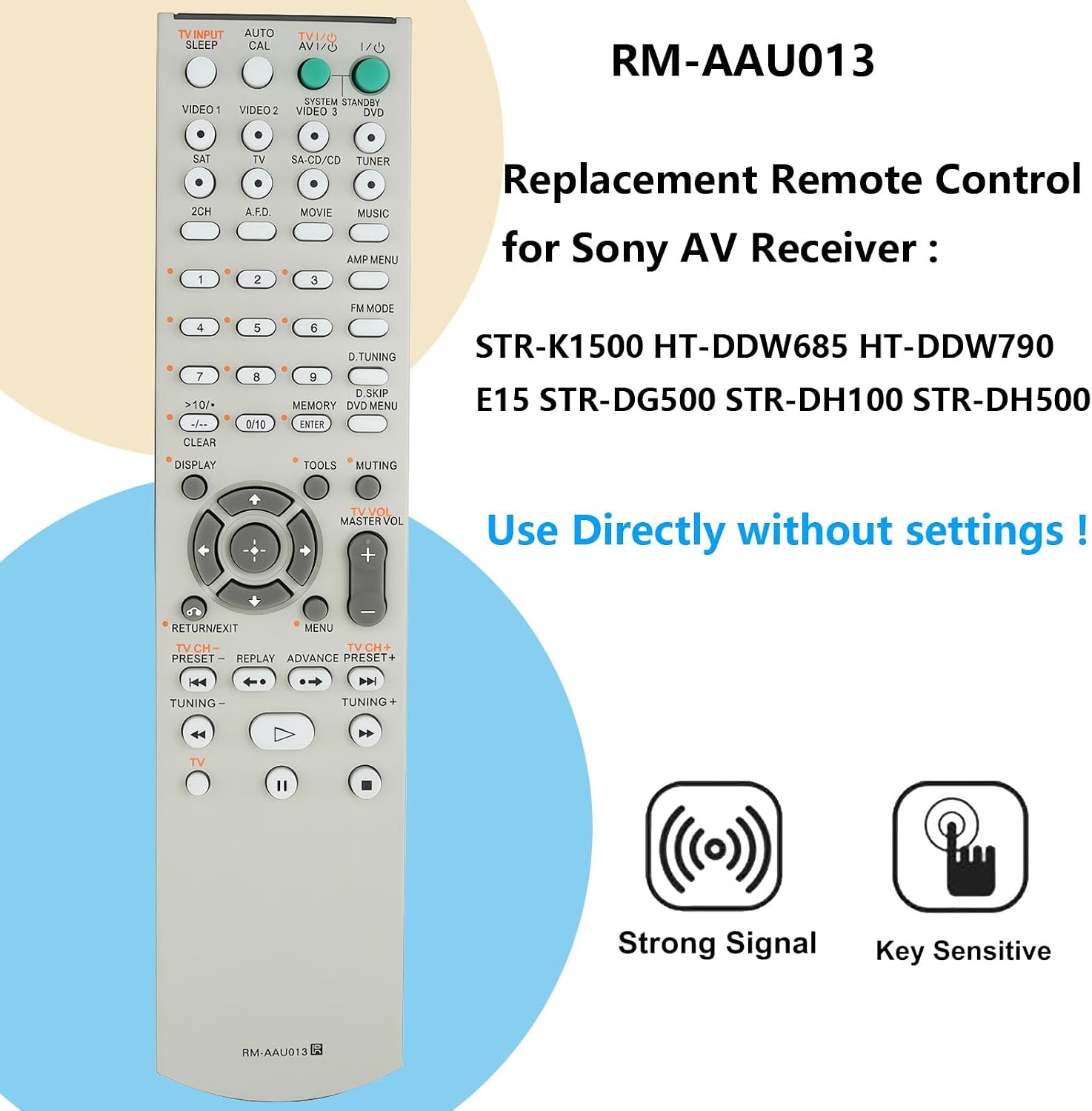
This image displays the uehba RM-AAU013 remote control, highlighting its compatibility with various Sony AV Receiver models such as STR-K1500, HT-DDW685, HT-DDW790, E15, STR-DG500, STR-DH100, and STR-DH500. It emphasizes that the remote can be used directly without any settings.
2. Compatible Models
The uehba RM-AAU013 remote control is compatible with the following Sony AV Receiver models:
- STR-K1500
- HT-DDW685
- HT-DDW790
- E15
- STR-DG500
- STR-DH100
- STR-DH500
3. Setup
To begin using your uehba RM-AAU013 remote control, follow these simple steps:
- Open the battery compartment cover located on the back of the remote control.
- Insert two (2) 1.5V AA Alkaline batteries (not included), ensuring correct polarity (+ and - terminals).
- Close the battery compartment cover securely.
- The remote control is now ready for use with your compatible Sony AV Receiver. No programming is required.

A view of the back of the RM-AAU013 remote control with the battery cover removed, illustrating where two AA batteries are to be inserted. The image clearly indicates that batteries are not included.
4. Operating Instructions
The uehba RM-AAU013 remote control is pre-programmed for immediate use with compatible Sony AV Receivers. Simply point the remote control towards your receiver and press the desired function buttons.
Key Features:
- No Programming Required: Functions directly out of the box.
- Strong Infrared Signal: Ensures reliable communication with your receiver.
- Sensitive Key Response: Provides accurate and responsive button presses.

This image shows a hand holding the RM-AAU013 remote control in a living room setting, demonstrating its 'no programming needed' feature. The remote is ready to function right out of the box.
5. Maintenance
Battery Replacement:
When the remote control's performance diminishes or it stops responding, it is time to replace the batteries. Always use two new 1.5V AA Alkaline batteries. Do not mix old and new batteries, or different types of batteries, as this can affect performance and potentially damage the remote.
Cleaning:
To clean the remote control, wipe it gently with a soft, dry cloth. Avoid using liquid cleaners or abrasive materials, which could damage the surface or internal components.
6. Troubleshooting
If you experience issues with your uehba RM-AAU013 remote control, please refer to the following common solutions:
- Remote Not Responding:
- Check if the batteries are inserted correctly with the correct polarity.
- Replace the batteries with new 1.5V AA Alkaline batteries.
- Ensure there are no obstructions between the remote control and the AV receiver's infrared sensor.
- Verify that you are within the maximum operating range (approximately 10 meters).
- Limited Range or Intermittent Functionality:
- This often indicates low battery power. Replace the batteries.
- Ensure a clear line of sight to the AV receiver. Strong light sources or other electronic devices can sometimes interfere with the infrared signal.
7. Specifications
| Feature | Detail |
|---|---|
| Brand | uehba |
| Model Name/Number | RM-AAU013 |
| Special Feature | No Programming Required |
| Color | Off White |
| Max Number of Supported Devices | 1 |
| Compatible Devices | Home Theater (Sony AV Receivers) |
| Connectivity Technology | Infrared |
| Controller Type | Button Control |
| Maximum Range | 10 Meters |
| Batteries Required | 2 AA Alkaline Batteries (not included) |
| Item Weight | 70 Grams |
| Manufacturer | uehba |
| UPC | 730637668327 |

A composite image presenting the uehba RM-AAU013 remote control from various angles: front, side, and back. This provides a comprehensive visual overview of the product's design.
8. Warranty and Support
Warranty Information:
This product comes with a 1-year warranty from the date of purchase.
Customer Support:
For any questions, technical assistance, or warranty claims, please contact the manufacturer, uehba, through your purchase platform or their official support channels.