
1. Introduction
The JIAN BOLAND Thermal Time Punch Clock is designed for efficient and accurate employee time tracking in small and medium-sized businesses. Utilizing advanced thermal printing technology, this device eliminates the need for ink ribbons, reducing maintenance and operational costs. It offers a straightforward, plug-and-play operation with no network or monthly fees required. This manual provides detailed instructions for setting up, operating, and maintaining your time clock.

Figure 1: JIAN BOLAND Thermal Time Punch Clock with included time cards and keys.
2. Package Contents
Please verify that all items listed below are included in your package:
- 1 x JIAN BOLAND Thermal Time Punch Clock
- 1 x User Manual
- 50 x Thermal Time Cards
- 1 x UL-certified Power Supply (US plug)
- 2 x Keys for device access
- 1 x Screw Accessories Package (for mounting)

Figure 2: Package contents including the time clock, manual, time cards, power supply, keys, and mounting screws.
3. Setup
3.1 Unpacking and Placement
- Carefully remove all components from the packaging.
- Choose a stable, flat surface for the time clock, or mount it securely to a wall using the provided screw accessories. Ensure it is in a location easily accessible to employees.
3.2 Power Connection
- Connect the UL-certified power supply to the time clock's power input port.
- Plug the power adapter into a standard electrical outlet. The device will power on automatically.
3.3 Initial Configuration (Date, Time, DST)
Before configuring settings, you must unlock the device using one of the provided keys.
- Insert a key into the lock on the side of the time clock and turn it to the 'unlocked' position.
- Press the Setup button on the front panel.
- Use the - and + buttons to navigate through the settings menu (e.g., Year, Month, Day, Hour, Minute).
- Press Setup again to confirm each setting and move to the next.
- Configure the 12H/24H time format as desired.
- Enable or disable Automatic Daylight Saving Time (DST) adjustment.
- Once all settings are configured, turn the key back to the 'locked' position to prevent unauthorized changes.

Figure 3: Detailed view of the time clock's display, IN/OUT indicators, and setup buttons.
4. Operating Instructions
4.1 Punching In/Out
The time clock features an automatic card feed and alignment system for precise punching.
- Ensure the time card is correctly oriented (front side up, correct week/pay period).
- Gently insert the time card into the card slot at the top of the device. The clock will automatically detect and align the card.
- The clock will print the current time onto the card. The display will indicate whether it's an 'IN' or 'OUT' punch.
- The device supports up to three IN/OUT print cycles per day, allowing for tracking of start times, breaks, lunches, and finish times.

Figure 4: The automatic card feed and alignment feature ensures accurate time recording.
4.2 Time Card Management
- The time clock uses two-sided thermal time cards. Ensure employees use the correct side for the current pay period.
- The clock can calculate overtime, round punch times, and deduct lunches/breaks directly on the time cards.
- Late employee punches can be identified with special markings (e.g., brackets) on the time card.
4.3 Display Information
The backlit LCD display shows the current time, day of the week, and date. LED indicators on the side show the current IN/OUT status.
5. Maintenance
The JIAN BOLAND Thermal Time Punch Clock utilizes thermal printing technology, which significantly reduces maintenance requirements compared to traditional time clocks.
- No Ink Ribbons: This device does not require ink ribbon replacement, eliminating a common maintenance task and associated costs.
- No Equipment Maintenance: The thermal printing mechanism is designed for durability and minimal upkeep.
- Cleaning: To clean the exterior of the time clock, use a soft, dry cloth. Avoid using abrasive cleaners or solvents. Ensure no liquids enter the card slot or other openings.
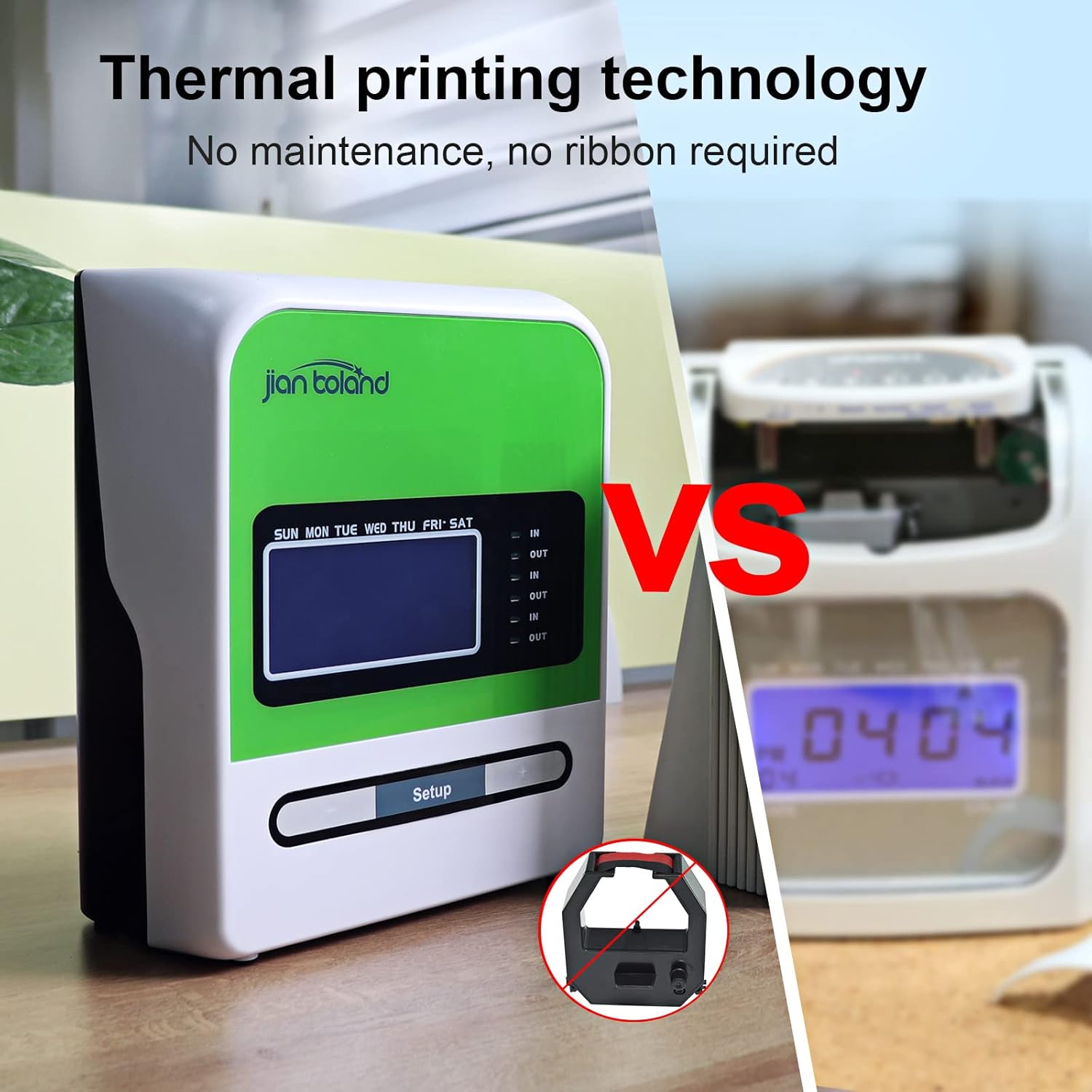
Figure 5: Thermal printing technology eliminates the need for ink ribbons and reduces maintenance.
6. Troubleshooting
If you encounter issues with your JIAN BOLAND Thermal Time Punch Clock, please refer to the following common solutions:
- Device Not Powering On: Ensure the power adapter is securely connected to both the time clock and a working electrical outlet. Verify the outlet has power.
- Time Card Not Printing: Check that the time card is inserted correctly and is a thermal time card. Ensure the card is not damaged or bent.
- Incorrect Time/Date: Unlock the device with the key and re-enter the setup menu to adjust the time and date settings as described in Section 3.3.
- Display Issues: If the display is blank or unreadable, try unplugging the power adapter, waiting 10 seconds, and plugging it back in to reset the device.
- Setup Buttons Unresponsive: Ensure the device is in the 'unlocked' position using the key before attempting to change settings.
For further assistance, please contact customer support.
7. Specifications
| Feature | Specification |
|---|---|
| Brand | JIAN BOLAND |
| Color | White-green |
| Display Type | Digital (Backlit LCD) |
| Special Feature | No ribbon needed, no internet required, 0 monthly fee |
| Product Dimensions | 7"W x 8.2"H (180mm W x 210mm H) |
| Power Source | Corded Electric |
| Shape | Rectangular |
| Indoor/Outdoor Usage | Indoor |
| Material | Plastic |

Figure 6: Product dimensions of the JIAN BOLAND Thermal Time Punch Clock.
8. Warranty and Support
JIAN BOLAND is committed to providing quality products and customer satisfaction. Your Thermal Time Punch Clock comes with dedicated support.
- Warranty: Please refer to the warranty information provided with your purchase documentation for details on coverage.
- Customer Support: We offer 24-hour professional service support. If you have any questions, require assistance with setup, operation, or troubleshooting, please do not hesitate to contact our customer service team.