1. Introduction
Welcome to the user manual for your new Boytond Bluetooth 5.3 Earphones. This manual provides detailed instructions on how to set up, operate, and maintain your earphones to ensure optimal performance and longevity. Please read this manual carefully before using the product and keep it for future reference.
2. Package Contents
Please check the package contents to ensure all items are present:
- Boytond Bluetooth Earphones (Left and Right)
- Charging Case
- USB Type-C Charging Cable
- Protective Case
- User Manual (this document)
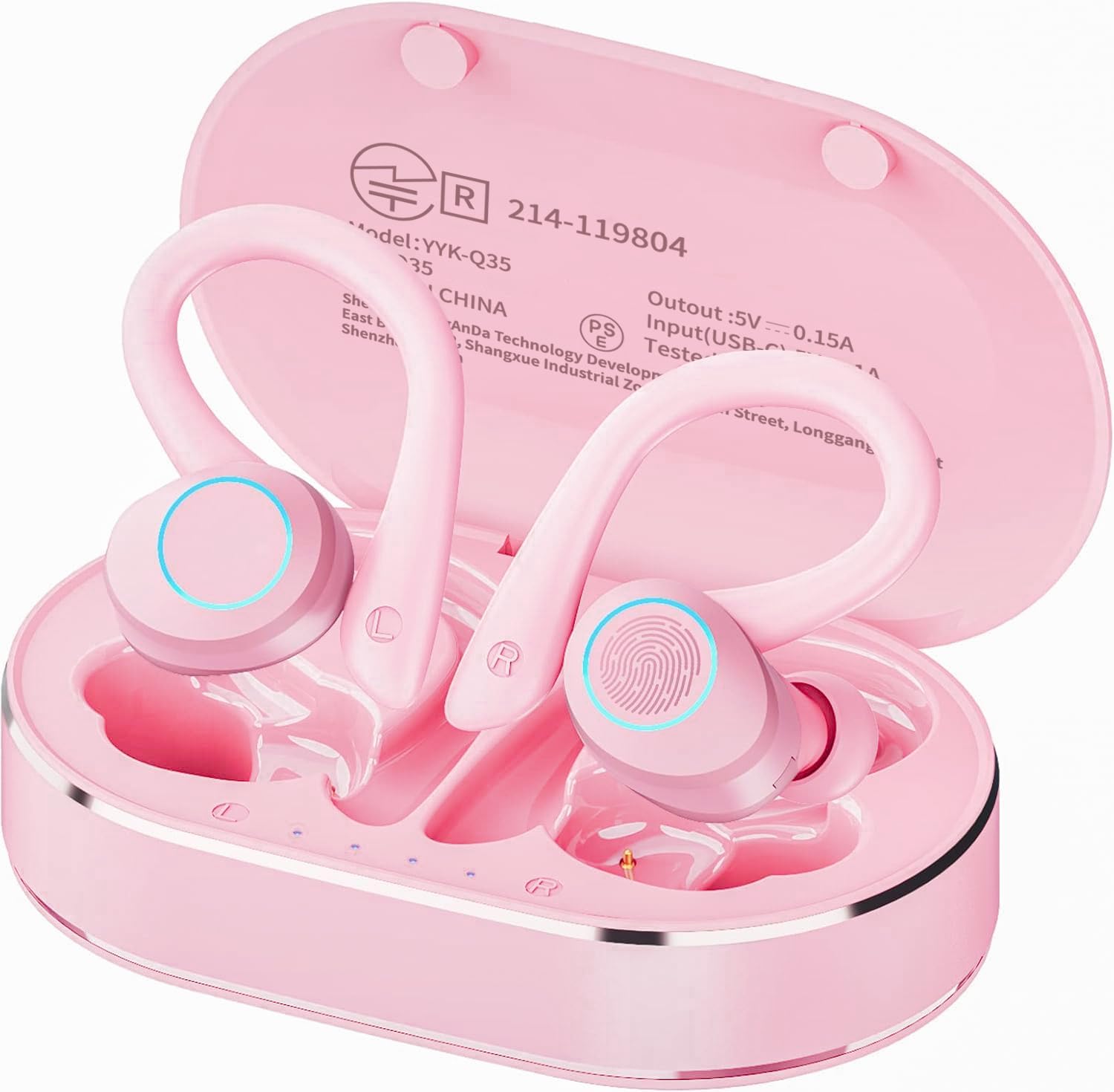
Image: The Boytond Bluetooth Earphones, showing both earbuds nestled in their charging case. The case is open, revealing the pink earphones with ear hooks.
3. Product Overview
3.1 Earphone Components
The Boytond Bluetooth Earphones consist of two earbuds (left and right) and a charging case. Each earbud features an ear hook for secure fit and touch control areas.

Image: An overview of the Boytond Sports Earphones, highlighting features such as Bluetooth 5.1, automatic pairing, comfortable fit, large battery capacity, AAC high-quality audio, CVC8.0 noise reduction, touch control, and IPX7 waterproofing.
3.2 Touch Controls
The earphones are equipped with multi-functional touch controls on each earbud for easy operation:

Image: A diagram illustrating the touch control functions of the earphones. It shows controls for play/pause, previous/next track, activating voice assistant, volume adjustment, answering calls, and rejecting calls.
| Action | Function |
|---|---|
| Single Tap | Play/Pause music, Answer/End call |
| Double Tap (Left Earbud) | Previous Track |
| Double Tap (Right Earbud) | Next Track |
| Triple Tap | Activate Voice Assistant |
| Long Press (2 seconds) | Reject Call |
| Long Press (Left Earbud) | Volume Down |
| Long Press (Right Earbud) | Volume Up |
4. Setup
4.1 Charging the Earphones and Case
Before first use, fully charge the earphones and the charging case. The charging case provides extended battery life for your earphones.
- Place the earphones into the charging case, ensuring they are correctly seated.
- Connect the USB Type-C charging cable to the charging port on the case and the other end to a USB power source (e.g., computer, wall adapter).
- The indicator lights on the case will show the charging status. Once fully charged, the lights will indicate completion or turn off.

Image: A close-up of the charging case showing the Type-C fast charging port and a USB-C cable being inserted.
Battery Life: The earphones provide approximately 8 hours of continuous playback on a full charge. With the charging case, the total playback time extends to about 25 hours.

Image: A visual representation of battery life, indicating 5 hours of playback for the main unit, 25 hours with the charging case, and 1.5 hours for charging the case.
4.2 Initial Pairing
Follow these steps to pair your earphones with your device for the first time:
- Open the charging case. The earphones will automatically power on and enter pairing mode.
- On your device (smartphone, tablet, etc.), enable Bluetooth and search for available devices.
- Select "POWER Q23 PRO" from the list of found devices.
- Once connected, you will hear a confirmation tone, and the earphone indicator lights will change.

Image: A smartphone screen showing the Bluetooth settings with "POWER Q23 PRO" listed as a connected device, alongside an image of the earphones in their case, indicating automatic pairing.
4.3 Automatic Reconnection
After the initial successful pairing, the earphones will automatically reconnect to the last paired device when taken out of the charging case, provided Bluetooth is enabled on your device.
5. Operating Instructions
5.1 Power On/Off
- Power On: Open the charging case, and the earphones will automatically power on.
- Power Off: Place the earphones back into the charging case and close the lid. They will automatically power off and begin charging.
5.2 Wearing the Earphones
The earphones feature flexible ear hooks for a secure and comfortable fit, especially during physical activity. The ear hooks are also detachable for a more compact wearing style.
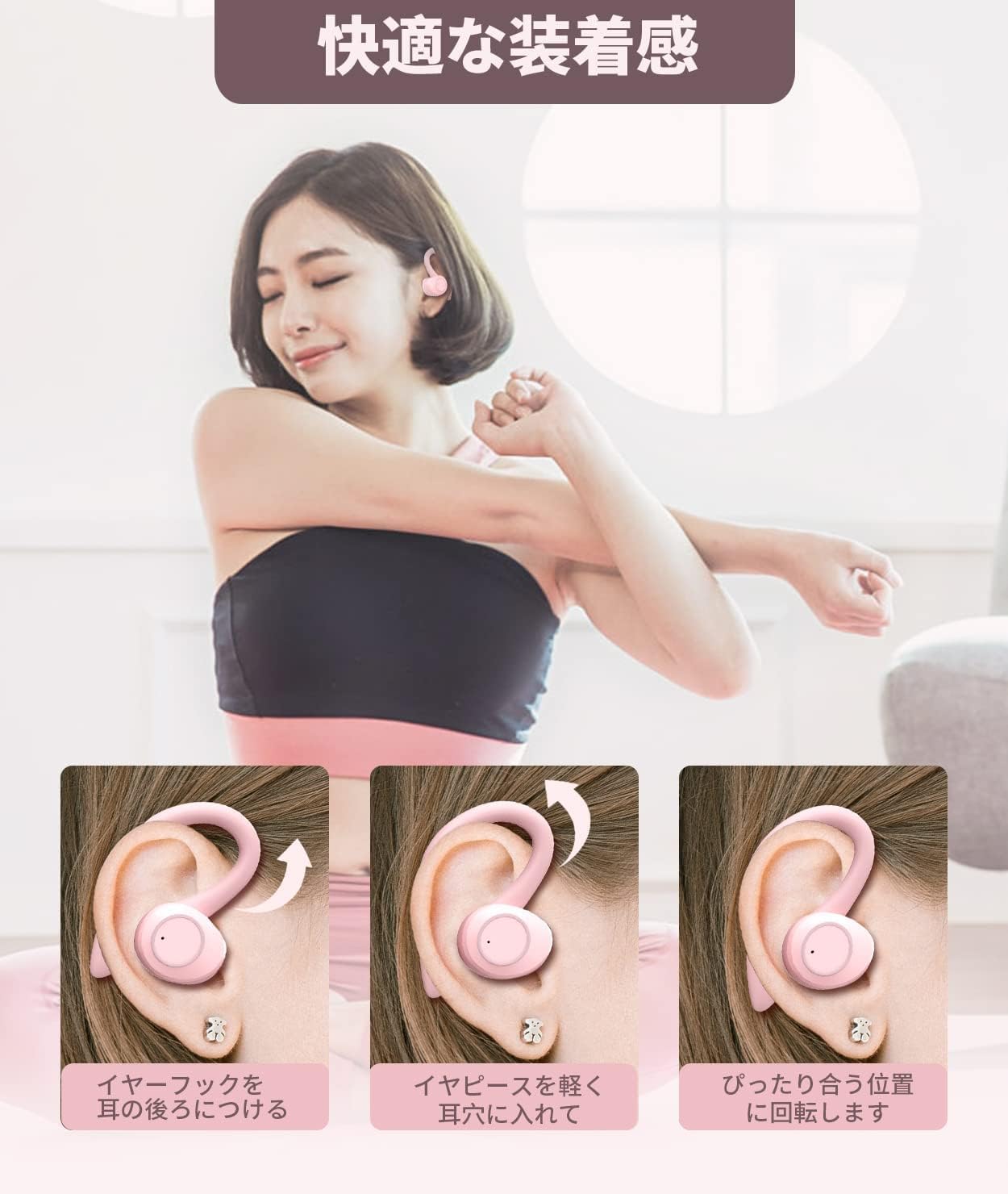
Image: A three-step guide on how to wear the earphones: 1. Place the ear hook behind your ear. 2. Gently insert the earpiece into your ear canal. 3. Rotate to find the perfect fit.

Image: A diagram showing the detachable ear hook, illustrating how the earphone can be used with or without the hook for a 2-way style.

Image: A visual demonstrating that the ear hook can be removed for a sleek wearing style, making it suitable for daily use like commuting or studying.
5.3 Music Playback
Use the touch controls (refer to Section 3.2) to manage your music:
- Play/Pause: Single tap either earbud.
- Next Track: Double tap the right earbud.
- Previous Track: Double tap the left earbud.
- Volume Up: Long press the right earbud.
- Volume Down: Long press the left earbud.
5.4 Call Management
The earphones feature a built-in microphone with CVC8.0 noise cancelling for clear calls:
- Answer Call: Single tap either earbud.
- End Call: Single tap either earbud during a call.
- Reject Call: Long press either earbud for 2 seconds.

Image: A graph comparing CVC8.0 noise cancellation with CVC6.0, illustrating improved noise reduction across high, mid, and low frequencies for clearer calls.
5.5 Voice Assistant
Activate your device's voice assistant (e.g., Siri, Google Assistant) by triple tapping either earbud.
5.6 Mono and Stereo Modes
The earphones support both mono and stereo modes, allowing you to use one earbud independently or both for an immersive stereo experience.

Image: An illustration showing the flexibility of using the earphones in mono mode (either left or right earbud independently) or stereo mode (both earbuds for a full audio experience).
6. Maintenance
6.1 Cleaning
Regular cleaning helps maintain sound quality and hygiene:
- Gently wipe the earbuds and charging case with a soft, dry, lint-free cloth.
- Remove any earwax or debris from the ear tips and speaker mesh using a small brush or cotton swab.
- Do not use abrasive cleaners, alcohol, or chemical solvents.
6.2 Storage
When not in use, store the earphones in their charging case to protect them from dust and damage.
6.3 Waterproofing (IPX7)
The earphones are IPX7 waterproof, meaning they can withstand sweat and light rain. They are not suitable for swimming or showering. Ensure the earphones are dry before placing them back into the charging case to prevent damage.

Image: An earphone being splashed with water, visually representing its IPX7 waterproof rating, suitable for resisting sweat and rain during sports activities.
7. Troubleshooting
If you encounter any issues with your earphones, please refer to the following common problems and solutions:
| Problem | Possible Solution |
|---|---|
| Earphones do not power on. | Ensure the earphones are charged. Place them in the charging case and connect the case to power. |
| Cannot pair with device. |
|
| No sound or intermittent sound. |
|
| Poor call quality. |
|
| Earphones do not charge. |
|
8. Specifications
| Feature | Detail |
|---|---|
| Model Name | POWER Q23 PRO |
| Brand | Boytond |
| Connectivity Technology | Wireless (Bluetooth 5.3) |
| Noise Control | CVC8.0 Noise Cancelling |
| Frequency Response | 2.4 GHz |
| Driver Size | 13mm Composite Speaker |
| Playback Time (Earbuds) | Approx. 8 hours |
| Total Playback Time (with Case) | Approx. 25 hours |
| Charging Port | USB Type-C |
| Waterproof Level | IPX7 |
| Weight | 0.18 kg (Product) / 180 g (Package) |
| Ear Placement | Over Ear (with ear hooks) / In Ear |
| Impedance | 32 Ohm |
| Material | Rubber |
9. Warranty and Support
Boytond products are designed and manufactured to the highest quality standards. For warranty information, technical support, or any inquiries regarding your product, please contact the seller or refer to the official Boytond website. Please retain your proof of purchase for warranty claims.
This product complies with the technical standards of the Radio Law.