
1. Introduction
This manual provides detailed instructions for the installation, operation, and maintenance of the Alpine ILX-F509 Halo9 9-inch Multimedia Receiver and the PAC Audio SWI-RC Steering Wheel Control Interface. Please read this manual thoroughly before using the product to ensure proper functionality and safety.
2. Safety Information
Observe the following safety precautions during installation and operation:
- Ensure all wiring is correctly connected to prevent damage to the unit or vehicle.
- Do not operate the unit in a manner that distracts you from driving.
- Consult a professional installer if you are unsure about any installation steps.
- Avoid exposing the unit to extreme temperatures, direct sunlight for prolonged periods, or excessive moisture.
3. Package Contents
Verify that all items are present in the package:
- Alpine iLX-F509 Halo9 Multimedia Receiver
- PAC Audio SWI-RC Steering Wheel Control Interface
- Wiring Harnesses for iLX-F509
- Wiring Harness for SWI-RC
- Installation Hardware
- User Manuals (for both units)
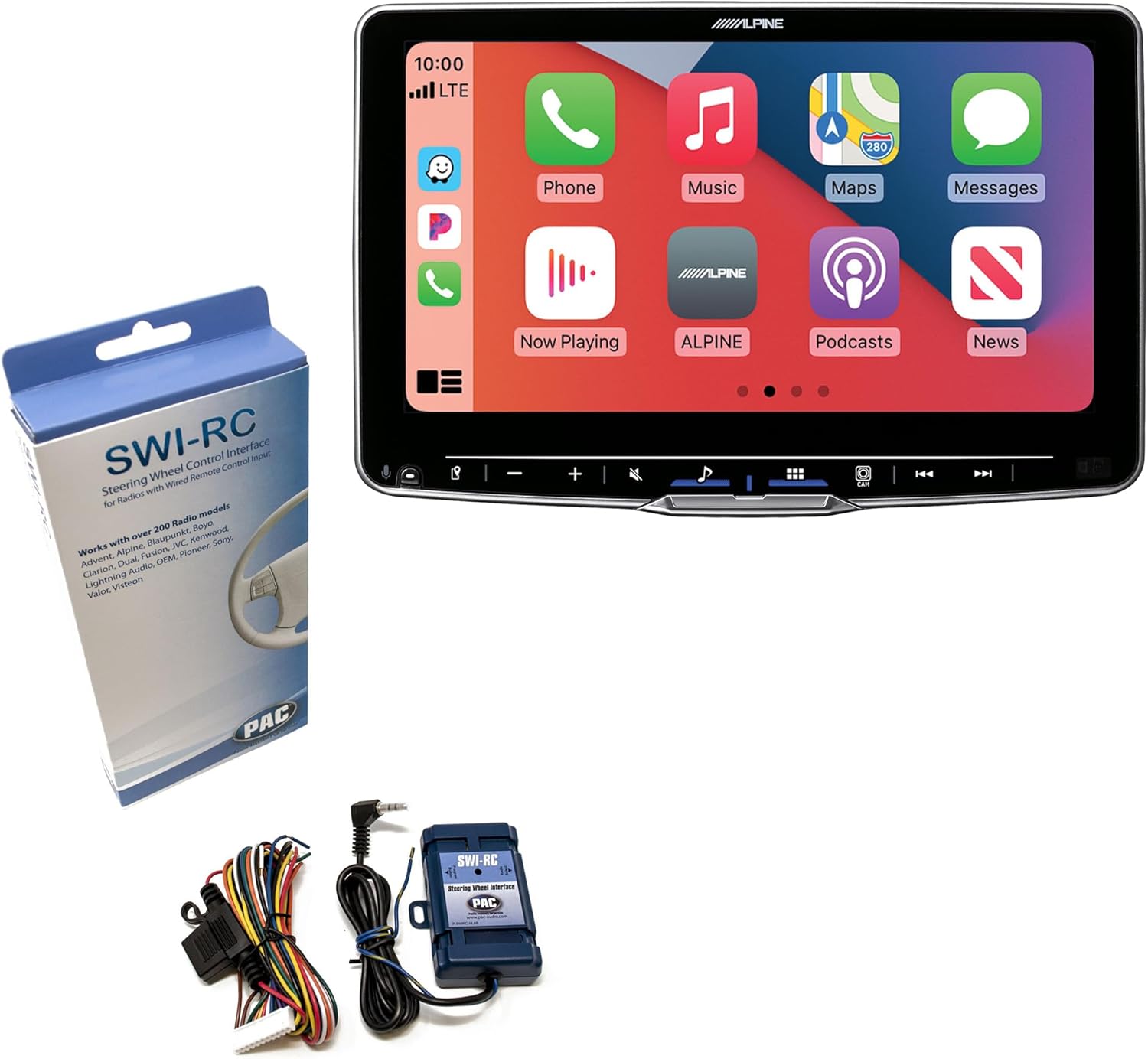
Image 3.1: Contents of the Alpine ILX-F509 and PAC Audio SWI-RC bundle, showing the main receiver unit, the SWI-RC interface module, its wiring harness, and the SWI-RC product packaging.
4. Product Overview
4.1 Alpine iLX-F509 Halo9 Multimedia Receiver
The Alpine iLX-F509 Halo9 is a 9-inch floating HD touchscreen display multimedia receiver designed for vehicle integration. It offers advanced audio processing, smartphone connectivity, and multiple input/output options.
Key Features:
- 9-inch WXGA (1280 x 720px) HD Touchscreen Display
- Wireless Android Auto & Apple CarPlay Compatibility
- Built-in Amplifier: 16W RMS x 4
- Audio Playback: AAC, APE, FLAC, MP3, WMA
- Video Playback: AVC, FLV, H.264, MP4, MPEG-4, MOV
- 5-Band Graphic or 13-Band Parametric EQ (per channel)
- 24 Bit DAC
- Crossover: High Pass / Low Pass
- Inputs: 1 AUX, 1 HDMI, 2 RCA Camera (Front/Rear), 1 Dash Cam (Alpine DVR-C320R), 2 USB
- Outputs: 1 HDMI, 3 4V Pre-Outs
4.2 PAC Audio SWI-RC Steering Wheel Control Interface
The PAC Audio SWI-RC is an interface module that allows retention of factory steering wheel control functions when an aftermarket radio, such as the Alpine iLX-F509, is installed. It is compatible with most radios equipped with a wired remote control input.
Key Features:
- Retains steering wheel control functions (volume, mode, track, etc.)
- Maintains programming even if the vehicle's battery is disconnected
- Compatible with over 200 radio models

Image 4.1: The PAC Audio SWI-RC steering wheel control interface, showing its retail packaging and the compact blue module with its wiring harness.
5. Setup and Installation
Installation of car audio equipment can be complex. It is highly recommended to have this product installed by a qualified professional. Incorrect installation can lead to damage to the product, vehicle, or personal injury.
5.1 Alpine iLX-F509 Installation
- Preparation: Disconnect the vehicle's negative battery terminal before beginning any electrical work.
- Mounting: Securely mount the iLX-F509 chassis into the vehicle's dashboard opening. The floating display can be adjusted for optimal viewing angle after the chassis is secured.
- Power and Ground: Connect the main power harness. Ensure the yellow wire (constant 12V) is connected to a constant 12V source, the red wire (accessory 12V) to a switched 12V source, and the black wire (ground) to a solid chassis ground point.
- Speaker Connections: Connect the vehicle's speaker wires to the corresponding wires on the iLX-F509 harness. Pay attention to polarity (+/-).
- Antenna: Connect the vehicle's radio antenna to the iLX-F509.
- USB/HDMI/AUX: Route and connect any desired USB, HDMI, or AUX input cables to accessible locations in the vehicle.
- Camera Inputs: If installing front or rear cameras, connect their RCA video outputs to the designated camera input jacks on the iLX-F509. Connect the camera trigger wire (e.g., reverse light signal for rear camera).
- Pre-Outs: If using external amplifiers, connect the RCA pre-out cables from the iLX-F509 to the amplifier inputs.
5.2 PAC Audio SWI-RC Installation and Programming
The SWI-RC module connects between the vehicle's steering wheel control wiring and the Alpine iLX-F509's wired remote input.
- Wiring: Refer to the SWI-RC instruction manual for specific vehicle wiring diagrams. Connect the SWI-RC's wires to the vehicle's steering wheel control wires (Key 1, Key 2, Ground, 12V Accessory) and the Alpine iLX-F509's steering wheel control input wire (typically a 3.5mm jack or a specific wire on the main harness).
- Module Placement: Mount the SWI-RC module in a secure location behind the dashboard, away from heat sources and moisture.
- Programming: After all connections are made and the vehicle battery is reconnected, the SWI-RC will need to be programmed. Follow the specific programming steps outlined in the PAC Audio SWI-RC manual. This typically involves pressing buttons on the steering wheel in a specific sequence to assign functions.
- Testing: Test all steering wheel control functions to ensure they operate correctly with the iLX-F509.
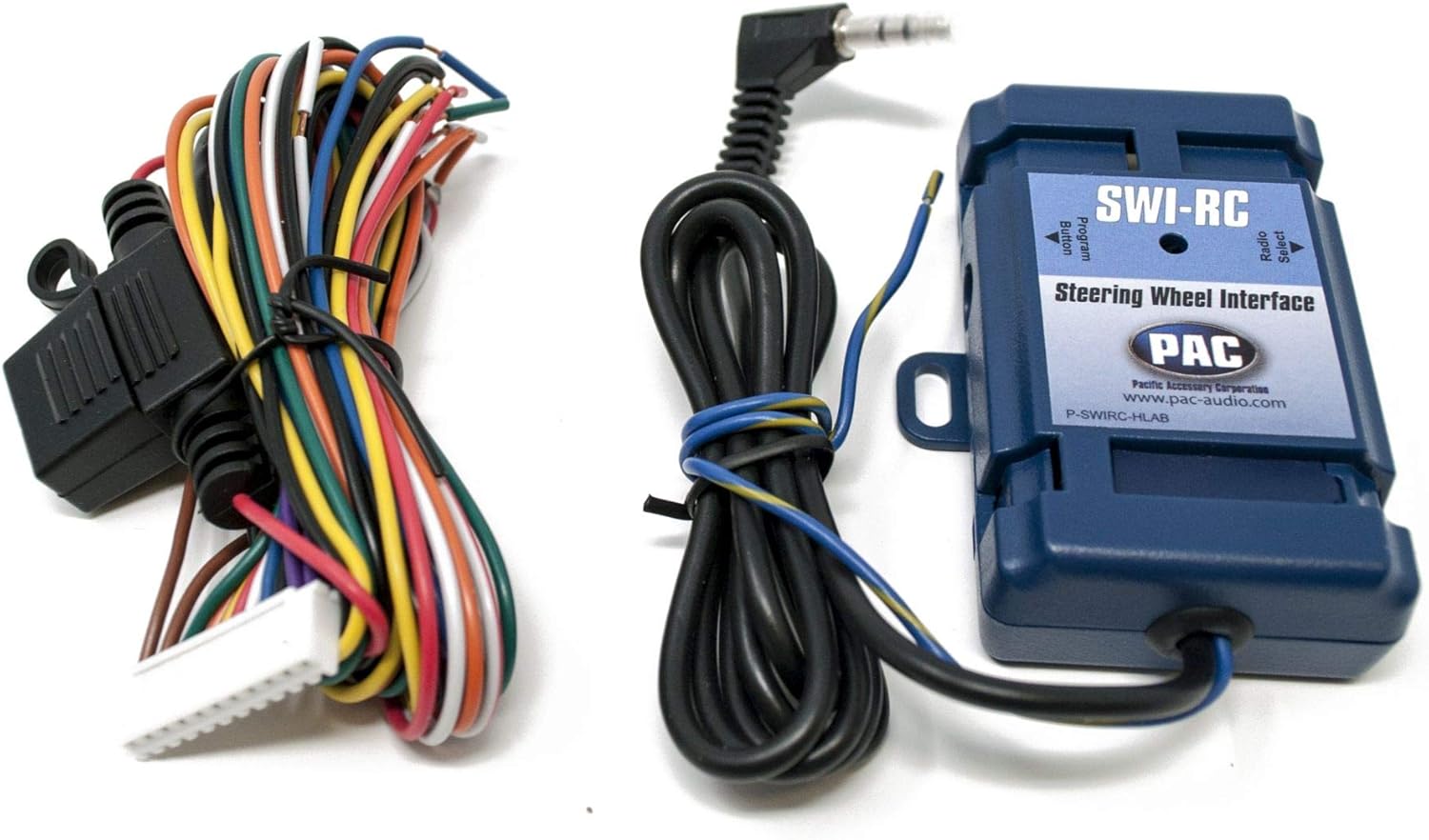
Image 5.1: A detailed view of the PAC Audio SWI-RC module, highlighting its compact design and the multi-colored wiring harness used for connecting to the vehicle's electrical system and the aftermarket radio.
6. Operating Instructions
6.1 Basic Operation
- Power On/Off: The unit powers on with the vehicle's ignition. Press and hold the power button (if available) or the home button to turn the display off or put it into standby.
- Volume Control: Adjust volume using the on-screen controls or the steering wheel controls (if SWI-RC is installed and programmed).
- Home Screen: Tap the home icon to return to the main menu, which displays various source options and applications.
6.2 Touchscreen Interface
The iLX-F509 features a responsive touchscreen. Navigate by tapping icons, swiping through menus, and using pinch-to-zoom gestures where applicable.
6.3 Wireless Android Auto & Apple CarPlay
Connect your compatible smartphone wirelessly to access navigation, music, messaging, and other apps directly on the iLX-F509 display.
- Pairing: Ensure Bluetooth is enabled on your smartphone and the iLX-F509. Follow the on-screen prompts to pair your phone.
- Launch: Once paired, select the Android Auto or Apple CarPlay icon from the home screen to launch the interface.

Image 6.1: The Alpine ILX-F509 multimedia receiver displaying the Apple CarPlay interface, showing various application icons such as Phone, Music, Maps, and Messages.
6.4 Audio Settings
Access the audio settings menu to customize sound output.
- Equalizer: Adjust the 5-band graphic or 13-band parametric equalizer to fine-tune frequency response.
- Crossover: Set high-pass and low-pass filters for speakers and subwoofers.
- Balance/Fader: Adjust audio distribution between speakers.
- Bass Engine SQ: Utilize Alpine's sound quality enhancements.

Image 6.2: The Alpine ILX-F509 multimedia receiver's audio settings screen, featuring controls for Bass, Treble, Fader/Balance, MediaXpander, EQ settings, and Bass Engine SQ.
6.5 Radio Tuner
Select the Radio source to access AM/FM tuning.
- Seek: Use the seek buttons to automatically find the next strong station.
- Preset: Save your favorite stations to preset buttons for quick access.
- Band Selection: Switch between FM1, FM2, FM3, and AM bands.

Image 6.3: The Alpine ILX-F509 multimedia receiver displaying the radio tuner interface, showing frequency selection, station presets, and current station information.
6.6 Media Playback
The iLX-F509 supports various media sources:
- USB: Connect a USB drive with audio or video files.
- AUX: Connect external audio devices via the 3.5mm auxiliary input.
- HDMI: Connect compatible devices for high-definition audio and video playback.
6.7 Steering Wheel Controls (with SWI-RC)
Once the PAC Audio SWI-RC is correctly installed and programmed, your vehicle's factory steering wheel buttons will control the Alpine iLX-F509. Functions typically include volume up/down, track skip, mode selection, and answer/end call.
7. Maintenance
- Screen Cleaning: Use a soft, lint-free cloth to gently wipe the touchscreen. For stubborn smudges, slightly dampen the cloth with water or a screen-safe cleaner. Do not use harsh chemicals or abrasive materials.
- General Care: Keep the unit free from dust and debris. Avoid spilling liquids on the unit.
8. Troubleshooting
| Problem | Possible Cause | Solution |
|---|---|---|
| No power to the unit | Incorrect wiring; Blown fuse; Vehicle battery disconnected | Check power and ground connections; Inspect vehicle and unit fuses; Ensure battery is connected. |
| No audio output | Speaker wires disconnected; Volume too low; Mute function active; Amplifier not powered | Verify speaker connections; Increase volume; Deactivate mute; Check external amplifier power. |
| Steering wheel controls not working | SWI-RC incorrectly wired; SWI-RC not programmed; SWI-RC incompatible | Review SWI-RC wiring and connections; Reprogram the SWI-RC module; Confirm SWI-RC compatibility with vehicle and radio. |
| Android Auto/CarPlay not connecting | Bluetooth/Wi-Fi off; Phone not paired; App not installed/updated | Ensure Bluetooth/Wi-Fi is active on both devices; Pair phone via Bluetooth; Install/update Android Auto or CarPlay app on phone. |
| Display is blank or frozen | Software glitch; Loose connection | Perform a soft reset (refer to Alpine manual); Check main power harness connections. |
9. Specifications
9.1 Alpine iLX-F509 Halo9 Multimedia Receiver
- Screen Size: 9 inches
- Screen Resolution: WXGA 1280 x 720px
- Built-in Amplifier: 16W RMS x 4
- Pre-Outs: 3 (4V)
- DAC: 24 Bit
- EQ: 5-Band Graphic or 13-Band Parametric (per channel)
- Crossover: High Pass / Low Pass
- AUX Input: 1
- HDMI Input: 1
- HDMI Output: 1
- Camera Inputs: 2 RCA (Front/Rear)
- Dash Cam Input: 1 (for Alpine DVR-C320R)
- USB Inputs: 2
- Audio Playback: AAC, APE, FLAC, MP3, WMA
- Video Playback: AVC, FLV, H.264, MP4, MPEG-4, MOV
- Product Dimensions: 19 x 9 x 15 inches
- Item Weight: 10 pounds
9.2 PAC Audio SWI-RC Steering Wheel Control Interface
- Function: Retains steering wheel control functions
- Compatibility: Most radios with wired remote input; over 200 radio models
- Memory: Retains programming without battery power
10. Warranty Information
For specific warranty details regarding the Alpine iLX-F509 Halo9 Multimedia Receiver, please refer to the warranty card included with your product or visit the official Alpine website. For the PAC Audio SWI-RC, consult the documentation provided by PAC Audio.
11. Support
If you encounter issues not covered in this manual or require further assistance, please contact Alpine customer support or PAC Audio customer support directly. Contact information can typically be found on their respective official websites or in the product packaging.


