
LEFANT N1
LEFANT N1 Robot Vacuum Cleaner User Manual
Model: N1
1. Introduction
Thank you for choosing the LEFANT N1 Robot Vacuum Cleaner. This manual provides essential information for the safe operation, maintenance, and troubleshooting of your device. Please read it thoroughly before use and retain it for future reference.
The LEFANT N1 robot vacuum features a streamlined design, minimizing mechanical complexities found in traditional models. This design approach enhances product reliability and structural longevity. The top cover is made of scratch-resistant tempered white gradient glass.
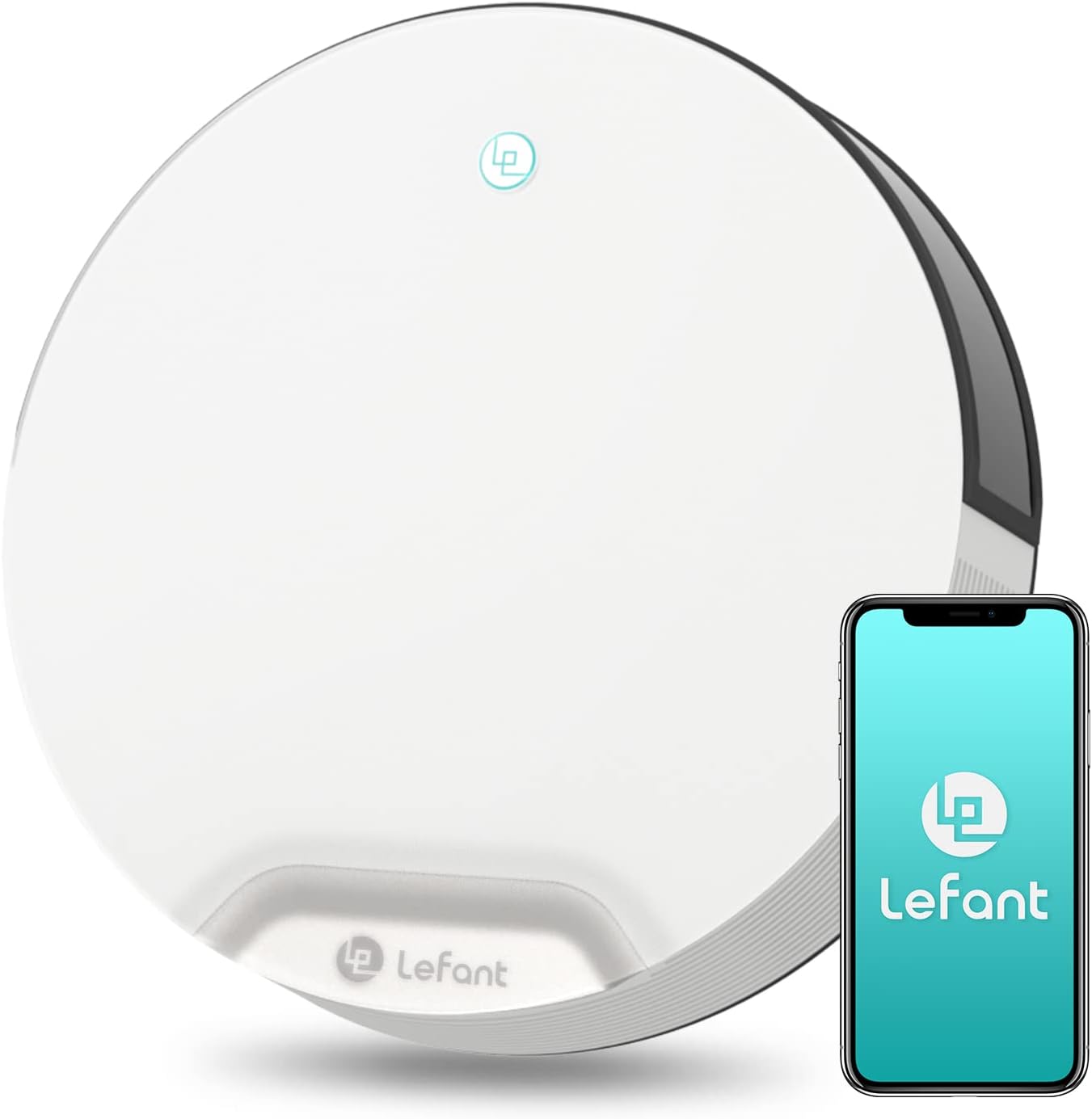
Image: The LEFANT N1 Robot Vacuum Cleaner, showcasing its sleek design alongside a smartphone displaying the companion app.
2. What's in the Box
Verify that all components are present upon unpacking:
- LEFANT N1 Robotic Vacuum Cleaner
- Charging Base
- Power Adapter
- 560 ml Dustbin (pre-installed or separate)
- 2 HEPA Filters
- 4 Side Brushes
- Cleaning Brush
- User Manual
3. Product Overview
3.1 Key Features
- Powerful Suction: Delivers 4500Pa suction, adjustable across four levels for effective cleaning.
- Tangle-Free Design: Optimized for pet owners, efficiently collecting pet hair without tangling.
- Compact Size: With a 28 cm diameter and 7.9 cm height, it easily navigates under furniture.
- Advanced Navigation: Equipped with 13 sets of infrared sensors, including wall-following and floor sensors, for intelligent navigation and obstacle avoidance.
- Quiet Operation: Operates at a low noise level of 55 dB in silent mode.
- Extended Battery Life: Provides up to 165 minutes of cleaning on a single charge.
- Smart Control: Compatible with the Lefant app, Alexa, and Google Assistant for convenient control.
3.2 Components
Familiarize yourself with the main parts of your robot vacuum:

Image: Underside of the LEFANT N1, highlighting the powerful suction port and side brushes designed for efficient debris collection.

Image: Visual comparison demonstrating the tangle-free advantage of the N1's brushless suction port over a traditional roller brush that often accumulates hair.

Image: The compact design of the LEFANT N1 allows it to easily clean under low-clearance furniture like sofas, reaching hidden dirt.
4. Setup Instructions
4.1 Charging Base Placement
- Place the charging base against a wall in an open area.
- Ensure there is at least 0.5 meters (1.6 feet) of clear space on both sides of the base and 1.5 meters (5 feet) in front.
- Connect the power adapter to the charging base and plug it into a wall outlet.
- Ensure the charging base indicator light is on.
4.2 Initial Charging
- Place the robot vacuum onto the charging base, ensuring the charging contacts align.
- The robot will begin charging automatically. Allow it to fully charge before its first use (approximately 4-5 hours).
- A fully charged battery is indicated by a solid green light on the robot.
4.3 Preparing the Cleaning Area
- Remove any loose cables, small objects, or fragile items from the floor.
- Fold carpet tassels underneath to prevent entanglement.
- Open doors to rooms you wish to clean.
5. Operating Instructions
5.1 Starting a Cleaning Cycle
- Manual Start: Press the power button on the robot once to begin cleaning.
- App Control: Use the Lefant app to start a cleaning cycle (refer to Section 7).
- Voice Control: Use compatible voice assistants like Alexa or Google Assistant (refer to Section 7).
5.2 Pausing/Resuming Cleaning
- Press the power button on the robot once during cleaning to pause.
- Press it again to resume cleaning.
5.3 Returning to Charging Base
- The robot will automatically return to its charging base when the battery is low or when a cleaning cycle is complete.
- You can also manually send it back to the base via the app or by pressing and holding the power button on the robot for a few seconds.
6. Cleaning Modes
The N1 robot vacuum offers multiple cleaning modes to suit different needs:

Image: Illustration of the four distinct cleaning modes: Zigzag, Random, Edge, and Spot, demonstrating their respective cleaning patterns.
- Zigzag Mode: The robot cleans in an efficient S-shaped pattern, covering the entire area systematically.
- Random Mode: The robot navigates randomly, suitable for open spaces.
- Edge Mode: The robot cleans along walls and furniture edges, ensuring thorough cleaning of corners and perimeters.
- Spot Mode: The robot focuses on a specific dirty area, cleaning in a spiral pattern for intensive spot cleaning.
You can also adjust the suction power to three different levels (Silent, Standard, Powerful) via the app to match the surface type and cleaning requirements.

Image: The robot vacuum adjusting its suction power for different surfaces, including hard floors and carpets, to optimize cleaning performance.
7. App and Voice Control
The LEFANT N1 can be controlled via the dedicated Lefant app or through voice commands using Amazon Alexa or Google Assistant.

Image: A smartphone showing the Lefant app interface, positioned near the robot vacuum and an Alexa smart speaker, illustrating the various control options.
7.1 Connecting to Wi-Fi (2.4 GHz only)
- Download the "Lefant" app from the App Store or Google Play.
- Register an account and follow the in-app instructions to add your N1 robot vacuum.
- Ensure your Wi-Fi network is 2.4 GHz, as the robot does not support 5 GHz networks.
7.2 App Features
- Start/Pause/Stop cleaning.
- Select cleaning modes (Zigzag, Random, Edge, Spot).
- Adjust suction power levels.
- Set cleaning schedules.
- Monitor cleaning status and battery level.
- Locate the robot.
7.3 Voice Control Integration
- Enable the Lefant skill/action in your Alexa or Google Home app.
- Link your Lefant account.
- Use commands such as: "Alexa, turn on N1," "Hey Google, start cleaning with N1," or "Alexa, tell N1 to go home."
8. Maintenance
Regular maintenance ensures optimal performance and extends the lifespan of your robot vacuum.
8.1 Emptying the Dustbin
- Empty the 560 ml dustbin after each cleaning cycle or when full.
- Press the dustbin release button, remove the dustbin, and discard debris.

Image: A close-up view of the robot vacuum's 560ml dustbin, indicating its capacity for debris collection.
8.2 Cleaning Filters
- Remove the HEPA filter and foam filter from the dustbin.
- Tap the filters to remove loose dirt. Do not wash HEPA filters with water.
- Rinse the foam filter and dustbin with water if necessary, ensuring they are completely dry before reinstallation.
- Replace HEPA filters every 1-3 months, depending on usage.
8.3 Cleaning Side Brushes
- Regularly check side brushes for tangled hair or debris.
- Use the provided cleaning brush or scissors to remove any obstructions.
- Replace worn or damaged side brushes as needed.
8.4 Cleaning Sensors and Charging Contacts
- Wipe all sensors (anti-drop, anti-collision, wall-following) and charging contacts on both the robot and the base with a clean, dry cloth.
- Keep these areas free of dust and debris to ensure proper functionality.
9. Troubleshooting
If you encounter issues with your LEFANT N1, refer to the following common problems and solutions:
| Problem | Possible Cause | Solution |
|---|---|---|
| Robot does not turn on or charge. | Battery depleted; charging contacts dirty; power adapter not connected. | Ensure robot is properly placed on charging base. Clean charging contacts. Check power adapter connection. |
| Robot gets stuck frequently. | Obstacles (cables, small objects); low clearance areas. | Clear the cleaning area of obstructions. Use boundary strips if available for specific areas. |
| Poor cleaning performance. | Dustbin full; filters clogged; side brushes worn or tangled. | Empty dustbin. Clean/replace filters. Clean/replace side brushes. |
| Robot cannot connect to Wi-Fi. | Incorrect Wi-Fi band (5 GHz); wrong password; poor signal. | Ensure you are connecting to a 2.4 GHz Wi-Fi network. Verify password. Move robot closer to router. |
| Robot falls down stairs. | Anti-drop sensors dirty or obstructed. | Clean the anti-drop sensors on the underside of the robot. |
10. Specifications
| Specification | Detail |
|---|---|
| Brand | LEFANT |
| Model Number | N1 |
| Color | White |
| Product Dimensions (L x W x H) | 27.94 x 27.94 x 7.87 cm (11 x 11 x 3.1 inches) |
| Capacity (Dustbin) | 560 Milliliters |
| Power | 23 Watts |
| Automatic Shut-off Function | Yes |
| Noise Level | 55 dB |
| Battery Life | Up to 165 minutes (2 hours and 45 minutes) |
| Product Compatibility | Alexa, Amazon Echo, Google Home, Smartphone |
| Special Features | 3 Suction Modes, 4 Cleaning Modes, Auto Recharge, Control via Lefant APP/Alexa/Google Assistant/Button, Quiet, Small Robot Vacuum |
| Item Weight | 3.49 Kilograms |
| Batteries | 1 Lithium-ion (included) |
| Surface Recommendation | Hard Floor, Carpet, Wood, Tile |
| Controller Type | APP Control (2.4 GHz WiFi), Alexa & Google Assistant Control, Button Control |
| Filter Type | HEPA |
11. Warranty and Support
The LEFANT N1 Robot Vacuum Cleaner comes with a 2-year quality assurance. For any product-related inquiries, technical assistance, or warranty claims, please contact LEFANT professional customer service. They are available 24 hours a day to provide support.
Please refer to the contact information provided in the packaging or on the official LEFANT website for customer service details.
Related documentsN1


Ask a question about this manual
Ask about setup, troubleshooting, compatibility, parts, safety, or missing instructions. Manuals+ will review the question and use this page’s manual context to help answer it.