
Hinyx WavePad T4
Hinyx WavePad T4 2-in-1 Wireless Charging Pad User Manual
Model: WavePad T4
Introduction
The Hinyx WavePad T4 is a versatile 2-in-1 wireless charging pad designed to efficiently charge your compatible mobile phone and Apple Watch simultaneously. This manual provides essential information for proper setup, operation, and maintenance of your device.

Image: The Hinyx WavePad T4 charging pad with a smartphone and an Apple Watch.
What's in the Box
Please check the package contents to ensure all items are present:
- 1 x Hinyx WavePad T4 2-in-1 Wireless Charging Pad
- 1 x 1.2 meter USB-A to USB-C Cable
- 1 x QC 3.0 Wall Adapter
- Round anti-slip pads (pre-installed or included separately)
- Built-in magnetic charger for iWatch

Image: The Hinyx WavePad T4 charging pad, USB-C cable, and QC 3.0 wall adapter.
Setup
- Connect the Power Adapter: Insert the USB-C end of the provided 1.2-meter cable into the USB-C port on the Hinyx WavePad T4.
- Connect to Power Outlet: Plug the USB-A end of the cable into the QC 3.0 wall adapter, then plug the adapter into a standard wall outlet.
- Power On: The indicator lights on the charging pad will briefly illuminate, confirming it is powered on and ready for use.

Image: Proper connection of the charging pad to the power adapter and outlet.
Operating Instructions
Charging Your Mobile Phone (15W Fast Charging)
- Place your Qi-enabled mobile phone on the left charging area of the pad, aligning its wireless charging coil precisely with the center circle.
- The indicator light for the phone charging area will illuminate to confirm charging has begun.
- For optimal charging, ensure your phone case thickness is ≤5mm and free of metal attachments (e.g., pop sockets, metal rings, magnets, cards).
Charging Your Apple Watch (3.5W)
- Place your Apple Watch on the right charging area, ensuring it is properly seated on the magnetic charging module.
- The indicator light for the watch charging area will illuminate to confirm charging has begun.
- Ensure your Apple Watch is updated to the latest system for sufficient charging.
Charging Your AirPods (5W)
- Place your AirPods charging case (compatible with wireless charging) on the left charging area, aligning it with the center circle.
- The indicator light will confirm charging.

Image: Proper alignment of the phone on the charging pad is crucial for effective charging.
Through-Case Charging
The Hinyx WavePad T4 supports charging through most phone cases with a thickness of ≤5mm (0.2 inches). Metal cases, OtterBox defender cases, and attachments like pop sockets, metal rings, magnets, cards, and grips may interfere with charging and should be removed.
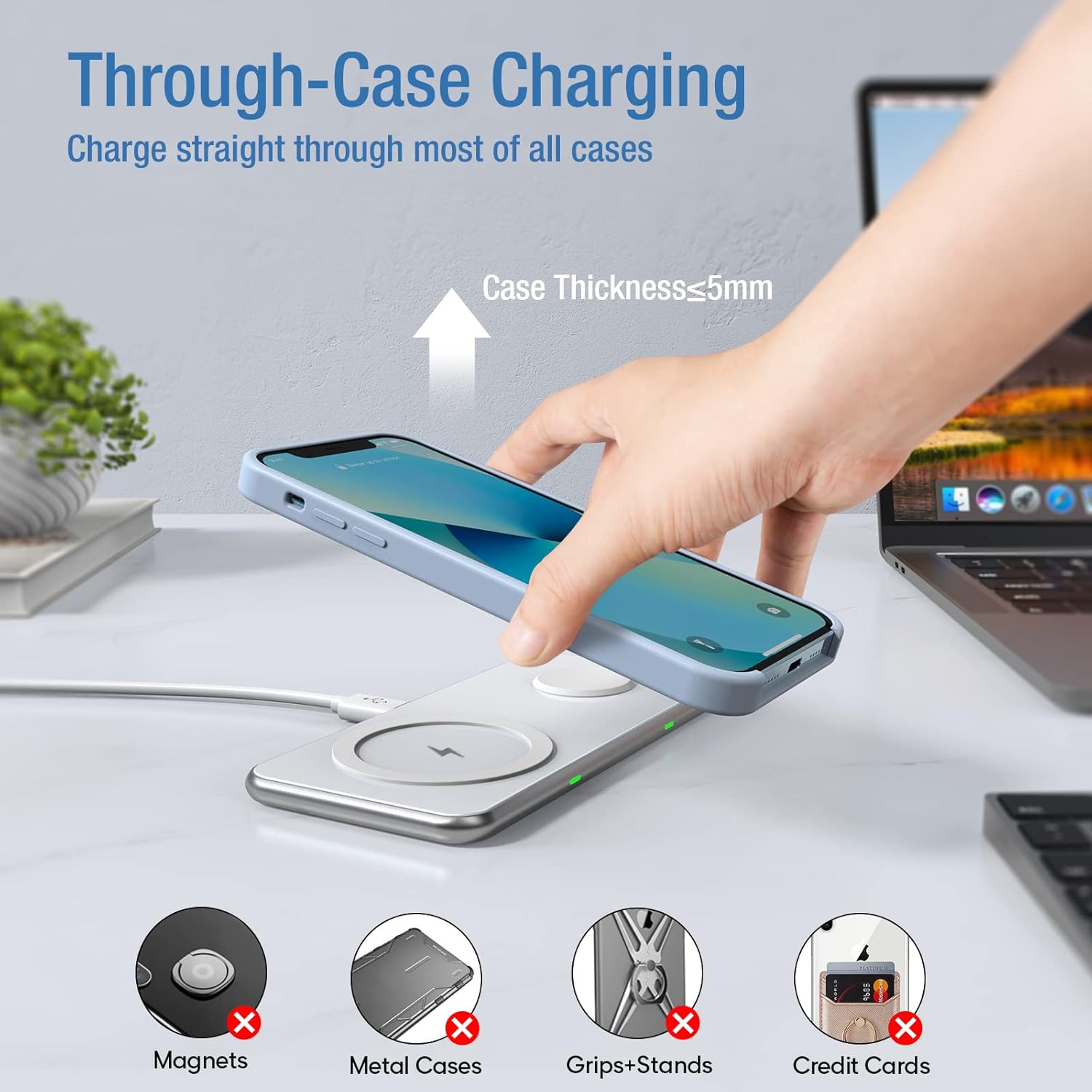
Image: Through-case charging capability and types of cases that may hinder performance.
Sleep-Friendly Operation
The indicator light on the charging pad will turn off approximately 10 seconds after your device begins charging. This feature ensures a comfortable, undisturbed sleep environment.
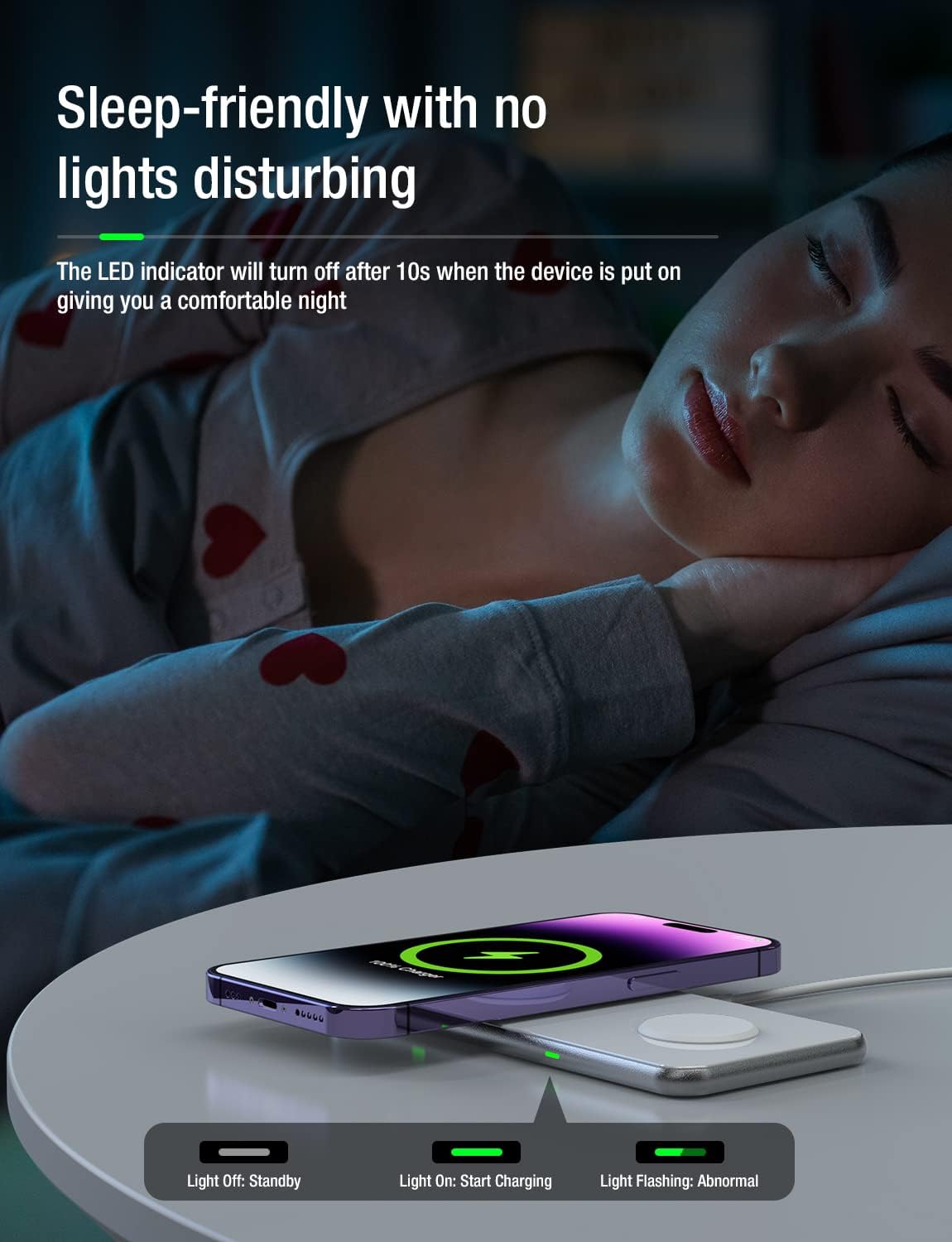
Image: The charging pad's indicator lights turn off after 10 seconds to avoid disturbing sleep.
Compatibility
The Hinyx WavePad T4 is universally compatible with a wide range of Qi-enabled devices:
- 15W Fast Charging: iPhone 15/15 Pro/15 Pro Max/15 Plus/14/14 Plus/14 Pro/14 Pro Max/13/13 Pro/13 Pro Max/13 mini/12/12 Pro/12 Pro Max/12 mini/SE/11/11 Pro/11 Pro Max/Xr/Xs/Xs Max/X/8/8 Plus; Samsung Galaxy S23/S23+/S23 Ultra/S22/S21/S20/Note 10/S10 series.
- 5W Charging: AirPods Pro2/3/Pro2.
- 3.5W Charging: Apple Watch Ultra/SE/8/7/6/SE/5/4/3/2.
- Other Qi-Enabled Phones: Compatible with Google Pixel, OnePlus, Sony, LG, Motorola, Xiaomi, BlackBerry, Nokia models that support wireless charging.

Image: Detailed compatibility chart for various devices.
Safety Features
The Hinyx WavePad T4 incorporates multiple safety protections to ensure the well-being of your devices and yourself:
- Temperature Control: Prevents overheating during charging.
- Surge Protection: Safeguards against power surges.
- Short-Circuit Prevention: Protects against electrical shorts.
- Overcurrent Protection: Regulates current flow to prevent damage.
- Overvoltage Protection: Shields against excessive voltage.
- Overcharge Protection: Prevents battery damage from prolonged charging.
The product is approved by CE, FCC, and UL standards, ensuring dual safety for all your devices.
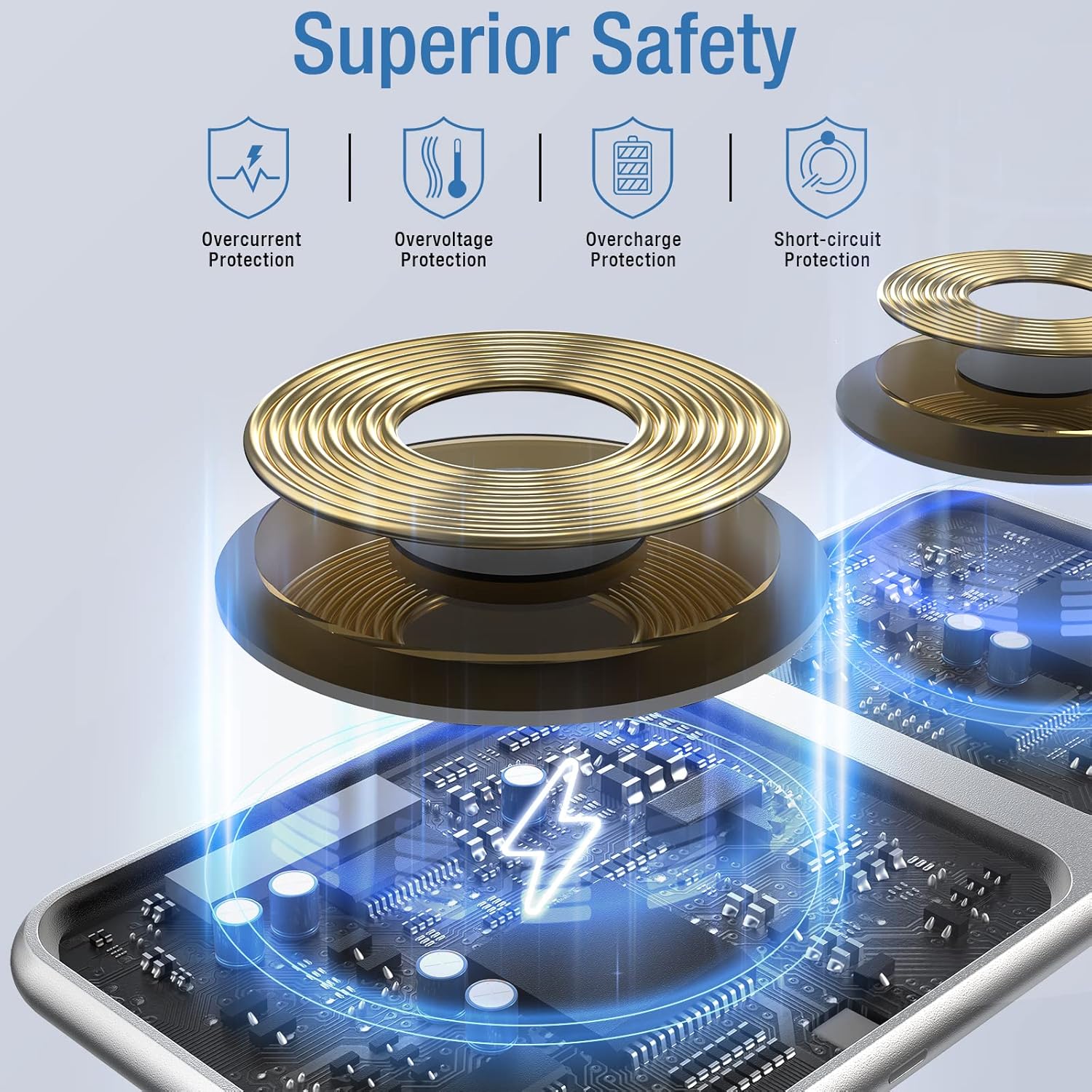
Image: Internal components and safety features of the charging pad.
Maintenance
To ensure the longevity and optimal performance of your Hinyx WavePad T4, follow these maintenance guidelines:
- Cleaning: Use a soft, dry cloth to wipe the surface of the charging pad. Avoid using abrasive cleaners, solvents, or harsh chemicals.
- Storage: When not in use, store the charging pad in a cool, dry place away from direct sunlight and extreme temperatures.
- Handling: Handle the device with care. Avoid dropping it or subjecting it to strong impacts.
- Cable Care: Do not bend or crimp the charging cable excessively. Store it neatly to prevent damage.
Troubleshooting
If you encounter issues with your Hinyx WavePad T4, please refer to the following common solutions:
- Device Not Charging:
- Ensure your device is Qi-enabled.
- Verify the device is correctly aligned on the charging coil (center circle for phones/AirPods, magnetic module for Apple Watch).
- Check if the phone case is ≤5mm thick and does not contain metal. Remove the case to test.
- Confirm the charging pad is properly connected to the QC 3.0 adapter and a working power outlet.
- Try using a different compatible USB-C cable and QC 3.0 adapter if available.
- Slow Charging:
- Ensure you are using the included QC 3.0 wall adapter. A 5V/1A adapter or computer's USB port may provide insufficient power.
- Check for proper device alignment and case thickness as mentioned above.
- Close unnecessary background applications on your device.
- Overheating:
- Remove any metal objects or foreign materials from the charging pad surface.
- Ensure proper ventilation around the charging pad.
- If overheating persists, discontinue use and contact customer support.
- Indicator Light Flashing (Abnormal):
- This usually indicates a foreign object detection or improper device placement. Remove the device and any foreign objects, then re-place the device.
Specifications
| Feature | Specification |
|---|---|
| Model Number | WavePad T4 |
| Product Dimensions | 5.51 x 2.52 x 0.31 inches |
| Item Weight | 9.2 ounces |
| Input Voltage | 9 Volts (AC) |
| Amperage | 2 Amps |
| Total USB Ports | 1 (USB-C input) |
| Connector Type | USB-A to USB-C |
| Special Features | Aluminum Alloy Body and Mirror Panel, Fast Charging, Magnetic Wireless Charging for iWatch, Supports All Wireless Buds Charging Case, Through-Case Charging |
Warranty and Support
Hinyx provides a 36-month worry-free FULL REFUND or REPLACEMENT for quality issues. Additionally, friendly customer service with a 6-hour response time is available.
For any quality issues or support inquiries, please feel free to contact us before sharing your feedback. You can reach us through the Amazon messaging system:
- Go to the product page on Amazon.
- Click on the seller name (e.g., "Sold by FunTake Ark").
- Click "Ask a question" to send a message.

Image: Hinyx customer service and warranty details.
Product Videos
15W Dual Portable Wireless Charging Pad
Video: An overview of the Hinyx WavePad T4 15W Dual Portable Wireless Charging Pad, demonstrating its features and compact design.
Related documentsWavePad T4


Ask a question about this manual
Ask about setup, troubleshooting, compatibility, parts, safety, or missing instructions. Manuals+ will review the question and use this page’s manual context to help answer it.