
GoPro APHGM-001
Contents
GoPro Volta User Manual
Model: APHGM-001
Introduction
The GoPro Volta is a highly versatile accessory designed to enhance your GoPro camera experience. It functions as a premium battery grip, a stable tripod, and a convenient remote control. With its integrated 4900 mAh battery, Volta significantly extends your camera's battery life, allowing for prolonged shooting sessions. Its intuitive controls provide easy one-handed operation, while the wireless remote capability offers flexibility for group shots and creative angles. The built-in tripod legs ensure stability for stationary shots and time-lapses, and its weather-resistant construction provides protection in various environments.
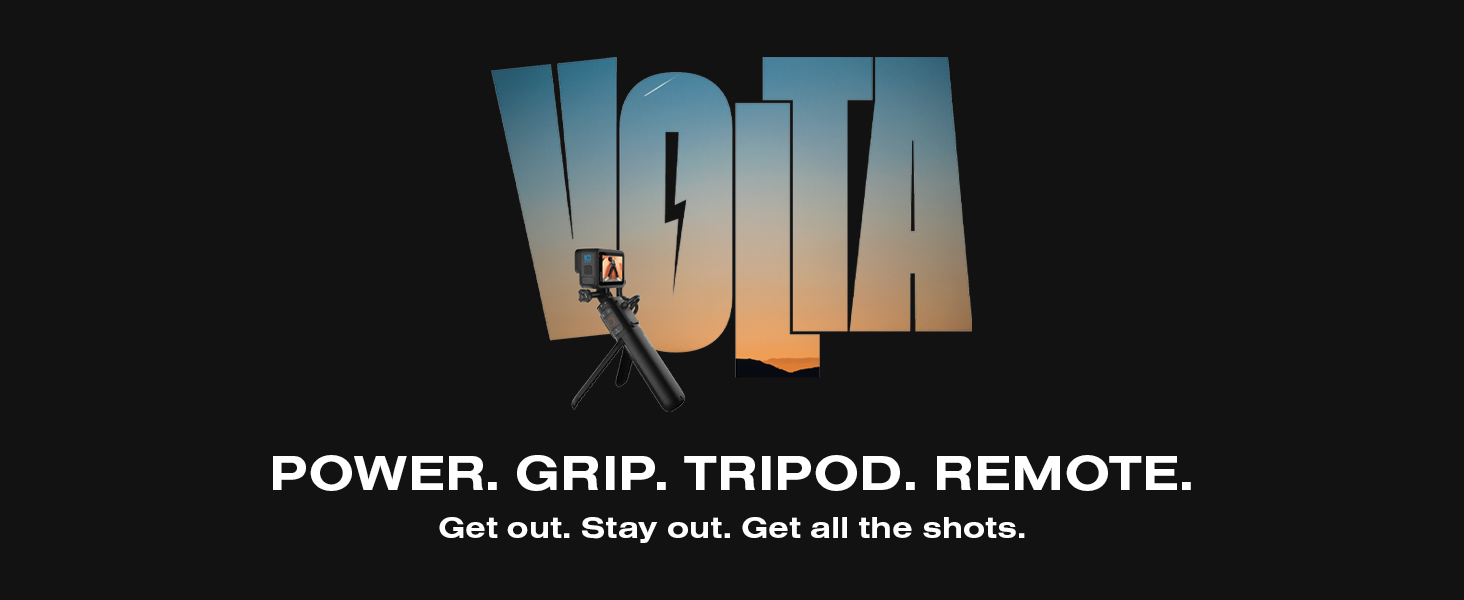
Image: GoPro Volta banner highlighting its multi-functional capabilities as a power source, grip, tripod, and remote.
Setup
Package Contents
- Volta
- USB Pass-Through Door
- Thumb Screw
- USB-C Cable
- Lanyard
Attaching Your GoPro
- Open the retractable mounting fingers on the Volta.
- Align your GoPro camera with the mounting fingers and secure it using the provided thumb screw.
- Replace your GoPro's standard USB-C door with the included USB Pass-Through Door. This door allows the USB-C cable from the Volta to connect to your camera while maintaining weather resistance.
- Connect the coiled USB-C cable from the Volta to your GoPro camera's USB-C port. Ensure a secure connection for charging and wired control.

Image: A GoPro camera being mounted onto the Volta grip, illustrating the connection process.
Charging the Volta
To charge the Volta, connect the USB-C cable to a power source (e.g., wall adapter, computer USB port). The LED indicators on the Volta will show the charging status. A full charge provides approximately 2x the power of a standard GoPro battery.
Wireless Pairing (for Remote Control)
For wireless control, the Volta needs to be paired with your GoPro via Bluetooth. Refer to your GoPro camera's user manual for specific Bluetooth pairing instructions. Once paired, the Volta can control your camera from up to 98 feet (30 meters) away.
Operating the Volta
Controls and Indicators

Image: The GoPro Volta with a GoPro camera attached, clearly displaying the control buttons and LED indicators for battery status and camera mode.
- Power Button: Press to power the Volta on or off.
- Mode Button: Cycles through camera modes (e.g., Video, Photo, TimeWarp).
- Shutter Button: Initiates or stops recording/capturing.
- LED Indicators: Display battery life and current camera mode at a glance.
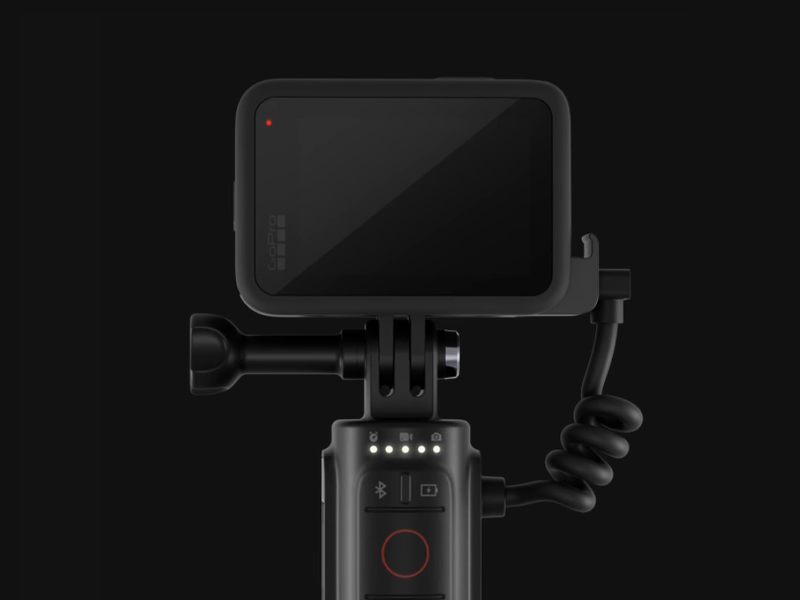
Image: Close-up view of the GoPro Volta's LED indicators, providing visual feedback on battery level and the active camera mode.
Using as a Grip
Hold the Volta comfortably as a camera grip for stable handheld footage. The integrated camera buttons allow for easy one-handed control of your GoPro's functions.
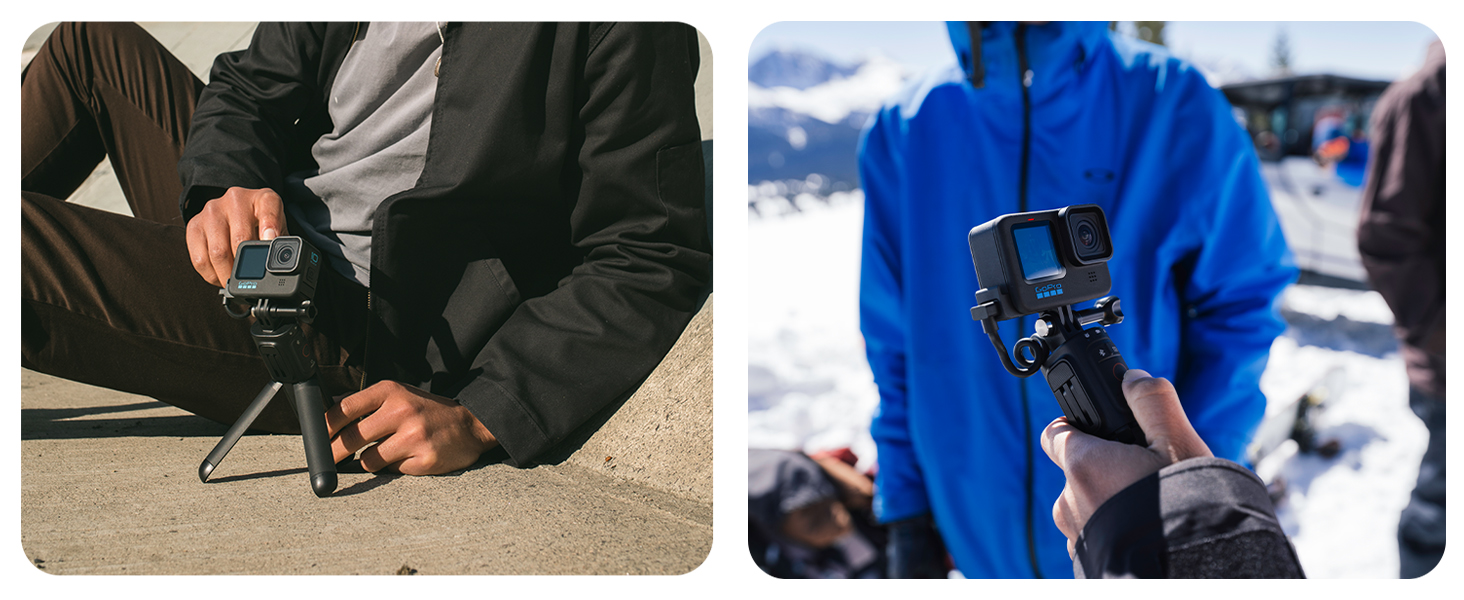
Image: A split image demonstrating the versatility of the Volta, showing it used as a stable tripod and as a comfortable handheld grip.
Using as a Tripod
Flip out the integrated tripod legs from the base of the Volta to set your GoPro down on a flat surface. This is ideal for stable shots, time-lapses, and group photos.

Image: A person sitting on the ground, with a GoPro camera securely mounted on the Volta, which is deployed as a stable tripod.

Image: A view from the bottom of the GoPro Volta, clearly showing its integrated tripod legs fully extended for stable placement.
Using as a Remote Control
Once wirelessly paired, you can detach your GoPro from the Volta and use the Volta as a remote control. This is useful for capturing shots when your camera is mounted out of reach or for taking selfies and group photos from a distance.
Maintenance
- Cleaning: Wipe the Volta with a soft, damp cloth. Do not use harsh chemicals or abrasive materials.
- Weather Resistance: The Volta is designed to be weather-resistant. Ensure the USB Pass-Through Door is properly sealed when connected to your GoPro to maintain protection against splashing water, snow, and rain. Avoid submerging the Volta in water.
- Storage: Store the Volta in a cool, dry place away from direct sunlight and extreme temperatures.
- Battery Care: For optimal battery life, avoid fully discharging the Volta frequently. Charge it regularly, even if not in use for extended periods.
Troubleshooting
Common Issues and Solutions
- Volta not charging: Ensure the USB-C cable is securely connected to both the Volta and the power source. Try a different USB-C cable or power adapter.
- GoPro not charging from Volta: Verify the USB Pass-Through Door is correctly installed and the coiled USB-C cable is firmly connected to both the Volta and the GoPro. Ensure the Volta has sufficient charge.
- Buttons not responding: Check if the Volta is powered on. If using wireless control, ensure the Volta is properly paired with your GoPro. Try restarting both the Volta and your GoPro camera.
- Wireless connection issues: Ensure Bluetooth is enabled on your GoPro and the Volta is within the 98ft (30m) range. Re-pair the Volta with your GoPro if necessary.
For further assistance, please refer to the official GoPro support website or contact GoPro customer service.
Specifications
| Feature | Detail |
|---|---|
| Model Number | APHGM-001 |
| Product Dimensions | 10 x 9.02 x 2.99 inches |
| Item Weight | 13 ounces (369 Grams) |
| Battery Capacity | Built-in 4900 mAh Lithium Ion battery |
| Compatible Devices | GoPro Cameras (HERO10 Black, HERO9 Black, MAX, HERO8 Black - check compatibility table for details) |
| Wireless Control Range | Up to 98ft (30m) |
| Construction | Weather-resistant, 35% of plastic parts made from recycled materials |
| Mounting | Retractable mounting fingers, Standard 1/4-20 mount |
| UPC | 818279026184 |
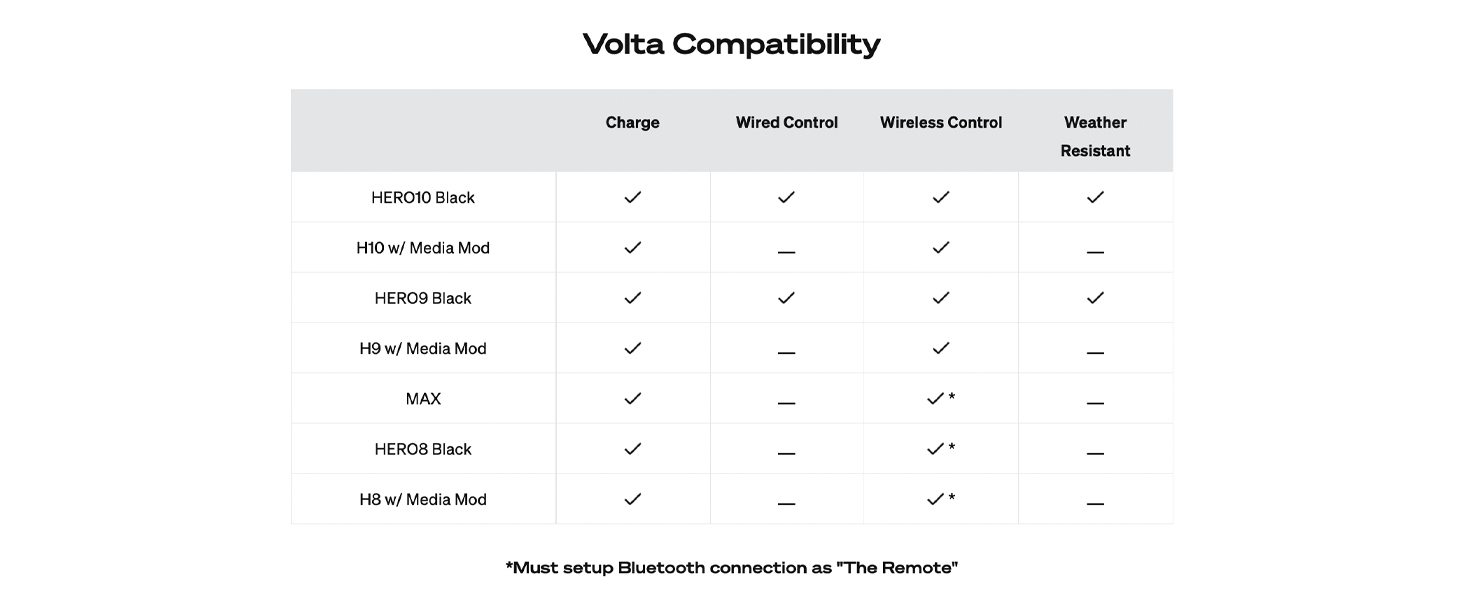
Image: A detailed compatibility table showing which GoPro camera models are compatible with the Volta for charging, wired control, wireless control, and weather resistance.
Warranty and Support
The GoPro Volta comes with a standard manufacturer's warranty. For specific warranty terms and conditions, please refer to the documentation included with your product or visit the official GoPro website. Extended protection plans may also be available for purchase separately.
For technical support, product registration, or to access the latest user guides and software updates, please visit the official GoPro Support page:GoPro Support
You can also find the official user manual in PDF format here: GoPro Volta User Manual (PDF)
Ask a question about this manual
Ask about setup, troubleshooting, compatibility, parts, safety, or missing instructions. Manuals+ will review the question and use this page’s manual context to help answer it.