1. Introduction
Thank you for choosing the FilterTech Compatible Replacement Water Filter Set. This manual provides essential information for the proper installation, operation, and maintenance of your new filter set. This set is designed to be compatible with Coway water purifier models CHP-250L, CHP-260L, and CHP-270L.
Important Safety Precaution: Before consuming water after filter replacement, it is crucial to flush the filters thoroughly to remove any carbon powder (charcoal powder) that may be present from the manufacturing process. Failure to do so may result in cloudy water or an altered taste. Please follow the flushing instructions carefully.
2. Setup and Installation
Follow these steps to replace the water filters in your Coway water purifier. Refer to your Coway purifier's original manual for specific instructions on accessing the filter compartments.
- Turn off Water Supply and Power: Locate the water inlet valve to your Coway water purifier and turn it off. Unplug the purifier from the electrical outlet.
- Drain Residual Water: Dispense any remaining water from the hot and cold water taps to relieve pressure and drain the internal tanks.
- Access Filter Compartment: Open the filter compartment cover on your Coway purifier. This usually involves unlatching or unscrewing a panel.
- Remove Old Filters: Carefully remove the old filter cartridges. Note their orientation and position for correct installation of the new filters. Some filters may require a quarter-turn to unlock.
- Install New Filters: Insert the new FilterTech compatible cartridges into their respective positions. Ensure they are securely seated and locked into place according to your purifier's design. The set includes 3 filters.
- Close Filter Compartment: Securely close the filter compartment cover.
- Restore Water Supply and Power: Slowly open the water inlet valve to allow water to flow back into the purifier. Check for any leaks. Plug the purifier back into the electrical outlet.
- Flush New Filters: This is a critical step. Dispense water from the purifier for approximately 2 minutes (about 4 liters) for each filter. Repeat this flushing process for each new filter installed. This removes carbon fines and prepares the filters for use. The water may appear cloudy initially; this is normal and will clear up as flushing continues.
- Check for Leaks: After flushing, carefully inspect all connections and the filter compartment for any signs of leaks.
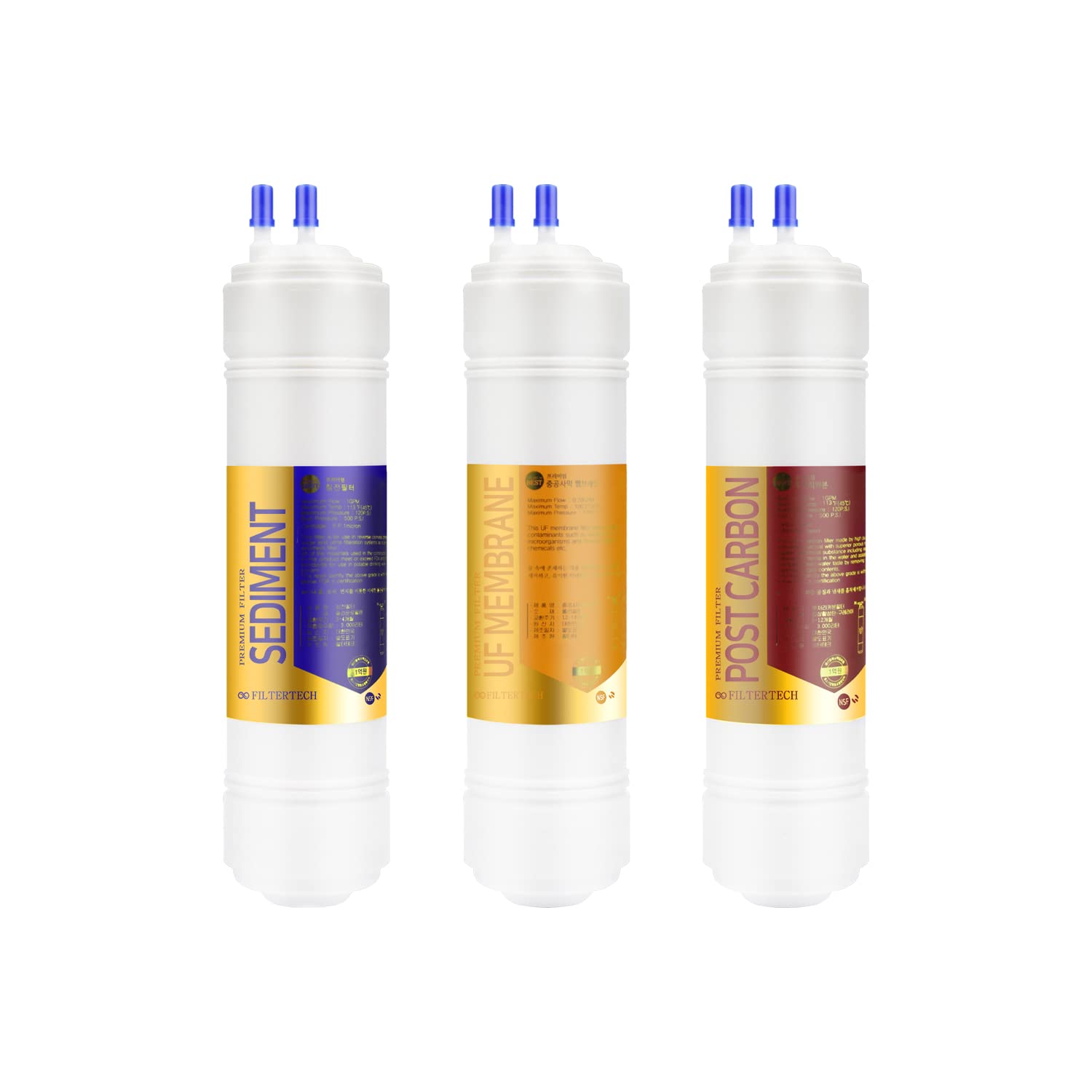
Image 1: The FilterTech 3-piece compatible replacement water filter set, showing the individual filter cartridges. Ensure all three filters are replaced as a set for optimal performance.
3. Operating Instructions
Once the new FilterTech filters are installed and thoroughly flushed, your Coway water purifier can be operated as usual. The filters work passively to purify the water as it passes through the system.
- Ensure the purifier is powered on and connected to the water supply.
- Allow the internal tanks to fill completely before dispensing large quantities of water.
- Dispense water as needed from the hot, cold, or ambient water taps.
4. Maintenance
Regular maintenance ensures the longevity and efficiency of your water purification system.
- Filter Replacement Schedule: It is recommended to replace the filter set every 6 to 12 months, or as indicated by your Coway purifier's filter change indicator, or if you notice a decrease in water quality or flow rate. Actual replacement frequency may vary based on water quality and usage.
- Exterior Cleaning: Periodically wipe the exterior of your water purifier with a soft, damp cloth. Do not use harsh chemicals or abrasive cleaners.
- Internal Cleaning: Refer to your Coway purifier's original manual for any specific internal cleaning or sanitization procedures.
5. Troubleshooting
If you encounter issues after installing your FilterTech replacement filters, consider the following:
| Problem | Possible Cause | Solution |
|---|---|---|
| Cloudy water or unusual taste/odor after installation | Insufficient flushing of new filters. Carbon fines present. | Continue flushing the filters for several more minutes until the water runs clear and taste/odor improves. |
| Slow water flow | Air trapped in the system; filters not fully saturated; clogged filters (if old). | Flush filters again to remove air. If filters are old, they may need replacement. Ensure water supply valve is fully open. |
| Water leakage from filter compartment | Filters not properly seated or locked; O-rings damaged or missing; loose connections. | Turn off water supply and power. Re-seat and re-lock filters. Inspect O-rings for damage. Tighten any loose connections. |
| Filter does not fit or has incorrect pole configuration (e.g., membrane filter) | Incompatibility with specific Coway model variant. | Verify the exact model number of your Coway purifier against the listed compatible models. If an incompatibility is found, contact the seller for assistance. |
6. Specifications
| Brand | FilterTech |
| Compatible Models | Coway CHP-250L, CHP-260L, CHP-270L |
| Material | Carbon (filter media) |
| Number of Items | 3 (filter cartridges) |
| Certification | CE Certified |
7. Warranty Information
FilterTech products are manufactured to high-quality standards. For specific warranty details regarding this replacement filter set, please refer to the product packaging or contact the seller directly. Keep your proof of purchase for any warranty claims.
8. Customer Support
If you have any questions, require assistance with installation, or encounter issues not covered in this manual, please contact the seller or FilterTech customer support through the platform where the product was purchased. Provide your product details and a clear description of the issue for prompt assistance.


