1. Introduction
This manual provides essential information for the safe and efficient operation, installation, and maintenance of your Kool-It LX-14RB Commercial Glass Door Merchandiser Refrigerator. Please read this manual thoroughly before operating the unit and retain it for future reference.
Product Overview
The Kool-It LX-14RB is a 14 cubic foot, one-section glass door merchandiser refrigerator designed for commercial use. It features an intelligent electronic control system, LED lighting, and utilizes R290 hydrocarbon refrigerant. The unit is equipped with spark-free refrigeration components for enhanced safety and is NSF Certified and Energy Star compliant.
- Intelligent Electronic Control: Patented ETC1H electronic controller ensures precise temperature management and optimized defrost cycles.
- LED Lighting System: Ultra-bright, low-energy interior LED illumination for optimal product visibility.
- R290 Hydrocarbon Refrigerant: Environmentally friendly refrigerant meeting current energy standards.
- Spark-Free Refrigeration Components: Designed for optimal safety in commercial environments.
- Durable Construction: Pre-painted steel interior and exterior with a hinged locking glass door.
2. Safety Instructions
Always follow basic safety precautions when using this appliance to reduce the risk of fire, electric shock, or injury.
- Electrical Safety: Ensure the unit is connected to a properly grounded 115V/60Hz/1-ph power supply with a dedicated circuit. Do not use extension cords.
- Flammable Refrigerant: This unit uses R290 hydrocarbon refrigerant, which is flammable. Do not use mechanical devices or other means to accelerate the defrosting process, other than those recommended by the manufacturer. Do not damage the refrigerant circuit.
- Ventilation: Maintain adequate clearance around the unit for proper ventilation to prevent overheating.
- Cleaning: Disconnect power before cleaning or performing maintenance.
- Service: All service and repairs should be performed by qualified service personnel.
- Weight: The unit is heavy. Use appropriate lifting techniques and equipment during installation to prevent injury.
3. Setup
3.1 Unpacking
- Carefully remove all packaging materials, including tape and protective film.
- Inspect the unit for any shipping damage. Report any damage to the carrier immediately.
- Remove all internal packing materials and accessories.
3.2 Placement
- Place the refrigerator on a strong, level surface capable of supporting its weight when fully loaded.
- Ensure adequate clearance (at least 4 inches) around the back and sides of the unit for proper air circulation and heat dissipation.
- Avoid direct sunlight, heat sources, or areas with high humidity.
- The unit is designed for indoor use only.
3.3 Initial Cleaning
Before first use, clean the interior and exterior surfaces with a mild detergent and warm water. Rinse thoroughly and dry completely.
3.4 Power Connection
Connect the unit to a dedicated 115V/60Hz/1-ph electrical outlet. The unit comes with a cord and NEMA 5-15P plug. Do not use adapters or extension cords.
3.5 Initial Startup
After placement and power connection, allow the unit to sit for at least 2 hours before plugging it in. This allows refrigerants and oils to settle. Once plugged in, allow the unit to run empty for several hours to reach its operating temperature (32°F to 44.6°F) before loading products.

Figure 1: Full view of the Kool-It LX-14RB Merchandiser Refrigerator. This image displays the overall design, including the black exterior, glass door, and internal shelving with various products.
4. Operating Instructions
4.1 Temperature Control
The unit is equipped with an intelligent electronic controller (ETC1H) that manages the temperature. The factory preset temperature range is 32°F to 44.6°F (0°C to 7°C). Refer to the controller's specific instructions for adjusting temperature settings, if necessary. Avoid frequent and drastic temperature changes.
4.2 Loading Product
- Ensure products are pre-chilled before placing them into the refrigerator to maintain stable internal temperatures.
- Do not overload shelves. Allow space for air circulation around products.
- Avoid blocking the internal air vents.
4.3 Door Operation
The unit features a hinged locking glass door. Ensure the door is closed securely after each use to maintain internal temperature and energy efficiency. The lock provides added security for stored merchandise.
4.4 LED Lighting System
The interior LED lighting system is designed for optimal product display. It is typically controlled by the electronic controller or a dedicated switch. The low-profile, door-mounted, clip-in LED design ensures even illumination.

Figure 2: Close-up view of the top section of the refrigerator, highlighting the Kool-It logo, the upper shelves, and the internal LED lighting system. Various products are visible on the shelves.
5. Maintenance
Regular maintenance ensures optimal performance and extends the lifespan of your refrigerator. Always disconnect power before performing any maintenance.
5.1 Regular Cleaning
- Interior: Clean the interior surfaces, shelves, and door gaskets regularly with a mild, non-abrasive detergent and warm water. Rinse thoroughly and dry completely to prevent mold and odors.
- Exterior: Wipe down the exterior surfaces with a soft cloth and mild cleaner. Avoid harsh chemicals that may damage the finish.
- Glass Door: Use a glass cleaner specifically designed for glass surfaces.
5.2 Condenser Cleaning
The condenser coil should be cleaned every 30-90 days, depending on the operating environment. A dirty condenser coil reduces cooling efficiency and increases energy consumption. Use a stiff brush or vacuum cleaner to remove dust and debris from the condenser fins. The newly designed condenser features reduced joints for improved long-term reliability.
5.3 Gasket Inspection
Regularly inspect the door gaskets for cracks, tears, or signs of wear. Damaged gaskets compromise sealing and lead to energy loss. Replace worn gaskets promptly.
5.4 Defrost Cycle
The intelligent electronic control system manages the automatic defrost cycle. Manual defrosting is generally not required. If excessive ice buildup occurs, contact qualified service personnel.
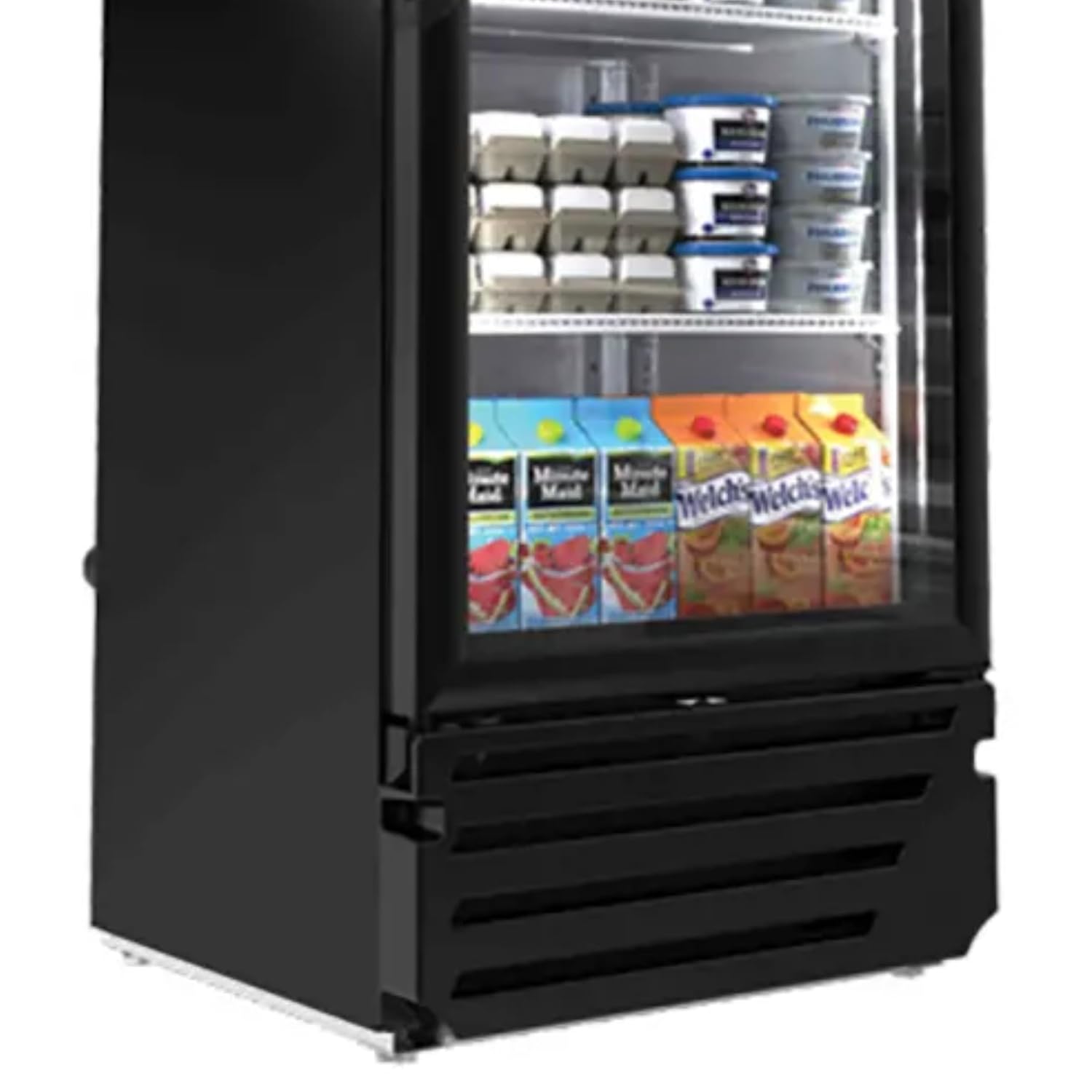
Figure 3: Close-up view of the bottom section of the refrigerator, displaying the lower shelves with products and the condenser grille at the base. This area is crucial for air intake and heat exchange.
6. Troubleshooting
Before contacting service, review the following common issues and solutions:
- Unit Not Running:
- Check if the power cord is securely plugged into a live outlet.
- Verify the circuit breaker or fuse is not tripped.
- Ensure the unit's power switch (if present) is in the 'ON' position.
- Insufficient Cooling:
- Check if the temperature setting is appropriate.
- Ensure the condenser coil is clean and free of obstructions.
- Verify the door is closing properly and gaskets are sealing.
- Avoid overloading the unit, which can restrict airflow.
- Ensure ambient room temperature is within operating limits.
- Excessive Noise:
- Check if the unit is level.
- Ensure no objects are vibrating against the unit.
- Fan motors may produce some operational noise; excessive or unusual noise may indicate a problem.
- LED Lights Not Working:
- Check if the light switch (if applicable) is on.
- Verify power supply to the unit.
If these steps do not resolve the issue, contact qualified service personnel.
7. Specifications
| Feature | Specification |
|---|---|
| Model Number | LX-14RB |
| Brand | Kool-It |
| Capacity | 11.5 Cubic Feet (approx. 14 cu. ft. gross) |
| Product Dimensions (D x W x H) | 24.63" x 24.75" x 63.88" |
| Color | Black |
| Number of Doors | 1 (Hinged Glass Door) |
| Voltage | 115 Volts |
| Frequency | 60 Hz |
| Phase | 1-ph |
| Amperage | 4.1 Amps |
| Horsepower (HP) | 1/5 HP |
| Refrigerant | R290 Hydrocarbon |
| Temperature Range | 32°F to 44.6°F (0°C to 7°C) |
| Form Factor | Compact |
| Certifications | Energy Star, NSF Listed |
| Cord Type | NEMA 5-15P |
| Manufacturer | MVP Group |
8. Warranty and Support
For warranty information, technical support, or to order replacement parts, please contact Kool-It customer service or your authorized dealer. Keep your purchase receipt and model number (LX-14RB) readily available when contacting support.
Refer to the official Kool-It website or your product documentation for the most current warranty terms and contact information.


